Sales Commission Payout
Introduced in version 14.
Sales Commission Payout is a feature for paying out the commission earned by Sales Person. Payout can happen via Additional Salary or Payment Entry
To access Sales Commission Payout, go to:
Home > Payrolls > Compensations > Sales Commission
1. Prerequisites
Before creating an Sales Commission, it is advisable to create the following:
- Employee.
- Salary Component.
- Sales Order / Sales Invoice (With Sales Person who is Employee).
- Set Salary Component for Sales Commission in Payroll Settings.
- Salary Structure Assignment for the Sales Person.
2. Creating Sales Commission
- Go to to Sales Commission list, click on New.
- Select Sales Person.
- If payout is to happen via Additional Salary then check "Pay Via Salary" checkbox.
- Select From Date and To Date.
- Select Commission Based on (Either Sales Order or Sales Invoice).
- Click on "Get Contributions" button. It will fetch all the contributions of that sales person and populate the Contributions table as well as calculate Total Contribution and Total Commission Amount for that Sales Person.
- If the commission is to be calculated manually then check "Calculate Commission Manually" checkbox add the desired "Commission Rate" and save. This will recalculate the "Total Commission Amount" based on entered commission rate.
- After submitting the Sales Commission depending on whether "Pay Via Salary" was checked or not. One of the following button will be visible.
- Created Additional Salary if "Pay Via Salary" was checked. Which will create an additional salary with the total commission amount for the sales person.
- Create Payment Entry if "Pay Via Salary" was not checked. Which will open a modal asking the mode of payment and then create a payment entry for the sales person.
Screenshots
Sales Commission
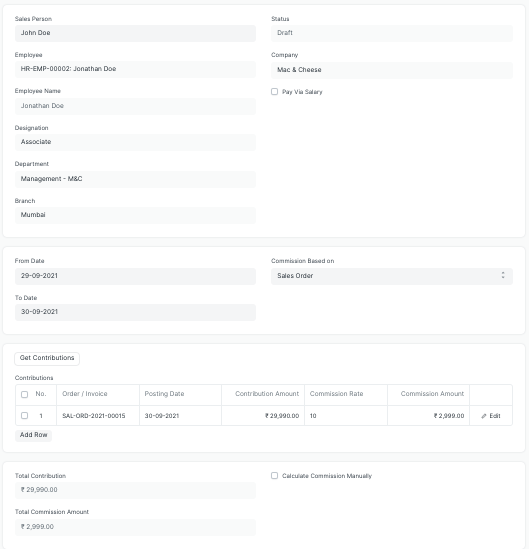
Example of a Sales Commission.
Calculating Commission Manually
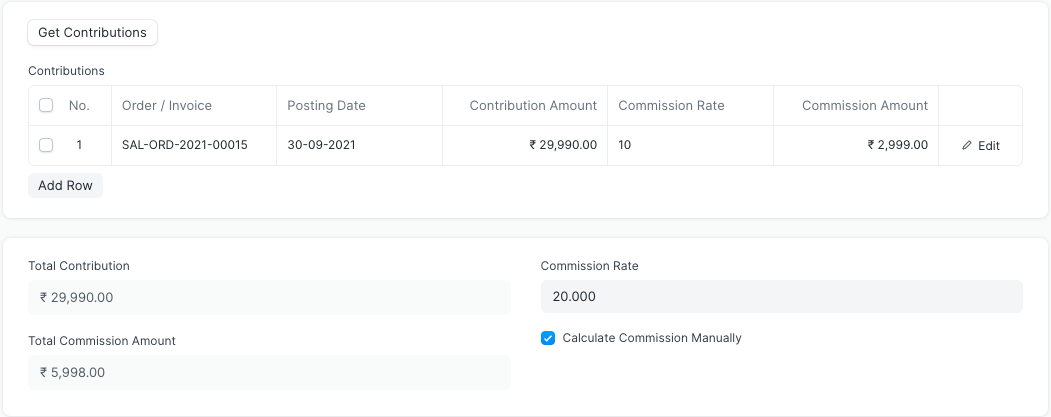
You can also calculate commission manually as shown here, the commission is calculated on 20% rate.
Create Additional Salary When Pay Via Salary is checked
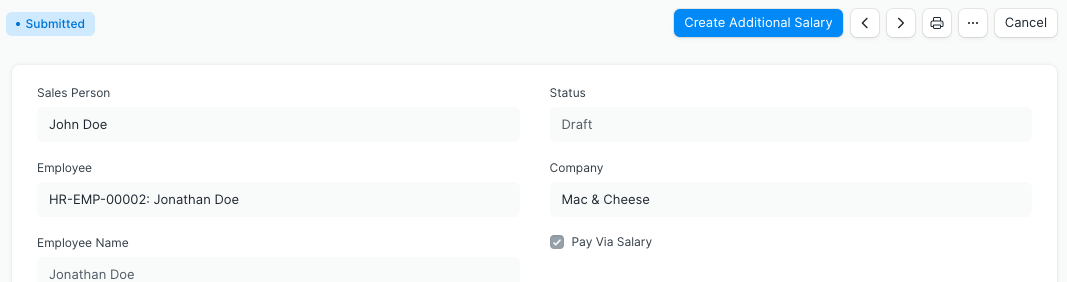
When pay via salary is checked, you get a button for creating additional salary for this payout.
Create Payment Entry When Pay Via Salary is not checked
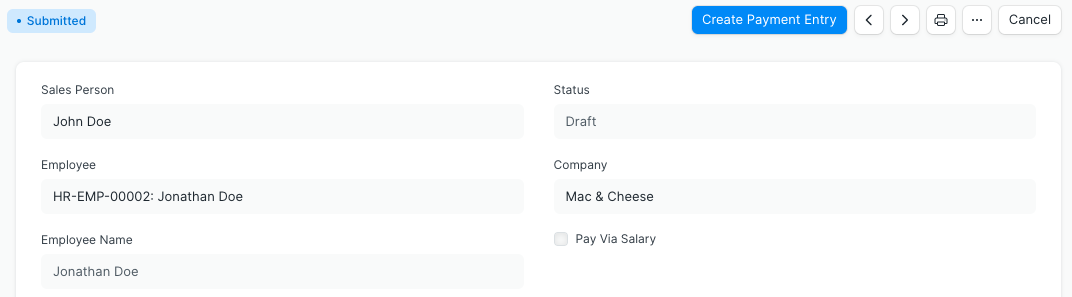
When pay via slary is unchecked, you get a button for creating payment entry for this payout.
Modal for selecting Mode of Payment when paying via Payment Entry
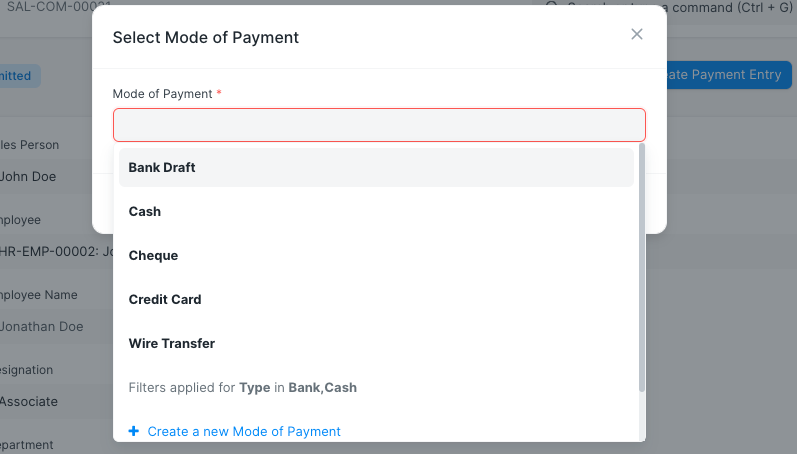
Mode of payment is neccessary when paying via payment entry.