Land Unit
Before we do anything, we need to define some details about where our crops will be planted. We will first create our farm as a parent land unit, and then we will add one or more fields as children or nodes, belonging to the parent.
Agriculture > Land Unit
On the desk, click on the Land Unit icon. assets/img/new-land-unit-icon.png A list will show any existing Land Units.
On the top right, click on New to create the first Land Unit.
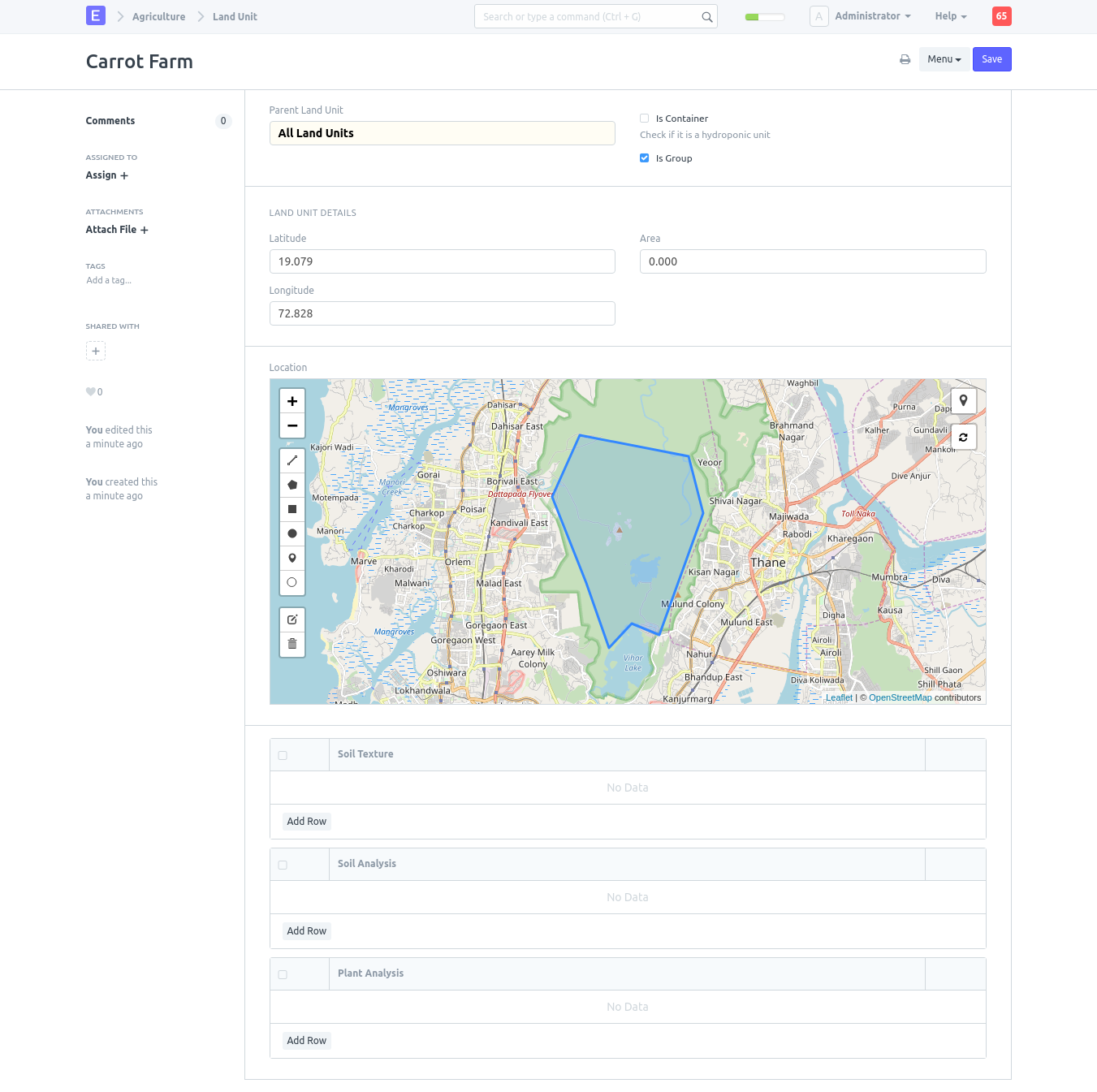
- Land Unit Name: Carrot Farm
- Parent Land Unit: All Land Units
- Check the box next to 'Is Group'
- Location: plot the area as you please
Click Save
It should look something like this
With the farm created, we can now create our first Carrot Field! Click on New
- Land Unit Name: Carrot Field 1
- Parent Land Unit:select the one we just created in step two, i.e. Carrot Farm
- Leave the 'Is Group' box unchecked
- Location: plot the area as you please
Click Save
Repeat step 3 for as many fields as you need
Last updated 8 months ago