Document States
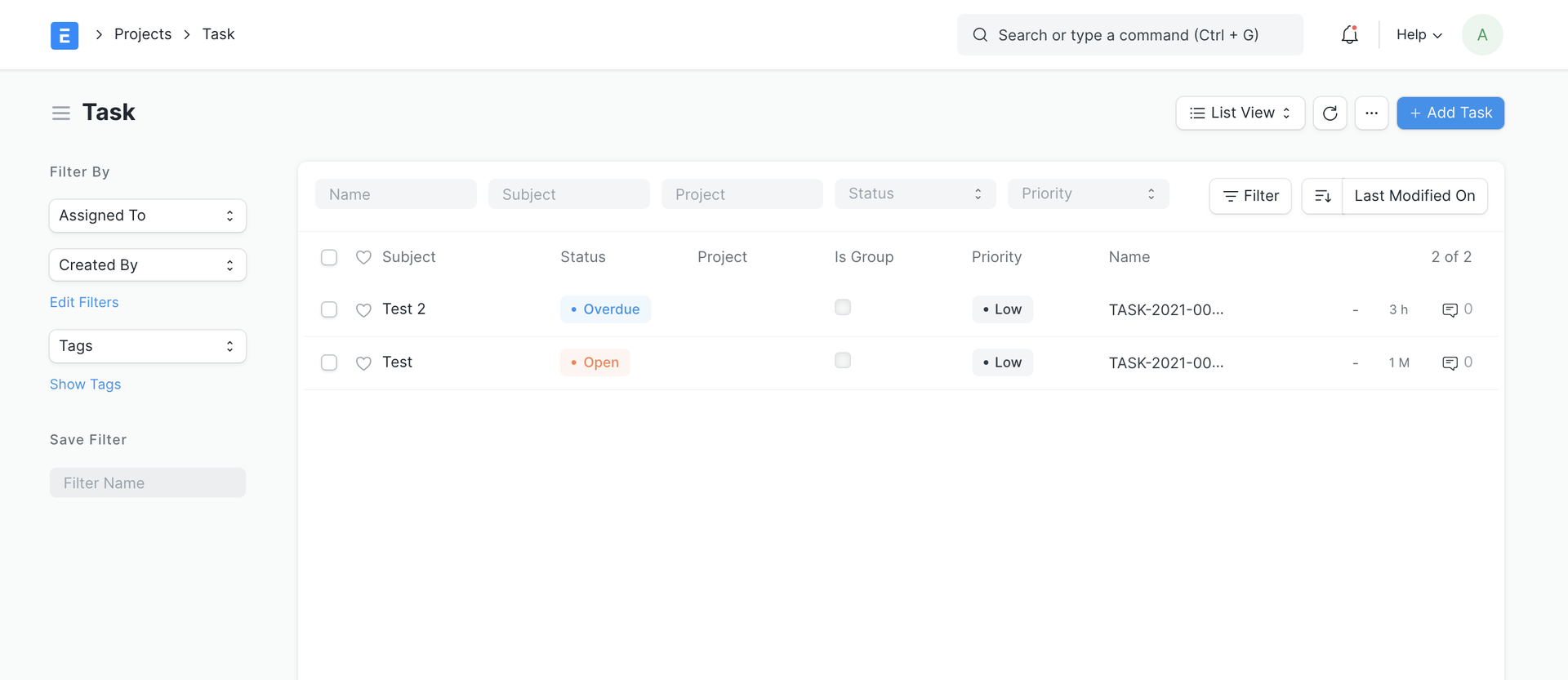
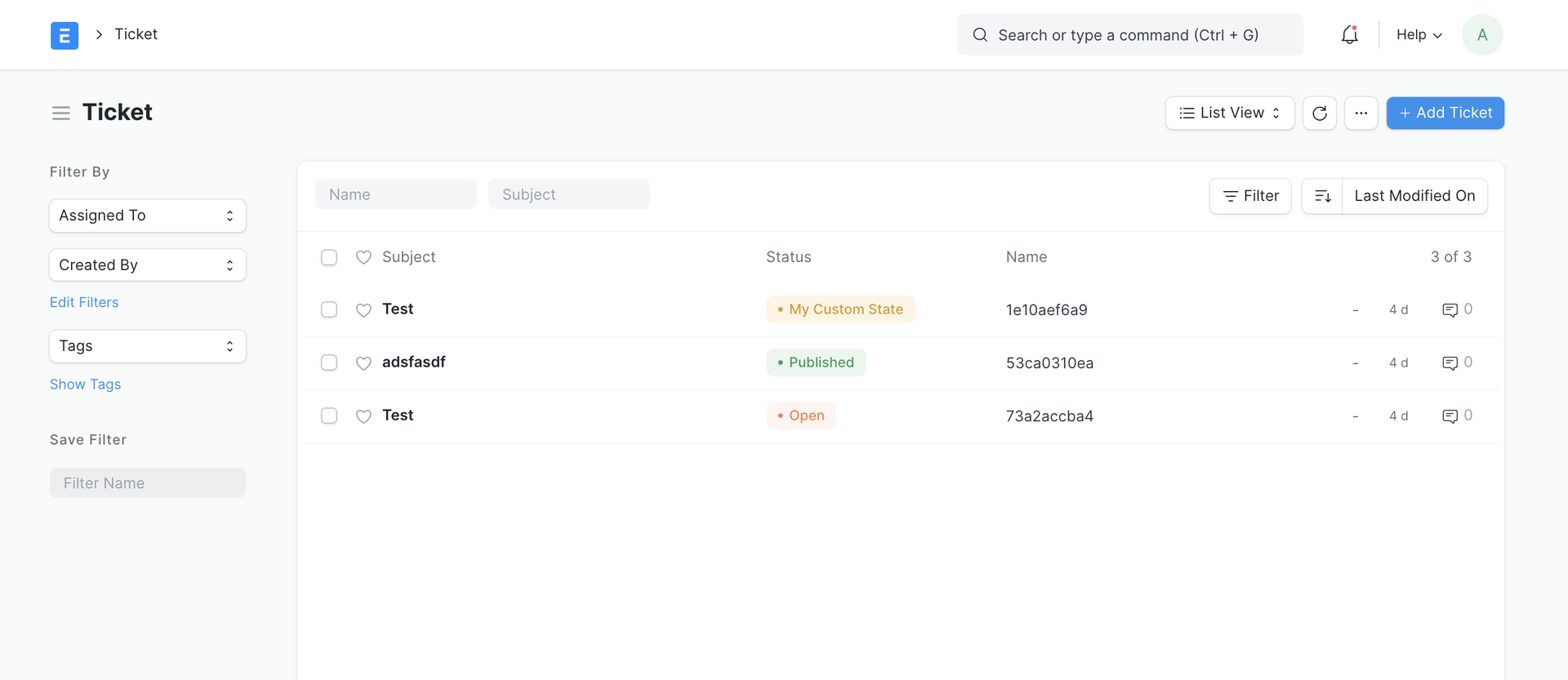
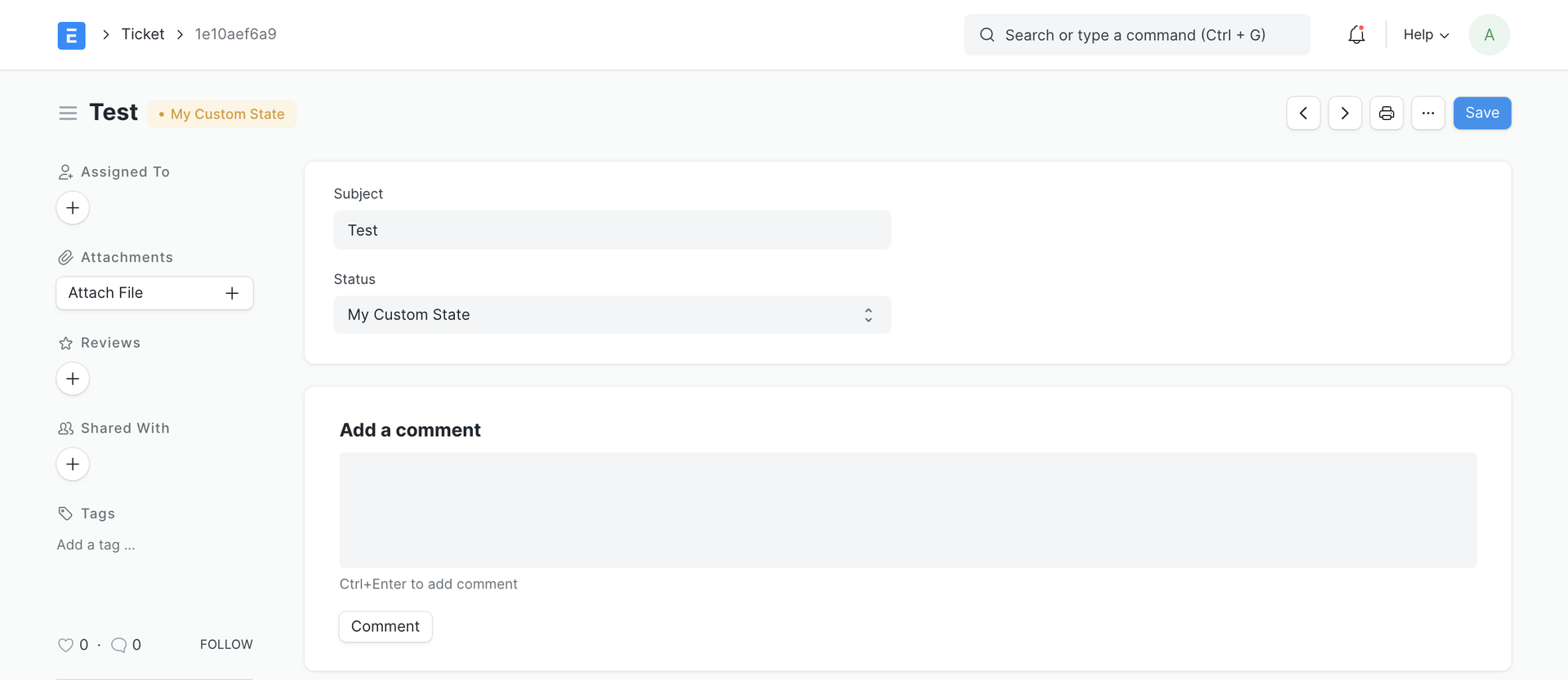
Document State is the colored badge you see in the Status column in the list view and beside the title in the form view.
This feature allows you to define or customize the colors of the statuses of your documents.
Customize status color
Let's say you want to change the color of "Overdue" status in the Task doctype:
- Go to Customize Form and select Task to customize
- Scroll down to the Document States section and change the color of "Overdue"
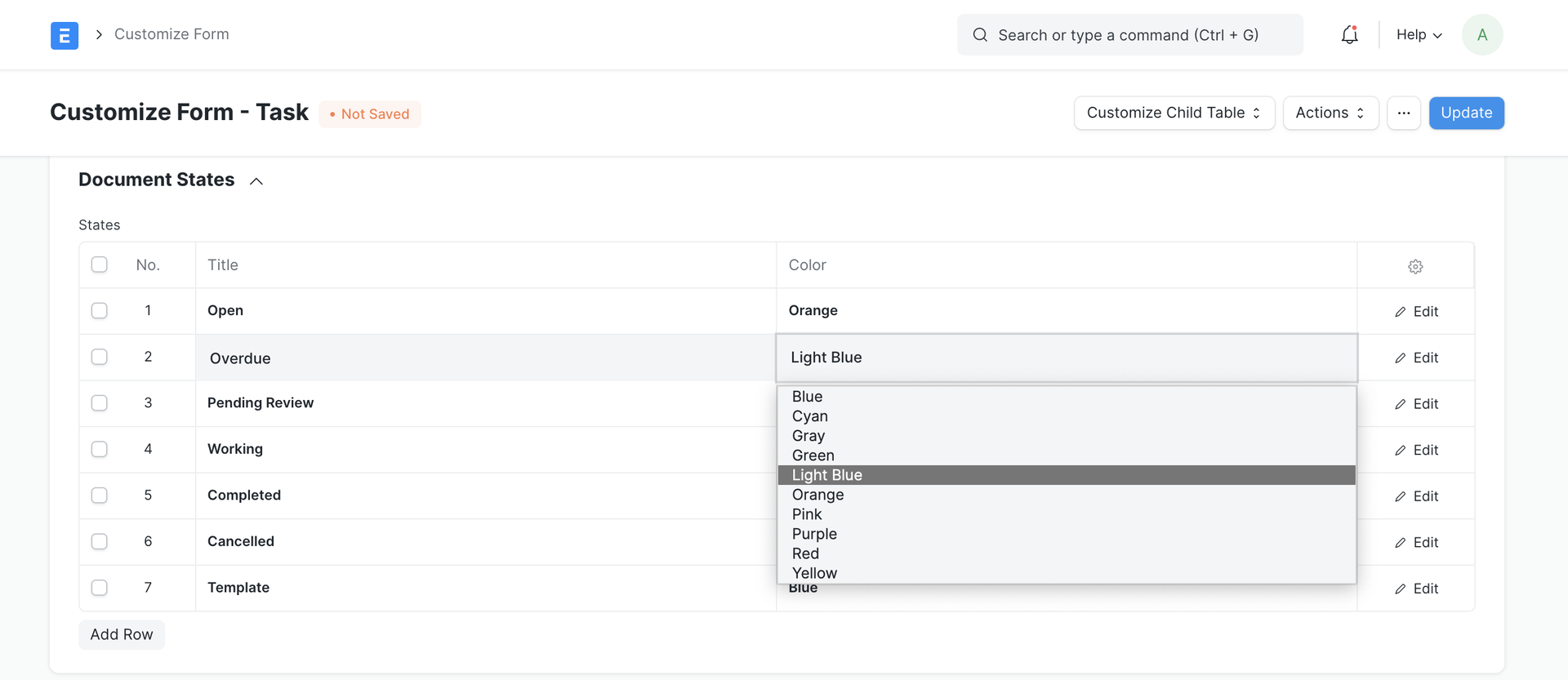
- Click on Update
- Check the list view and form of a Task which has Status set as Overdue
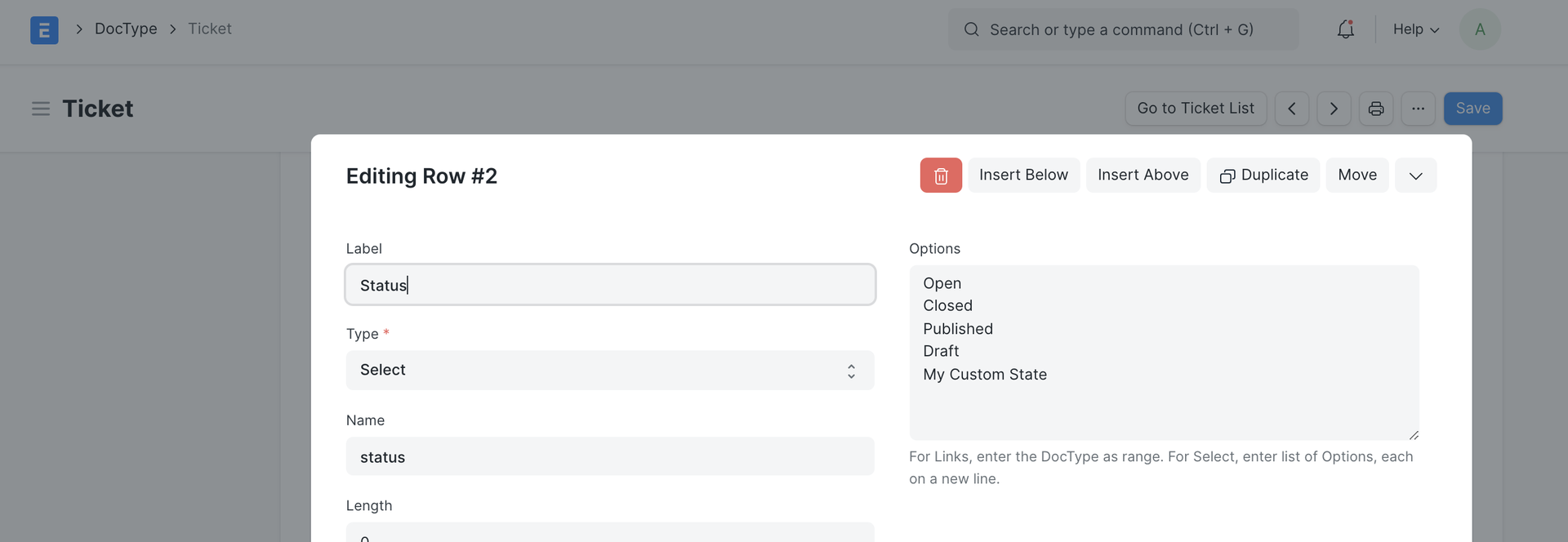
Define status and their color for custom doctypes
Define your status options
Define colors for your states
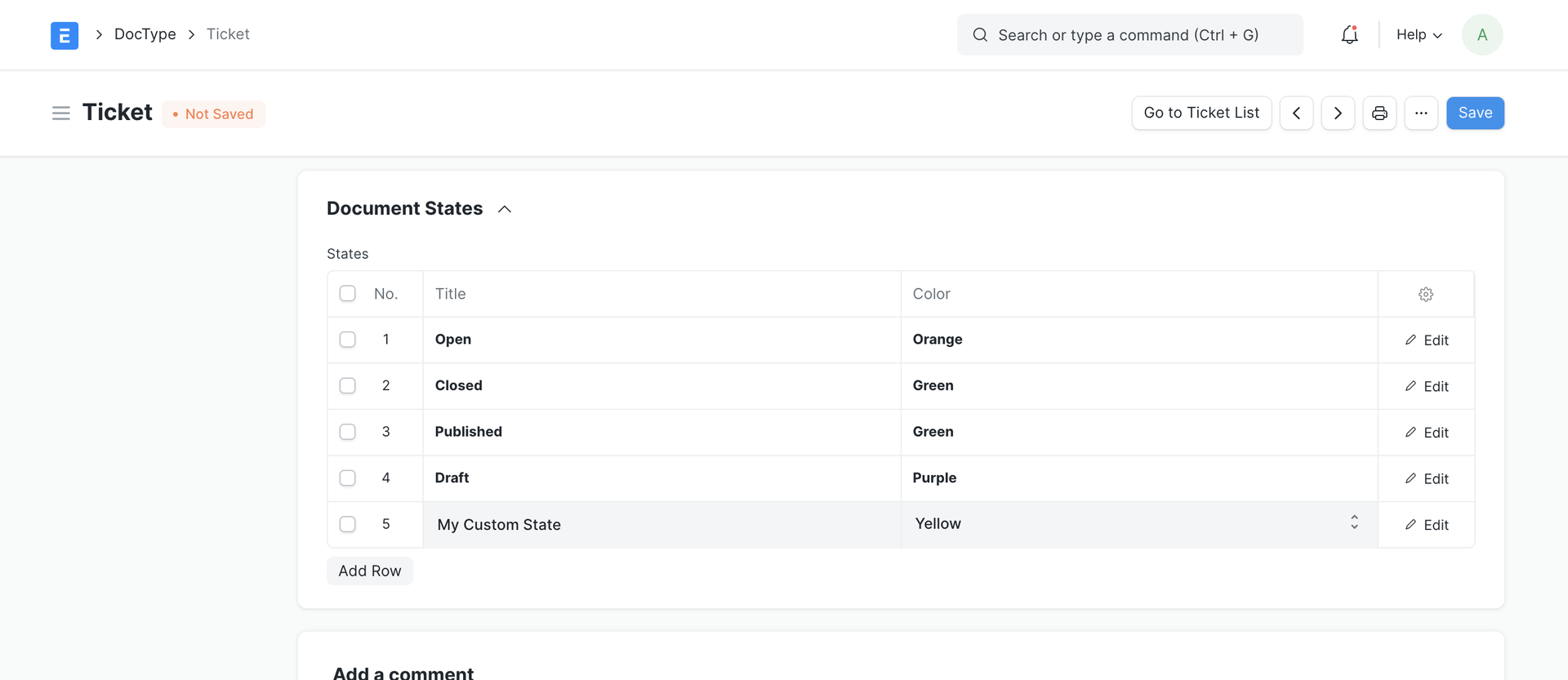
The colored badges will show up in list view and form view:
Last updated 2 months ago