---
title: "Generators"
space: "Framework"
url: "https://docs.frappe.io/framework/user/en/guides/portal-development/generators"
updated: "2026-02-17"
---
If every document in a table (DocType) corresponds to a web-page, you can setup generators.
To setup a generator you must:
1. Add a field `route` that specifies the route of the page
2. Add a condition field to indicate whether a page is viewable or not.
3. Add the doctype name in `website_generators` in `hooks.py` of your app.
4. Subclass the controller from `frappe.website.website_generator.WebsiteGenerator`
5. Create a template for your page
6. Add custom properties (context) for the template
7. Customize route and list view
Let us see this with the help of an example:
Example
-------
#### 1. Add fields
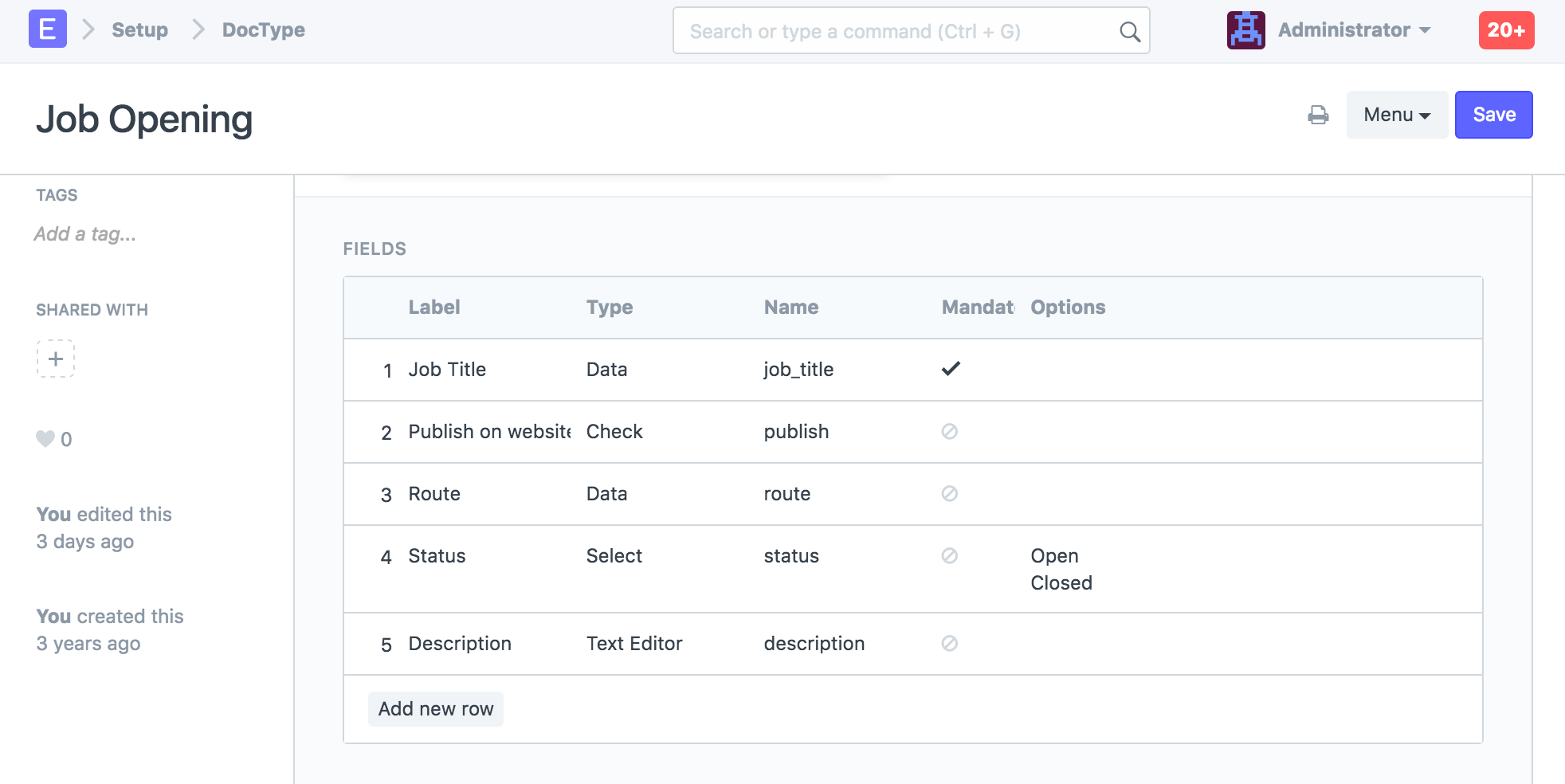
We added `published`, `route` in the DocType
**Note:** The field `route` is mandatory
#### 2. Added Website Generator to Hooks
Since Job Opening is in `erpnext`, we have added to the list of existing generator hooks:
```
website_generators = ["Item Group", "Item", "Sales Partner", "Job Opening"]
```
If the `website_generators` property does not exist in your hooks.py, add it!
#### 3. Controller
We add the `website` property to the **JobOpening** class in `job_opening.py`
In `get_context`, `parents` property will indicate the breadcrumbs
```
from frappe.website.website_generator import WebsiteGenerator
from frappe import _
# subclass from WebsiteGenerator, not Document
class JobOpening(WebsiteGenerator):
website = frappe._dict(
template = "templates/generators/job_opening.html",
condition_field = "published",
page_title_field = "job_title",
)
def get_context(self, context):
# show breadcrumbs
context.parents = [{'name': 'jobs', 'title': _('All Jobs') }]
```
**Note:** Once you do this, you should see the "See in Website" link on the document form.
#### 4. Add the template
Add the template in `erpnext/templates/generators/job_opening.html`
```
{% raw %}{% extends "templates/web.html" %}
{% block breadcrumbs %}
{% include "templates/includes/breadcrumbs.html" %}
{% endblock %}
{% block header %}
{{ job_title }}
{% endblock %}
{% block page_content %}
{{ description }}
{{ _("Apply Now") }}
{% endblock %}
{% endraw %}
```
#### 5. Customizing List View
If you add a method `get_list_view` in the controller file (job_opening.py), you can set properties for the listview
```
def get_list_context(context):
context.title = _("Jobs")
context.introduction = _('Current Job Openings')
```