

















You can edit builder scripts in VS Code or in any of its forks. This guide will help you configure and help resolve common issues that you might face with external editor integration.
Setup
- Install VS Code extension from the marketplace by searching for "Frappe Script Editor" in VS Code or your preferred fork
- Complete extension setup, here is the guide
- Open builder settings > Developer Settings
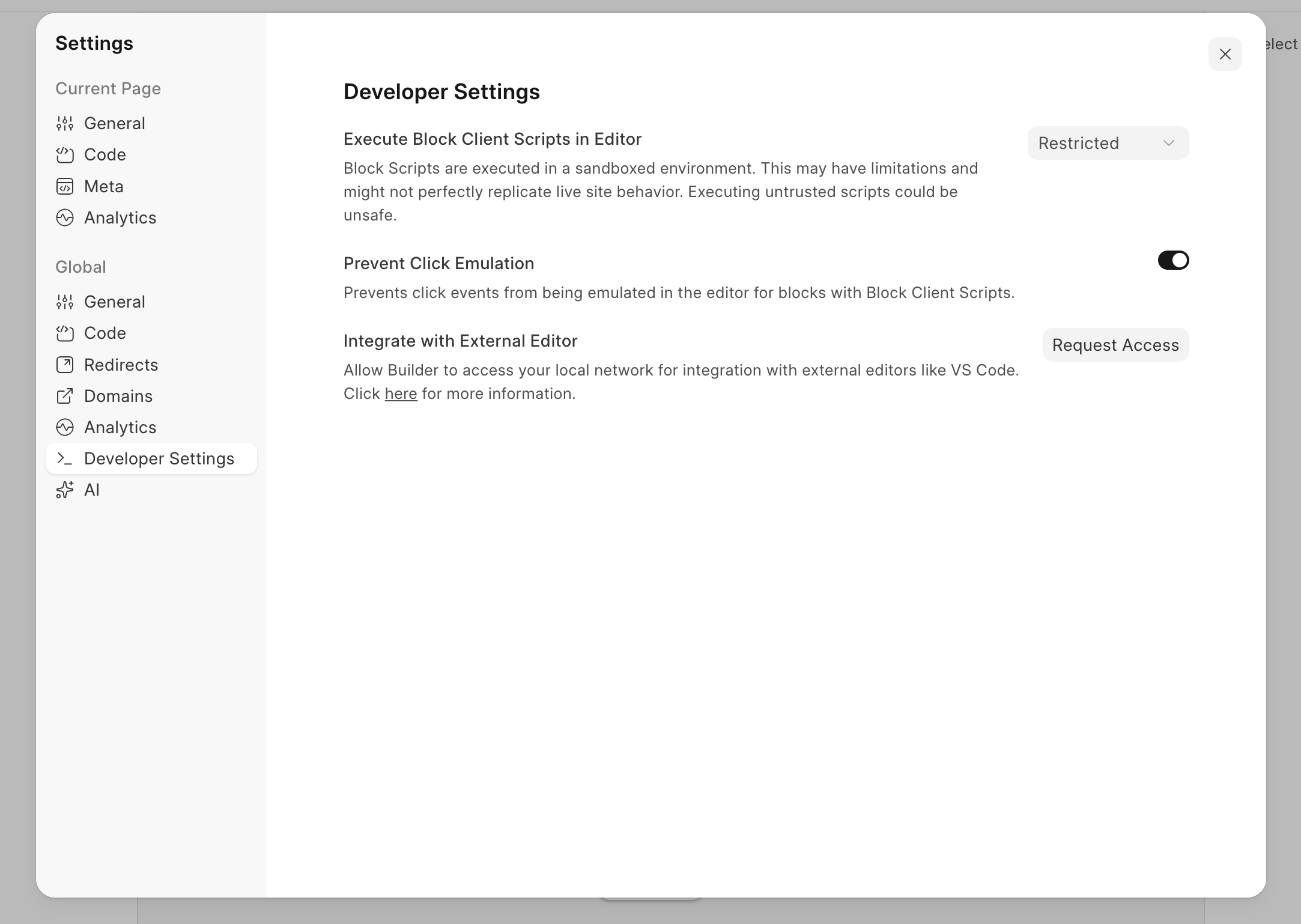
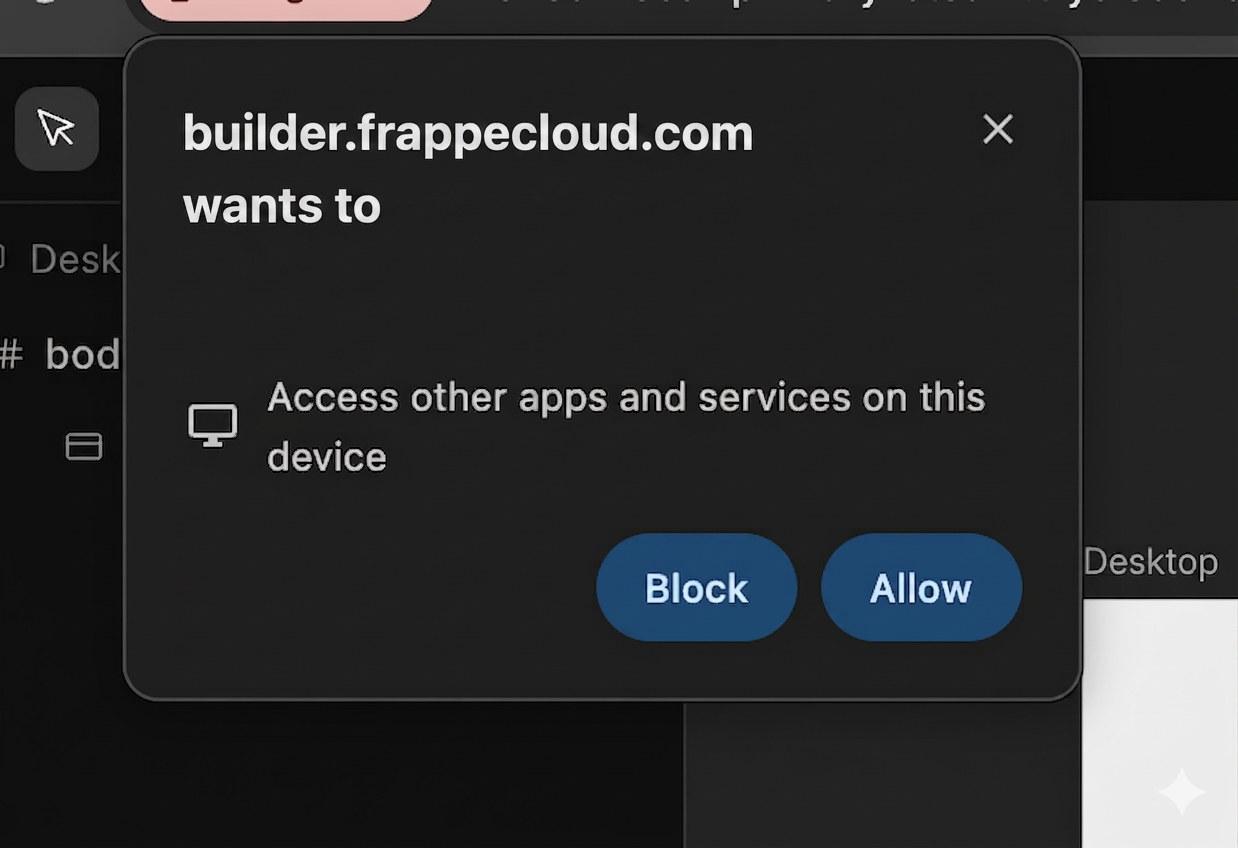
- Click on Request Access button and click Allow in the popup
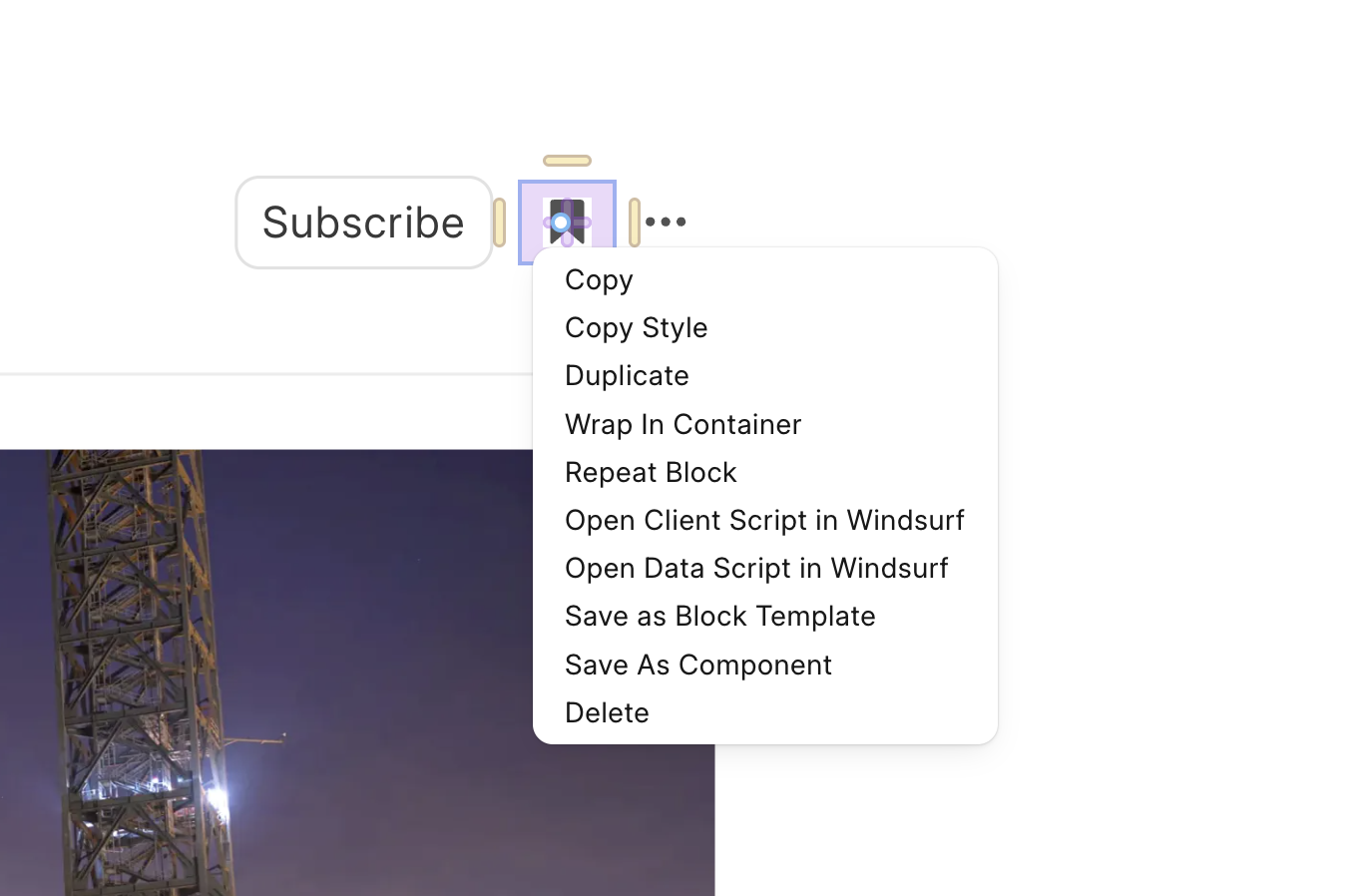
- Open scripts in an external editor by right-clicking the block and selecting "Open Client Script in Windsurf", the editor's name will change in the option based on which one you are using.
Common issues
Request access button not visible
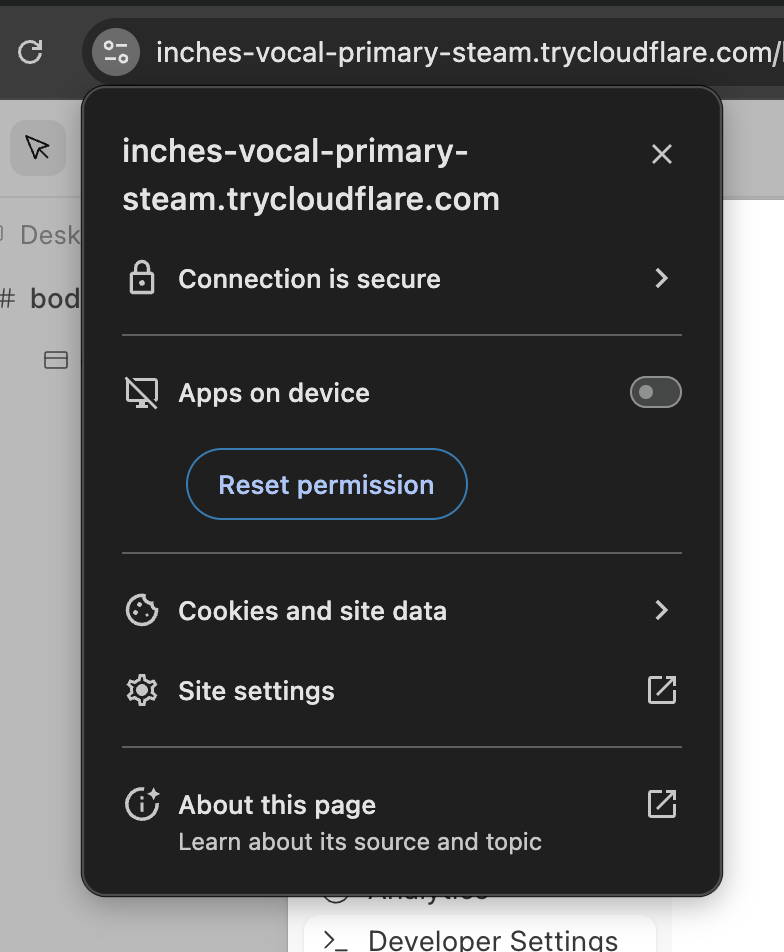
- Click on settings icon next to site url in the address bar
- Enable Apps on device option, doing this will grant builder permission to open external editor directly, no need to click Request access button again
- Click on Reset Permission button, reload the site and then the button will be visible
Last updated 5 months ago
Was this helpful?