


















TDS Setup for India
To setup TDS in ERPNext follow below steps:
- First you have to define Tax withholding categories, by default 28 categories are already pre-defined as per Indian statutory compliances. But if you want to add new category then you can create the same by clicking on "New"(button at right top corner)
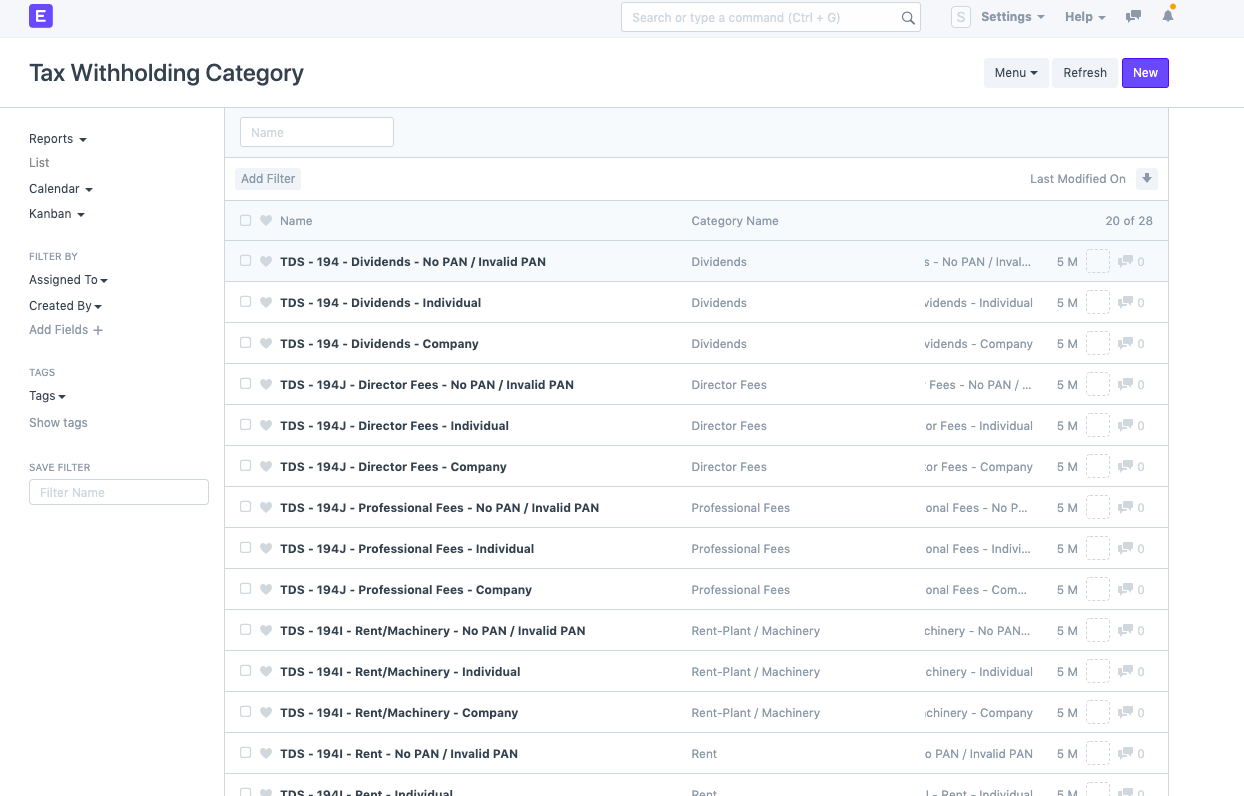
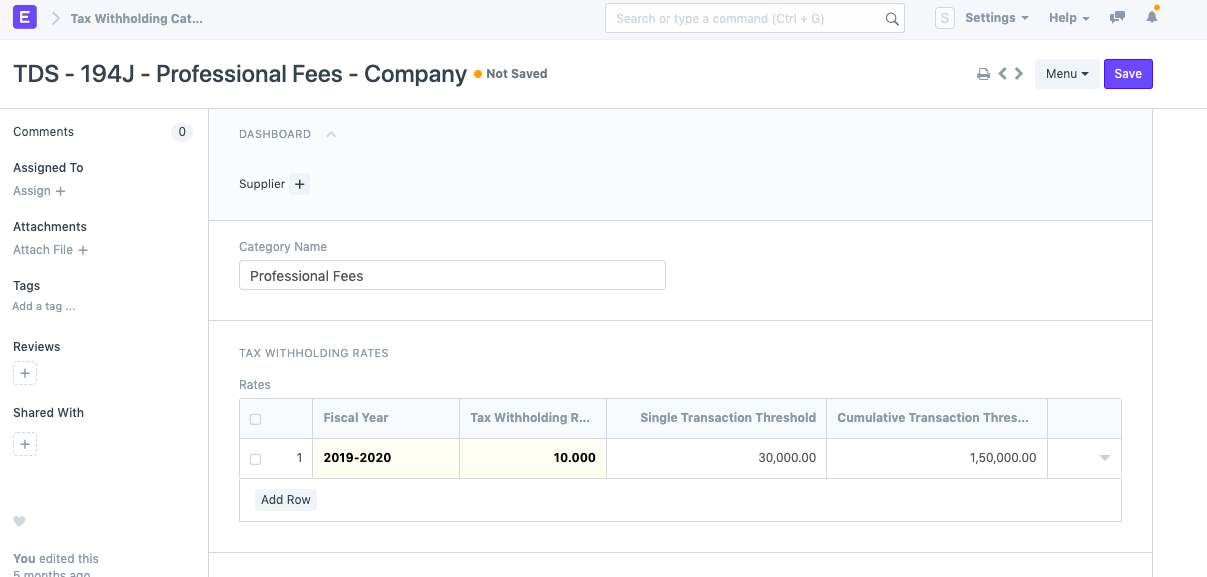
- As per category you have to define Tax withholding rate along with "Single Transaction Threshold" & "Cumulative Transaction Threshold" for Financial/Fiscal year.
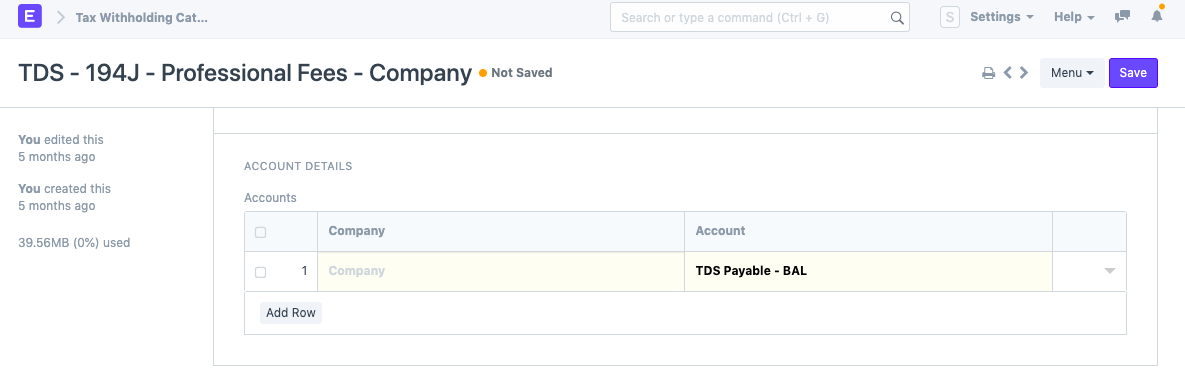
- In same screen you will find another section of "Account Detail" to set company-wise TDS Payable account.
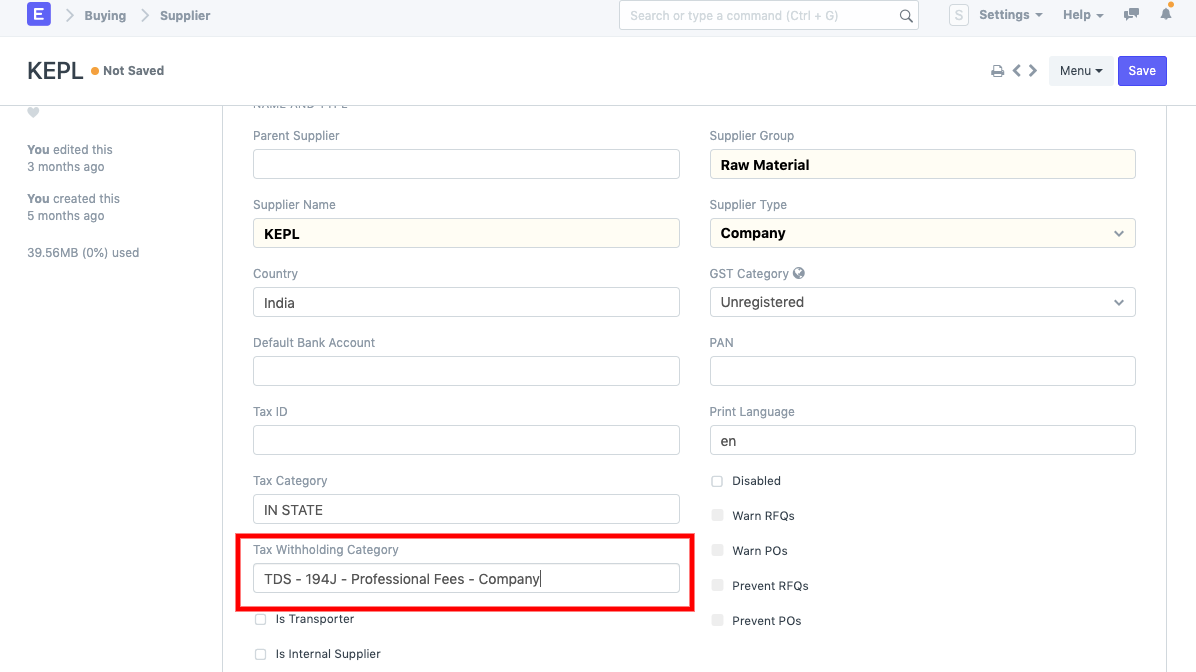
- Once you are done with Tax withholding setup go to Supplier master and assign Tax withholding category.
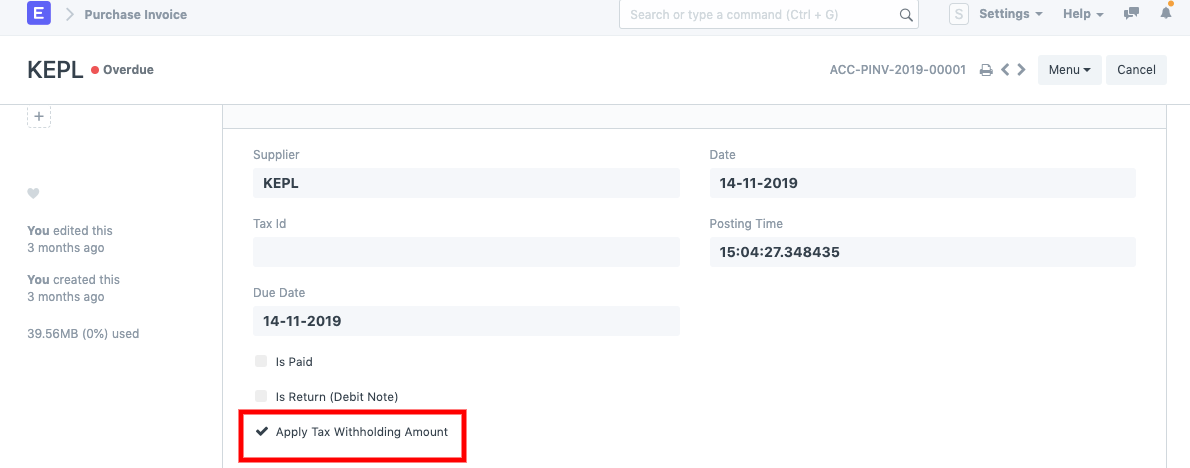
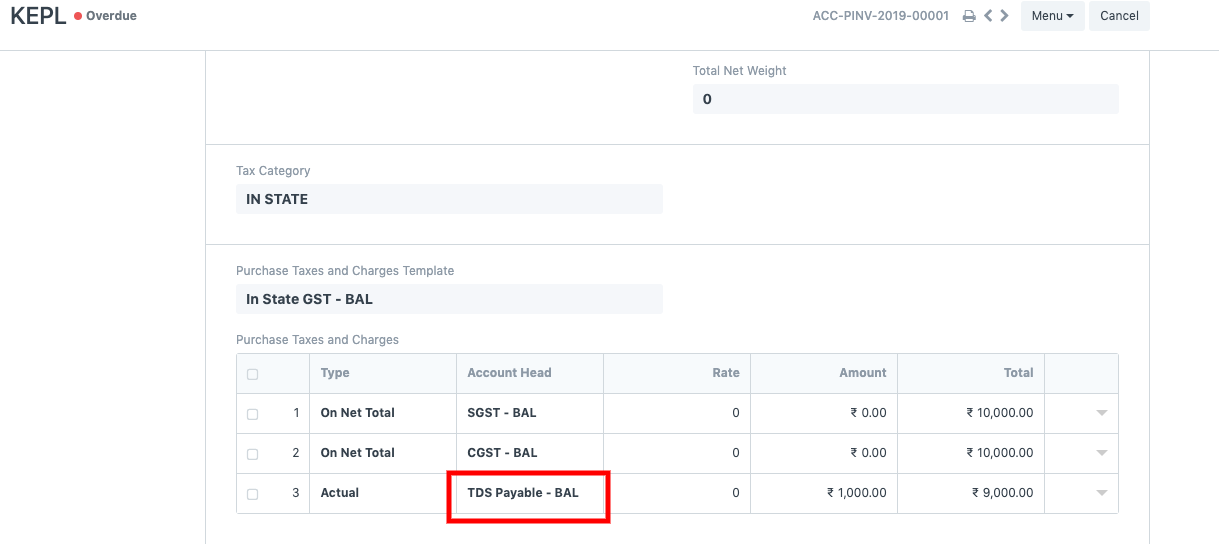
- Now when you create a Purchase invoice against that supplier make sure "Apply Tax withholding Amount" is checked then only system will auto fetch TDS Payable amount in "Taxes & Charges" table based on Threshold you have defined.
Standard report is also available to check monthly payable, just search for "TDS payable monthly" report for the same.
TDS and TCS under the Income Tax Act, 2025 (from 1 April 2026)
From FY 2026-27, the Income Tax Act, 2025 replaces the Income Tax Act, 1961. TDS sections now use numeric codes instead of section names (for example 194C is now 1023 for individuals and HUF, and 1024 for others; 194J professional fees is 1027). Some categories are new, for example Director Remuneration and E-Commerce Participant.
If the new sections or categories are missing, update the India Compliance app (version 16.3.1 or 15.27.1 or later). The update:
- Renames the existing Tax Withholding Categories to descriptive names, for example "TDS - 194C - Company" becomes "Payment to Contractors (Others) - Company".
- Maps each category to its new section code, and keeps the old section in the read-only field Old Income Tax Section.
- Adds the new categories and the FY 2026-27 rates.
You do not need to re-assign the categories on your suppliers. To check, open Tax Withholding Category and look at the rates for FY 2026-27.
For the full list of codes, see the India Compliance migration guide for TDS and TCS
and TDS configuration.
TCS on every invoice
For TCS on customers, a cumulative threshold is required. To collect TCS on every invoice, set the cumulative threshold to 1.