Permission Type in the Role Permission Manager
In the Role Permission Manager, multiple permissions can be enabled for each Role. Below are the details of the available permission options and their usage.
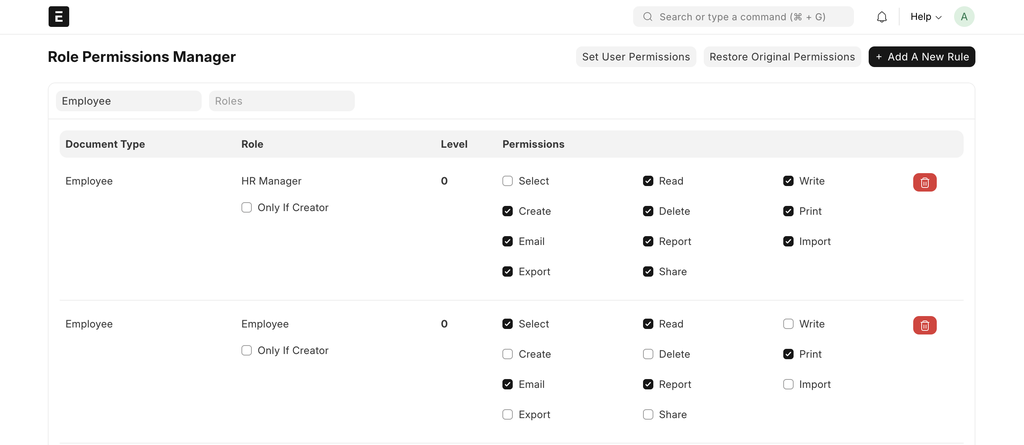
Select: Allows the user to search and see records
Example: The User can select a Customer in Sales Order, but cannot open the Customer master.
Read: Allows the user to view the document
Example: The User can view Sales Invoices but cannot change them
Write: Allows the user to edit existing records the one they have access.
Example: The User can update a Customer address but cannot create a new Customer
Create: Allows the user to create new documents.
Example: The User can create a new Item, but cannot edit existing items.
Delete: Allows the user to delete documents
Example: The User can delete the submitted documents
Print: Allows printing or PDF download of documents
Example: The print button will be enabled for the user in the documents
Email: Allows the user to email from the documents.
Example: The email button will be enabled for the user in the documents.
Report: Allows the user to access the report related to its documents.
Example: if the user has the access of the Employee and Report option is enabled then the user can get the report which is based on the Employee
Export: Allows the user to export the data from the Report view
Import: Allow the user to import the data for the document.
Share: Allows sharing document access with other users