


















Rebuild the Chart of Accounts Tree
Use Rebuild Tree when the parent-child structure of the Chart of Accounts is correct on the Account records but ERPNext behaves as though some Accounts belong to the wrong branch. The tool recalculates the internal tree indexes that ERPNext uses to organize Accounts and include descendants in accounting reports.
This is a repair tool, not routine accounting maintenance. Do not use it merely because two reports show different totals. First verify their Company, date, Account, Finance Book, currency, Cost Center, Project, and other filters.
When rebuilding may help
The existing ERPNext guidance describes a case in which the General Ledger is filtered to one Account but rows from a different Account appear. Rebuilding can help when the Account tree indexes no longer match the saved parent relationships.
Other signs can include:
- a child Account is missing from a group total even though its Parent Account is correct;
- a parent filter includes Accounts that are no longer below that group;
- an Account appears under the correct parent in the tree, but the Balance Sheet or Profit and Loss Statement groups it incorrectly;
- a recent Account-parent change is not reflected consistently across tree-based reports.
Selecting a group Account in General Ledger intentionally includes its descendant ledgers. Seeing several Accounts is therefore not, by itself, proof that the tree is damaged.
Before you begin
- Refresh the report and verify every relevant filter.
- Confirm whether the selected Account is a group. Group Accounts normally return their descendants.
- Open each affected Account and confirm its Parent Account, Root Type, Report Type, Company, and group status.
- Review recent changes made through Change the Parent Account, imports, patches, or custom applications.
- If this is a production site, run the repair during a controlled maintenance window and ensure a current backup is available.
Do not edit internal left and right tree-index values through the database. Rebuild Tree exists to recalculate them from the saved hierarchy.
Rebuild the tree
- Open Accounting > Chart of Accounts.
- Select the affected Company.
- Review the visible root groups and confirm the hierarchy is the one you expect.
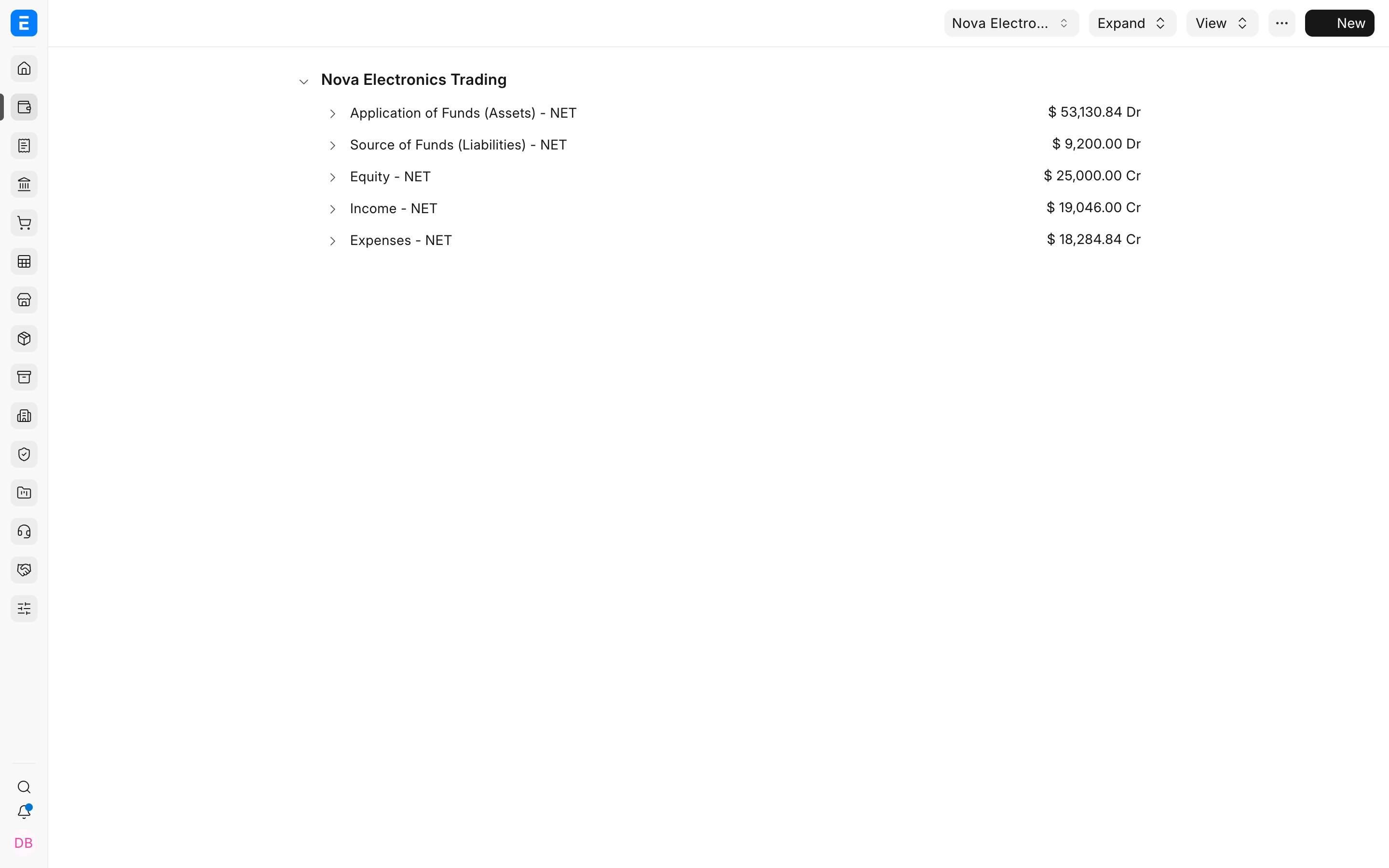
- Select the three-dot menu in the upper-right corner.
- Select Rebuild Tree.
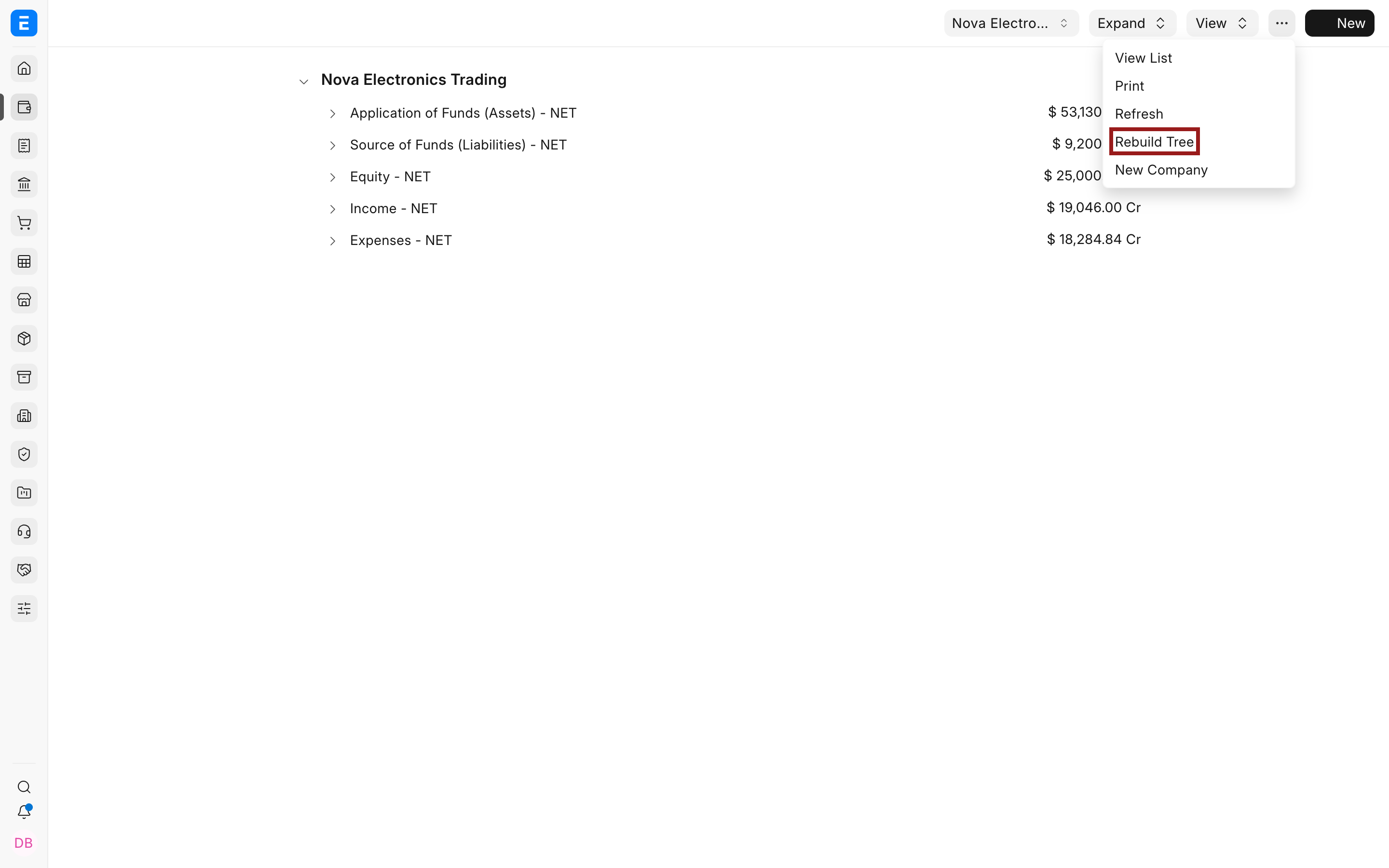
ERPNext recalculates the Account tree indexes. The tool does not create a Journal Entry, change debit or credit amounts, move an Account to a different parent, or rewrite existing General Ledger postings.
Verify the result
Reopen the report that showed the problem and use the same filters as before. In General Ledger, select the exact ledger Account first. Then test its parent group separately so you can distinguish the single ledger from the group and its descendants.
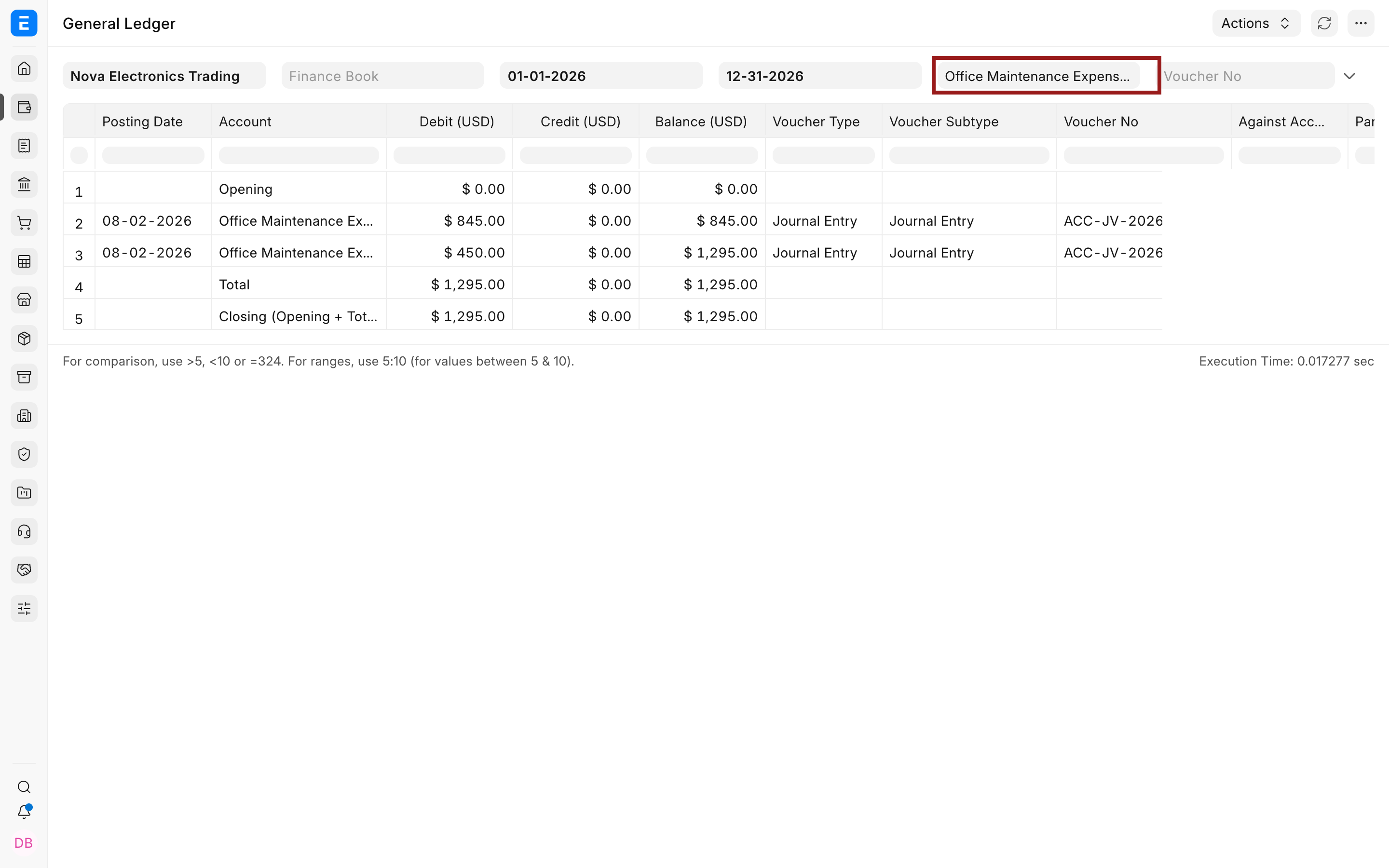
Confirm that:
- the exact ledger filter shows only that Account's rows;
- the group filter shows only the correct descendants;
- opening, debit, credit, and closing balances agree with the expected vouchers;
- the Account appears under the correct branch in Chart of Accounts;
- the same filters produce consistent results in the relevant financial statement.
If totals still differ, investigate report filters, Finance Books, currencies, posting dates, cancelled entries, or an incorrect Account parent. Rebuilding cannot correct a wrong parent selection or an incorrect accounting voucher.
What Rebuild Tree changes
| Area | Result |
|---|---|
| Parent Account values | Remain unchanged. |
| Internal tree indexes | Recalculated from the saved hierarchy. |
| Account balances | Remain based on existing General Ledger entries. |
| Accounting vouchers | Not created, cancelled, amended, or reposted. |
| Report grouping | May be corrected when it was caused by inconsistent tree indexes. |
| Wrong Account parent | Not corrected. Change the Parent Account first, then rebuild only if needed. |
Troubleshooting
| Issue | What to check |
|---|---|
| General Ledger still shows several Accounts | Confirm whether you selected a group Account. A group filter includes descendants by design. |
| The wrong branch remains | Open the Account and correct Parent Account. Rebuild Tree does not decide where an Account belongs. |
| A financial statement total still differs | Compare Company, dates, Finance Book, currency, dimensions, presentation currency, and accumulated-values settings. |
| Rebuild Tree is unavailable | Confirm you are in the Chart of Accounts tree view and that your role has permission to use the action. |
| The action returns an error | Record the traceback, ERPNext and Frappe versions, and affected Company. Review customizations and ask the administrator or support team to investigate instead of modifying indexes manually. |
Frequently asked questions
Does Rebuild Tree change General Ledger entries?
No, It recalculates Account hierarchy indexes. Use Repost Accounting Ledger only when an authorized repair must regenerate ledger entries for a supported voucher change.
Why does a parent Account show several ledger Accounts?
Parent Accounts are groups. Reports use the tree to include their descendant ledgers. Select a non-group Account when you need only one ledger.
Should I rebuild after every Account change?
No, Normal Account creation and parent changes update the hierarchy. Use the repair only when there is evidence that the stored tree indexes are inconsistent.
Can Rebuild Tree move an Account to the correct parent?
No, Edit the Account's parent through the supported Chart of Accounts workflow. Rebuild Tree then recalculates indexes from that saved relationship.
Is Rebuild Tree the same as rebuilding the General Ledger?
No, Rebuild Tree repairs hierarchy indexes. Repost Accounting Ledger regenerates accounting entries for supported source-document changes. They solve different problems.