


















Delete entries linked with GL entries
ERPNext prevents Nova Industries from deleting a cancelled invoice because its accounting and stock ledger rows form part of the audit trail. Deleting a transaction is different from cancelling it, and should be rare. First decide whether you only need to reverse the business effect, which cancellation already does.
Before enabling deletion
- Confirm the document is cancelled and no statutory or audit rule requires it to remain.
- Take a backup and test in a non-production environment.
- Understand that deleting ledger rows reduces traceability and may allow the naming series number to be reused depending on configuration.
Enable the setting
- Open Accounts Settings.
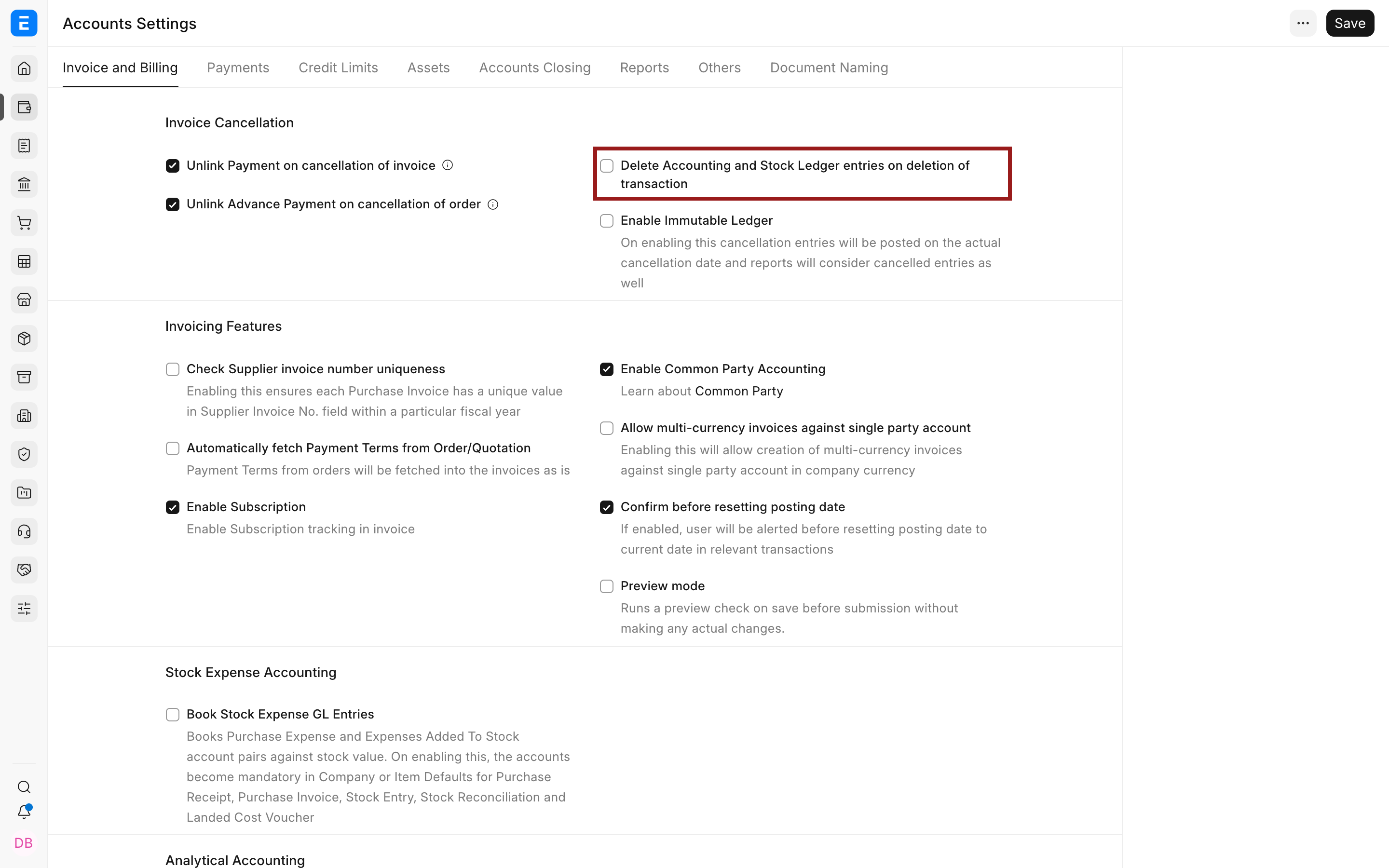
- Find Delete Accounting and Stock Ledger Entries on deletion of Transaction.
- Enable it, save, and reload.
- Delete only the intended cancelled document.
- Disable the setting again if it was approved for a one-time cleanup.
Troubleshooting
The document is still linked
Open the document’s links and identify dependent records, allocations, returns, or amendments. Remove or resolve dependencies in the correct business order. Do not delete database rows directly.
Frequently asked questions
Should I delete an incorrect submitted invoice?
Normally cancel and amend it. That preserves the original document, its reversal, and the correction for audit.
Related topics
Last updated 2 months ago
Was this helpful?