


















Nova Industries, an example electronics distributor, sells to Northstar Retail, one of its customers, through a New York sales team. Without a consistent regional label, a sales manager cannot reliably compare New York sales with other regions or set a regional target.
A Territory in ERPNext is a geographic or commercial sales region. Territories form a tree: group territories organize lower levels, while leaf territories such as New York Metro are assigned to customers and sales transactions.
Use Territory when you need regional customer classification, sales analysis, or targets. Use Customer Group for customer segments such as Retail or Wholesale, and use Sales Person for the people responsible for a sale.
Plan the Territory tree
Choose the lowest level at which your team assigns customers and reviews sales. A simple hierarchy is easier to use than one that mixes geography, industries, and employee names.
| Business model | Example hierarchy |
|---|---|
| National distributor | Country → region → city or metro area |
| International seller | Global region → country → sales zone |
| Local service company | Service region → city → neighborhood |
In the Nova example, United States is a group, Northeast is a group below it, and New York Metro is a leaf. Northstar Retail is assigned to New York Metro.
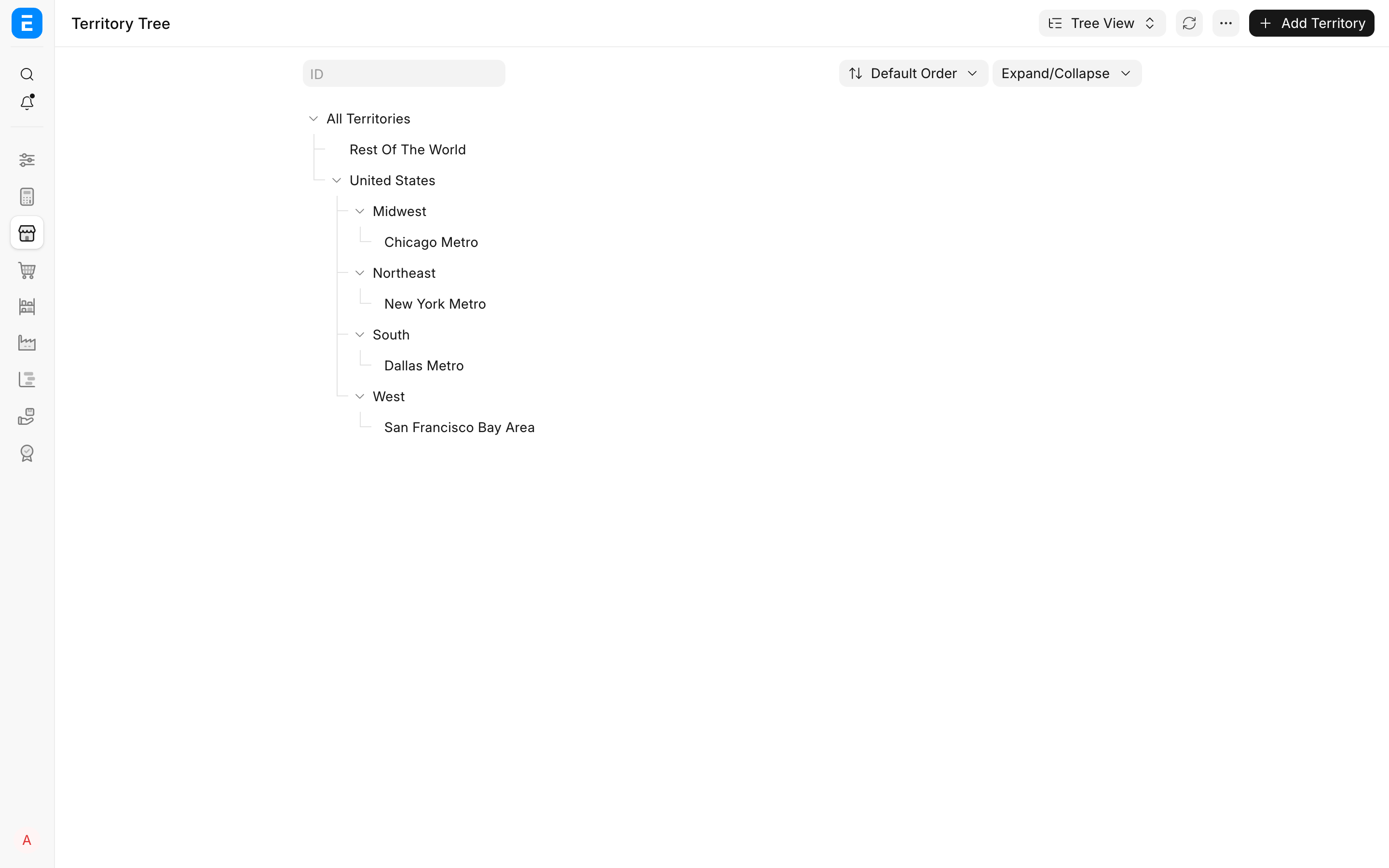
Group or leaf?
| Territory type | Use it for | Can it be selected on a transaction? |
|---|---|---|
| Group | A parent such as United States or Northeast that contains other territories | No |
| Leaf | The final sales region such as New York Metro | Yes |
Only create another level when it produces a useful assignment or reporting subtotal.
Create a Territory
You need the Sales Master Manager role to create or edit Territories.
- Open Territory from the Selling module.
- Select the parent in the tree and choose Add Child, or select Add Territory.
- Enter the Territory Name and select its Parent Territory.
- Enable Is Group only when the new Territory will contain children.
- Save the record.
The Territory Manager field identifies the responsible Sales Person for reference. It does not give that person access to customers or transactions.
Assign a Territory to a Customer
Open the Customer and select the lowest useful leaf in Territory. In this example, Northstar Retail belongs to New York Metro, not to the broader Northeast group.
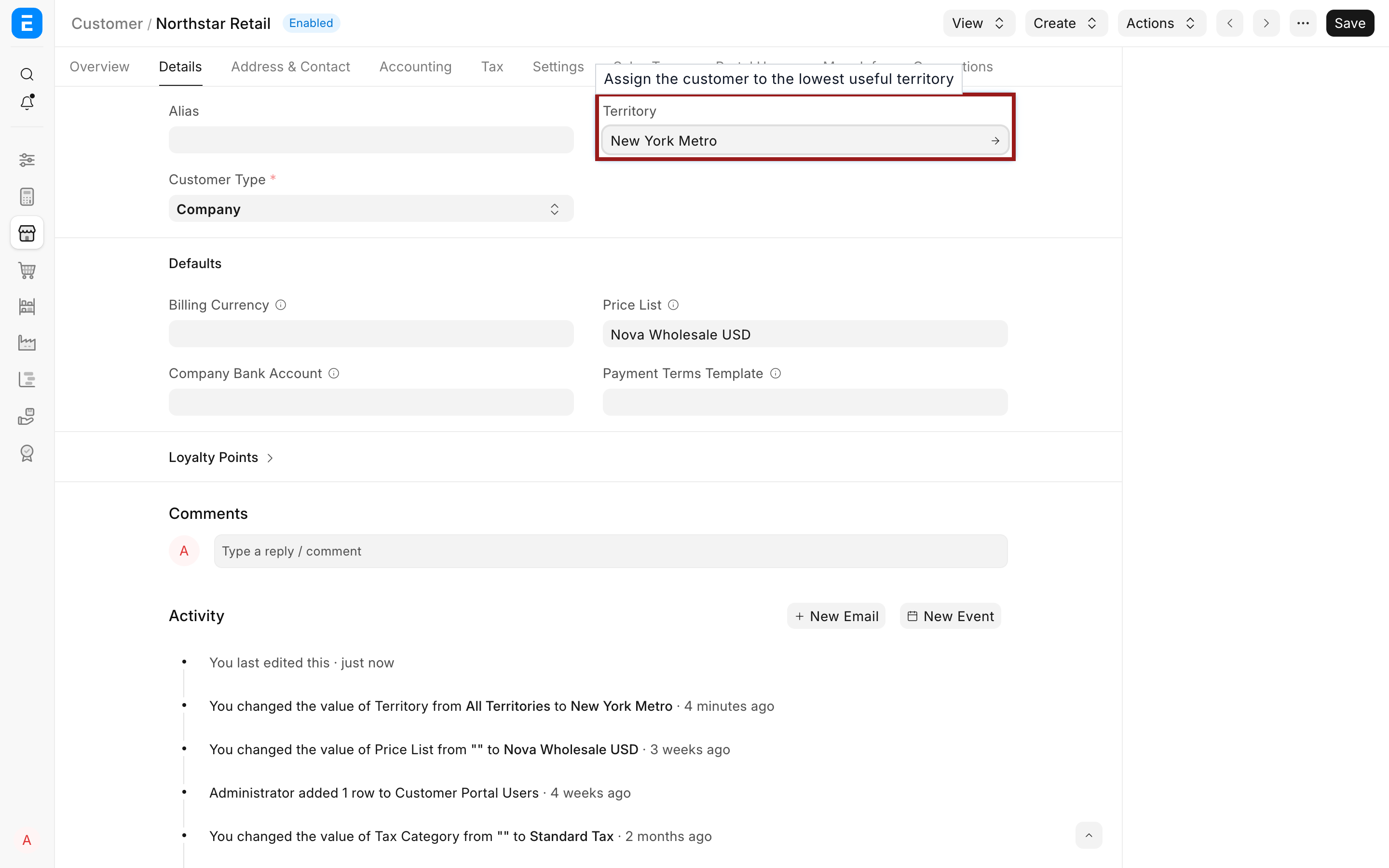
ERPNext can copy the Customer's Territory into supported sales documents such as a Quotation, Sales Order, and Sales Invoice. Users can review the value when a transaction belongs to a different region.
If most new Customers belong to the same region, configure Default Territory in Selling Settings. Avoid using a broad group such as All Territories as the default when it would hide the region that managers actually need to measure.
Set a sales target for a Territory
Targets compare planned sales with qualifying submitted transactions.
- Open a leaf Territory.
- In Territory Targets, add a row.
- Select the Item Group and Fiscal Year.
- Enter Target Qty, Target Amount, or both.
- Select a Target Distribution and save.
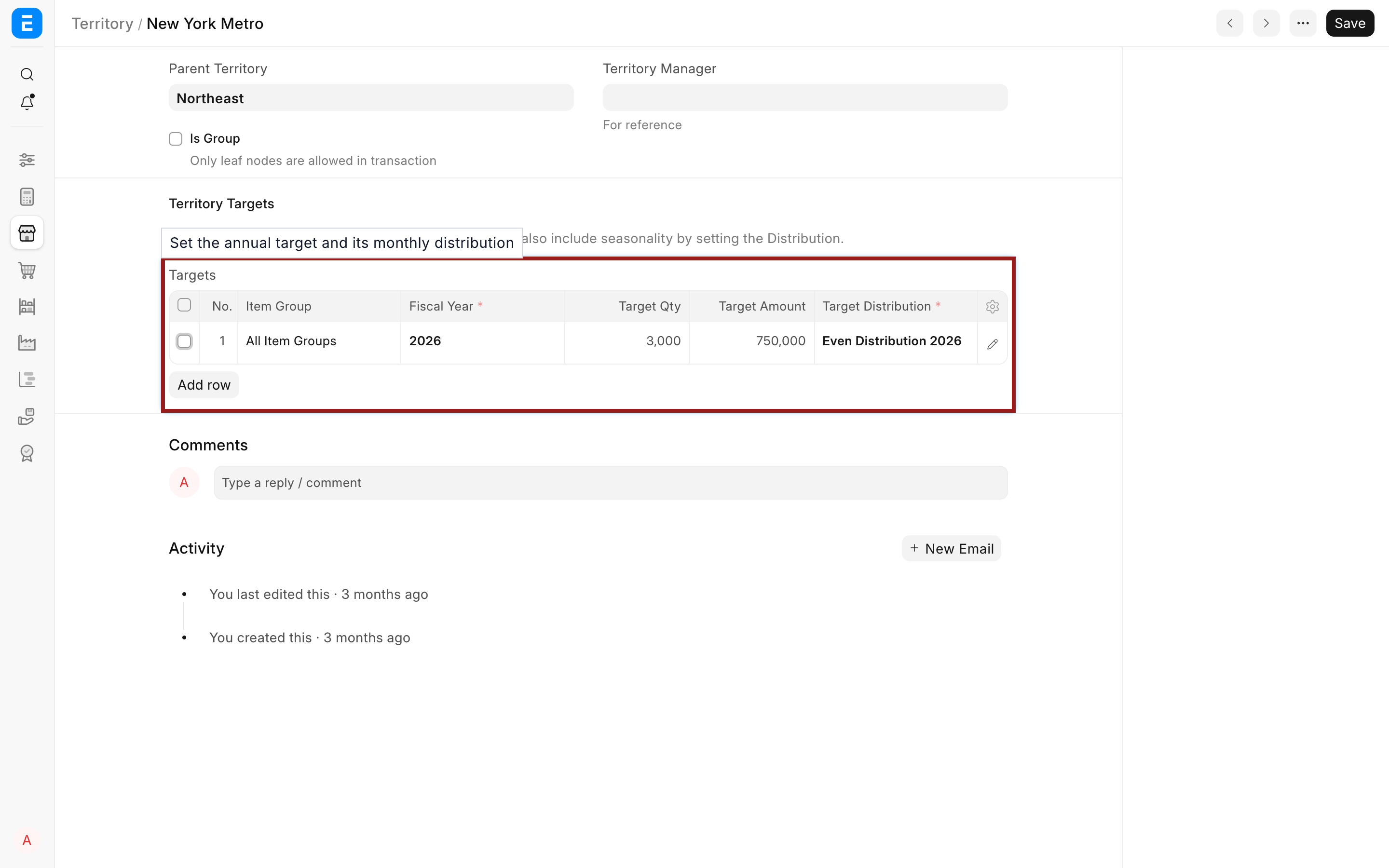
New York Metro has a target of 3,000 units and 750,000 in sales for 2026. The linked Monthly Distribution spreads the annual target across months. Use Sales Person Target Allocation when the target belongs to an individual or sales-team hierarchy instead of a region.
Review results in Territory-wise Sales and Territory Target Variance Based On Item Group from Sales Reports. If a report is incomplete, confirm that Customers and submitted transactions carry the intended leaf Territory. Changing a Customer helps future documents use the new region, but it does not reclassify historical submitted documents.
Troubleshooting
| Problem | What to check |
|---|---|
| A group Territory cannot be selected | Choose a leaf Territory. The Is Group description confirms that only leaf nodes are allowed in transactions. |
| New Customers receive the wrong Territory | Review Default Territory in Selling Settings, then select the correct leaf on the Customer. |
| A report shows sales under All Territories | Check the Territory on the Customer and submitted transaction. Correct the master for future documents. |
| A target report is blank | Confirm the Item Group, Fiscal Year, dates, distribution, submission status, and Territory. |
| A Territory cannot be deleted | Remove or move its children and linked records, or rename a region that continues to exist. |
Frequently asked questions
Must a Territory represent a geographic area?
A Territory can represent a stable commercial region. A clear geographic structure is usually easier for users to select and for managers to interpret.
Is Territory the same as Sales Person?
Territory answers “which region does this sale belong to?” Sales Person answers “who contributed to this sale?” A transaction can use both.
Can a Customer's Territory change?
Change it when the Customer moves to another region or ownership model. The new value supports future documents; historical submitted documents retain their saved values unless they are corrected through an approved process.
Does Territory Manager control permissions?
Territory Manager is a reference field. Configure roles, User Permissions, and document sharing separately when sales users must see only permitted records.