


















Adjusting Withhold Amount
Sometimes a customer pays less than the Sales Invoice because they retain part of the amount as withholding tax. You can record the bank receipt and the withheld amount in one Payment Entry while allocating the full invoice outstanding.
Consider Nova Industries, an electronics manufacturer and distributor. Northstar Retail has a $699 invoice. It pays $664.05 and withholds $34.95, or 5%. The accounting result is:
| Entry | Debit | Credit |
|---|---|---|
| Bank | $664.05 | |
| Withholding tax receivable | $34.95 | |
| Customer receivable | $699.00 |
The customer invoice is settled for $699 even though only $664.05 reaches the bank.
Before you begin
Confirm that the customer actually deducted tax and obtain the supporting certificate or payment advice required by your jurisdiction. The unpaid difference must not be treated as withholding merely to close an invoice.
Prepare:
- A submitted Sales Invoice with an outstanding amount.
- The customer's bank remittance amount.
- The confirmed withheld amount.
- A suitable asset account in the Chart of Accounts, such as Withholding Tax Receivable.
- The Cost Center required for the adjustment row.
The receivable account records tax credit expected from the authority or evidenced by the customer's certificate. Ask your accountant where it belongs in your chart and how it must be reconciled.
This procedure is different from configuring a Tax Withholding Category for automatic supplier deductions or regional collection rules. Here, you are recording an amount the customer already withheld from its payment.
Check the invoice outstanding
Open the Sales Invoice and confirm its current Grand Total and Outstanding Amount. Do not rely only on the original invoice value when earlier payments or credit notes may already be allocated.
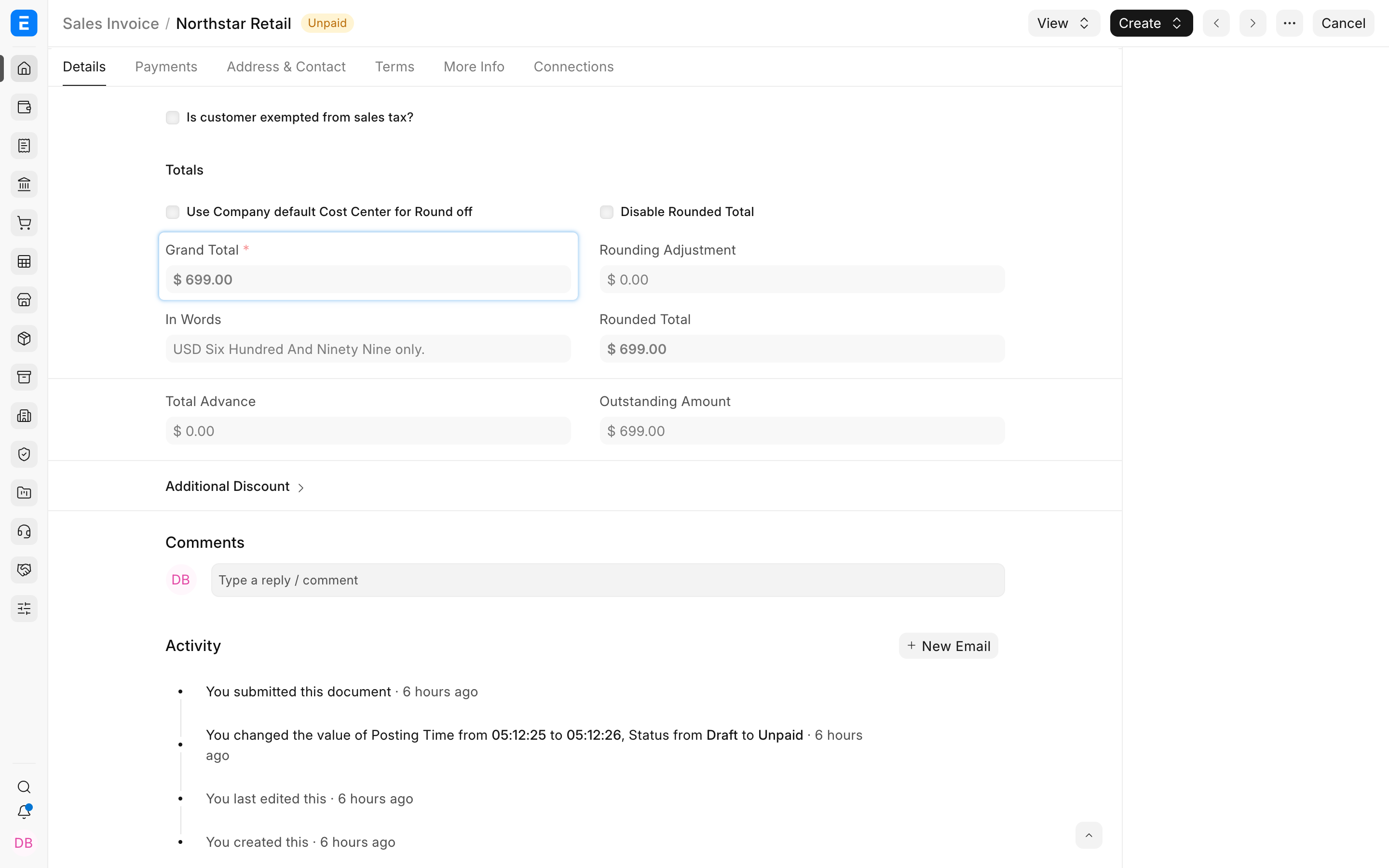
The example invoice has $699 outstanding.
Create a Payment Entry from the invoice
From the submitted invoice, select Create > Payment. ERPNext opens a Payment Entry with Payment Type Receive, the Customer, receivable account, bank account, and invoice reference.
You can also create the Payment Entry from the list, but starting from the invoice reduces the chance of selecting the wrong party or reference.
Enter the amount that reached the bank. In this example, it is $664.05.
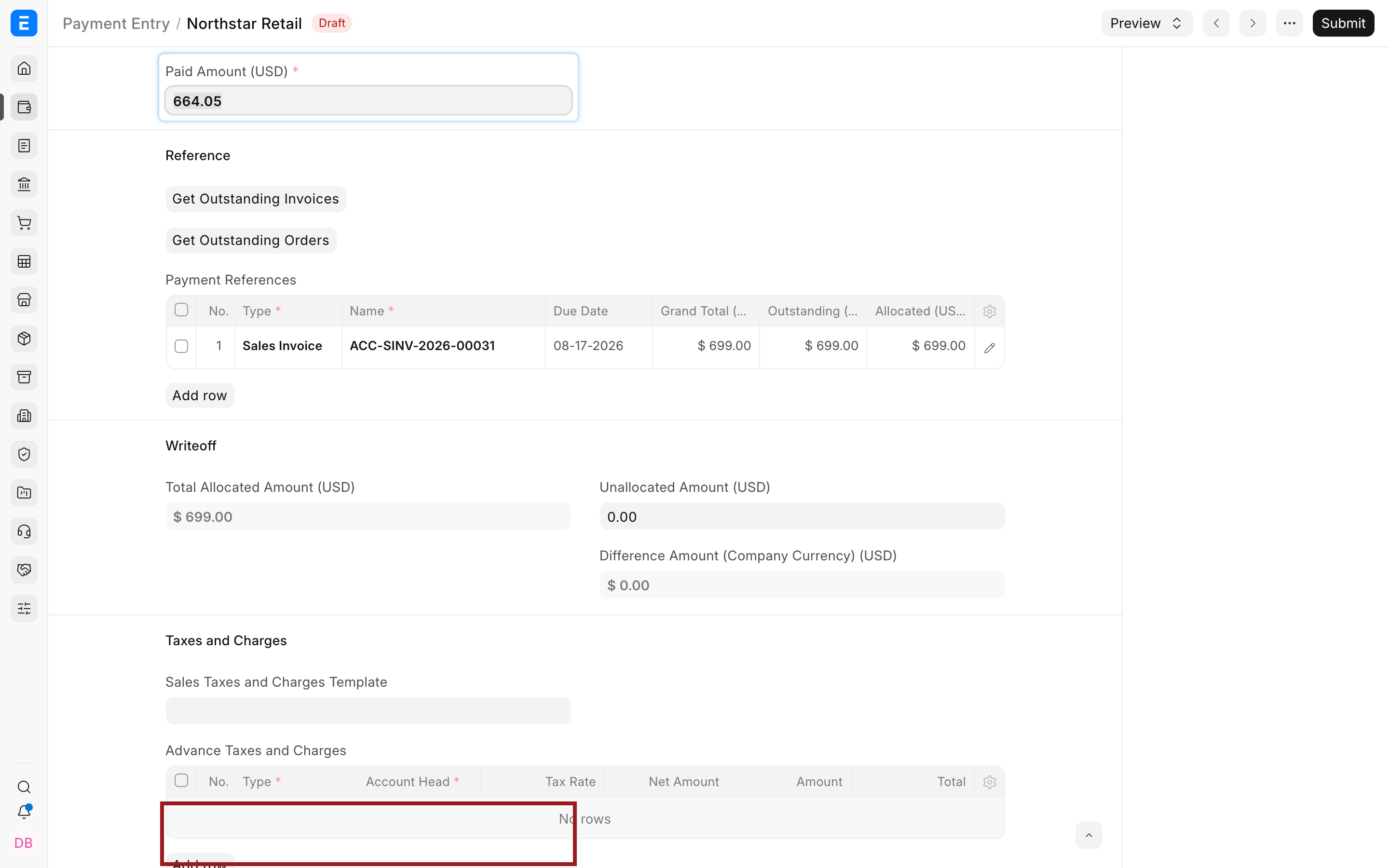
Do not enter $699 as the bank amount because the bank did not receive the $34.95 withheld by the customer.
Allocate the full invoice outstanding
In Payment References, keep the Sales Invoice and allocate its full outstanding amount. Select the pencil icon to inspect or edit the child row.
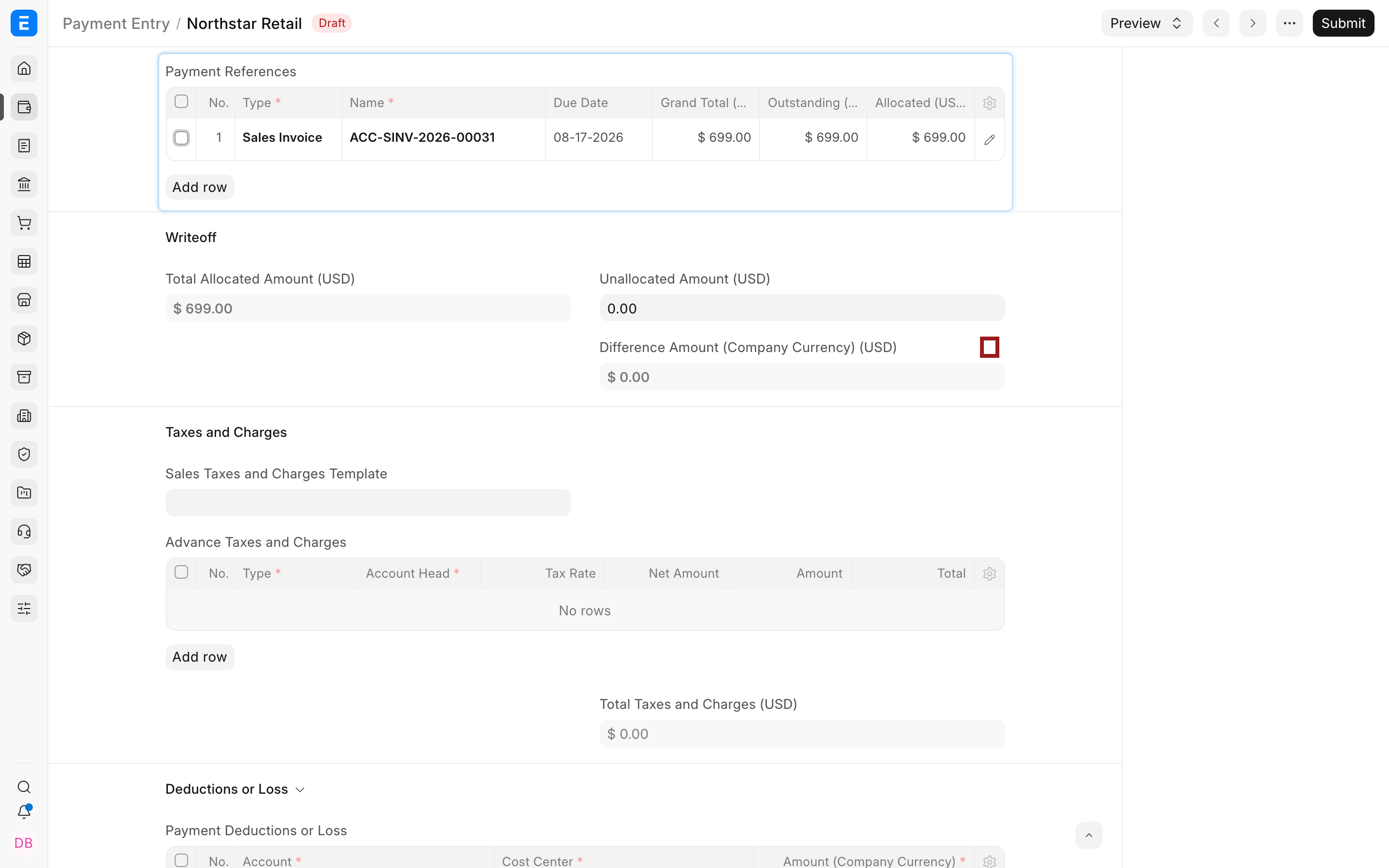
The example allocates $699, not $664.05. This tells ERPNext that the invoice is settled through two components: bank receipt plus withholding-tax receivable.
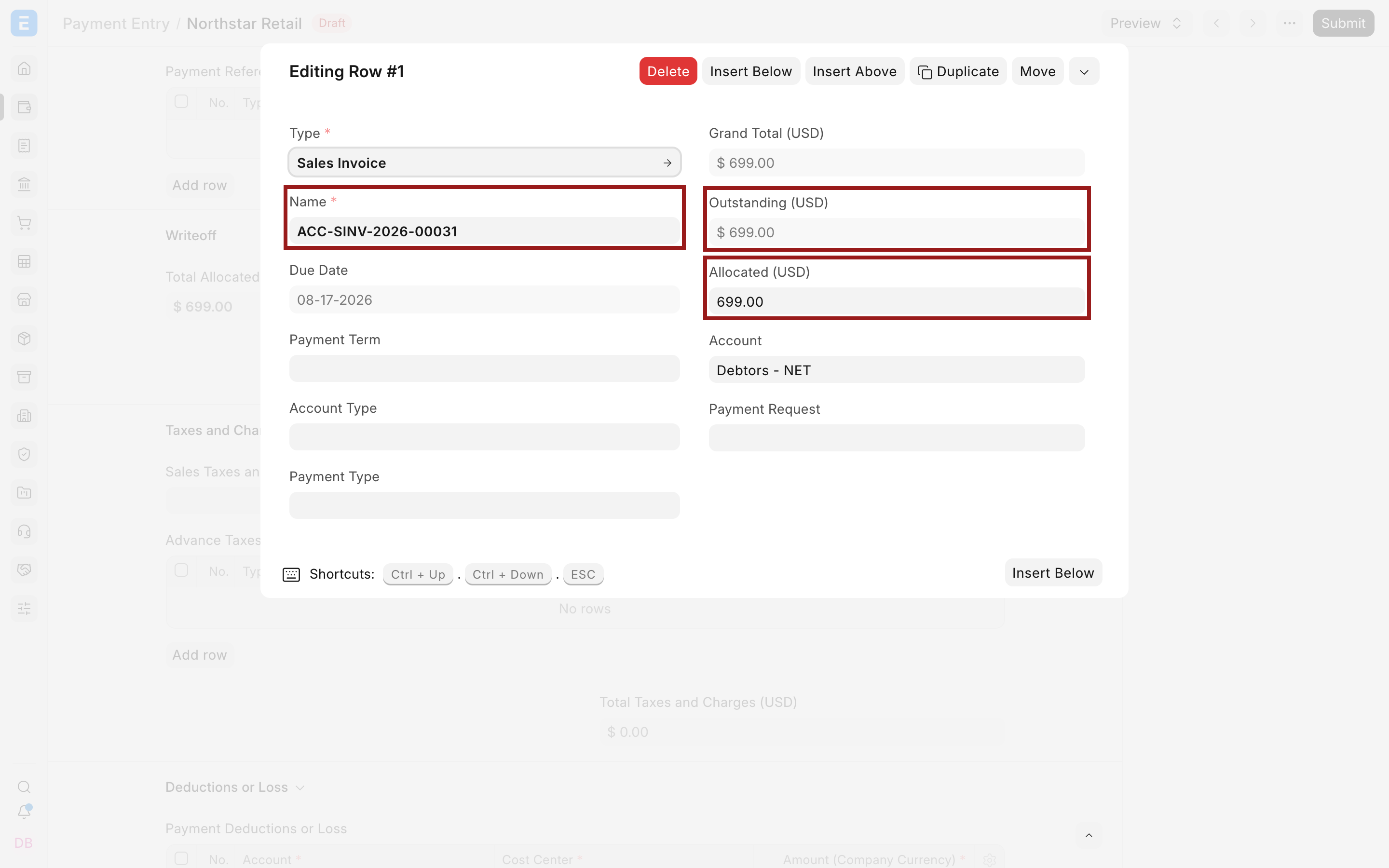
The difference is:
$699.00 allocated - $664.05 received = $34.95
If the allocated amount automatically changes to match the Payment Amount, reopen the reference row and enter the full amount the payment and withholding jointly settle. This behavior has caused confusion for users expecting the difference to appear automatically.
Add the withholding adjustment
Open Deductions or Loss and add a row in Payment Deductions or Loss. Use the pencil icon to edit the complete row.
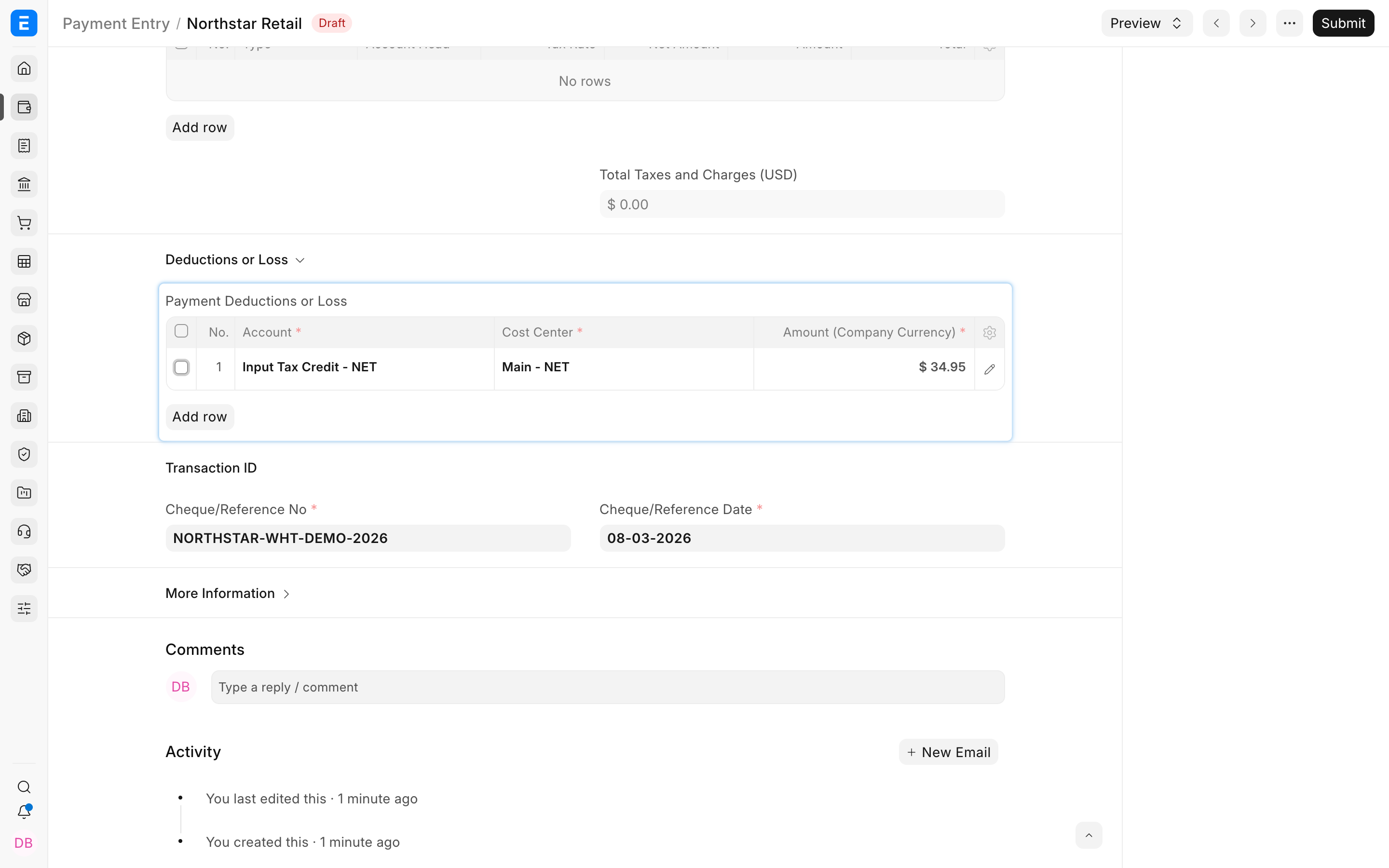
Enter:
| Field | Value in the example |
|---|---|
| Account | Input Tax Credit, or the approved withholding-tax receivable account |
| Cost Center | Main, or the Cost Center required by your accounting policy |
| Amount | $34.95 |
| Description | Customer withholding tax retained against the invoice |
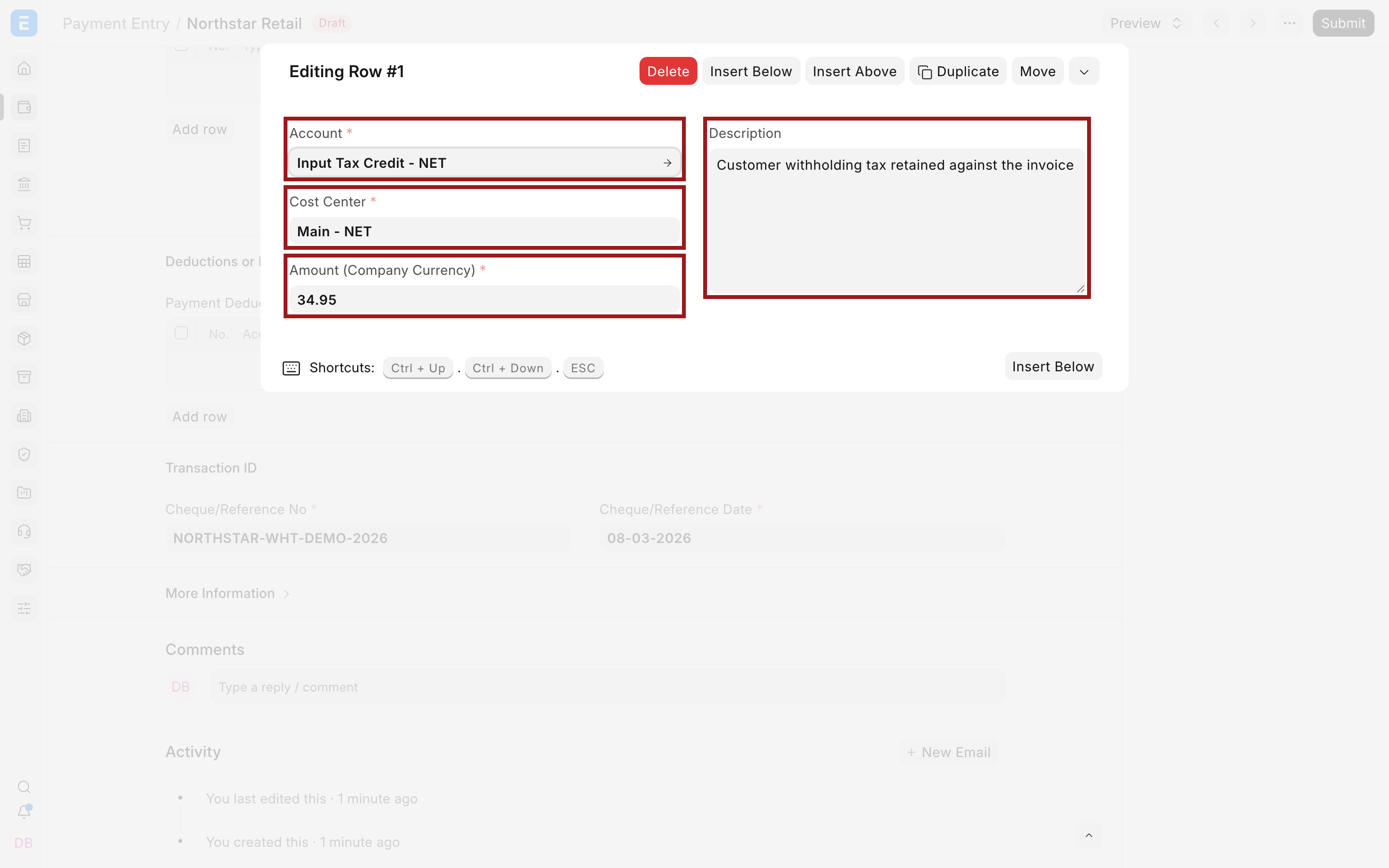
Use an asset account for customer-deducted tax when it represents recoverable or creditable tax. Do not use a supplier withholding liability account, an arbitrary expense account, or the customer receivable account itself unless your accountant has designed that treatment.
Confirm the Payment Entry balances
After the adjustment:
- Paid Amount equals the bank receipt, $664.05.
- Total Allocated Amount equals the invoice settlement, $699.00.
- Payment Deductions or Loss equals $34.95.
- Difference Amount equals $0.00.
Save the draft and review all three components before submission. A non-zero Difference Amount means the entry is not balanced.
The older ERPNext example used a $20,000 invoice, a $19,600 bank receipt, and a $400 withholding adjustment. That produces the same pattern:
$19,600 bank + $400 withholding receivable = $20,000 invoice allocation
Submit and verify the result
Submit the Payment Entry, then reopen the Sales Invoice. Its outstanding amount should reduce by the full allocation, not only the cash received.
Review the General Ledger:
- Bank is debited by the cash received.
- Withholding tax receivable is debited by the amount retained.
- Customer receivable is credited by the full invoice allocation.
Also review the customer's Accounts Receivable balance. The invoice should not remain partially outstanding when the withheld amount was validly accepted as settlement.
Reconcile the withholding-tax receivable account against certificates and statutory filings. A growing balance without supporting evidence can indicate missing certificates or incorrect adjustment entries.
When not to use this method
Do not use this method for:
- A normal short payment that the customer still owes. Allocate only the cash and leave the balance outstanding.
- A commercial discount. Use an approved discount or write-off workflow and the correct account.
- Bank fees charged to your company. Use the bank-charge account supported by the Bank Reconciliation process.
- Exchange differences. Use the appropriate Exchange Gain or Loss treatment.
- Supplier tax you are deducting while paying. Use the supplier withholding workflow described in Tax Withholding Category.
Correcting a submitted adjustment
Do not edit a submitted Payment Entry directly. If the withholding amount, account, or allocation is wrong, cancel and amend the entry where permitted. If later evidence changes the treatment, use an approved accounting correction with a clear reference to the original documents.
Avoid posting an unrelated Journal Entry merely to force the invoice outstanding to zero. The correction should preserve party references and a traceable audit trail.
Troubleshooting
Difference Amount does not appear after reducing the payment
ERPNext may also reduce the reference allocation. Open the invoice reference row and set Allocated Amount to the total being settled by cash plus withholding.
The invoice remains partially outstanding
Check that Allocated Amount equals the full amount settled and that the Payment Entry was submitted. The deduction row alone does not allocate the invoice.
Difference Amount is not zero
Confirm that bank receipt plus adjustment equals allocated amount. Also check signs, exchange rates, and any other deduction rows.
The withholding balance appears as an expense
The selected account may have the wrong root type or accounting purpose. Use the approved withholding-tax receivable account and correct the entry through the normal cancellation or adjustment process.
Frequently asked questions
Should I allocate the cash received or the full invoice amount?
Allocate the full amount settled by cash and withholding. Enter only the actual bank receipt in Payment Amount.
Is customer withholding a write-off?
Not usually. A valid withholding amount is tax credit or receivable supported by statutory evidence, not an amount the business has simply forgiven.
Can one Payment Entry settle several invoices with withholding?
Y
es. Allocate each invoice carefully and ensure the total withholding adjustment matches the customer's payment advice and certificates.
Can I use the same account as supplier withholding?
Usually no. Customer-deducted tax is commonly an asset, while tax withheld from a supplier is commonly a liability. Confirm the account design with your accountant.
What happens if the certificate arrives later?
Record the payment only when you have reasonable evidence of the deduction, then reconcile the receivable account when the certificate or statutory credit becomes available.