


















Moving Asset from Stock Item to Fixed Asset Item
Imagine Nova Industries bought a laptop intending to sell it, so it was received as inventory. Later, the company decides to give that laptop to an employee. It is no longer stock for sale, but simply selecting Is Fixed Asset can leave the same value appearing in both inventory and fixed assets.
The correction must remove the approved inventory position first, then create the fixed-asset Item and Asset record with the right original cost and opening depreciation. This keeps the Stock Ledger, General Ledger, and Asset Register from counting the laptop twice.
Before you begin
Back up the site, identify every stock transaction for the Item, reconcile its current quantity and valuation, and agree the correction date and accounts with the accounting owner. Do not use this procedure to rewrite genuine historical sales inventory.
Correct the stock position
- Stop new transactions for the Item during the correction.
- Use the appropriate Stock Reconciliation or supported stock transaction to bring the stock position to the approved result.
- Verify Stock Ledger and General Ledger impact.
- If submitted transactions prevent changing Item type, create a new fixed-asset Item rather than forcing the existing record.
Configure the fixed-asset Item
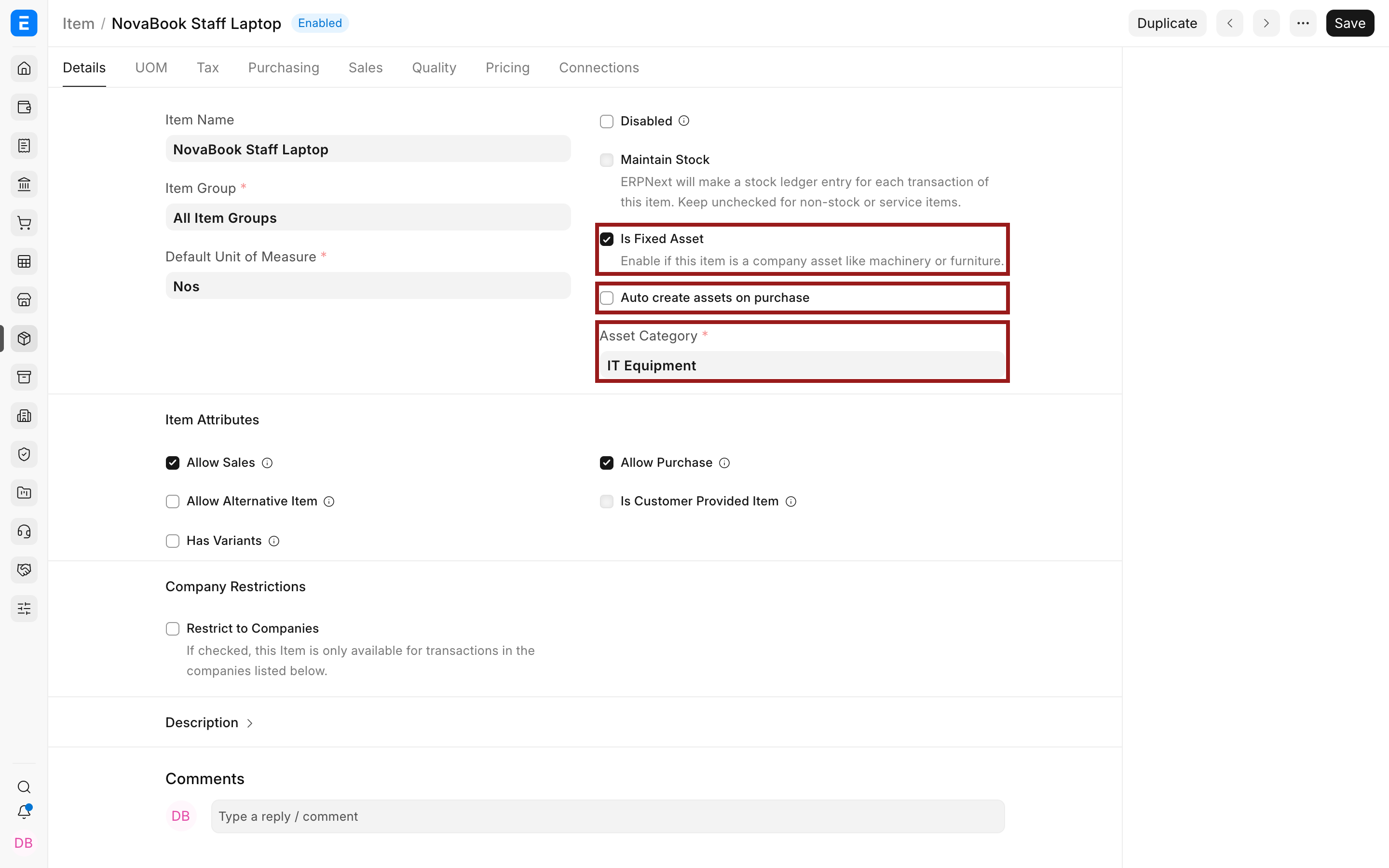
Enable Is Fixed Asset, select the Asset Category, and decide whether future purchases should auto-create Assets.
Create the Asset
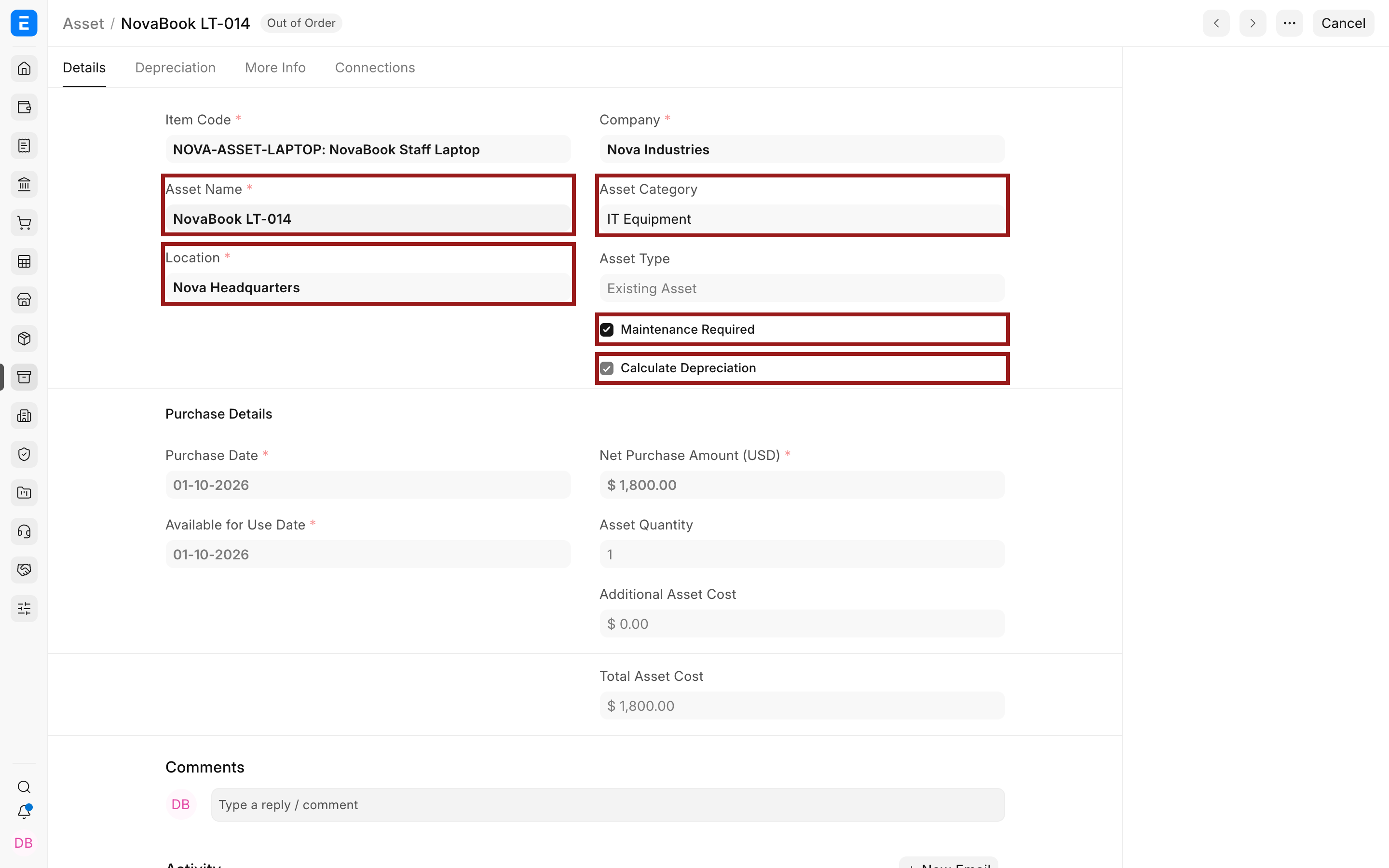
Create an Existing Asset using the approved original cost, available-for-use date, opening accumulated depreciation, and number of already booked depreciation entries.
Verify the correction
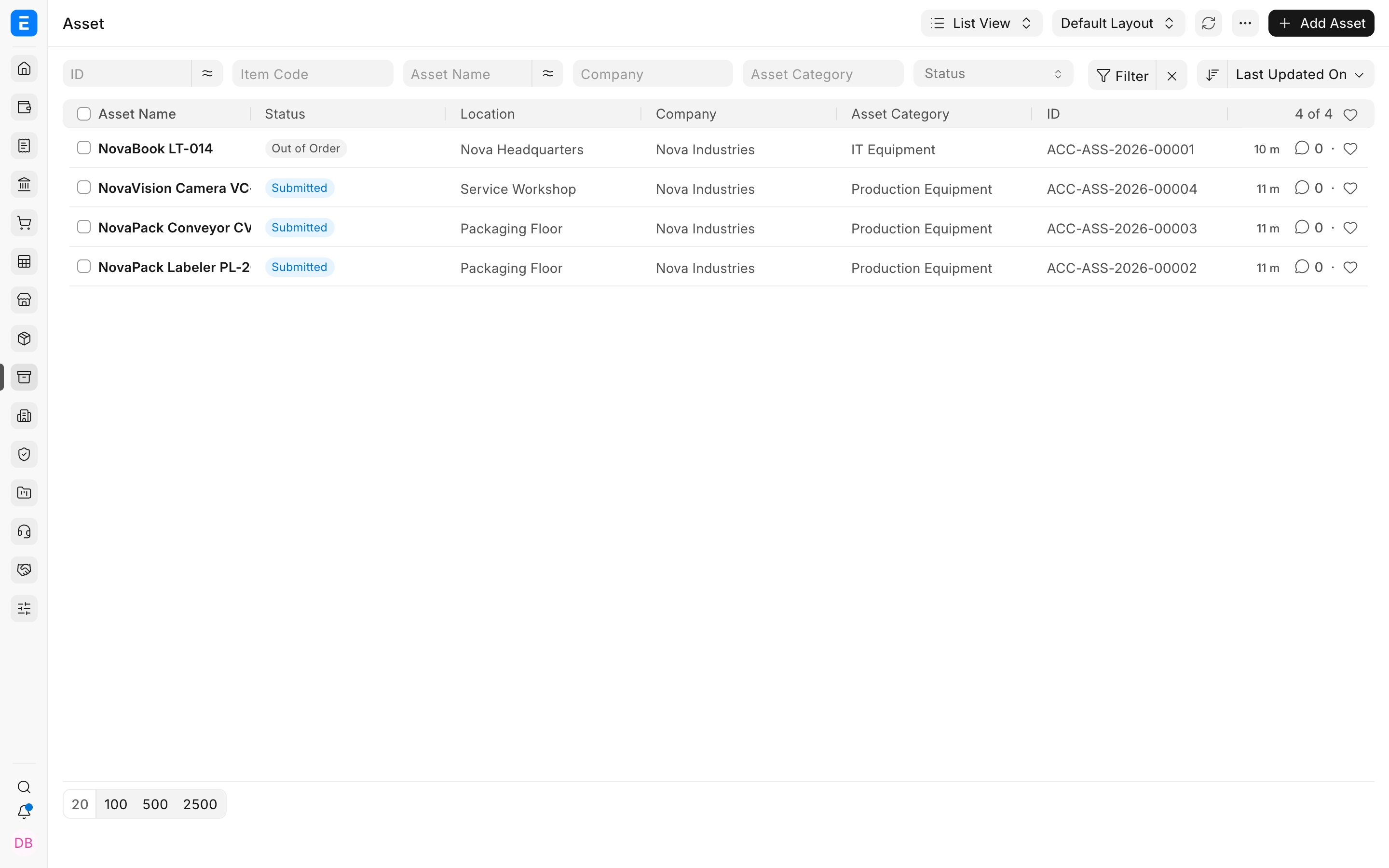
Confirm stock quantity is no longer carried incorrectly, the Asset appears in the register, opening value and depreciation reconcile, and no cost was counted twice.
Troubleshooting
Is Fixed Asset cannot be enabled
The Item has submitted stock transactions or quantity. Create a new fixed-asset Item and use controlled accounting entries instead of forcing the flag.
The asset cost appears in both stock and fixed assets
Reverse or correct the stock side, then reconcile Stock Ledger, General Ledger, and Fixed Asset Register on the same date.
Opening depreciation is missing
Enter approved opening accumulated depreciation and the number of booked depreciations on the Existing Asset before final submission.
Frequently asked questions
Can I convert an Item after years of stock transactions?
Usually a new fixed-asset Item is safer because historical inventory transactions must remain valid.
Should the reclassification use a Journal Entry only?
A Journal Entry may correct accounts but does not create the operational Asset history or remove stock quantity. Use the full controlled process.
What date should the Asset use?
Use the approved original purchase and available-for-use dates, with opening depreciation as of the migration or correction cut-off.