


















Why is the due date or payment schedule on my invoice wrong?
An invoice's Due Date and its Payment Schedule table come from a Payment Terms Template. ERPNext takes the template from the order, the customer or supplier, or the customer group, and works out each due date from a start date. When the due date is not what you expect, one of these three is usually the cause: which template was used, which start date was used, or a rule in Accounts Settings.
Where the template comes from
ERPNext uses the first of these that has a template:
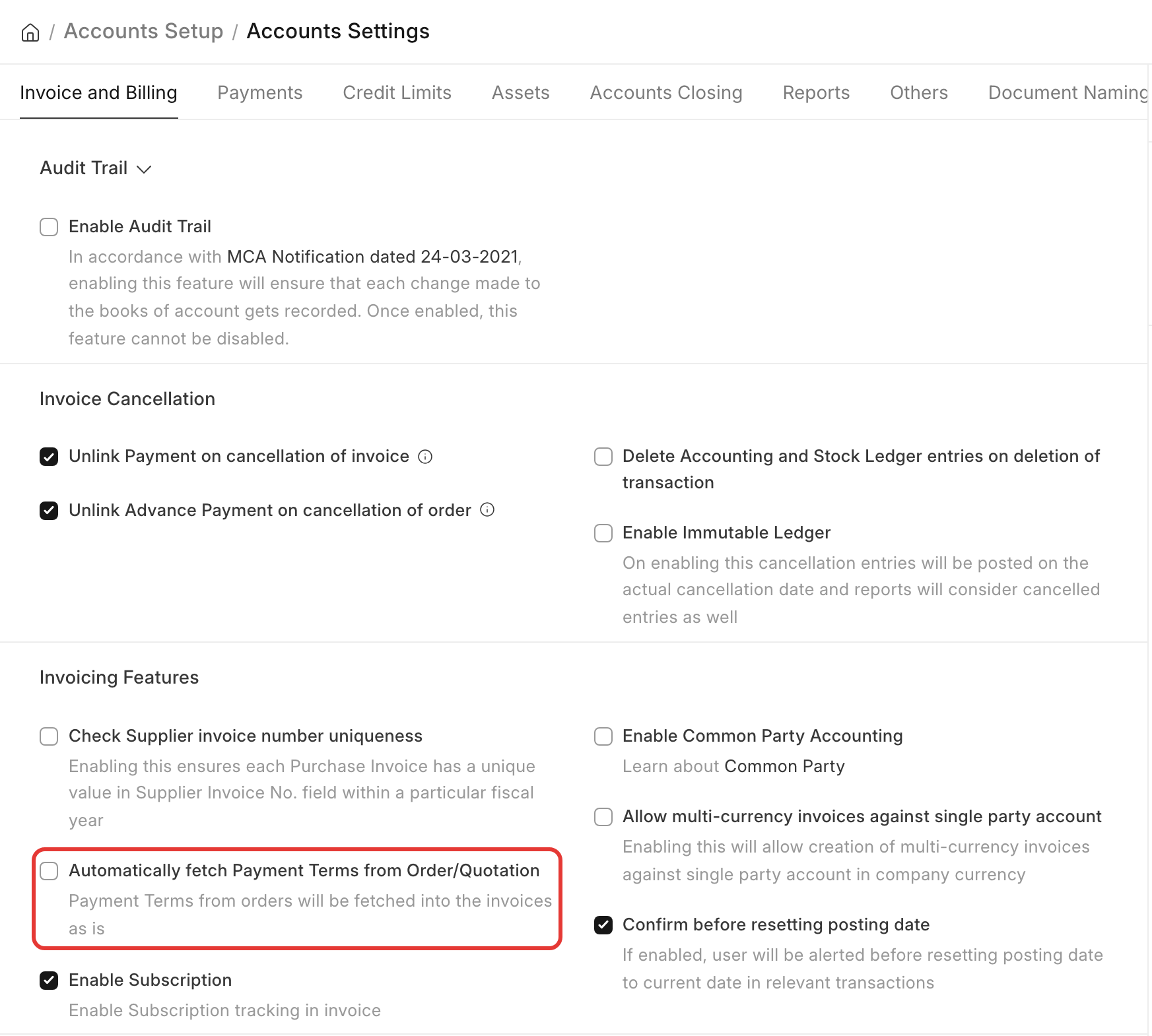
- The Sales Order or Purchase Order (or Quotation), when Accounts Settings → Automatically fetch Payment Terms from Order/Quotation is on. The order's payment schedule is copied as it is, with its due dates.
- The Customer or Supplier (Payment Terms Template field).
- The Customer Group or Supplier Group.
- The Company (Default Payment Terms Template).
The due date is earlier than the invoice date
Automatically fetch Payment Terms from Order/Quotation is on, so the due dates were copied from the order. If the order was made months before the invoice, its due dates are already past.
-
To calculate due dates from the invoice date instead, turn the setting off in Accounts Settings → Invoice and Billing. New invoices then use the template of the order with the invoice's date.
-
For one invoice, select the Payment Terms Template again on the invoice. ERPNext makes the schedule again from the posting date.
The due date of a Purchase Invoice changes when I enter the supplier's invoice date
This is expected. For a Purchase Invoice, the due date is calculated from the Supplier Invoice Date when you enter one, and from the Posting Date when you do not. The credit days start on the day the supplier billed you.
How each due date is calculated
Each row of the template has Due Date Based On:
| Due Date Based On | Example: invoice on 10 Oct, value 30 |
|---|---|
| Day(s) after invoice date | 9 Nov |
| Day(s) after the end of the invoice month | 30 Nov (31 Oct + 30 days) |
| Month(s) after the end of the invoice month | (with value 1) 30 Nov |
For an advance and a balance (for example 30% now, 70% in 30 days), make two rows: Invoice Portion 30 with 0 days, and Invoice Portion 70 with 30 days. See Payment Terms Template.
Errors when you save or submit
Due Date cannot be before Posting Date
Due Date cannot be after 09-11-2026
Total Payment Amount in Payment Schedule must be equal to Grand / Rounded Total
- Due Date cannot be before Posting Date (or Supplier Invoice Date): a due date in the schedule, or the Due Date field, is before the invoice date. Select the template again, or correct the date.
- Due Date cannot be after …: you typed a due date later than the template allows. Only users with the role in Accounts Settings → Role allowed to bypass credit limit can save a later date; they see a note instead of the error. Otherwise, change the template.
- Total Payment Amount in Payment Schedule must be equal to Grand / Rounded Total: you changed the items or taxes after the schedule was made. Select the template again, or correct the Payment Amount column so it adds up to the total.
If you change the Due Date field by hand, ERPNext asks "For the new Due Date to take effect, would you like to clear the current Payment Terms Template and Payment Schedule?". Answer Yes to keep your date. With only one row in the schedule, ERPNext changes that row's date without asking.
The terms were not carried to the invoice
- Check Accounts Settings → Automatically fetch Payment Terms from Order/Quotation. With it off, the invoice takes the template of the customer or supplier, not the order's.
- An order with a template but an empty Payment Schedule table has nothing to copy. Open the order and check the table.
Can terms be calculated on the net total?
No. Invoice Portion is a percentage of the Grand Total (or Rounded Total), including taxes. To bill taxes in the first instalment, make the first row's Payment Amount larger by hand, or raise the advance as a separate invoice.