


















Legacy Controller for Period Closing Voucher
A small company can close its Profit and Loss balances in one operation. A company with millions of General Ledger rows may time out when the same work is attempted as one large database transaction. The Period Closing Voucher controller lets ERPNext use either the legacy single-transaction process or newer batched background processing.
The name is technical, but the decision is operational: keep the familiar legacy process for modest ledgers, or use batched processing when volume and accounting dimensions make one large close unreliable.
Find the setting
- Open Accounts Settings.
- Open the Accounts Closing or Period Closing section.
- Find Use legacy controller for Period Closing Voucher.
- Save the setting before creating the next closing voucher.
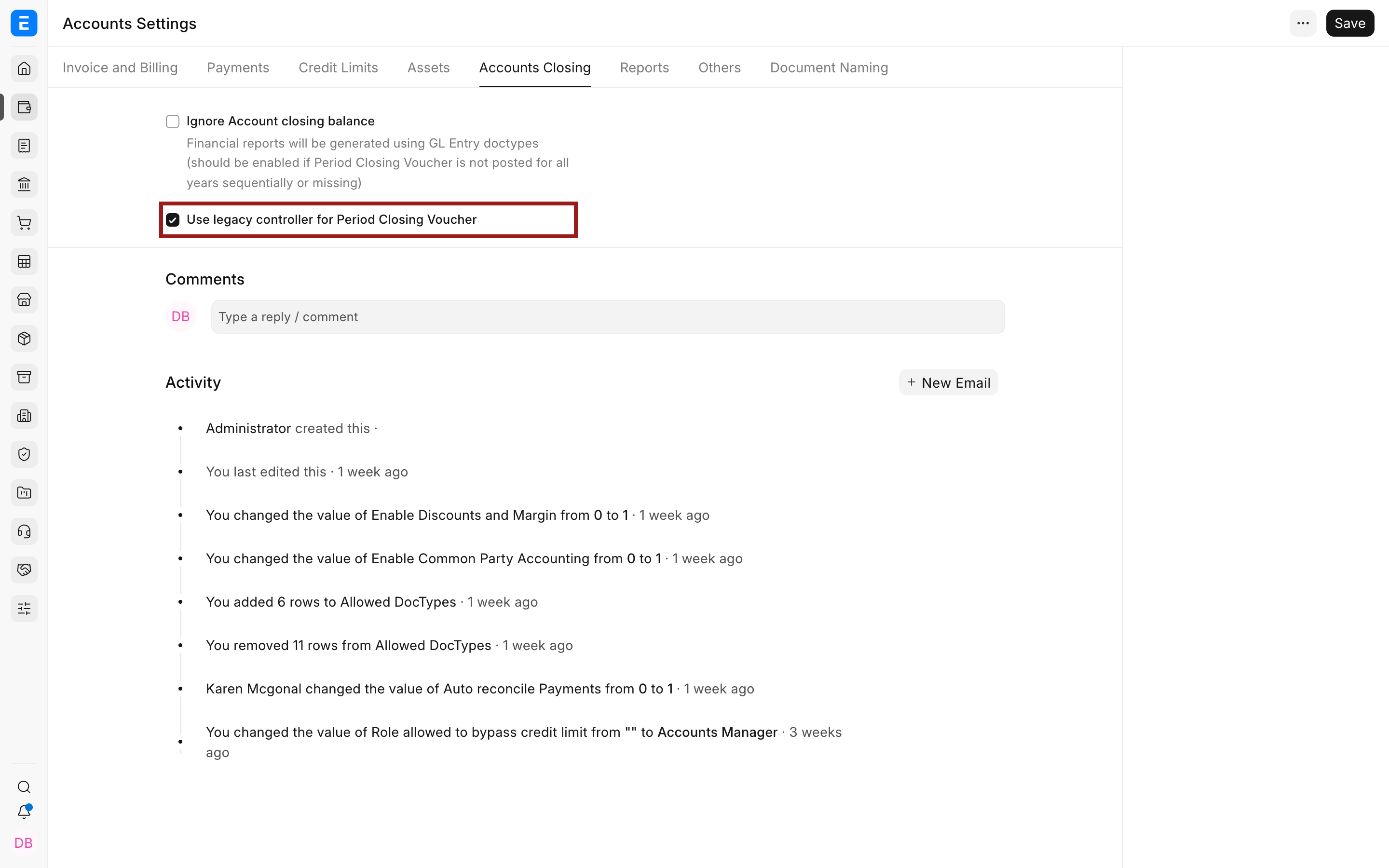
Choose the controller
| Setting | Processing | Best fit |
|---|---|---|
| Enabled | Processes the voucher in one database transaction. | Small and medium ledgers where closing completes reliably. |
| Disabled | Splits work into background batches, including date-wise jobs. | Large ledgers, timeouts, and closes that must preserve dimensional reversals. |
With the legacy controller, reversals are primarily account-based. Batched processing is designed to honour dimensional postings more fully. Test the result in a representative environment and reconcile the closing account before changing a live year-end process.
Troubleshooting
The voucher remains queued
Check background workers, failed jobs, error logs, and the voucher status. Do not submit duplicate closing vouchers until you know whether the queued job posted any entries.
The closing totals differ after switching
Compare company, fiscal year, Finance Book, cost-centre option, dimensions, and source ledger entries. Reconcile the General Ledger to the approved Profit and Loss before accepting the result.
Frequently asked questions
Should every company disable the legacy controller?
Change it only for a clear reason such as volume, timeout risk, or dimensional processing. A stable close does not need extra complexity.
Can I switch after a voucher has started?
Do not change processing assumptions mid-run. First confirm the job state and whether entries were posted, then follow an approved recovery plan.