


















Quality Goal
A Quality Goal is a collection of individual metrics that helps to define your quality goals. It is a basic quality management process to establish a set of quality objectives.
You can create a Quality Goal for your business having multiple Quality Objectives. Different Quality Objectives for a Goal can have a definite numeric target or a target measured in terms of completion status (yes or no). It is monitored based on the Monitoring Frequency which is set for that Goal.
If you set the frequency, a Quality Review document will be created automatically periodically, where you can record the actual performance against each objective.
To access the Quality Goal list, go to:
Quality > Quality Goal
1. How to Create a Quality Goal
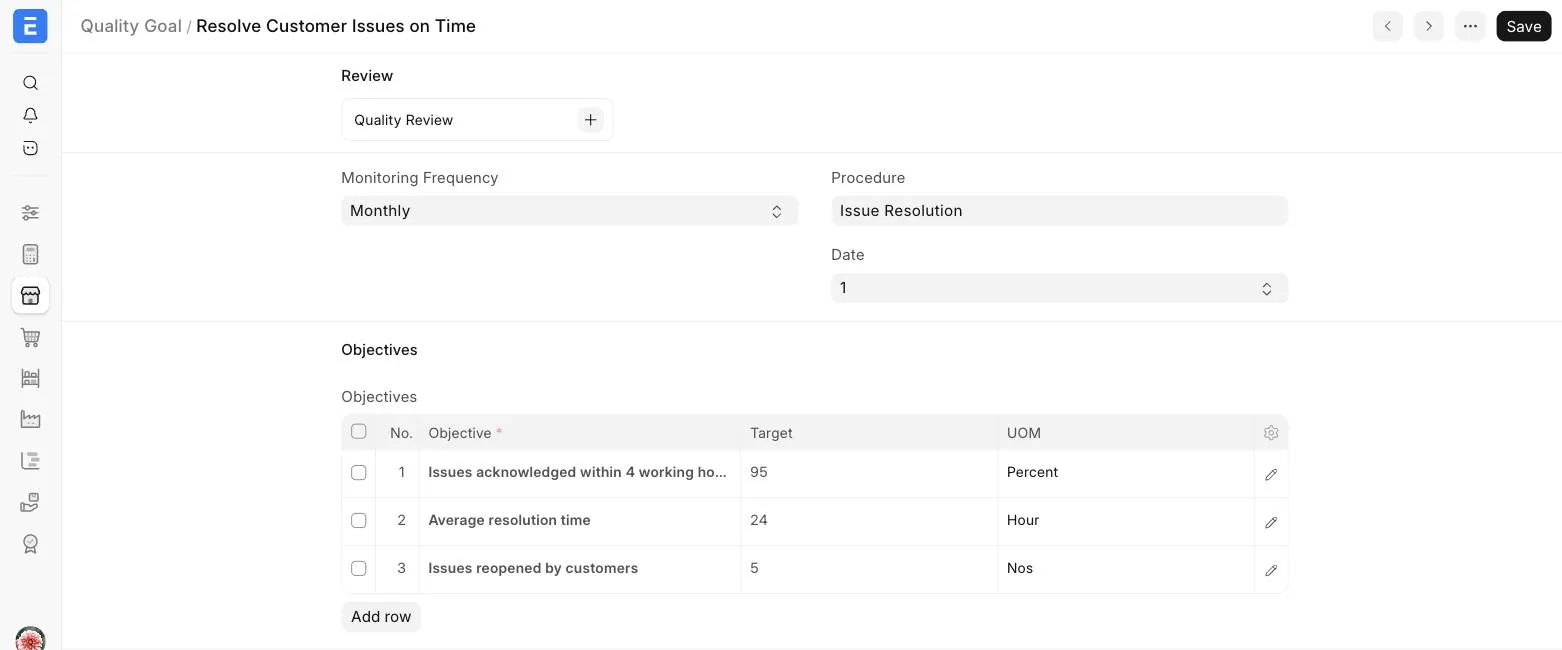
- Go to the Quality Goal list, click on Add Quality Goal.
- Enter a name for the Goal.
- Select a Quality Procedure to be followed to achieve the Goal.
- Select a Monitoring Frequency from 'Daily', 'Weekly', 'Monthly', or 'Quarterly'. Select 'None' if no monitoring is needed.
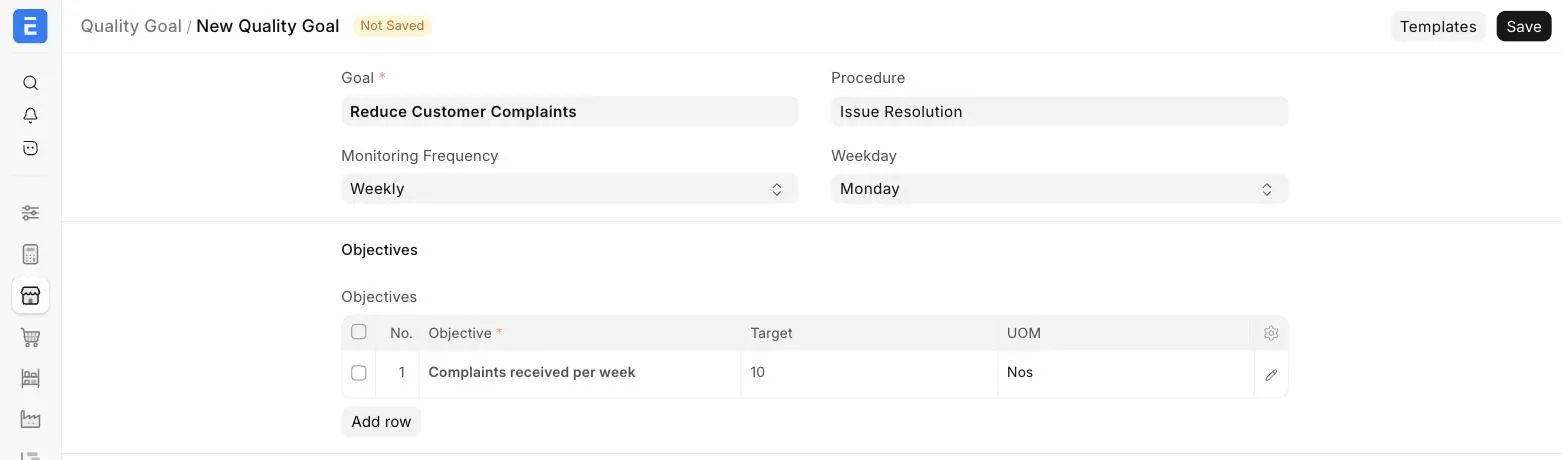
- For a 'Weekly' frequency, select the Weekday on which the review should be created.
- For a 'Monthly' or 'Quarterly' frequency, select the Date of the month on which the review should be created.
- In the Objectives table, enter:
- The Objective that needs to be completed to meet the Quality Goal.
- The Target, which is the target value of the Objective that is to be met.
- The UOM (Unit of Measurement) to measure the Target. Eg: Percent, Hour, Nos, etc.
- Save.
Once saved, the Quality Reviews created for the Goal can be accessed from the Review section at the top of the Quality Goal.