


















Request for Raw Materials from Sales Order
Create a Material Request directly from one submitted Sales Order when you need to procure raw materials for its manufactured Items. Use a Production Plan when planning several Sales Orders or broader production demand together.
Before you begin
Confirm:
- The Sales Order is submitted.
- Each manufactured Item has an active default Bill of Materials.
- BOM quantities and UOMs are correct.
- Warehouses and projected quantities are current.
- You have permission to create and submit Material Requests.
This action is intended for manufactured Items. A purchased finished good without a BOM will not produce raw-material requirements.
Create the Material Request
- Open the submitted Sales Order.
- Select Create.
- Select Request for Raw Materials.
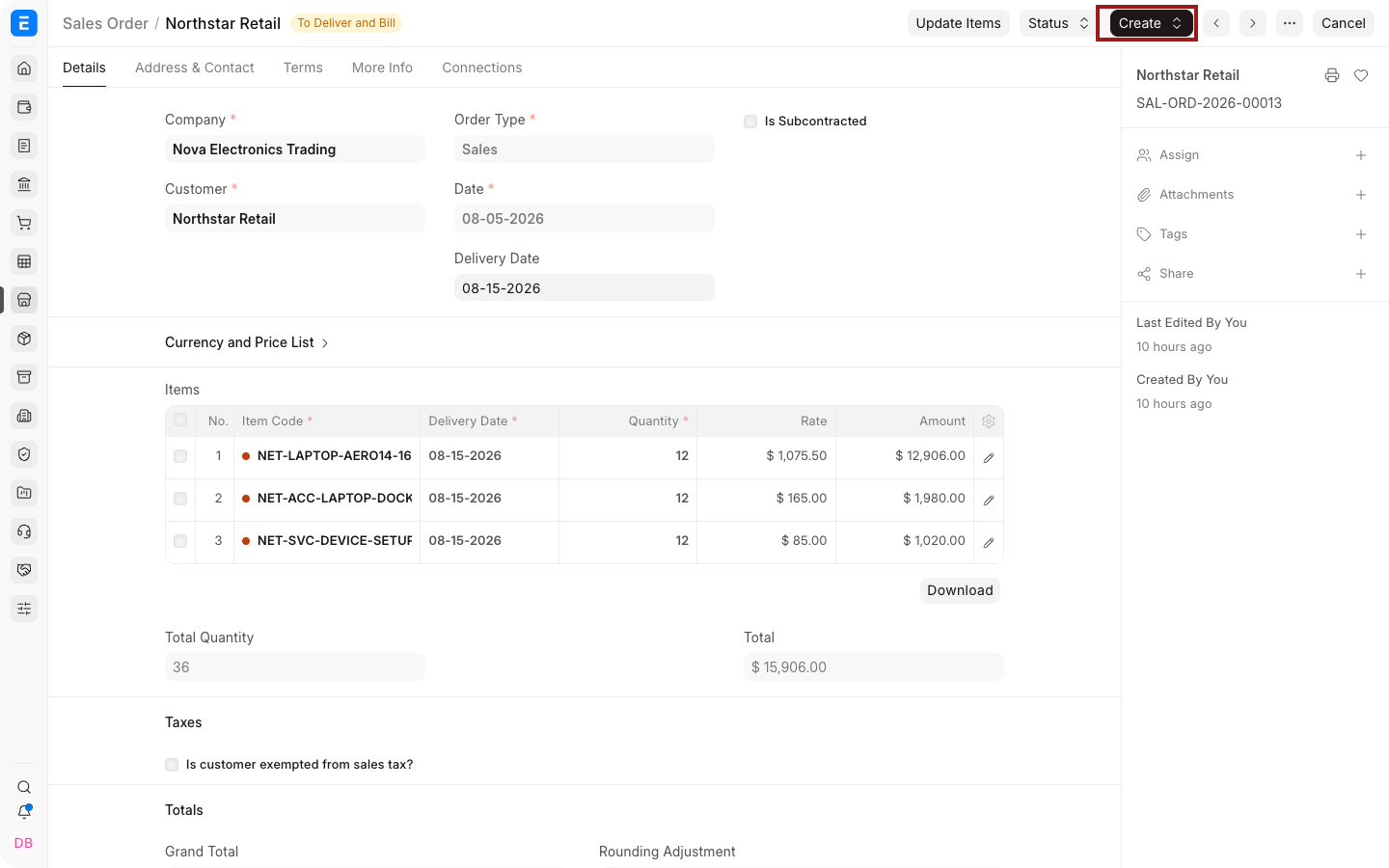
ERPNext opens a dialog containing eligible finished Items with BOMs.
- Review the finished Items and required quantities.
- Change the BOM only when another valid BOM should be used.
- Select the source and target Warehouses or other options shown by your version.
- Choose whether to include exploded Items or ignore existing ordered quantity.
- Select Create or Make.
ERPNext creates a Material Request containing the calculated raw materials.
Review the Material Request
Check:
- Material Request Type.
- Schedule Date.
- Item, Quantity, UOM, and Warehouse.
- Links to the Sales Order and BOM.
- Projected stock and existing supply.
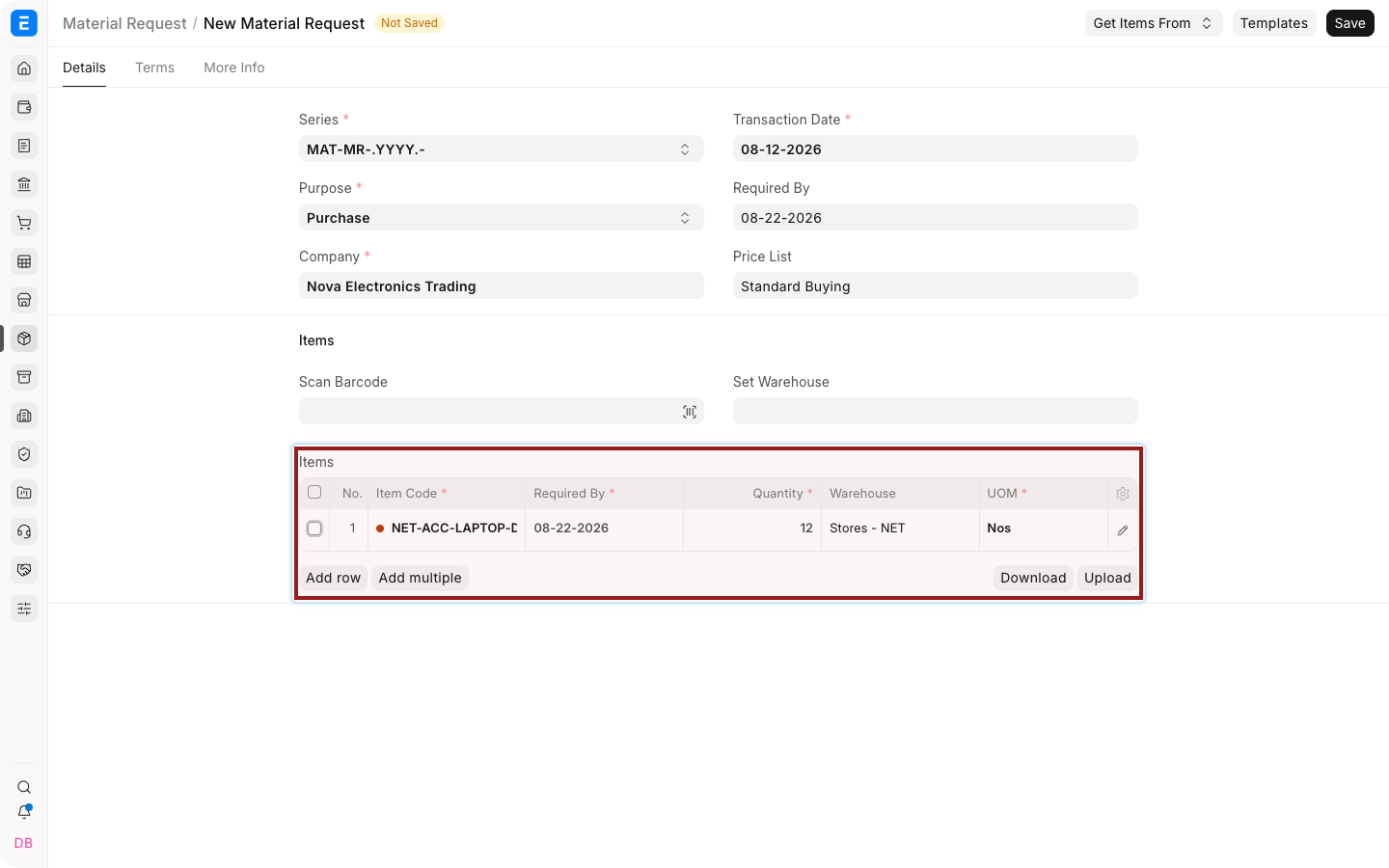
The dot before an Item Code shows stock availability at a glance: green means in stock and red means out of stock. Select the highlighted pencil icon to open the full child-row editor when you need additional planning fields.
Submit the Material Request only after confirming that it will not duplicate existing procurement or production supply.
Options in the dialog
| Option | Effect |
|---|---|
| Include Exploded Items | Uses lower-level raw materials from multi-level BOMs instead of only the immediate components |
| Ignore Existing Ordered Qty | Requests the calculated requirement without reducing it for quantities already ordered |
| BOM | Selects which active BOM supplies the component structure |
Field labels can vary by version. Review the generated Items rather than relying only on the option name.
Choose this workflow or Production Plan
| Requirement | Recommended workflow |
|---|---|
| One Sales Order needs raw-material procurement | Request for Raw Materials from Sales Order |
| Several Sales Orders need consolidated planning | Production Plan |
| Manufacture and operations must be scheduled | Production Plan and Work Orders |
| Replenishment is driven by stock levels | Reorder or Material Request planning |
Troubleshooting
| Problem | What to check |
|---|---|
| Menu action is missing | Confirm the Sales Order is submitted and contains a manufactured Item with a valid BOM |
| Finished Item is absent from the dialog | Check the default and active BOM |
| Quantities are unexpected | Review Sales Order Qty, BOM Qty, conversion factors, scrap, and exploded-item behavior |
| Duplicate procurement is suggested | Review projected quantity and avoid Ignore Existing Ordered Qty unless intentional |
| Wrong Warehouse is used | Review Item, BOM, Company, and dialog Warehouse defaults |
Frequently asked questions
Does this create a Purchase Order?
No. It creates a Material Request. Continue through your procurement workflow to create a Request for Quotation or Purchase Order.
Is the Material Request submitted automatically?
Confirm the resulting document's status in your current version and approval workflow. Review it before submission.
Can I use a non-default BOM?
Yes, when the dialog permits selecting another active BOM.
Should I enable Ignore Existing Ordered Qty?
Only when you intentionally want to request the full requirement despite existing supply.