


















Inter Company Journal Entry
Nova Industries pays a shared software bill on behalf of Nova Electronics Distribution, another company in the same group. One bank account paid the money, but each legal entity needs its own balanced books and a clear inter-company balance showing who owes whom.
An Inter Company Journal Entry records the two sides as separate linked Journal Entries. The first entry posts only in the first Company; ERPNext then helps you create the corresponding entry for the second Company with opposite totals.
Use this workflow for shared costs, fund transfers, and adjustments between related entities when the event does not originate from an inter-company invoice. The event is complete across the group only after both linked entries are reviewed and submitted.
DIAGRAM_PLACEHOLDER
Before you begin
Confirm that:
- At least two non-group companies exist in ERPNext.
- Each company has its own Chart of Accounts, default currency, fiscal year, and Cost Center.
- The required due-from, due-to, bank, income, and expense accounts exist in the appropriate company.
- You know the debit and credit treatment required in both companies.
- Users creating the pair have permission to access both companies and their accounts.
- If the companies use different currencies, multi-currency accounting and exchange rates are configured.
For routine trade between group companies, consider Inter Company Invoices. Use Inter Company Journal Entry for a deliberate accounting adjustment where invoices are not the appropriate business documents.
Understand the example
Nova Electronics Trading pays a $1,200 trade show expense on behalf of Nova Electronics Distribution. The first company records the cash outflow and a receivable from the related company. The second company records the expense and an amount payable to the first company.
| Company | Account | Debit | Credit | Meaning |
|---|---|---|---|---|
| Nova Electronics Trading | Due from Nova Electronics Distribution | $1,200 | The related company owes this amount. | |
| Nova Electronics Trading | Nova Operating Bank | $1,200 | Cash leaves the paying company. | |
| Nova Electronics Distribution | Trade Show Expenses | $1,200 | The benefiting company recognizes the expense. | |
| Nova Electronics Distribution | Due to Nova Electronics Trading | $1,200 | The benefiting company owes the paying company. |
Each company’s entry balances independently. The linked second entry also reverses the first entry’s total sides: the second entry’s total credit must equal the first entry’s total debit, and its total debit must equal the first entry’s total credit when both companies use the same currency.
Create the first company’s entry
From the Journal Entry list, select Add Journal Entry.
Set Entry Type to Inter Company Journal Entry and select the company that records the first side. In this example, select Nova Electronics Trading.
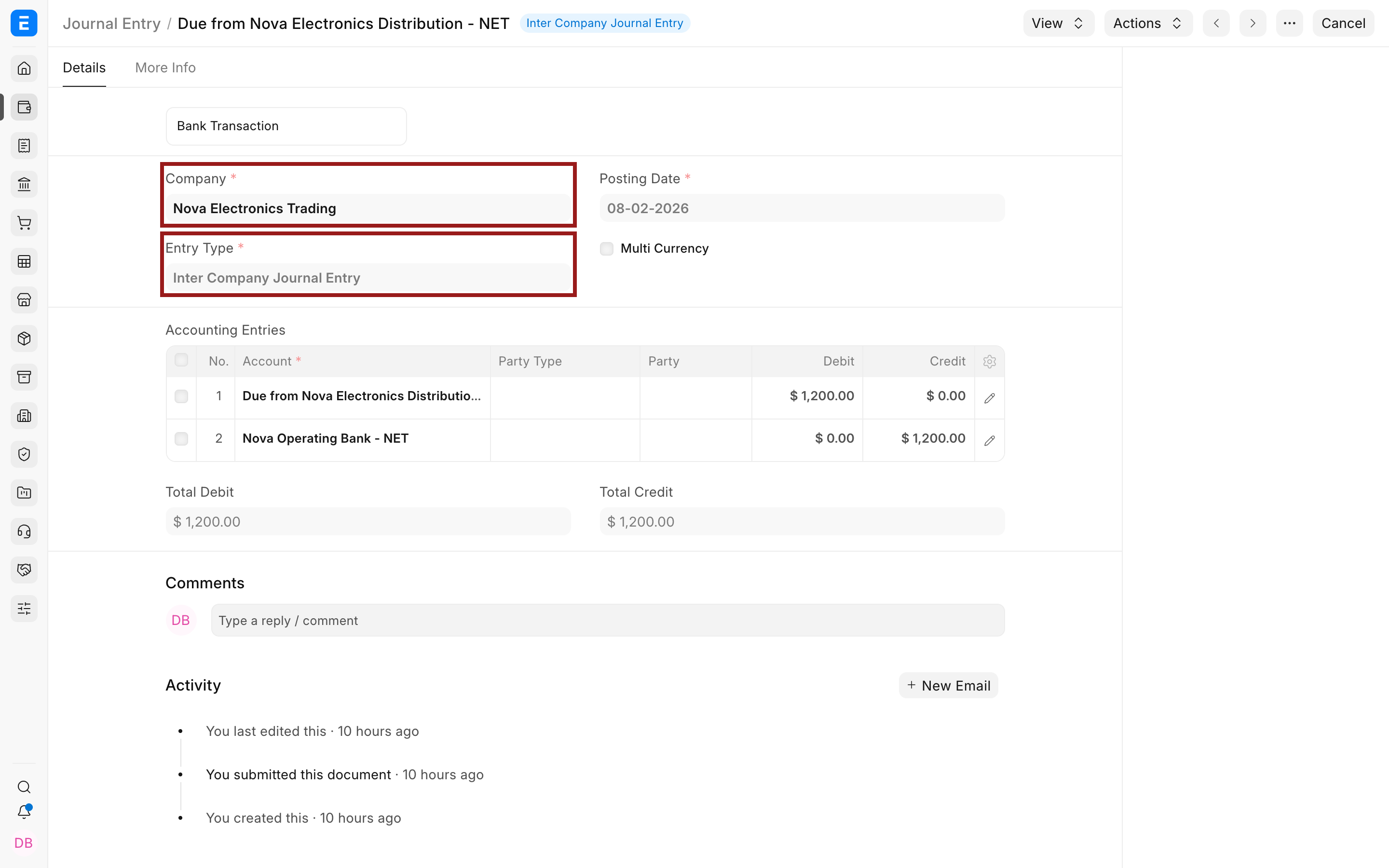
In Accounting Entries, add the accounts and amounts for that company. Add a Cost Center or another Accounting Dimension when required.
For the example:
- Debit Due from Nova Electronics Distribution by $1,200.
- Credit Nova Operating Bank by $1,200.
Select the pencil icon to open a child row when you need to enter a Cost Center, Project, party, currency, reference, or another row-level field.
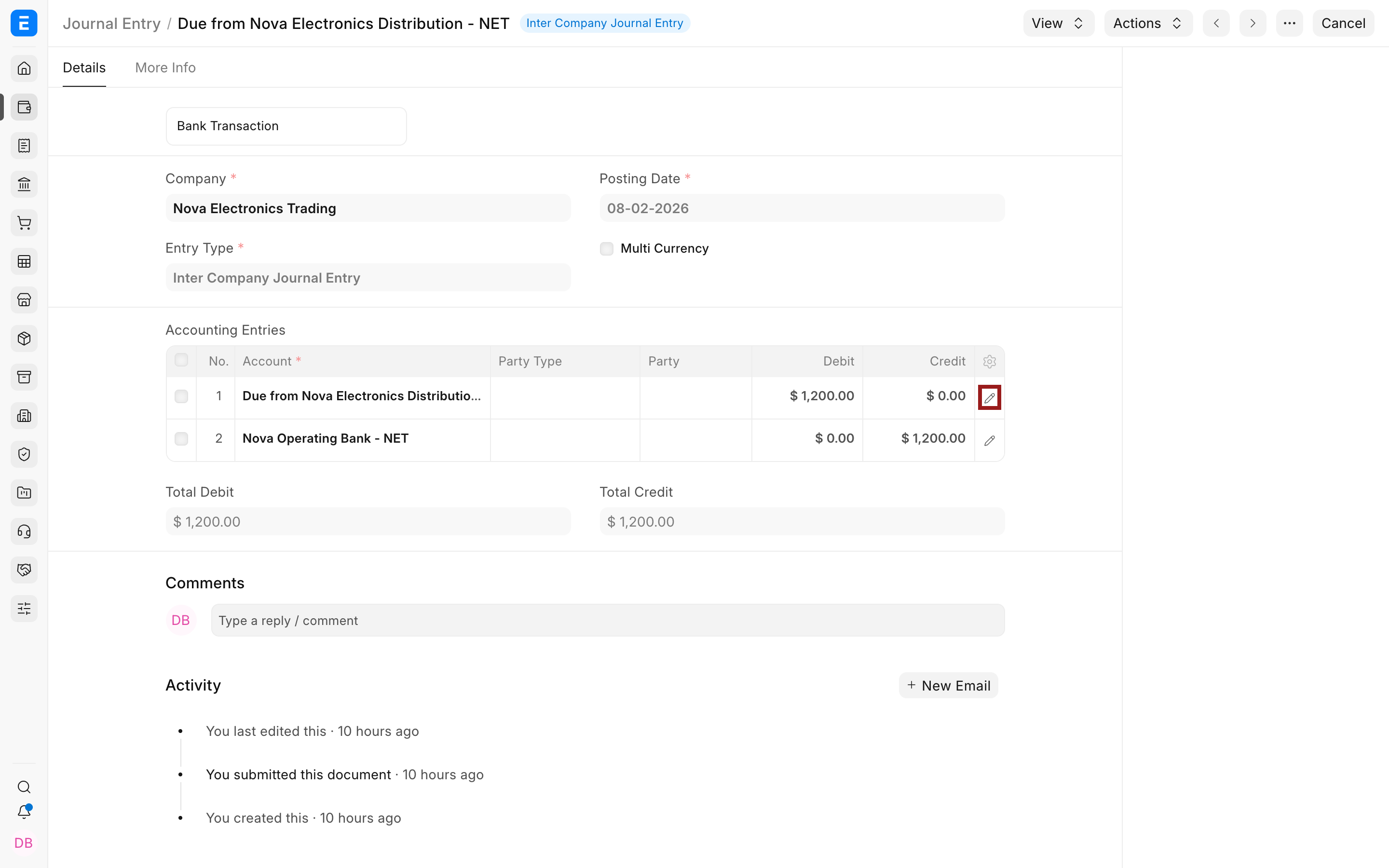
Confirm that Total Debit equals Total Credit, add a clear remark, then save and submit the first Journal Entry. Submission posts the first company’s General Ledger entries. It does not yet post the other company’s side.
Create the linked entry for the second company
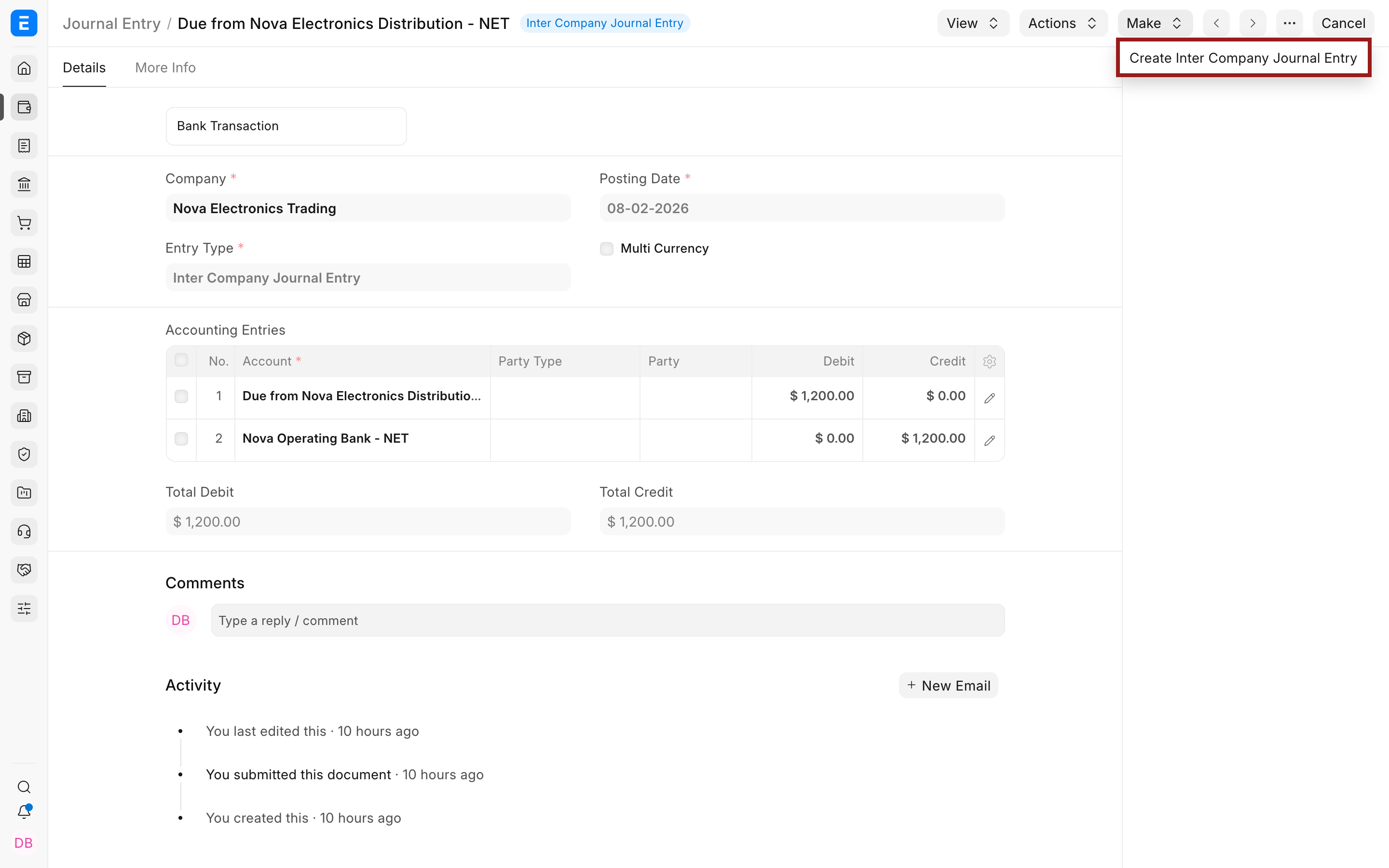
Open the submitted first entry. Select Make, then select Create Inter Company Journal Entry.
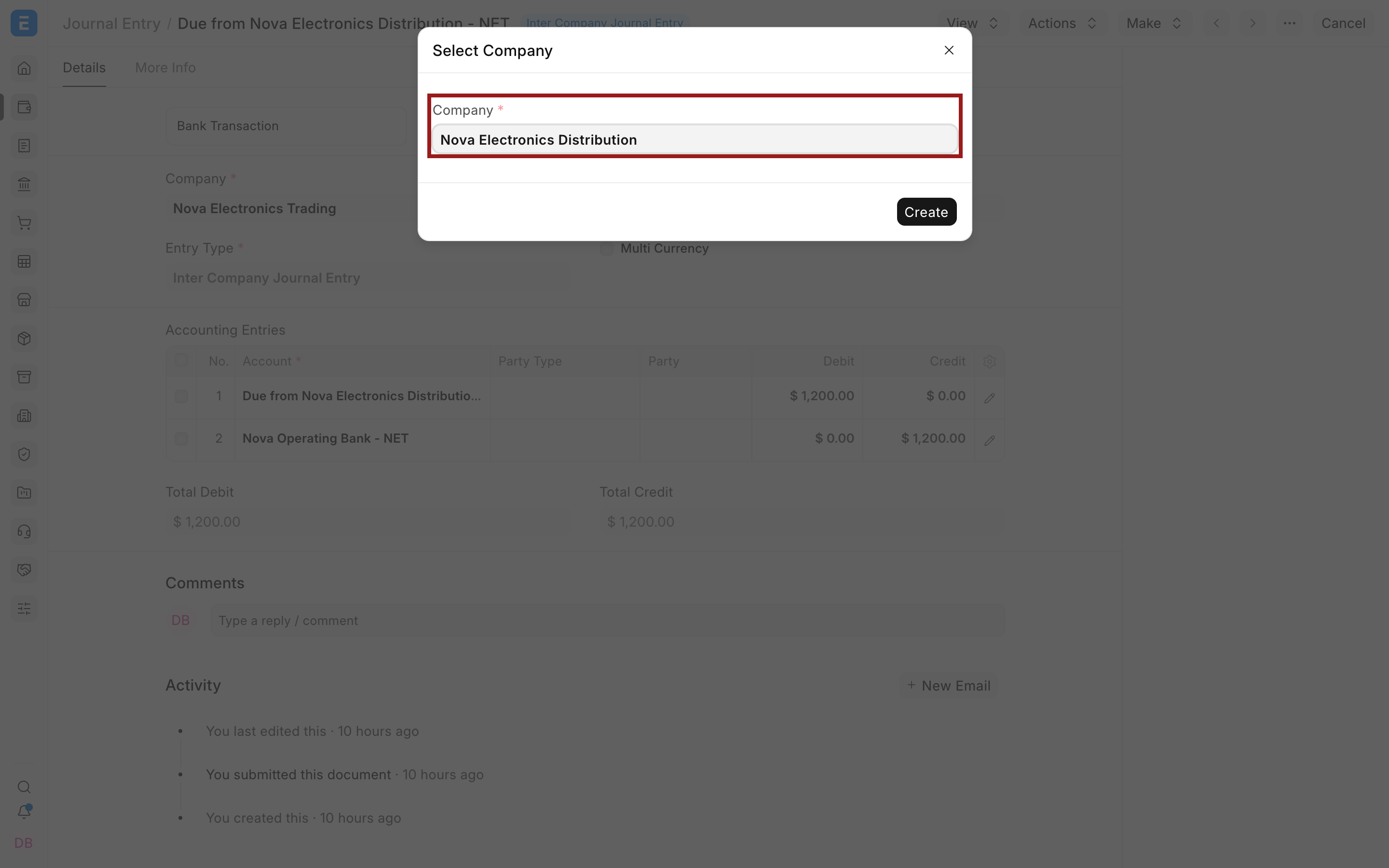
Select the company that should receive the other side, then select Create.
ERPNext opens a new draft and carries forward the following context:
| Field | What ERPNext carries forward |
|---|---|
| Entry Type | Inter Company Journal Entry |
| Company | The company selected in the dialog |
| Posting Date | The current date used by the linked-entry creation action |
| Inter Company Journal Entry Reference | The submitted first Journal Entry |
ERPNext does not copy the first company’s account rows because account names belong to different company ledgers. The draft starts with an empty Accounting Entries table. This is intentional.
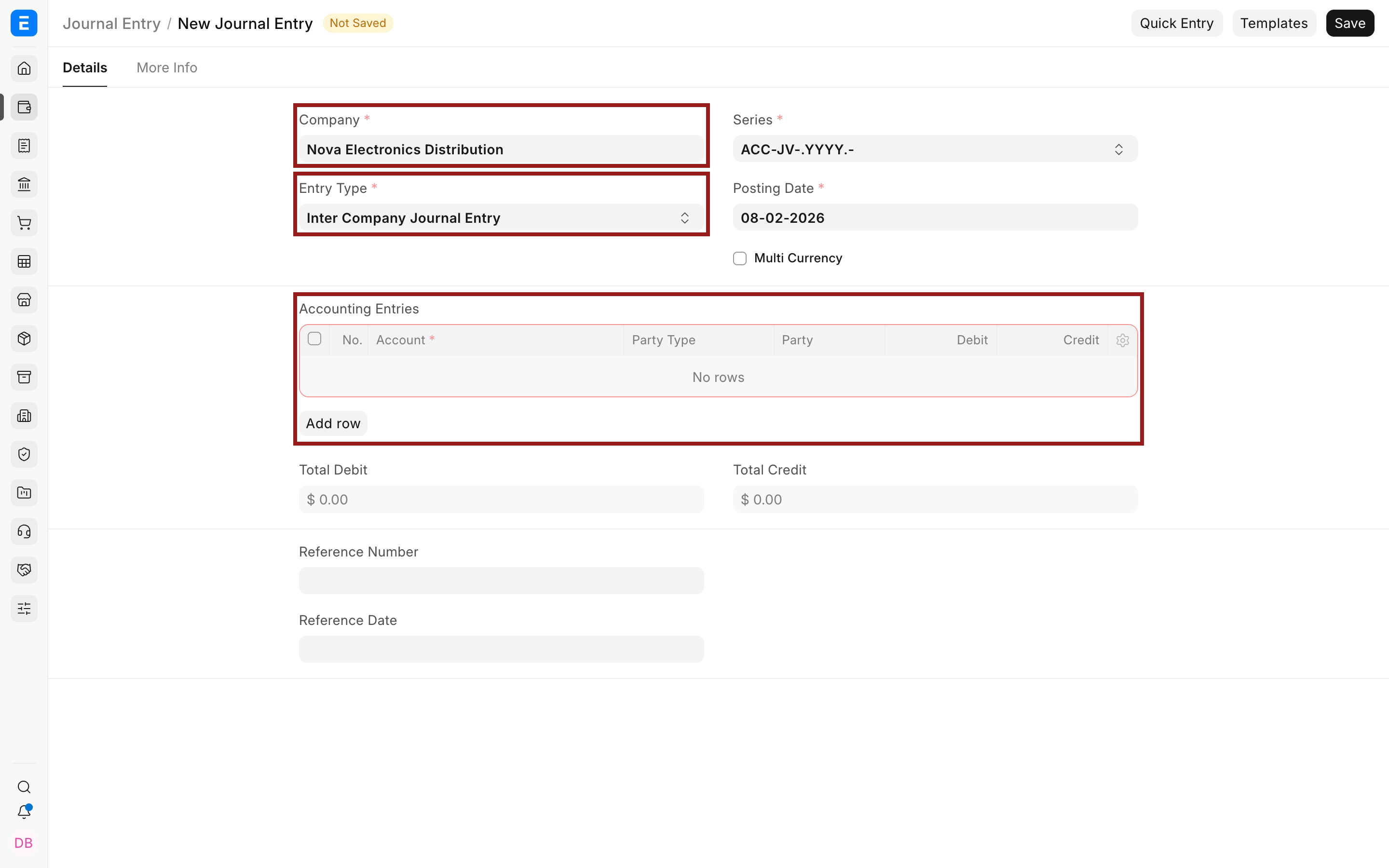
Enter the second company’s accounts
Add the second company’s accounting treatment. In this example:
- Debit Trade Show Expenses by $1,200.
- Credit Due to Nova Electronics Trading by $1,200.
- Use the second company’s Cost Center.
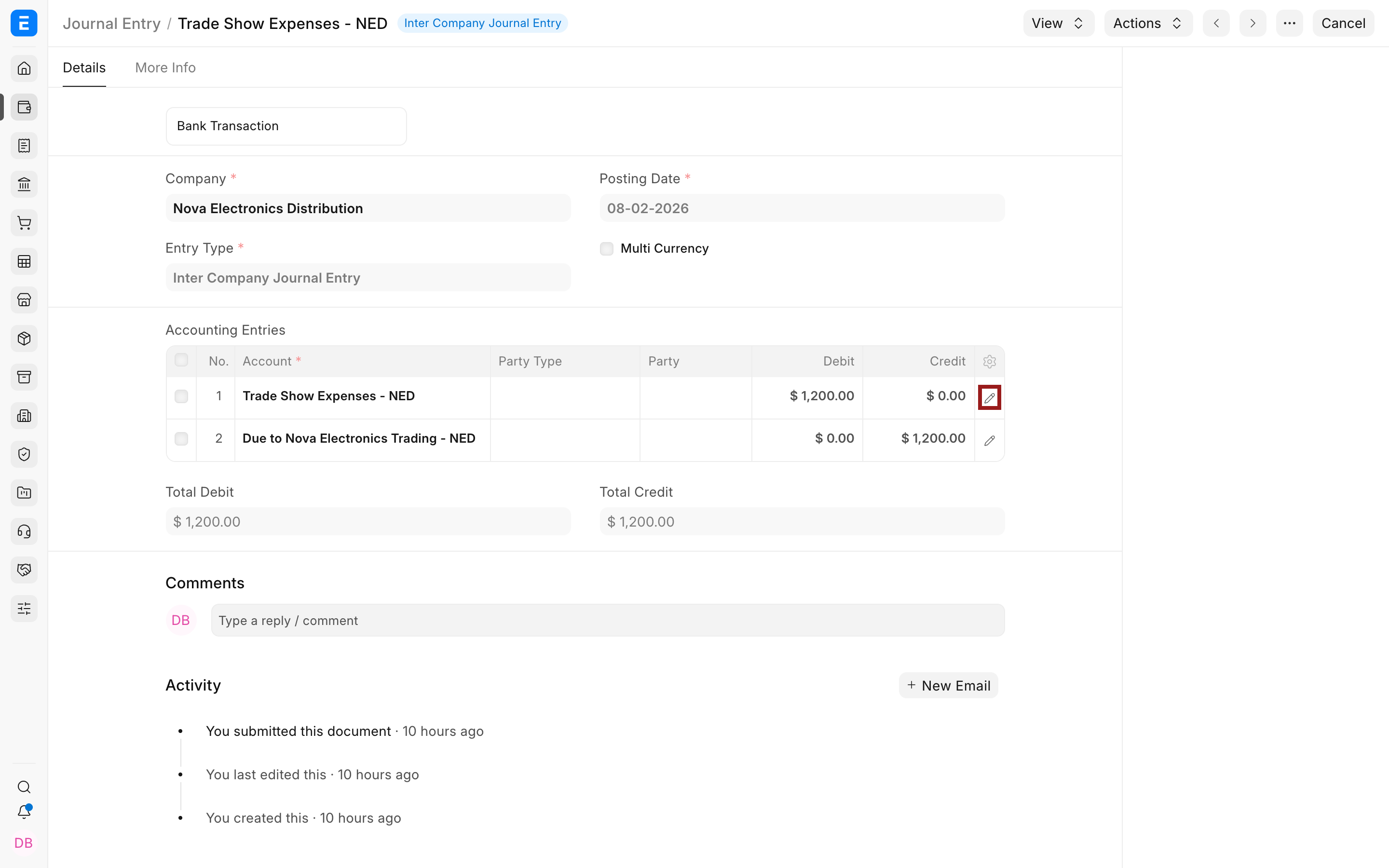
The individual accounts do not need to have the same names as the first company’s accounts. What must agree is the economic treatment and, for companies using the same currency, the reversed debit and credit totals.
Review the entry, confirm that it balances, and submit it. ERPNext then stores the link on both Journal Entries.
Verify the linked pair
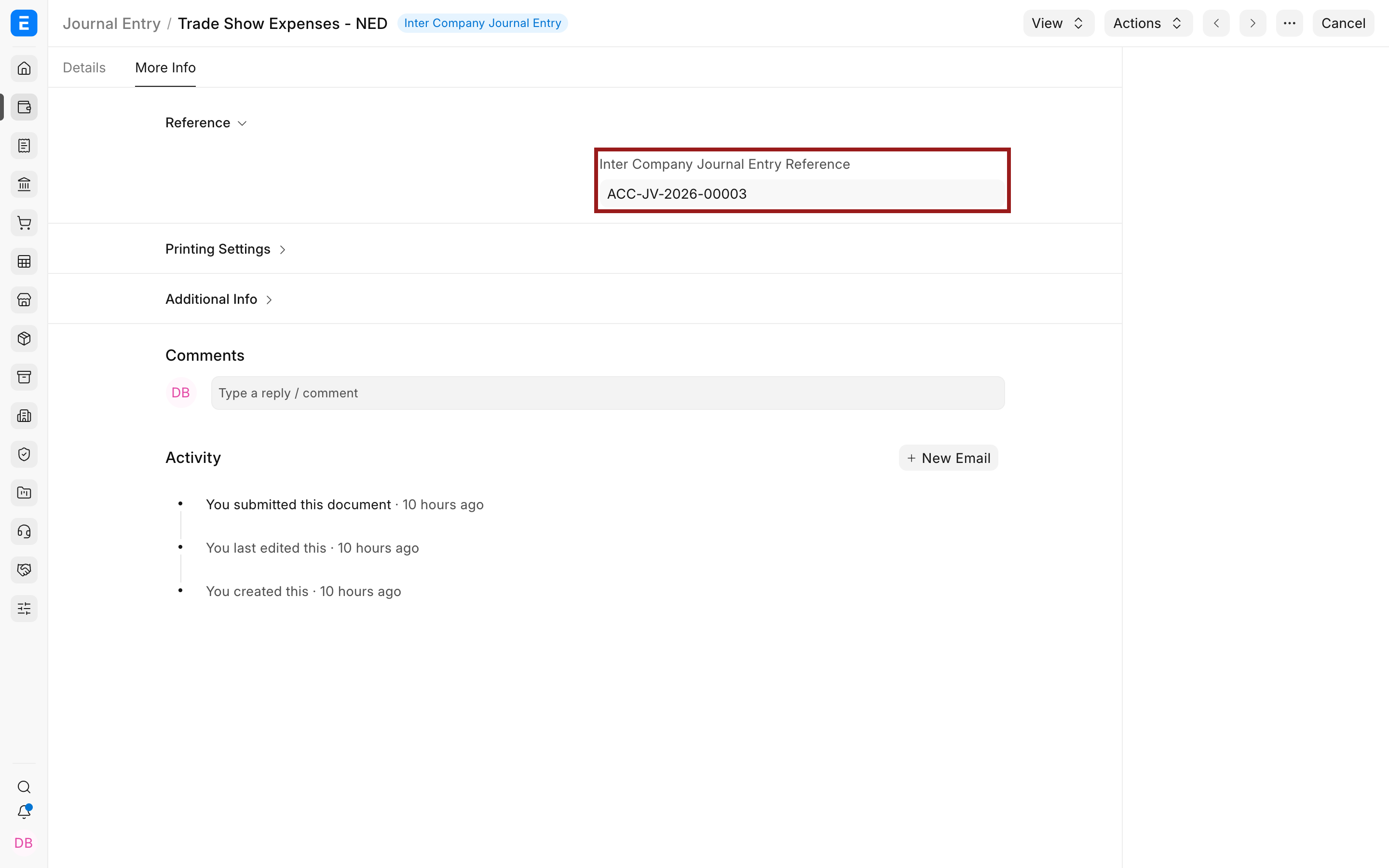
On either submitted entry, open More Info, then expand Reference. Inter Company Journal Entry Reference links to the other Journal Entry.
You can also review both entries from the Journal Entry list.
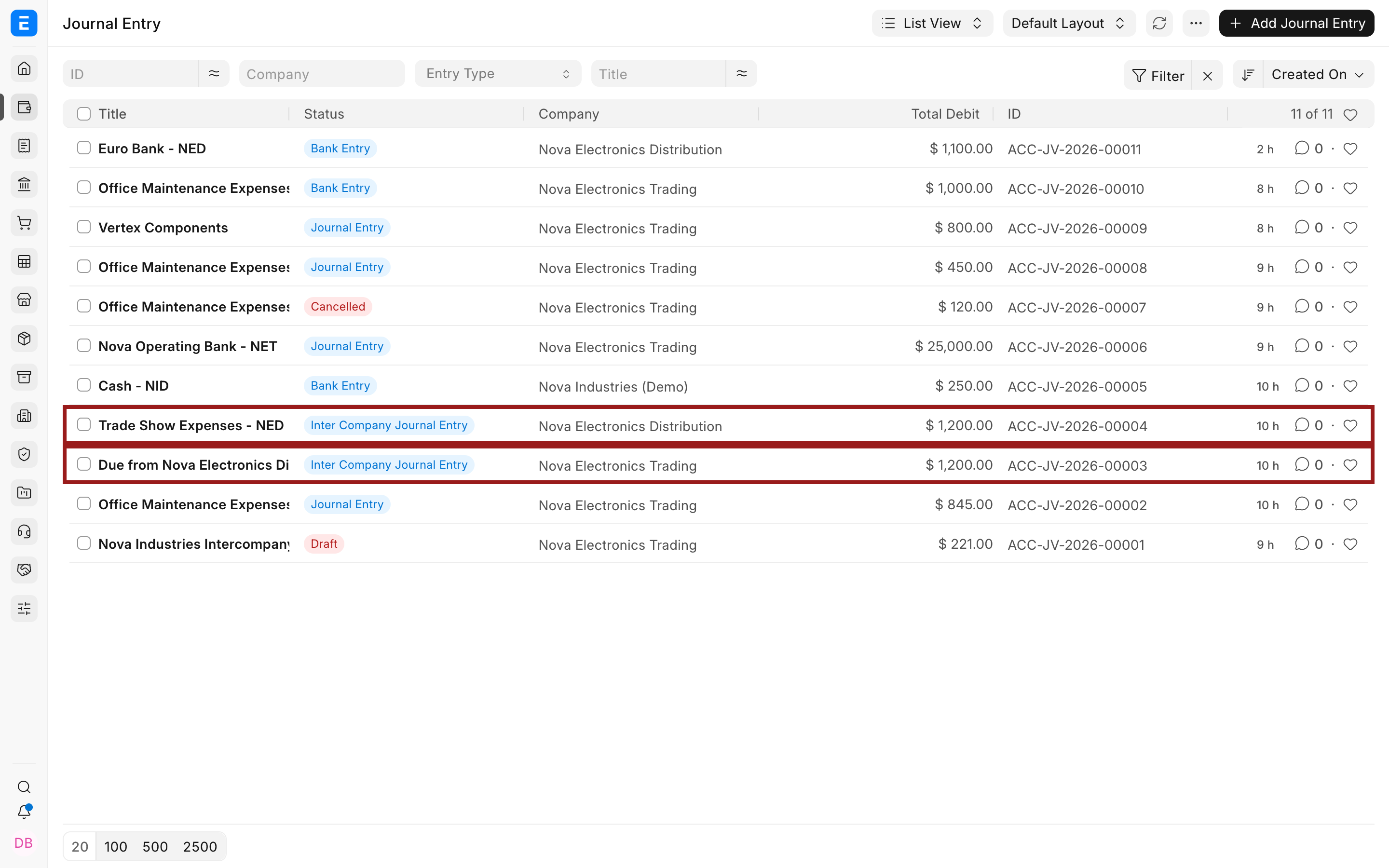
Use View > Ledger on each entry to confirm the separate GL Entries. If consolidated group reporting is used, review the due-from and due-to balances and apply the organization’s elimination process outside the operating entries where required.
Important fields and what they mean
| Field | What it means | Guidance |
|---|---|---|
| Company | The company whose ledger receives this entry | Every account row must belong to this company. |
| Entry Type | Enables the linked inter-company workflow | Select Inter Company Journal Entry on the first entry. ERPNext carries it to the linked draft. |
| Posting Date | The accounting date for that company’s entry | Review the date on both entries, especially near a period end. |
| Multi Currency | Allows account currencies different from the company currency | Review exchange rates and company-currency totals before submission. |
| Accounting Entries | The accounts, parties, dimensions, and amounts posted in this company | The linked draft requires its own rows. |
| Inter Company Journal Entry Reference | Links the two submitted Journal Entries | ERPNext sets this through the creation workflow and updates the first entry when the second is submitted. |
| Total Debit and Total Credit | The balanced totals for one company | Both must match within each entry. Same-currency linked entries must also have opposite totals. |
When a party is required
If a row uses a Receivable or Payable account, ERPNext requires Party Type and Party. Select the internal Customer or Supplier that represents the related company. For a dedicated due-from or due-to account that is not configured as a Receivable or Payable account type, a party is not mandatory, but your accounting policy may still require a separate account for each related company.
The earlier ERPNext restriction that exposed only accounts marked specifically for inter-company use was removed. Current versions filter account choices by the selected company and whether the account is a ledger account. Choose accounts that reflect the real accounting treatment instead of duplicating every normal bank or expense account solely for this entry type.
Cancel or correct a linked pair
The two Journal Entries are separate submitted accounting documents. Cancelling one entry reverses its own ledger effect and removes the inter-company reference from the linked pair. It does not replace the need to review and correct the other company’s entry.
If both sides are wrong, correct both companies using the organization’s cancellation, amendment, or Reverse Journal Entry procedure. Keep the posting dates and explanations aligned so the audit trail remains clear.
Troubleshooting
Create Inter Company Journal Entry is not available
Confirm that the first Journal Entry is submitted, its Entry Type is Inter Company Journal Entry, and it does not already have an Inter Company Journal Entry Reference. The action is available only on the first submitted entry before a counterpart is linked.
The linked draft has no account rows
This is expected in the current workflow. ERPNext cannot reuse accounts from another company’s Chart of Accounts. Add the second company’s own accounts and opposite totals.
ERPNext says the linked debit and credit amounts do not match
For companies with the same default currency, the second entry’s total debit must equal the first entry’s total credit, and the second entry’s total credit must equal the first entry’s total debit. Check the amounts, precision, and exchange-rate treatment.
A Receivable or Payable row asks for a party
Select the relevant Customer or Supplier in Party Type and Party. These fields are mandatory for Receivable and Payable account types unless the transaction is created through a special workflow that explicitly bypasses the requirement.
I created both entries separately and they are not linked
Use Make > Create Inter Company Journal Entry from the first submitted entry. Manually creating two unrelated Journal Entries does not populate the inter-company reference automatically.
FAQs
Does one Inter Company Journal Entry post to both companies?
No, The first entry posts only to its selected company. The linked second entry must be completed and submitted to post the other company’s side.
Does ERPNext create the second entry automatically?
ERPNext creates the linked draft and prefills its company, entry type, posting date, and reference. You must choose the second company’s accounts, enter the amounts, review the entry, and submit it.
Must the same accounts be used in both companies?
No, Each entry uses accounts from its own company. The accounts should express opposite sides of the same economic event, and the linked totals must agree according to the currency rules.
Should I use an Inter Company Journal Entry or inter-company invoices?
Use invoices when one entity is selling goods or services to another and the transaction needs commercial documents, taxes, items, and receivable or payable workflow. Use this Journal Entry workflow for a direct accounting adjustment without an invoice.
Is there a separate inter-company ledger report?
ERPNext posts the entries to the normal General Ledger. Use dedicated due-from and due-to accounts, Company filters, and consolidated reports to analyze inter-company balances.
What happens if one linked entry is cancelled?
Its own ledger entries are reversed under ERPNext’s cancellation rules, and the reference between the pair is removed. Review the other company’s entry separately and correct it when necessary.
Related topics
/mermaidTESTCURSOR/mermaid