


















Default Receivable / Payable Account
ERPNext normally tracks all customer balances in a shared receivable control account and all supplier balances in a shared payable control account. The party on each invoice and payment provides the customer-level or supplier-level detail, so the Chart of Accounts does not need a separate ledger account for every party.
At Nova Industries, invoices for Northstar Retail, Bluewave Systems, and Cedar Commerce can all post to Debtors - NI. The Accounts Receivable report still shows what each customer owes, while the General Ledger keeps one reconcilable control balance.
Use a party-specific receivable or payable account only when there is a real accounting reason, such as a different currency, company, legal classification, or reporting requirement. Creating one account per customer or supplier usually makes the Chart of Accounts longer without improving party-level reporting.
How the default accounts work
The Company record supplies the normal receivable and payable accounts. ERPNext uses them when a Customer or Supplier does not define a more specific account.
| Transaction | Control account | Party detail |
|---|---|---|
| Sales Invoice | Default Receivable Account | Customer |
| Purchase Invoice | Default Payable Account | Supplier |
| Payment Entry | The receivable or payable account used by the linked invoice | Customer or Supplier |
When an invoice is submitted, the account balance and the party balance are updated together. This is why the Accounts Receivable and Payable reports can show party-wise outstanding amounts even when many parties share one ledger account.
Configure the company defaults
- Open the Company record.
- Go to the Accounts tab.
- Set Default Receivable Account to a ledger account whose account type is Receivable.
- Set Default Payable Account to a ledger account whose account type is Payable.
- Save the Company.
The accounts must belong to the same company and must not be group accounts. Create or review them in the Chart of Accounts.
Assign a different account to one party
A party-specific account overrides the Company default for that Customer or Supplier.
- Open the Customer or Supplier.
- Open the Accounting section.
- Add a row for the Company and select the required receivable or payable account.
- Save the party.
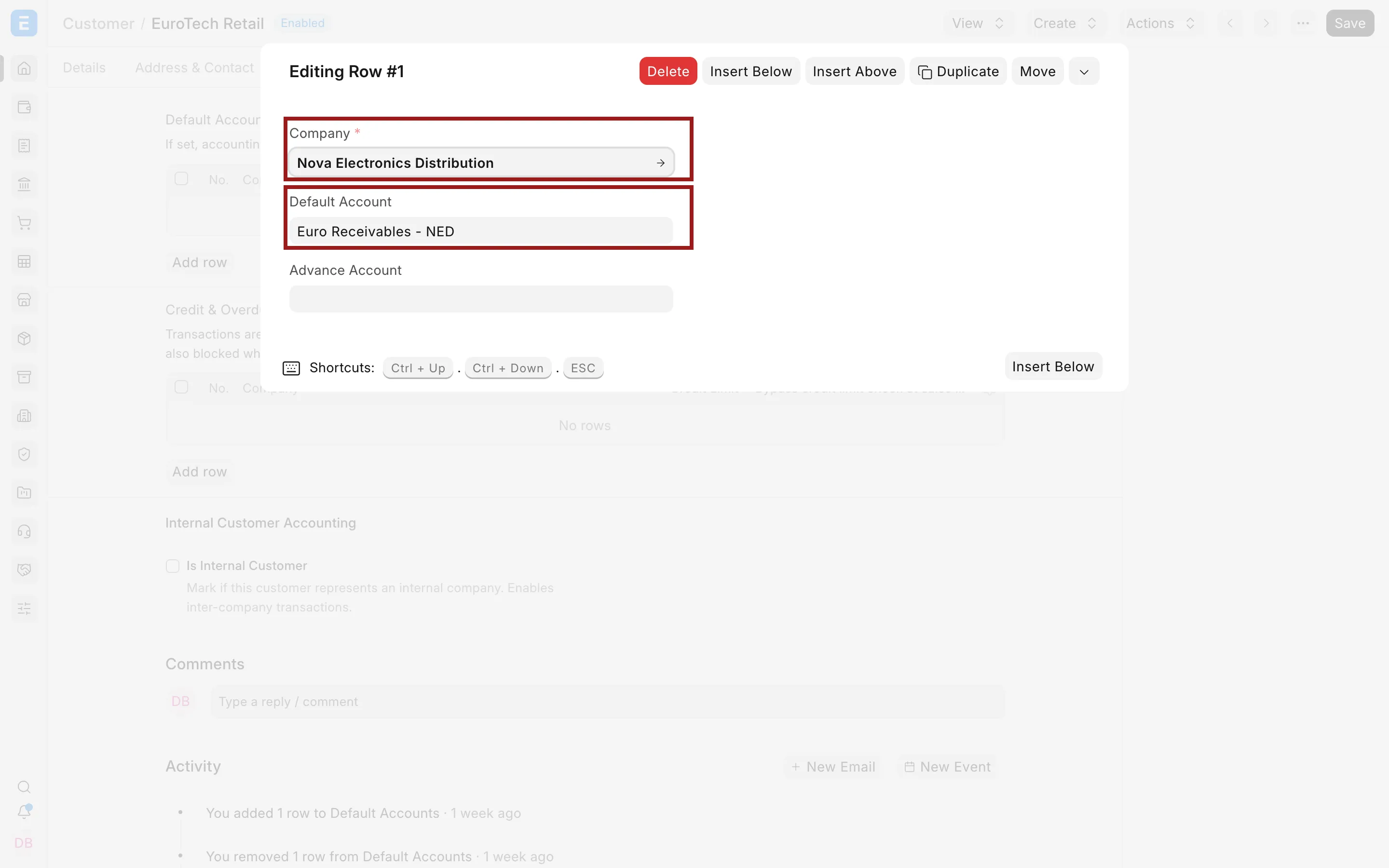
Use this option selectively. For example, Nova Industries may use a USD receivable account for domestic customers and an EUR receivable account for a European customer because the account currency must match the transaction workflow. It should not create separate accounts merely to see customer-wise balances.
Which account does ERPNext select?
ERPNext first checks whether the party has an account for the selected Company. If it does, that account is used. Otherwise, ERPNext uses the Company default. A value deliberately selected on the transaction can provide a more specific choice when the document permits it.
Before submitting an invoice, confirm the receivable or payable account when the party uses a special currency or reporting treatment. After submission, review the resulting posting through View Ledger or the General Ledger report.
Troubleshooting
The required account is not available
Confirm that it belongs to the transaction Company, is a ledger account, is enabled, and has the correct Receivable or Payable account type. Also check the account currency.
An invoice selects an unexpected account
Review the Accounting section of the Customer or Supplier. A party-specific row takes precedence over the Company default. Remove or correct the row if it is no longer required.
Party balances do not agree with the control account
Compare the Accounts Receivable or Accounts Payable report with the General Ledger using the same Company and posting date. Check opening entries, Journal Entries with a party, cancellations, and reconciliation before posting an adjustment.
Frequently asked questions
Do I need a separate receivable account for every customer?
Use the Customer dimension in invoices, payments, the Payment Ledger, and receivable reports to see customer-level balances. A shared control account is the normal setup.
Can multiple companies share the same receivable account?
Ledger accounts belong to one Company. Configure receivable and payable defaults separately for every Company.
Can a customer use more than one receivable account?
It can have company-specific accounts, and different account currencies may require separate accounting arrangements. Keep the design limited to genuine accounting needs so reconciliation remains clear.