


















Purchasing an Asset
Let's say you're recording two purchases for Nova Industries: 50 phones that will be sold to customers and one packaging machine that the company will use for five years. The phones should increase inventory. The machine should become a fixed asset and its cost should be spread across the years in which it is used.
ERPNext handles this difference from the Item setup onward. When the machine is marked as a fixed asset and purchased correctly, ERPNext can create its Asset record, place its cost in the right account, and prepare its depreciation schedule.
Before you begin
Create the Asset Category, its accounts, the Asset Location, the supplier, and a fixed-asset Item.
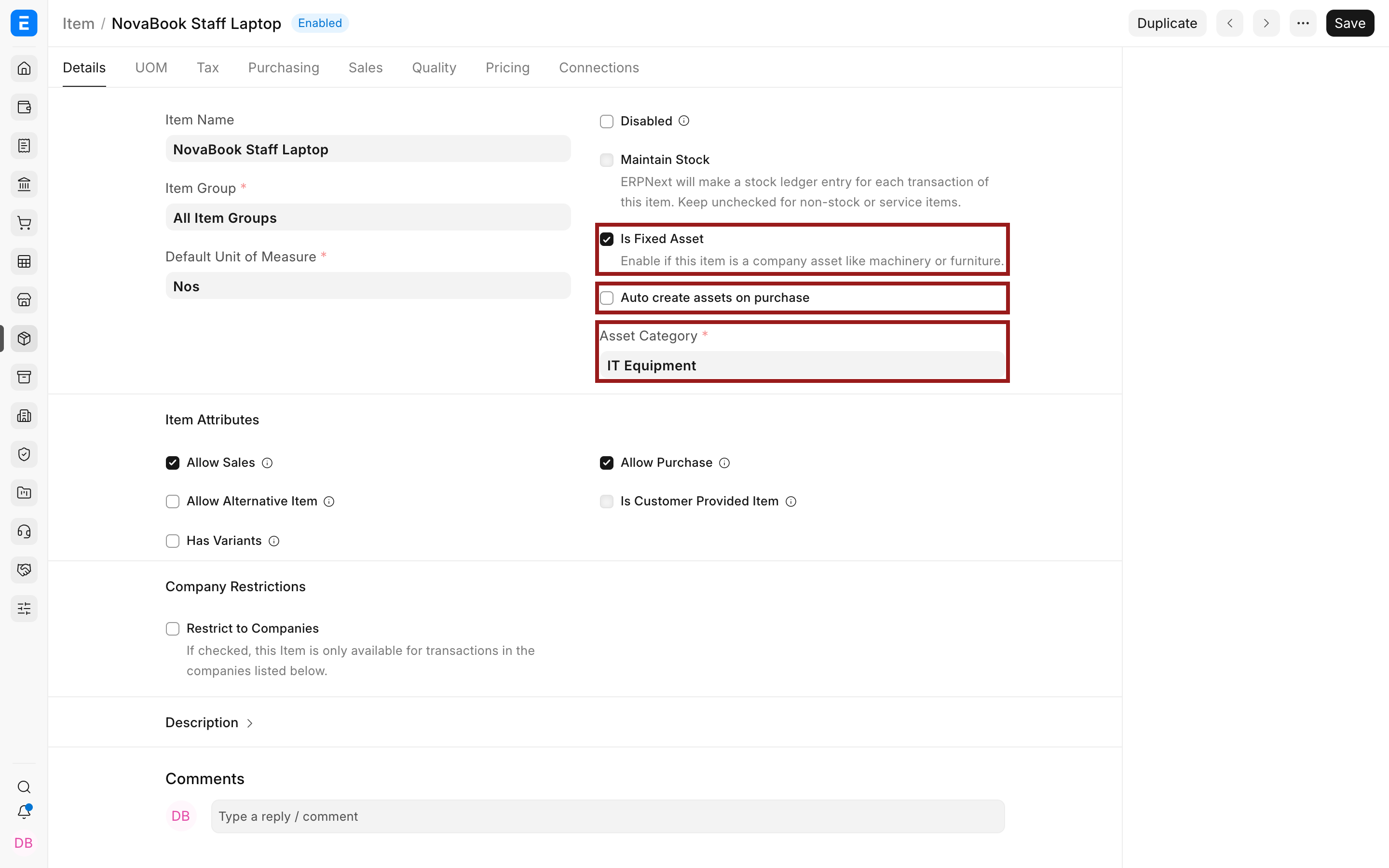
Mark the Item as a fixed asset
- Open or create the Item.
- Enable Is Fixed Asset.
- Select the Asset Category.
- Enable Auto Create Assets on Purchase when every purchased unit should create an Asset automatically. Leave it disabled when the asset must be created or grouped manually.
Record the purchase
- Create a Purchase Invoice or a Purchase Receipt for the fixed-asset Item.
- Select the correct company and supplier.
- Enter quantity, rate, and the intended asset location.
- Submit the document. If auto creation is enabled, open the created Asset from the document links.
- If auto creation is disabled, create the Asset and link the source purchase document.
Review the Asset before submission
Check the location, purchase date, available-for-use date, quantity, net purchase amount, and depreciation settings. The Available for Use Date determines when depreciation can start.
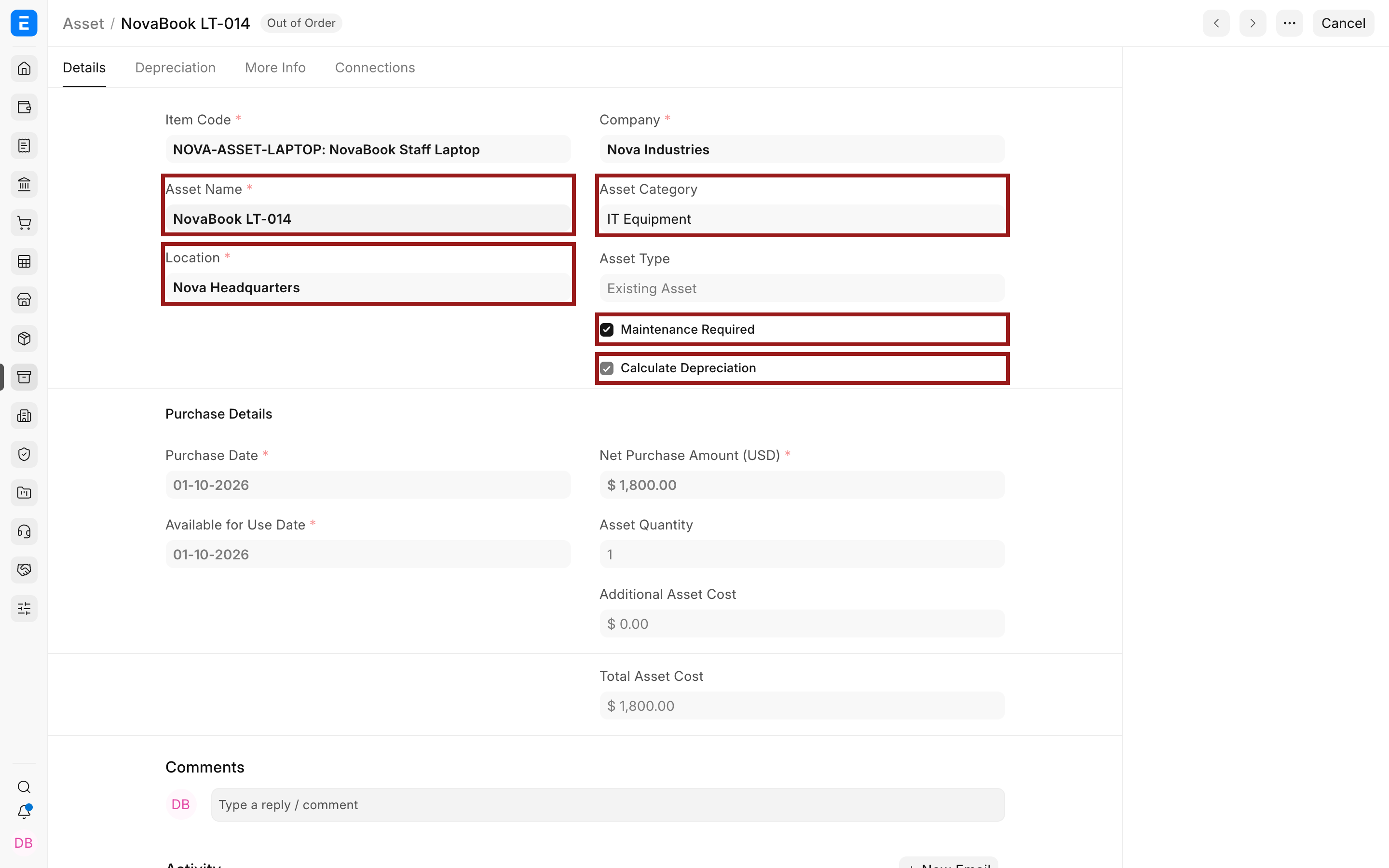
Review each Finance Book row before submission. The row is the source of the schedule for that reporting basis.
What happens after submission
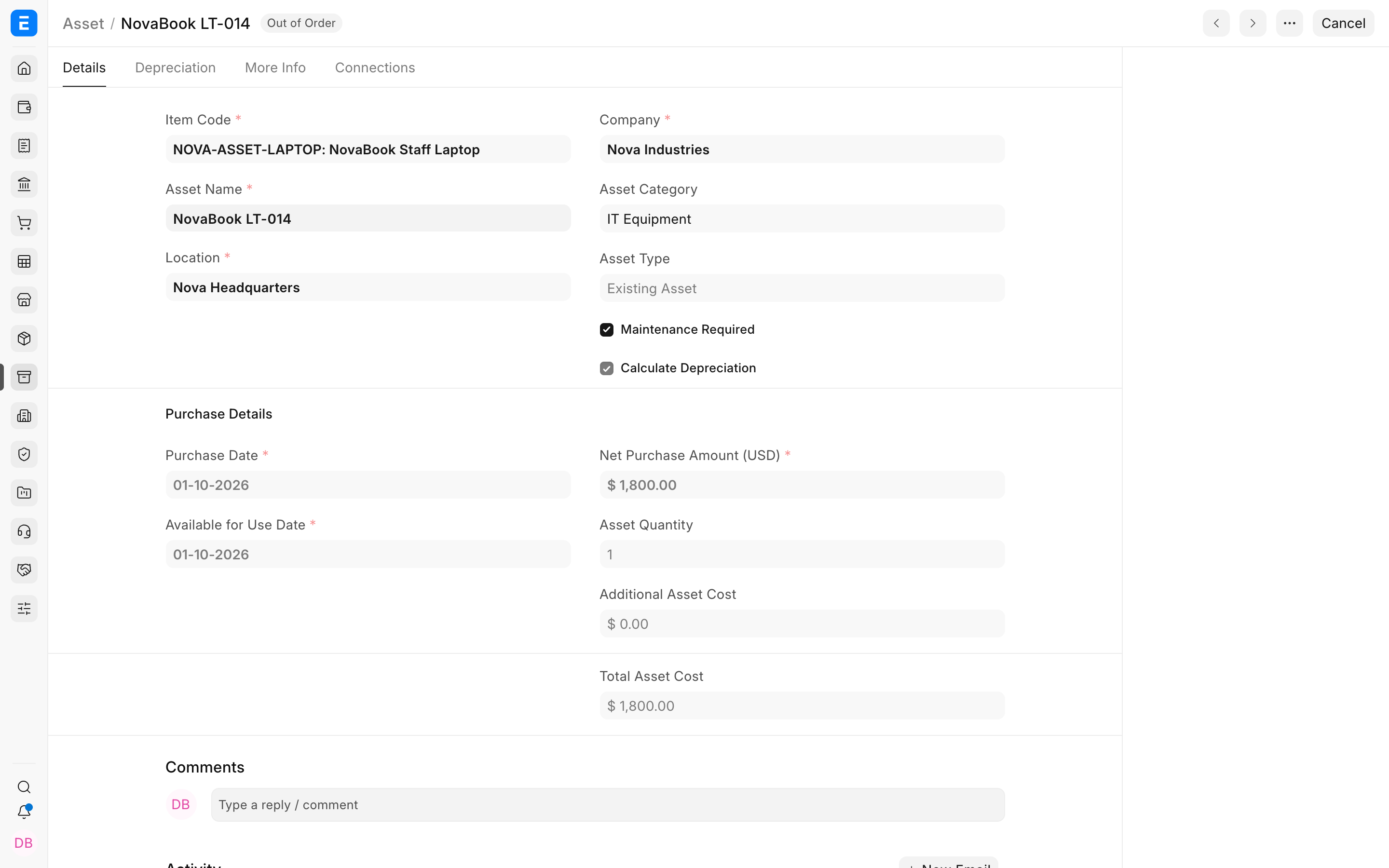
The Asset becomes part of the fixed-asset register. When CWIP accounting is enabled, ERPNext can move value from Capital Work in Progress to the Fixed Asset Account when the asset is capitalized or becomes available for use. Depreciation entries follow the active schedule rather than the purchase date alone.
Troubleshooting
The purchase posts to an expense or inventory account
Check Is Fixed Asset, the selected Asset Category, and the category's company accounts before submission.
No Asset was created from the purchase
Check Auto Create Assets on Purchase on the Item. If it was intentionally disabled, create the Asset manually and preserve the purchase link.
The depreciation schedule starts on the wrong date
Correct the Available for Use Date and Finance Book start date while the relevant records are still editable.
Frequently asked questions
Should I use Purchase Receipt or Purchase Invoice?
Use the document that matches your control flow. A Purchase Receipt proves physical receipt; a Purchase Invoice records the supplier liability. Some organizations use both.
Can one purchase create multiple Assets?
In ERPNext, yes. Quantity and grouped-asset settings determine whether ERPNext creates individual assets or a grouped asset.
Can I enter an asset already owned before ERPNext?
In ERPNext, yes. Create an existing Asset and provide purchase value, opening accumulated depreciation, and booked depreciation count.