


















Coupon Code
A Coupon Code connects a customer-entered web-store code to a coupon-based Pricing Rule. Use it to offer a controlled discount through a promotional code or a customer-specific gift-card-style code.
Before you begin
Confirm that:
- Your ERPNext web store is configured.
- Coupon entry is enabled in E-commerce Settings.
- The eligible Items and prices are available online.
- You have created a Selling Pricing Rule with Coupon Code Based enabled.
Coupon Code does not define the discount by itself. The linked Pricing Rule defines eligibility and the price or product discount.
Create a coupon-based Pricing Rule
- Open Pricing Rule and select Add Pricing Rule.
- Configure the eligible Items, Item Groups, transaction conditions, quantity or amount limits, and validity.
- Choose Price Discount or Product Discount.
- Enable Coupon Code Based.
- Save the rule.
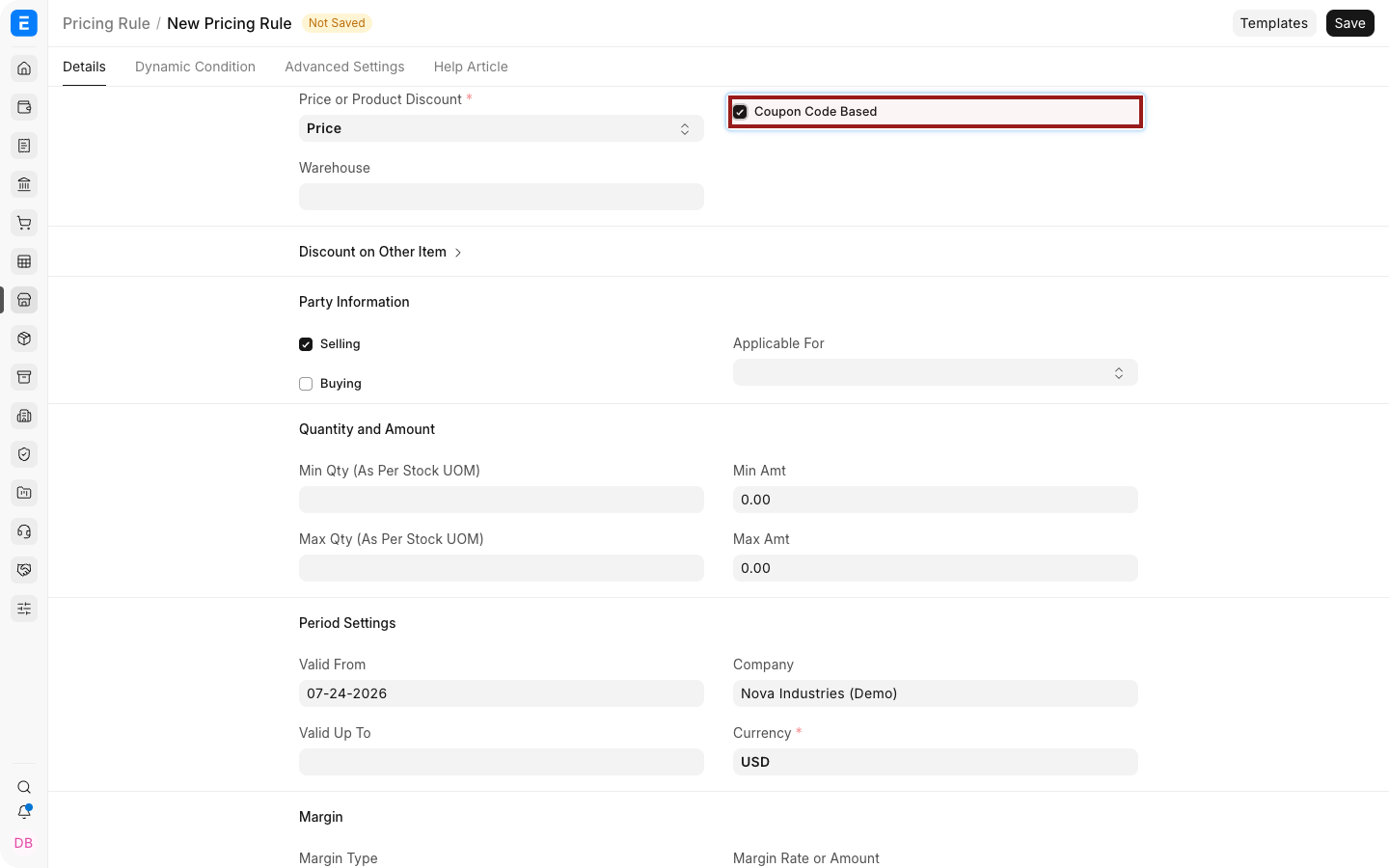
Avoid overlapping coupon rules unless their intended priority is tested.
Create a Coupon Code
- Open the Coupon Code list and select Add Coupon Code.
- Enter a Coupon Name.
- Select the Coupon Type:
- Promotional creates a reusable code derived from the name.
- Gift Card generates a random code intended for more controlled distribution.
- Select the coupon-based Pricing Rule.
- Set Valid From and Valid Upto.
- Set Maximum Use when total redemptions must be capped.
- Add a description that can be reused in campaign communication.
- Save.
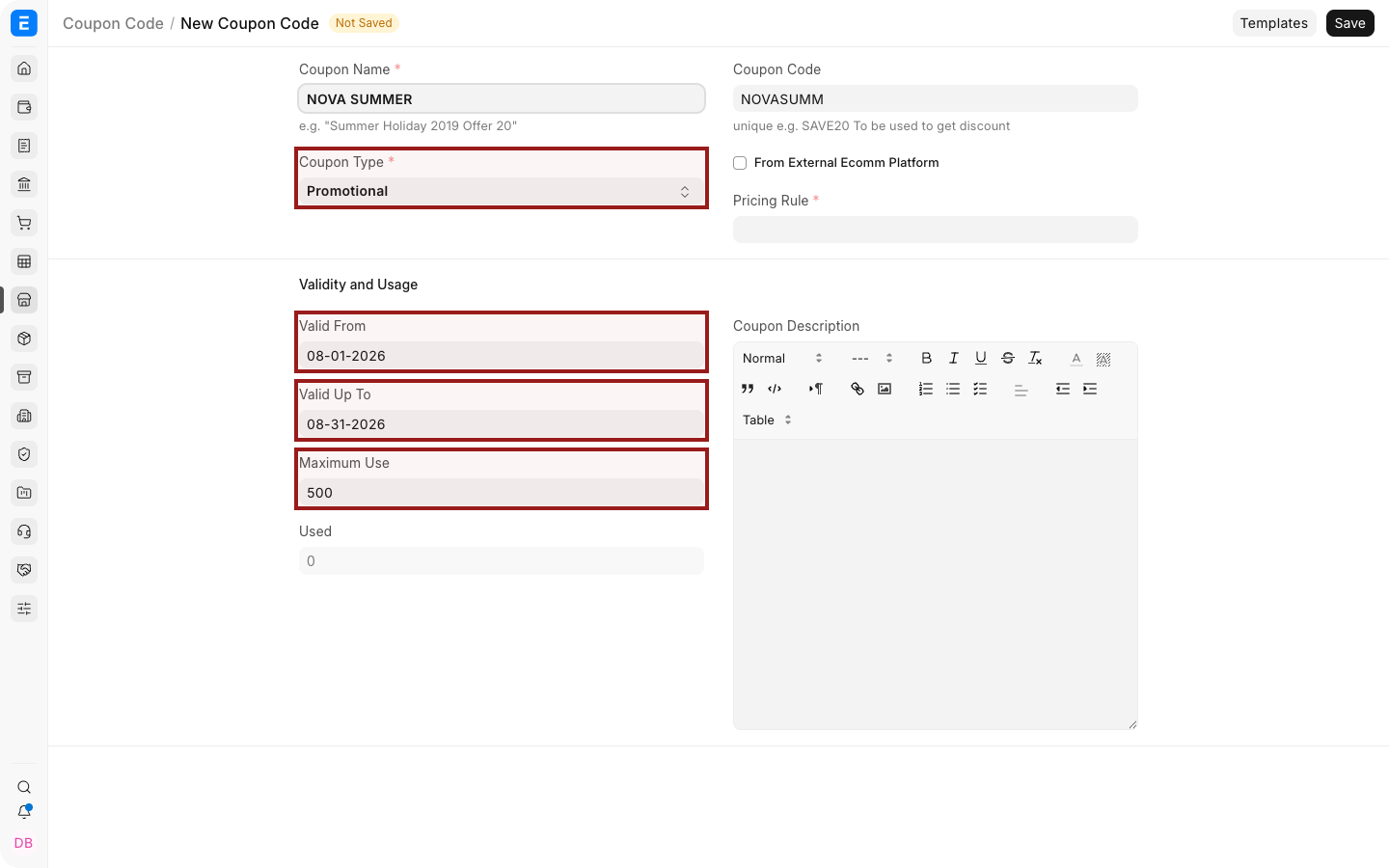
The generated Coupon Code is unique and read-only. Review it before sending campaign material.
Apply a Coupon Code
A shopper can enter the code in the web-store coupon field. After ERPNext validates the code and linked rule, eligible prices are recalculated.
A campaign link can also include a coupon parameter:
https://shop.example.com/products/aerobook-14?cc=SUMMER20
Use only URLs supported by your current web-store implementation and test the complete customer journey before distribution.
Usage and validity
| Field | What it controls |
|---|---|
| Coupon Type | Whether the code is promotional or randomly generated |
| Pricing Rule | The discount and eligibility conditions |
| Valid From / Valid Upto | The redemption period |
| Maximum Use | Total number of permitted uses |
| Used | Number of submitted Sales Orders that consumed the coupon |
| Coupon Code Description | Supporting campaign or email text |
The Used count increases when qualifying orders are submitted. Cancelling or amending transactions can affect operational interpretation, so audit the linked sales records when usage appears unexpected.
Test before launch
Test at least:
- An eligible Item and quantity.
- An ineligible Item.
- Dates before, during, and after validity.
- The maximum-use boundary.
- Logged-in and guest checkout when both are supported.
- Another automatic Promotional Scheme or discount that could overlap.
Troubleshooting
| Problem | What to check |
|---|---|
| Coupon field is missing | Enable coupon entry in E-commerce Settings |
| Code is rejected | Check spelling, validity, maximum use, and linked Pricing Rule |
| Code applies no discount | Confirm that the cart satisfies every Pricing Rule condition |
| The wrong discount applies | Review overlapping Pricing Rules and priority |
| Used count is unexpected | Review submitted Sales Orders that contain the coupon |
Frequently asked questions
Can a Coupon Code be used in Desk sales transactions?
Coupon Code is designed for the web-store application flow. Use a Pricing Rule directly for Desk transactions.
Is a Gift Card Coupon Code a stored-value payment instrument?
No. In this feature it is a generated code linked to a Pricing Rule, not a financial wallet.
Can one Coupon Code link to several Pricing Rules?
A Coupon Code links to one Pricing Rule. Use that rule's conditions to define the offer.
Can I limit one redemption per customer?
Maximum Use caps overall use. Confirm whether your current web-store workflow enforces any customer-specific limit you require.