


















Financial Report Template
Nova Industries prepares monthly reports for its managers, investors, and lenders. The finance team needs one concise Profit and Loss view for the board and an IFRS-style Cash Flow presentation for external readers. Rebuilding each version in a spreadsheet is slow, makes formulas difficult to govern, and creates uncertainty about whether every report still agrees with the ledger.
A Financial Report Template is a reusable blueprint that turns the same submitted accounting data into different report presentations. Nova can standardise headings across subsidiaries, reuse calculations such as Gross Profit and Operating Margin, hide zero or supporting rows, control signs and charts, and produce the same approved structure every month without changing its Chart of Accounts.
Separate templates can support board packs, investor updates, lender reporting, group reporting, and regional presentation requirements. A template controls grouping, labels, calculations, and layout. It does not by itself make the underlying books compliant with IFRS, US GAAP, or another country's rules because recognition, valuation, depreciation, tax, and disclosure requirements must also be configured and professionally reviewed.
Before you begin
- Review the Chart of Accounts and assign Account Categories where the template will filter by category.
- Decide the report's required lines, calculations, hierarchy, and sign presentation.
- Choose stable Line References that formulas can reuse.
- Test the template on a non-production company and period before relying on it for reporting.
Start from a template
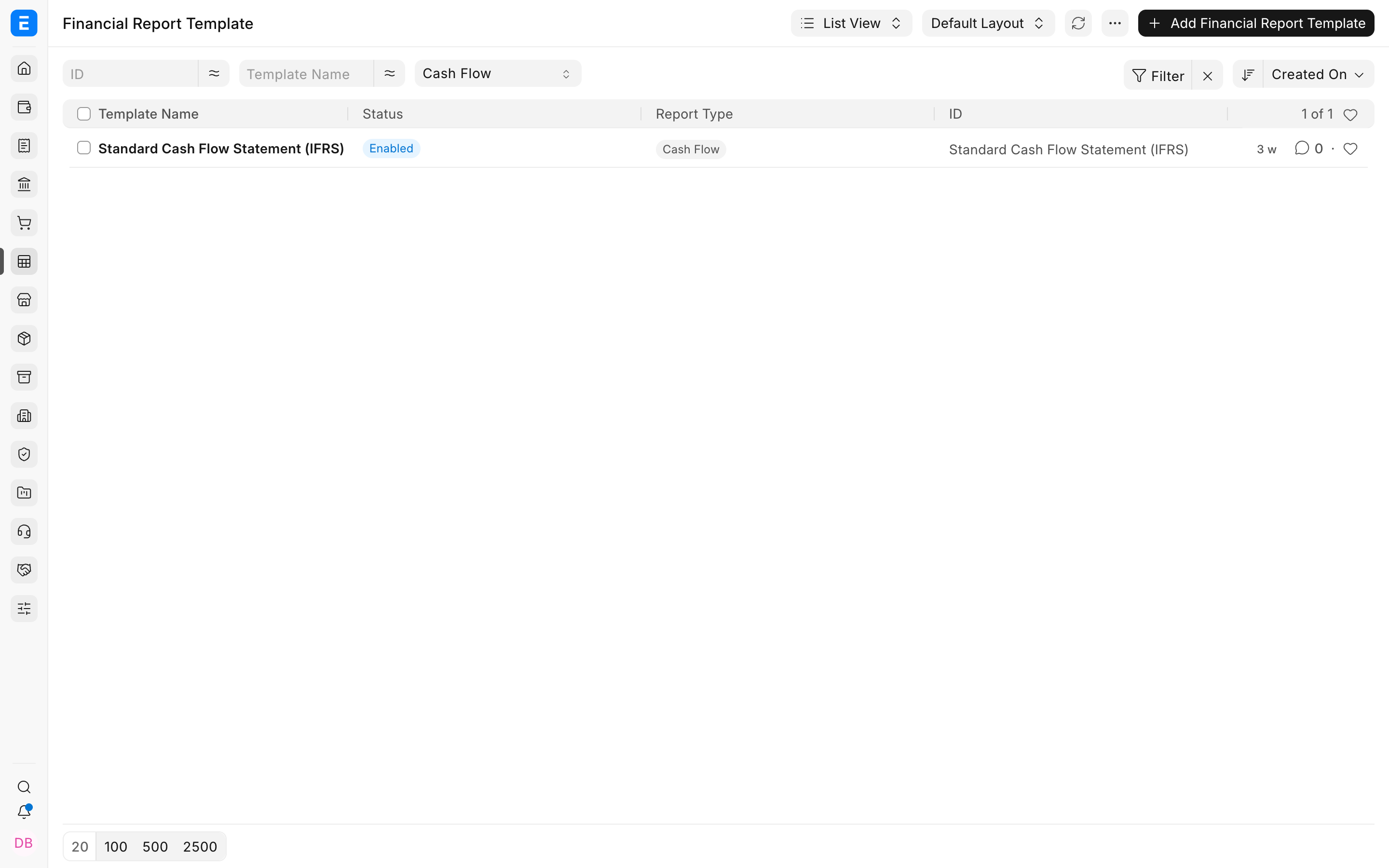
Open Financial Report Template. ERPNext may provide reusable templates that can be reviewed and adapted, or you can create a new template for a controlled reporting requirement.
Create the template
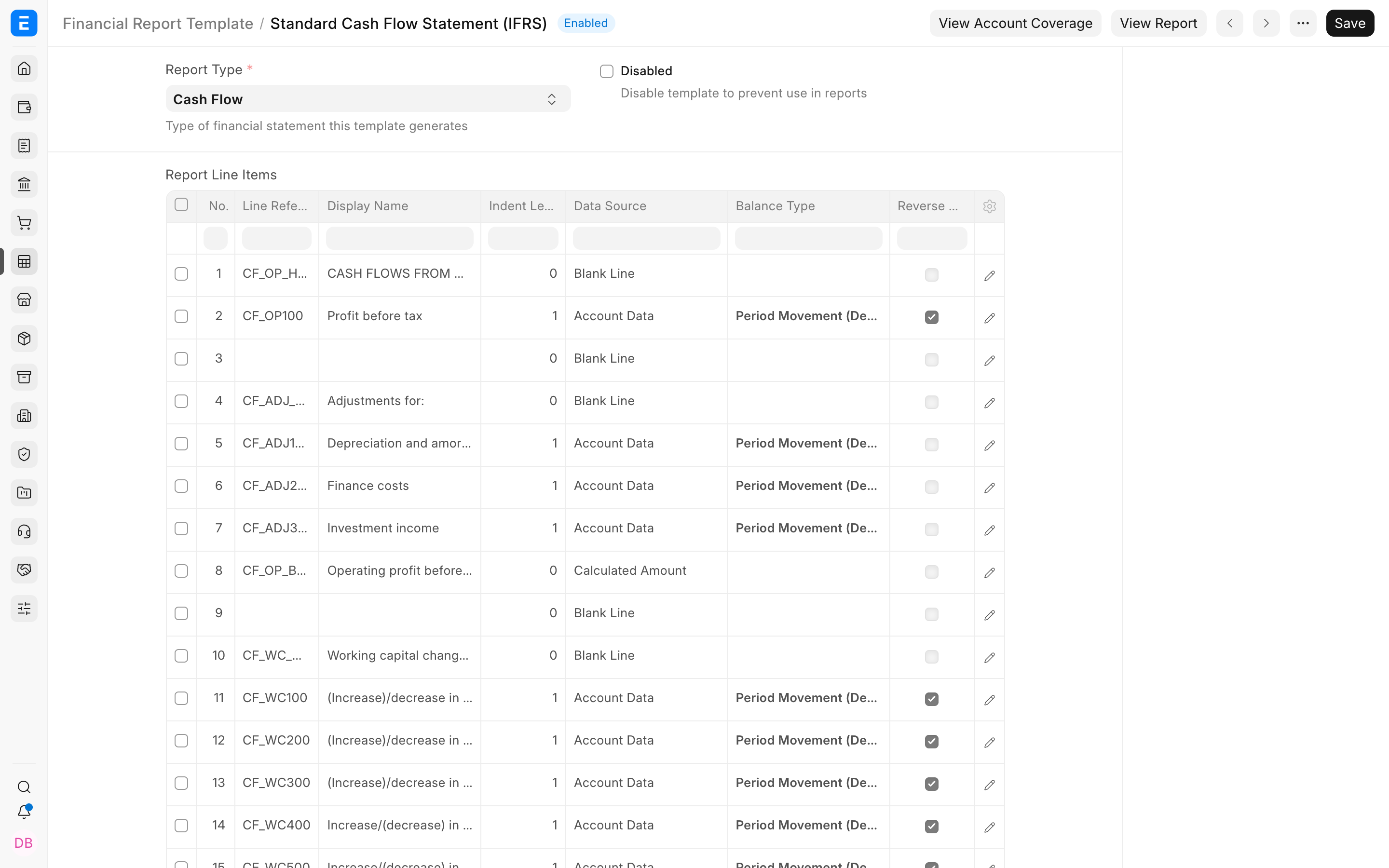
- Enter a descriptive Template Name and select the Report Type.
- Add rows to the Report Line Items table in the order they should appear.
- Select the Data Source for each row.
- Give calculated or reusable rows a unique Line Reference.
- Configure formatting, visibility, sign, and chart options.
- Save, run the associated report, and reconcile the output with standard financial statements.
Choose a row data source
| Data source | Use it for | Example |
|---|---|---|
| Account Data | Balances selected through account filters or categories | All accounts in Revenue from Operations |
| Calculated Amount | Arithmetic based on referenced rows | REVENUE - COST_OF_GOODS_SOLD |
| Custom API | Approved server-side logic unavailable through standard filters | A specialised regulatory or management metric |
| Visual row | Headers, blank lines, or layout structure | OPERATING EXPENSES |
Important row fields
| Field | Meaning |
|---|---|
| Display Name | The line label shown to report readers. |
| Line Reference | A unique code used by calculations and other rows. Start with a letter and use letters, numbers, or underscores. |
| Formula or Account Filter | The expression, filter, or API path used by the selected data source. |
| Balance Type | Opening balance, closing balance, or movement during the period. |
| Reverse Sign | Changes presentation when a line should appear with the opposite sign. |
| Hide If Zero | Removes an empty line from the rendered report. |
| Hidden Line | Keeps a supporting calculation available without displaying it. |
| Include in Charts | Makes the line eligible for the report chart where supported. |
Build calculations safely
Nova can define REVENUE and COGS as account-data rows, then calculate GROSS_PROFIT with REVENUE - COGS. A margin row can use (GROSS_PROFIT / REVENUE) * 100 if REVENUE != 0 else 0 to avoid division by zero.
Validate coverage and output
Check that all intended accounts are included once, formulas reference valid rows, no circular dependency exists, and parentheses are balanced. Compare the template output with the standard Balance Sheet or Profit and Loss Statement for the same company, period, Finance Book, and dimensions.
See a template in the report
Nova selects the Cash Flow Statement (IFRS) template in the Cash Flow report. The report now uses the template's headings, ordering, visual rows, and calculations while continuing to read the same General Ledger entries.
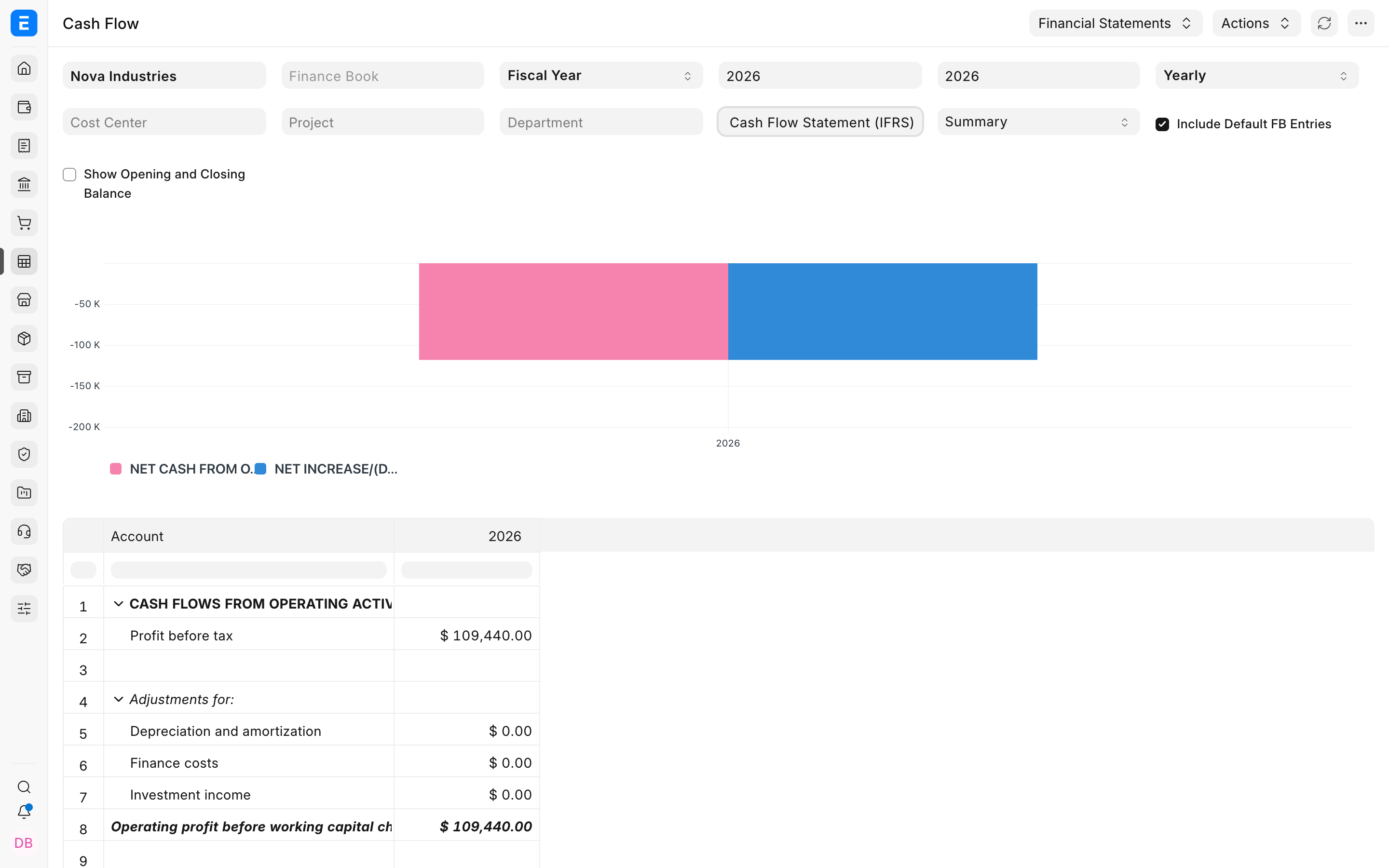
The result separates cash flows from operating activities, presents supporting adjustments such as depreciation and finance costs, and retains calculated totals such as operating profit before working-capital changes. Finance can reuse this view for every period and still drill into the underlying accounting values when a number needs investigation.
Troubleshooting
A formula references an unknown line
Confirm that the source row has a Line Reference and that the formula uses the exact code. Keep references unique and create source rows before dependent calculations.
An account is missing from the report
Review its Account Category and the row's account filter. Also check whether a parent or child account was selected and whether Hide If Zero suppresses the line.
The report total differs from the standard statement
Align company, dates, Finance Book, cost center, dimensions, currency, period-closing treatment, and accumulation options. Then check for omitted or duplicated accounts.
Frequently asked questions
Should I edit a built-in template?
Use a controlled copy when the standard template must remain available as a baseline. Document every custom calculation and account category dependency.
Can one template work across companies?
A category-based design can support comparable charts across companies, but each company must map accounts consistently and the output must be tested separately.
Can a template replace statutory review?
The template controls presentation and calculations inside ERPNext. It does not determine whether the report meets local statutory, audit, or filing requirements.