

















Subscription Settings
Subscription Settings controls how ERPNext handles unpaid subscription invoices across the site. Configure it before relying on automatic recurring billing.
Configure unpaid-invoice handling
Search for Subscription Settings and review:
| Setting | What it controls |
|---|---|
| Grace Period | Time allowed after an invoice becomes overdue before the subscription is treated as unpaid |
| Cancel Subscription After Grace Period | Automatically cancels a subscription when the unpaid condition continues beyond the grace period |
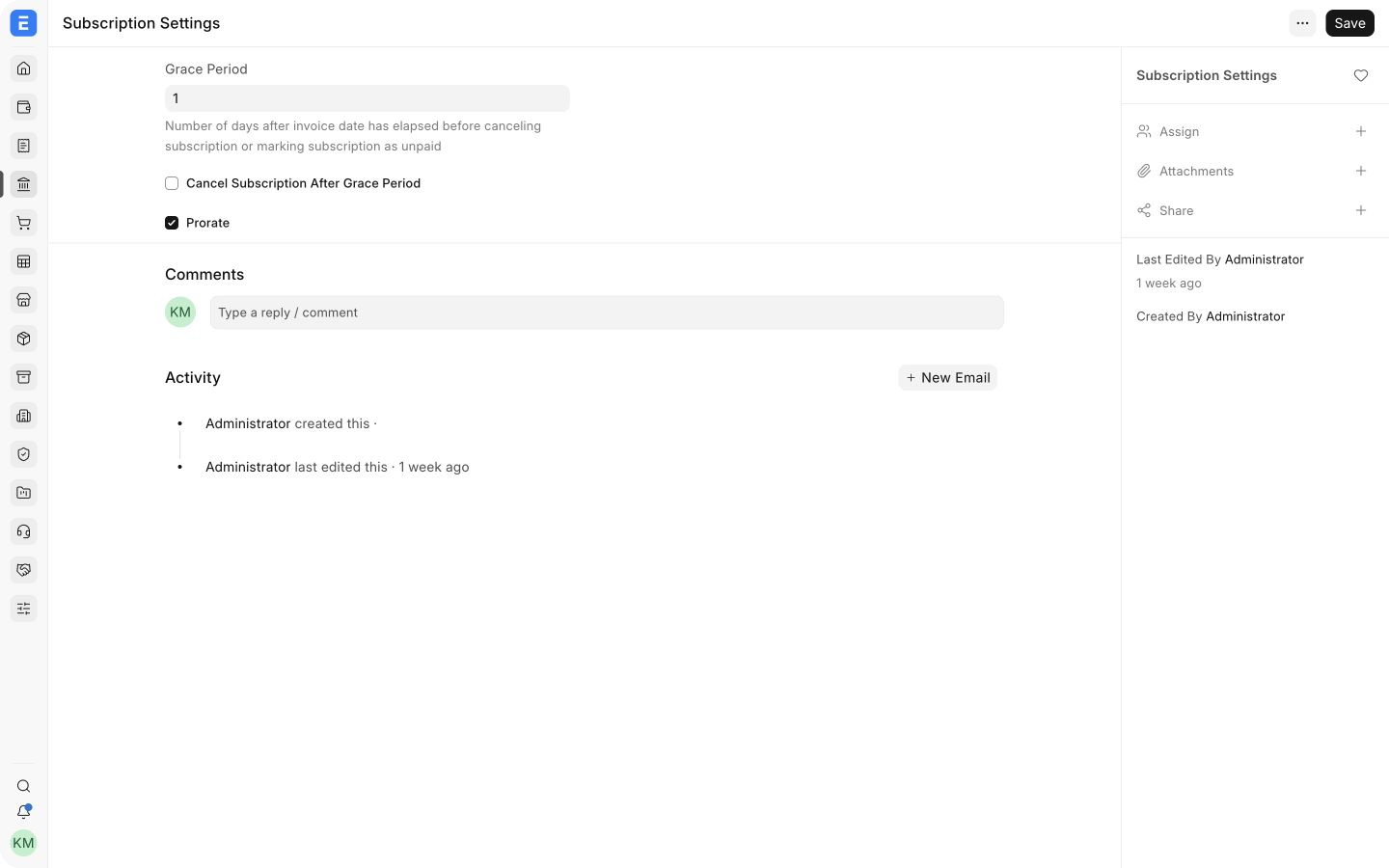
Use a grace period that matches your collection process. A short period stops service quickly but may cancel customers after a temporary payment delay. A longer period is more forgiving but allows unpaid exposure to grow.
Recommended rollout
- Create a test Subscription with a short billing period.
- Generate an invoice and confirm its due date.
- Test both paid and unpaid outcomes.
- Confirm the Subscription moves through the expected Active, Grace Period, Unpaid, and Cancelled states.
- Only then enable automatic cancellation for production subscriptions.
These settings affect future subscription processing. They do not cancel or reverse Sales Invoices that have already been generated.
Related topics
Last updated 2 months ago
Was this helpful?