BOM Stock Analysis is a manufacturing report in ERPNext that tells you, for a given Bill of Materials (BOM), whether you have enough raw materials to fulfill a production run.
The report operates in 2 modes:
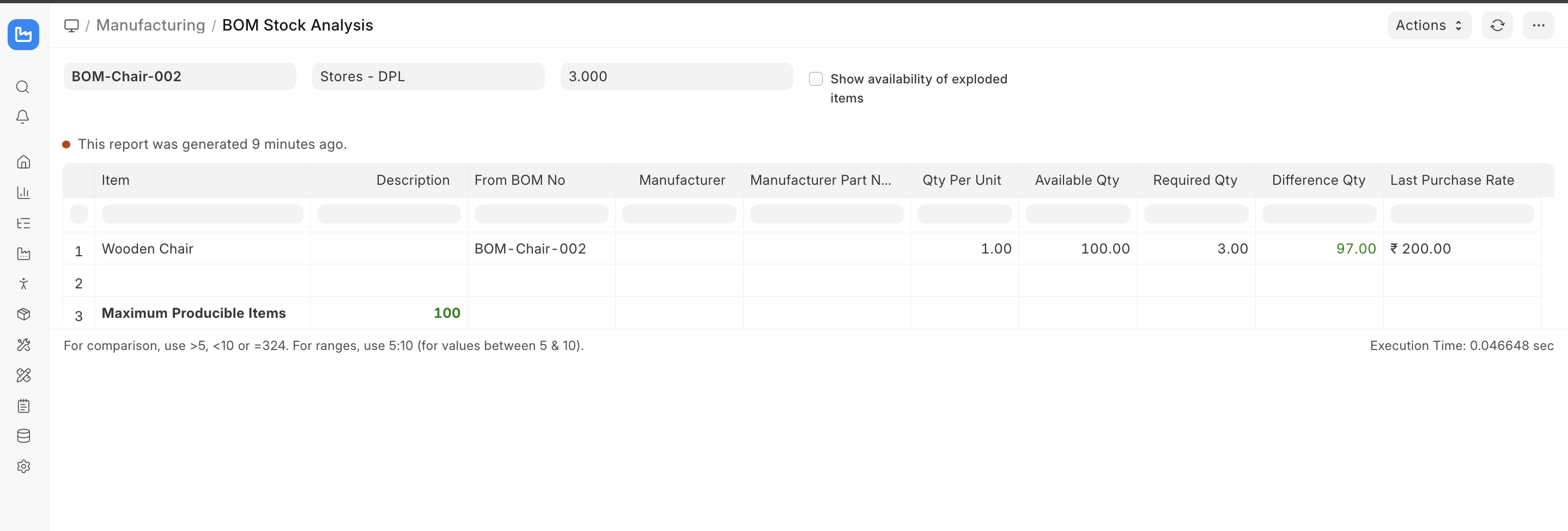
- Detailed Mode - Based on the provided Fg Items to produce, it gives a detailed breakdown of availability, shortfall, and purchase rates
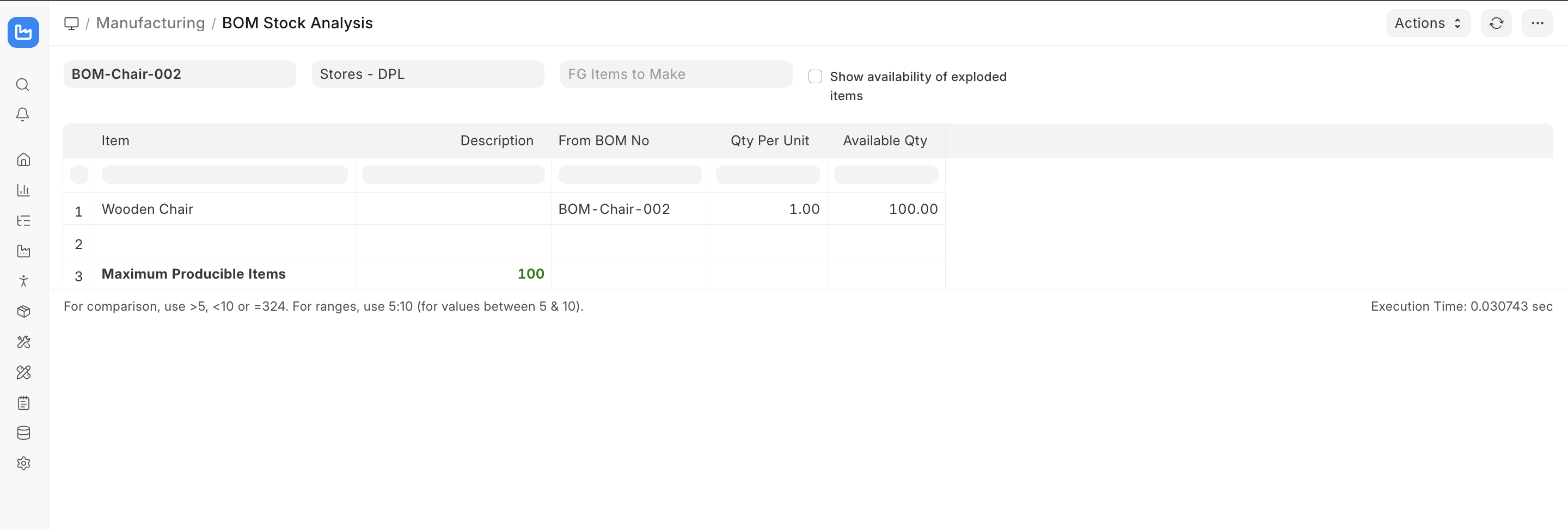
- Summarised Mode - Given the BOM and the warehouse, it gives you how much Fg you can actually produce
To access the report:
Home > Manufacturing > Reports > BOM Stock Analysis
Detailed Mode
This mode can be used when you have a set production target and want to know which raw materials are in stock, which are short, and what it would cost to bridge the gap.
The maximum producible Item defines the maximum possible items producible based on the raw material availability. The green color indicates that it is possible to produce the FG item based on the Required Qty to make. The value turns red if the producible FG item is less than Required qty.
Summarised Mode
This mode can be used for quick answers to questions like - "How many finished goods can we make right now?" without specifying the production target. To enter this mode, we leave the Fg Item to Make empty and define the warehouse and BOM.