


















Why is GST wrong or missing on my invoice?
On a Sales or Purchase Invoice, GST can come out as the wrong type (IGST instead of CGST and SGST, or the
other way), a few paisa different from your calculation, or missing. With the India Compliance app, GST
follows a small set of settings. This page explains each one and how to fix it.
How India Compliance decides the GST
- Place of Supply decides the type. If it is the same state as your company's GSTIN, the invoice
gets CGST and SGST (intra-state). If it is another state, it gets IGST (inter-state). - The tax template decides the rate. Taxes come from the Sales Taxes and Charges Template (or
Purchase template) that matches the type, and the item's Item Tax Template sets the rate per item. - GST Accounts in GST Settings tell the app which accounts are CGST, SGST and IGST. Without them,
the app cannot recognise the taxes as GST.
Wrong type: IGST instead of CGST and SGST, or the other way
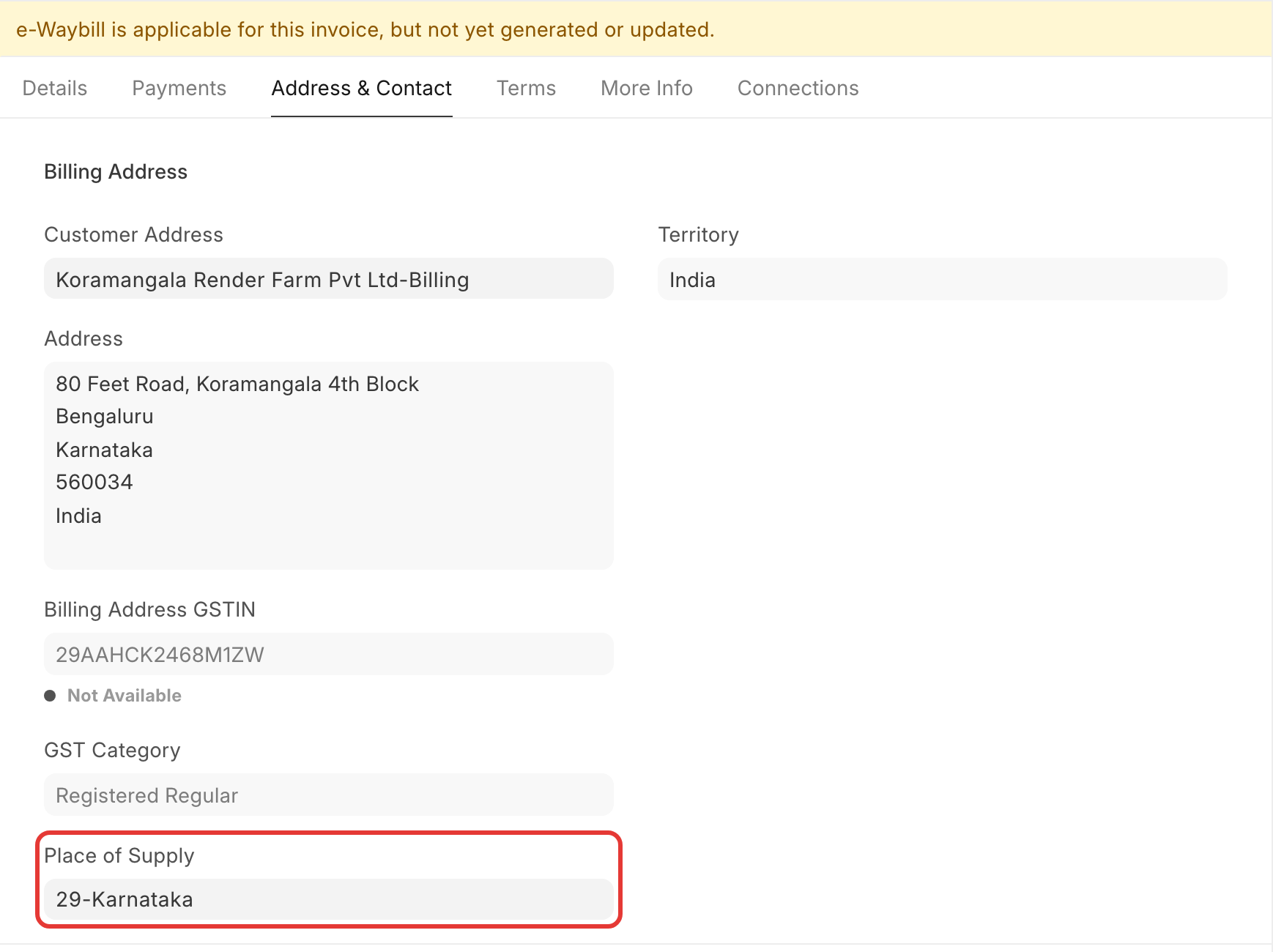
The Place of Supply field on the invoice is wrong. For a sales invoice, India Compliance takes it from:
- the customer's GSTIN on the billing address (or on the shipping address, if Accounts Settings →
Determine Address Tax Category from is set to Shipping Address) - for an unregistered customer, the GST State of that address
- if neither is there, your company's own state, so the invoice becomes intra-state.
India Compliance sets Place of Supply when the field is empty, and updates it when you change the address
on the form. If an address is set some other way (for example by an import or an API), Place of Supply may
keep the old state.
To fix it:
- Open the invoice and check Customer Address (or the shipping address) and Place of Supply.
- Correct the address: it needs a GSTIN, or for an unregistered customer, a GST State.
- Select the address again on the invoice, so Place of Supply updates. Or set Place of Supply by hand.
- Select the matching Sales Taxes and Charges Template (In-State or Out-State) and save.
For goods, the law sets Place of Supply where the movement of goods ends. So a B2C sale delivered to
another state is inter-state, even when the customer is in your state.
GST not added, or CGST, SGST and IGST all added together
- GST Accounts are missing. Go to GST Settings → Accounts and add a row for your company with its
CGST, SGST, IGST and Cess accounts. Then select the tax template again on the invoice. - Taxes come from the Item Tax Template. If Accounts Settings → Automatically add Taxes and Charges
from Item Tax Template is on, ERPNext adds every tax row of the item's template, which can give CGST,
SGST and IGST together. India Compliance needs this setting off. Turn it off, then select the tax
template again. How the setting works: Item Tax Template. - No tax template on the invoice. Select the In-State or Out-State template, or set a default one for
the company.
GST a few paisa different from your calculation
India Compliance calculates GST per item and rounds it. The rounding difference is added to the last item,
so one item's tax can look wrong while the total is right.
- Rounding Method in System Settings decides how values are rounded. "Banker's Rounding
(legacy)" gives unexpected results; "Commercial Rounding" rounds .5 up as most people expect. Invoices
keep the method they were saved with. - Round Off GST Values in GST Settings → General rounds each GST component (CGST, SGST, IGST) to
whole rupees, except on invoices in a foreign currency. Turn it off if you need paisa-level GST. - Invoices in a foreign currency convert each amount, so the INR GST can differ from INR value × rate by a
few paisa.
Some rounding errors were fixed in India Compliance 16.6.0 and 16.6.2 (15.30.0 and 15.30.2 on version
15). Update the app if your version is older.
"Please set Default GST Expense Account in Company …"
Please set Default GST Expense Account in Company Bombay Byte Systems Pvt Ltd
The Purchase Invoice or Receipt has GST that you cannot claim as input tax credit (ineligible ITC), for
example on items covered by Section 17(5). India Compliance moves that GST to an expense account, and needs
to know which one.
- Open the Company.
- Set Default GST Expense Account to an expense ledger, not a group account.
- Submit the invoice again.
See Ineligible ITC.