


















Tax Withholding Category
A Tax Withholding Category tells ERPNext when to deduct or collect tax at source, which rate to use, and which account should receive the amount. It is commonly used when a business must withhold part of a supplier payment and remit it to a tax authority.
For example, Nova Electronics Trading receives an $800 professional-services invoice. Its withholding category uses a 5% rate and a $500 transaction threshold. ERPNext deducts $40 and leaves $760 payable to the supplier.
Tax withholding rules vary by country. Treat the examples as ERPNext configuration guidance, then use the rates, thresholds, accounts, and reporting required by your jurisdiction.
Before you begin
Prepare:
- The relevant Supplier or Customer.
- A liability or tax Account Head in the Chart of Accounts for every company using the category.
- The effective dates and withholding rate.
- The transaction and cumulative thresholds, if applicable.
- Confirmation of whether withholding uses Gross Total or Net Total.
Do not confuse Tax Withholding Category with Tax Category. Tax Category and a Tax Rule help select normal transaction-tax templates. Tax Withholding Category controls deductions or collections made at source.
Create a Tax Withholding Category
Go to Accounting > Taxes > Tax Withholding Category, then select New.
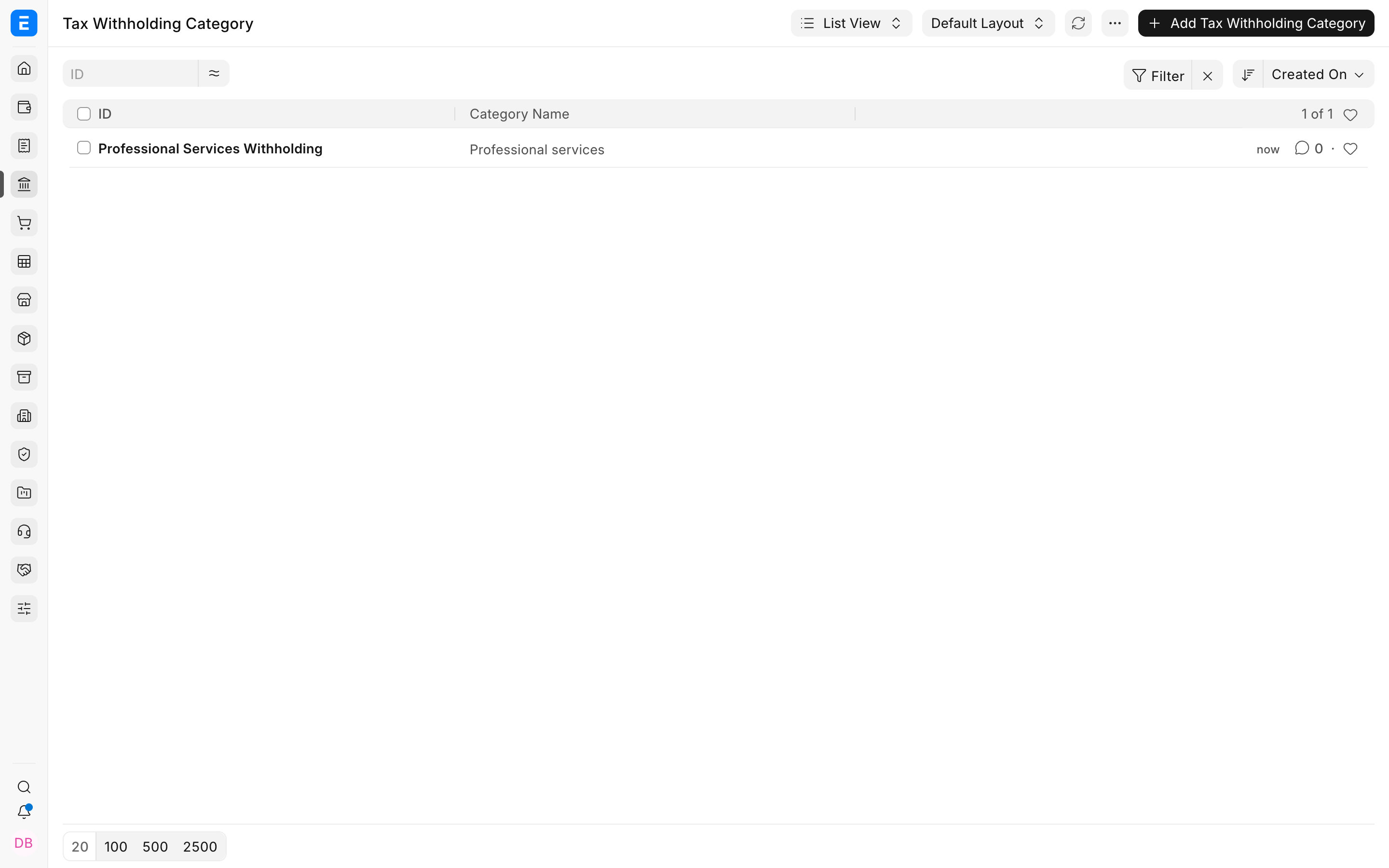
Enter a specific name, such as Professional Services Withholding. In Category Name, describe the income or payment class covered by the rule.
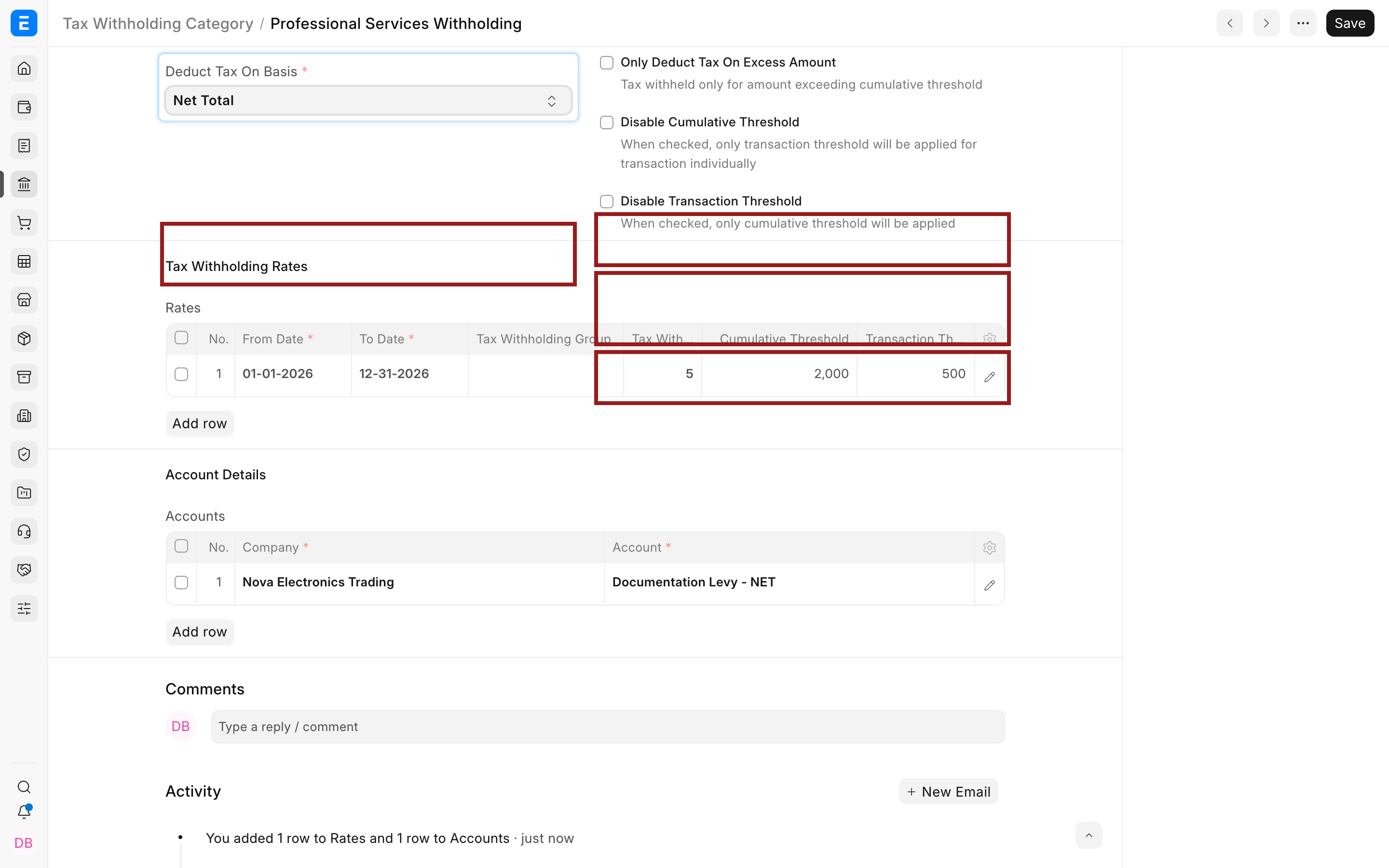
Set Deduct Tax On Basis:
| Basis | Meaning |
|---|---|
| Gross Total | Uses the transaction amount before deductions defined by the withholding calculation |
| Net Total | Uses the item net value before ordinary taxes and charges |
The correct basis depends on the applicable law. Verify it with your accountant.
Add rates and thresholds
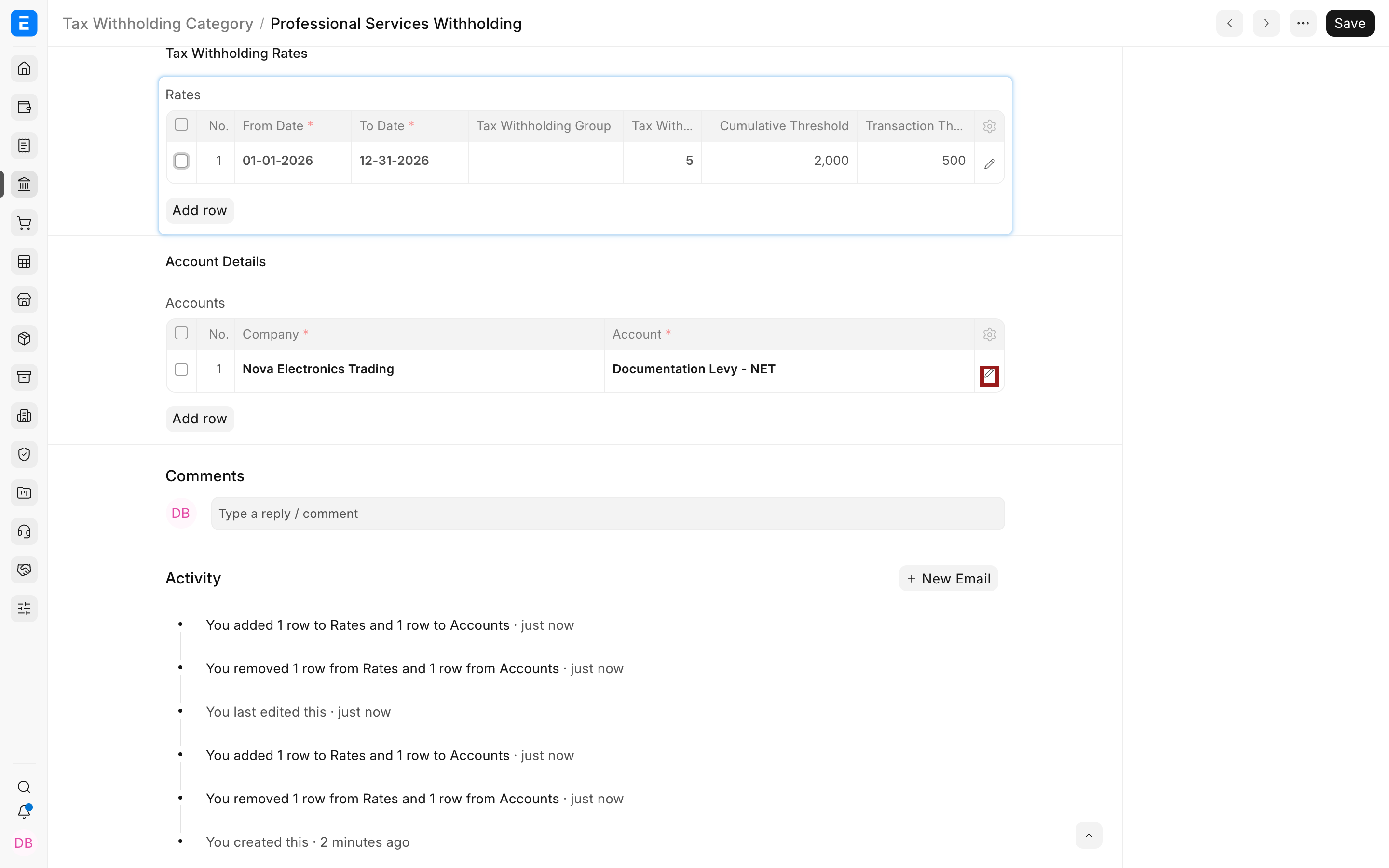
In Rates, add one row for every effective date range and rate combination. Select the pencil icon to edit the complete row.
Complete these fields:
| Field | Meaning |
|---|---|
| From Date and To Date | The dates for which the rate row is valid |
| Tax Withholding Group | Selects a group-specific rate when parties are classified into different withholding groups |
| Tax Withholding Rate | The percentage ERPNext withholds |
| Transaction Threshold | The amount at which one transaction triggers withholding |
| Cumulative Threshold | The combined amount at which transactions in the applicable period trigger withholding |
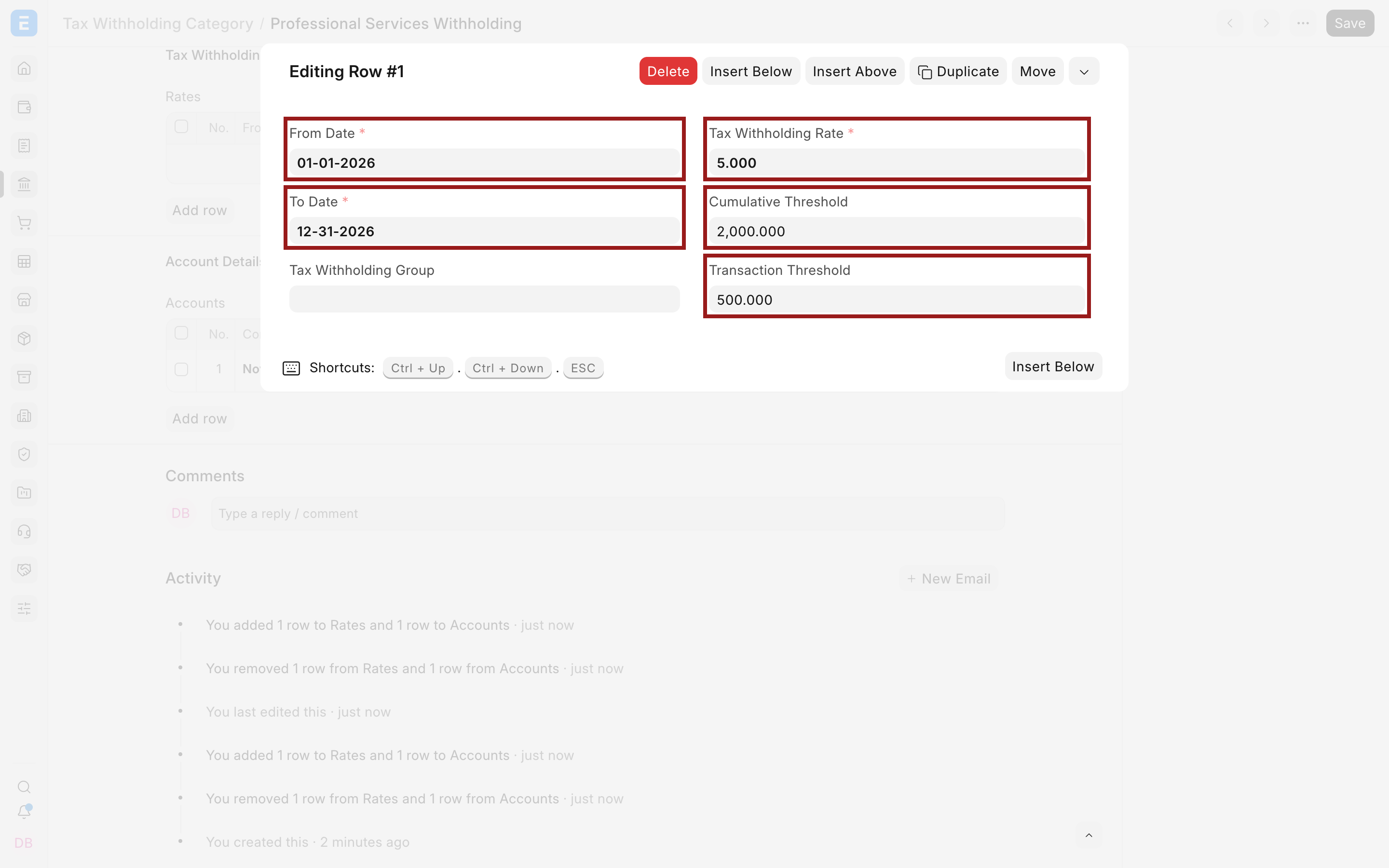
Current ERPNext uses From Date and To Date rather than the older Fiscal Year field. Keep date ranges continuous when the same category spans several periods.
Understand the thresholds
Suppose the rate is 5%, the Transaction Threshold is $500, and the Cumulative Threshold is $2,000.
If one invoice is $800, it crosses the transaction threshold, so withholding applies.
If invoices are $400 each, no individual invoice crosses $500. Withholding can still apply when their relevant cumulative amount reaches $2,000.
The category also provides these controls:
| Option | Effect |
|---|---|
| Disable Transaction Threshold | Ignores the per-transaction threshold |
| Disable Cumulative Threshold | Ignores the cumulative threshold |
| Only Deduct Tax On Excess Amount | Applies withholding only to the portion above the threshold |
| Round Off Tax Amount | Rounds the calculated amount according to ERPNext precision rules |
The older Consider Entire Party Ledger Amount option is not present in the current develop form. Do not build a new process around that legacy field without verifying the version in use.
Add the company account
In Accounts, add each company and the Account Head where withholding will be credited or debited according to the transaction. Open the child row using its pencil icon.
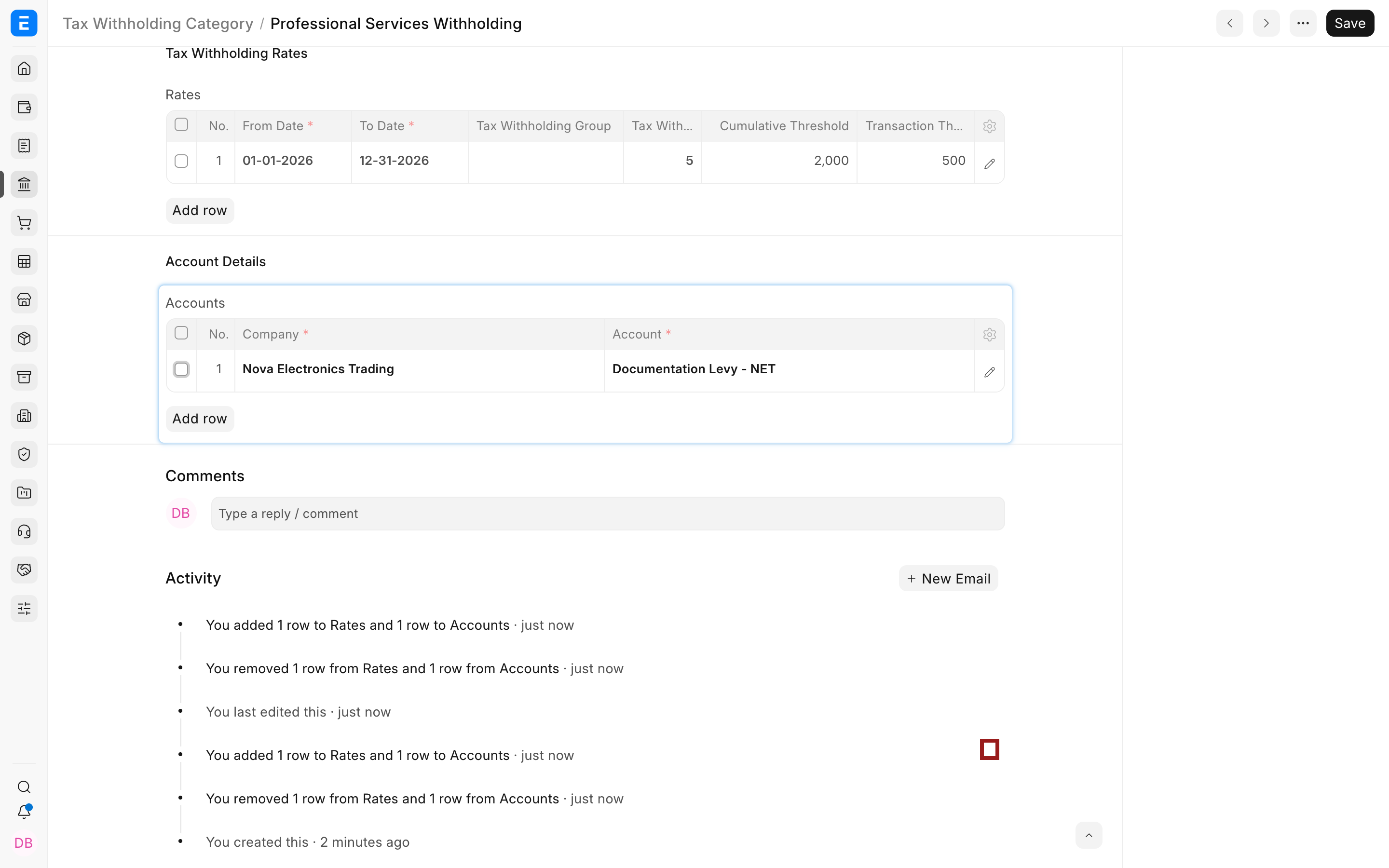
Select the company and its matching account. The account must belong to that company.
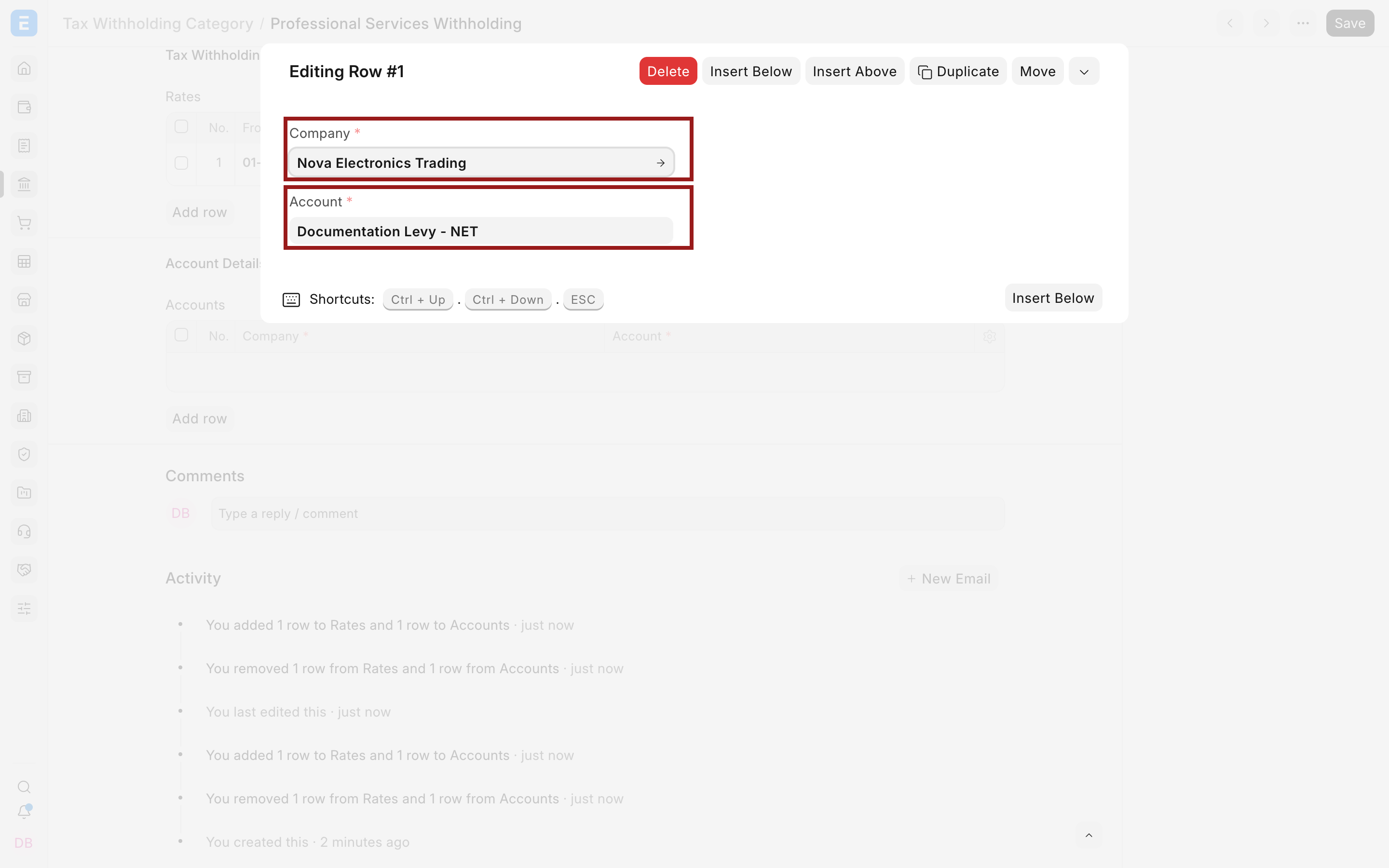
For supplier withholding, the account is normally a liability representing tax withheld and payable to the authority. Confirm its root type and reporting position with your accountant.
Assign the category to a supplier
Open the Supplier and go to the Tax tab. Select the Tax Withholding Category.
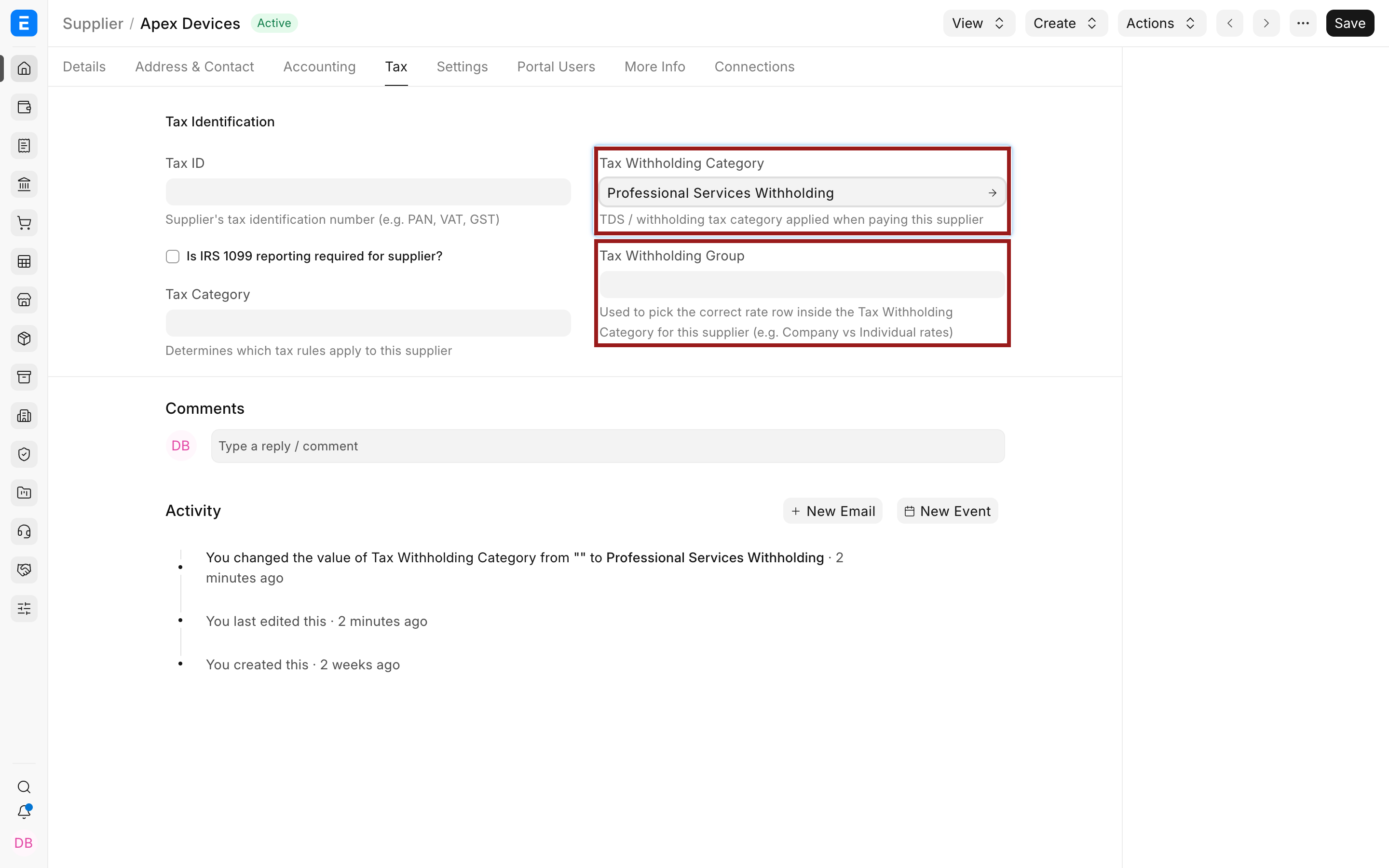
Use Tax Withholding Group when one category has group-specific rate rows, such as different rates for organizations and individuals. The supplier's group helps ERPNext select the matching rate row inside the category.
Apply withholding on a Purchase Invoice
Create a Purchase Invoice for the supplier. ERPNext shows Consider for Tax Withholding when the transaction is eligible.
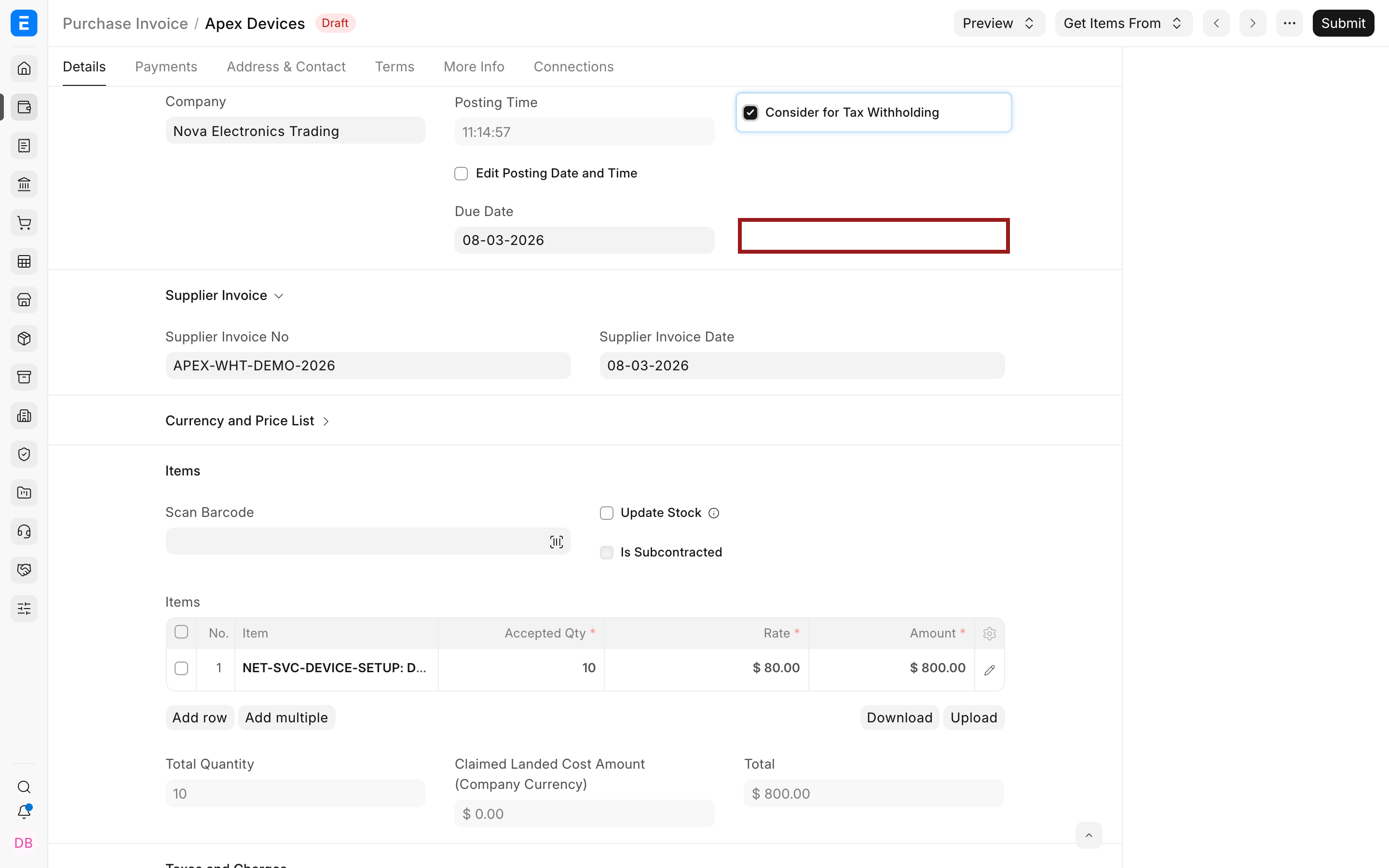
When selected, ERPNext evaluates the category, effective rate, group, basis, thresholds, and earlier relevant transactions. In the example:
| Calculation | Amount |
|---|---|
| Net Total | $800.00 |
| Withholding at 5% | $40.00 |
| Amount payable to supplier | $760.00 |
ERPNext adds the $40 as a deduction in Purchase Taxes and Charges.
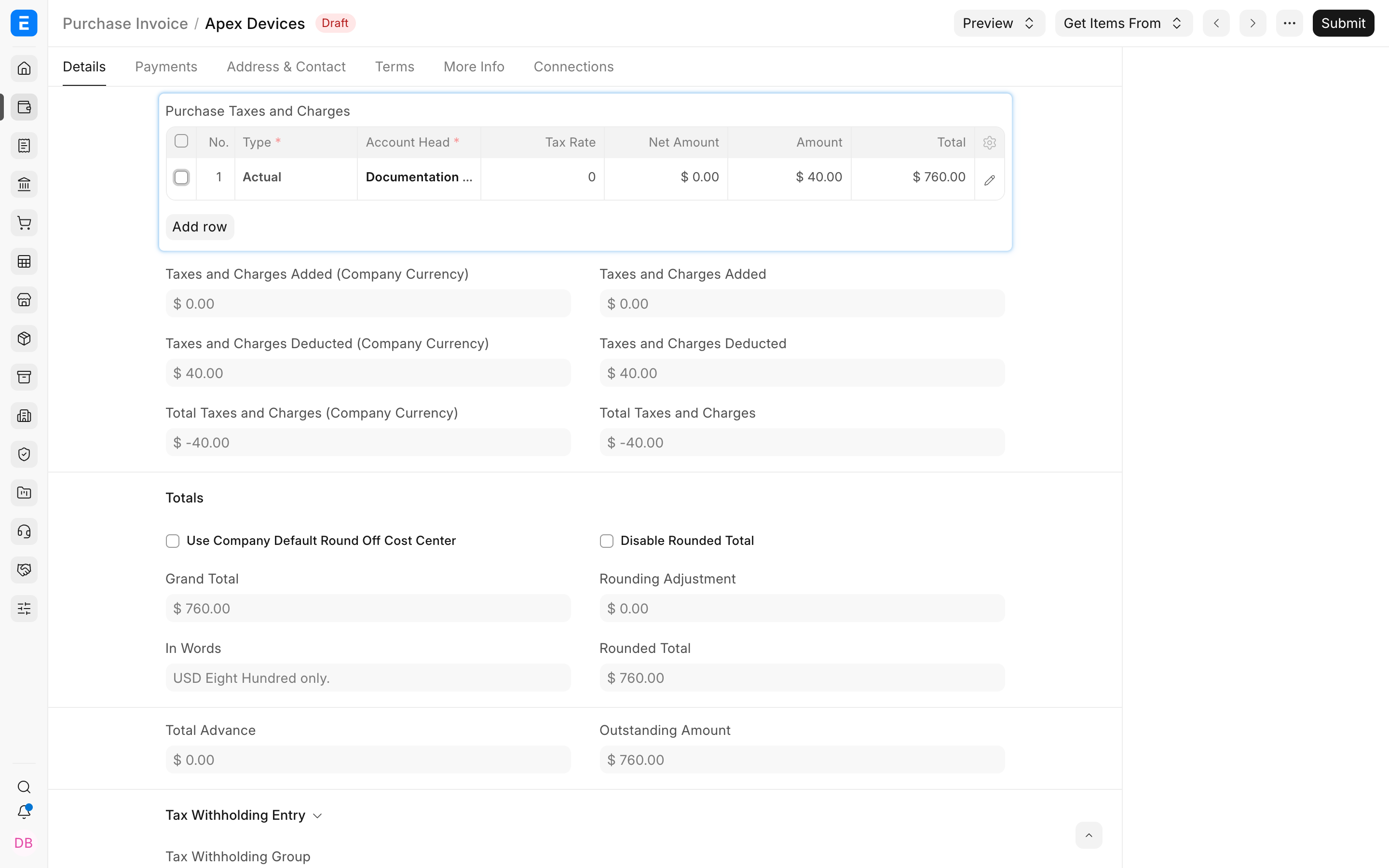
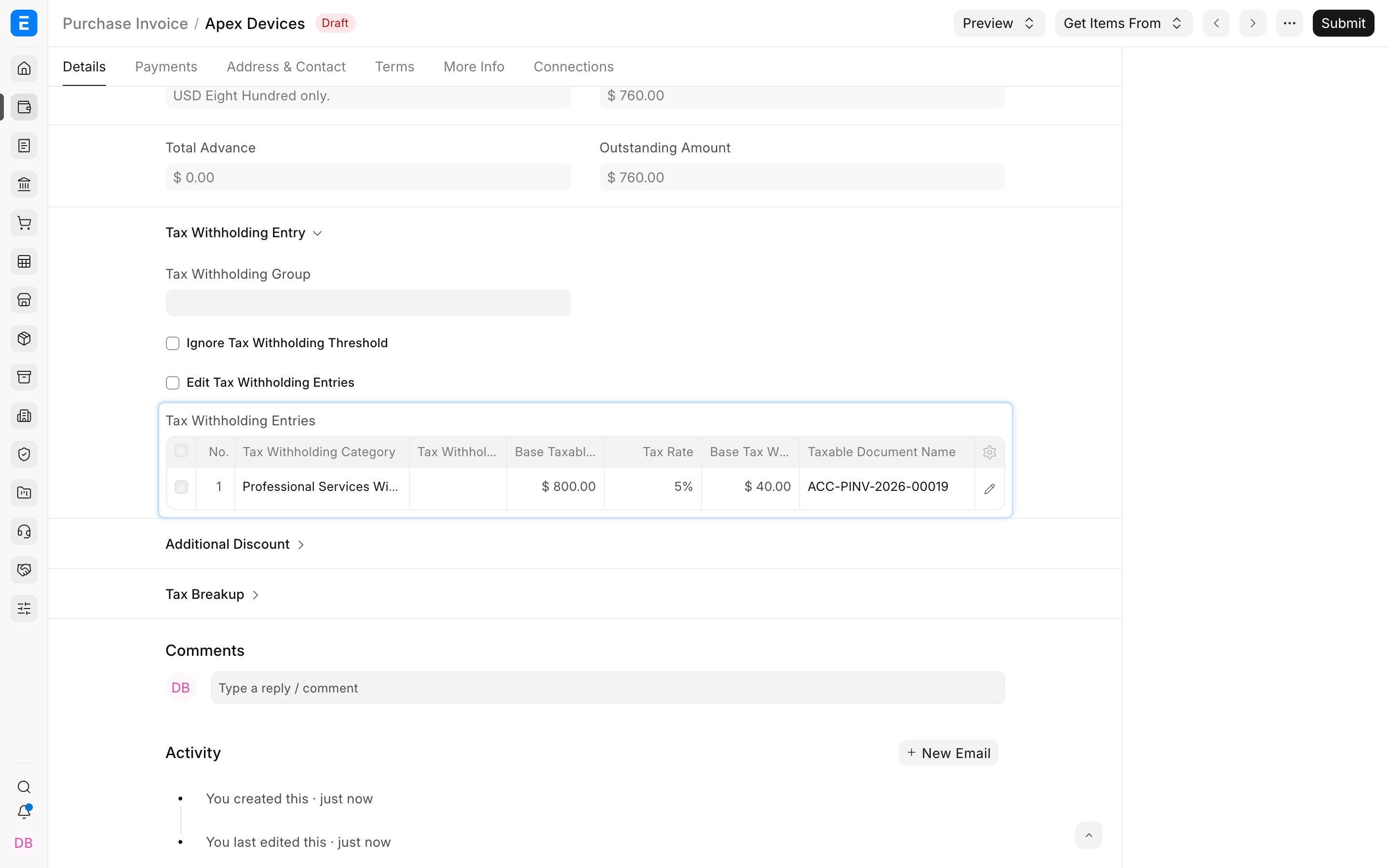
The Tax Withholding Entries table records the category, taxable base, rate, amount, and source document. Use it to understand the calculation rather than relying only on Grand Total.
On submission, a simple expense invoice normally debits the expense, credits the supplier payable for the net amount, and credits the withholding liability for the withheld amount. Review the General Ledger because actual postings depend on the transaction and accounts.
Withhold tax on a supplier advance
Withholding may be due when an advance is paid against a Purchase Order, before a Purchase Invoice exists.
- Create a Payment Entry with Payment Type Pay.
- Select Party Type Supplier and the supplier.
- Enter the advance amount before withholding.
- Select Consider for Tax Withholding.
- Confirm the Tax Withholding Category.
- Save and review the generated Tax Withholding Entry before submission.
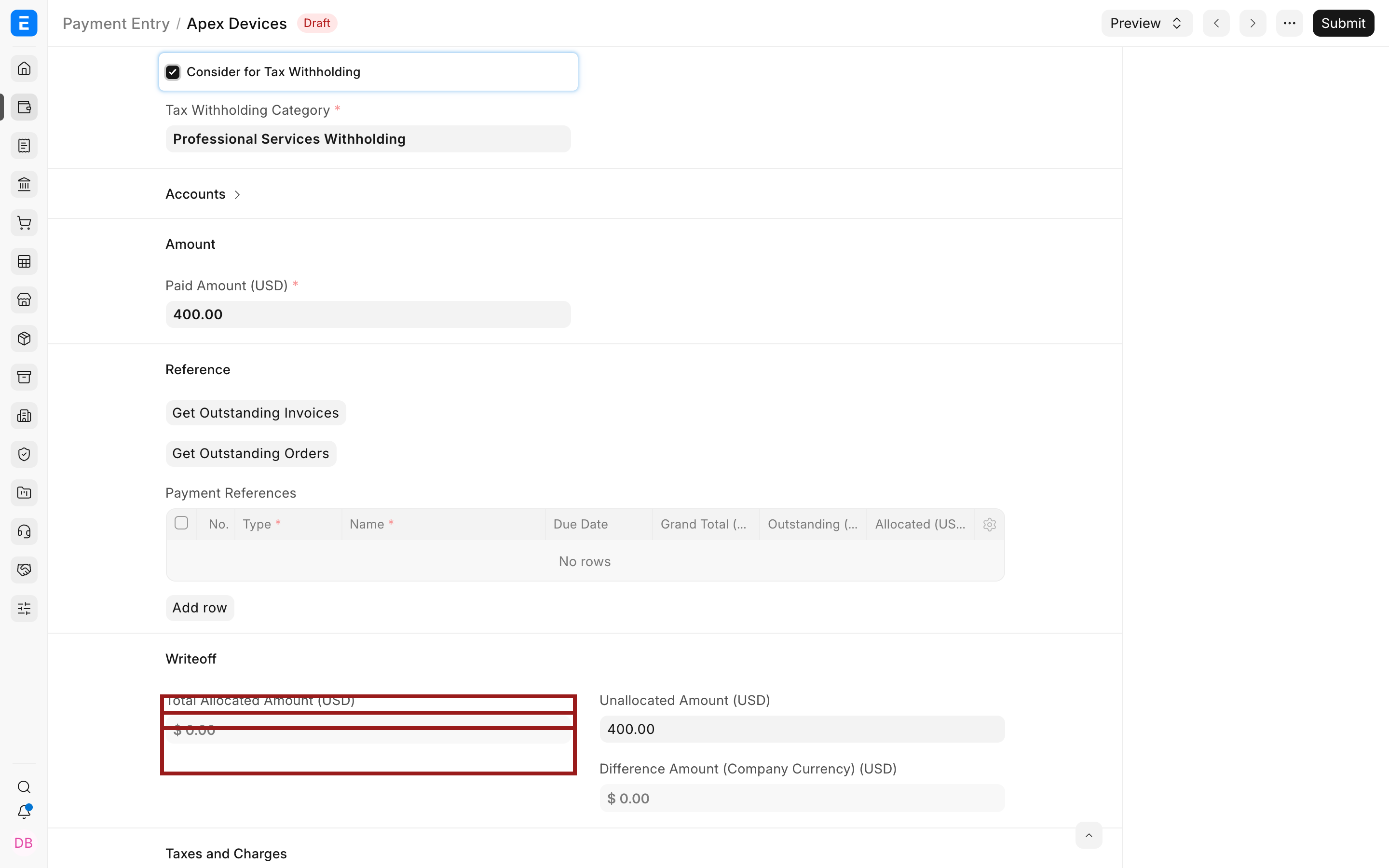
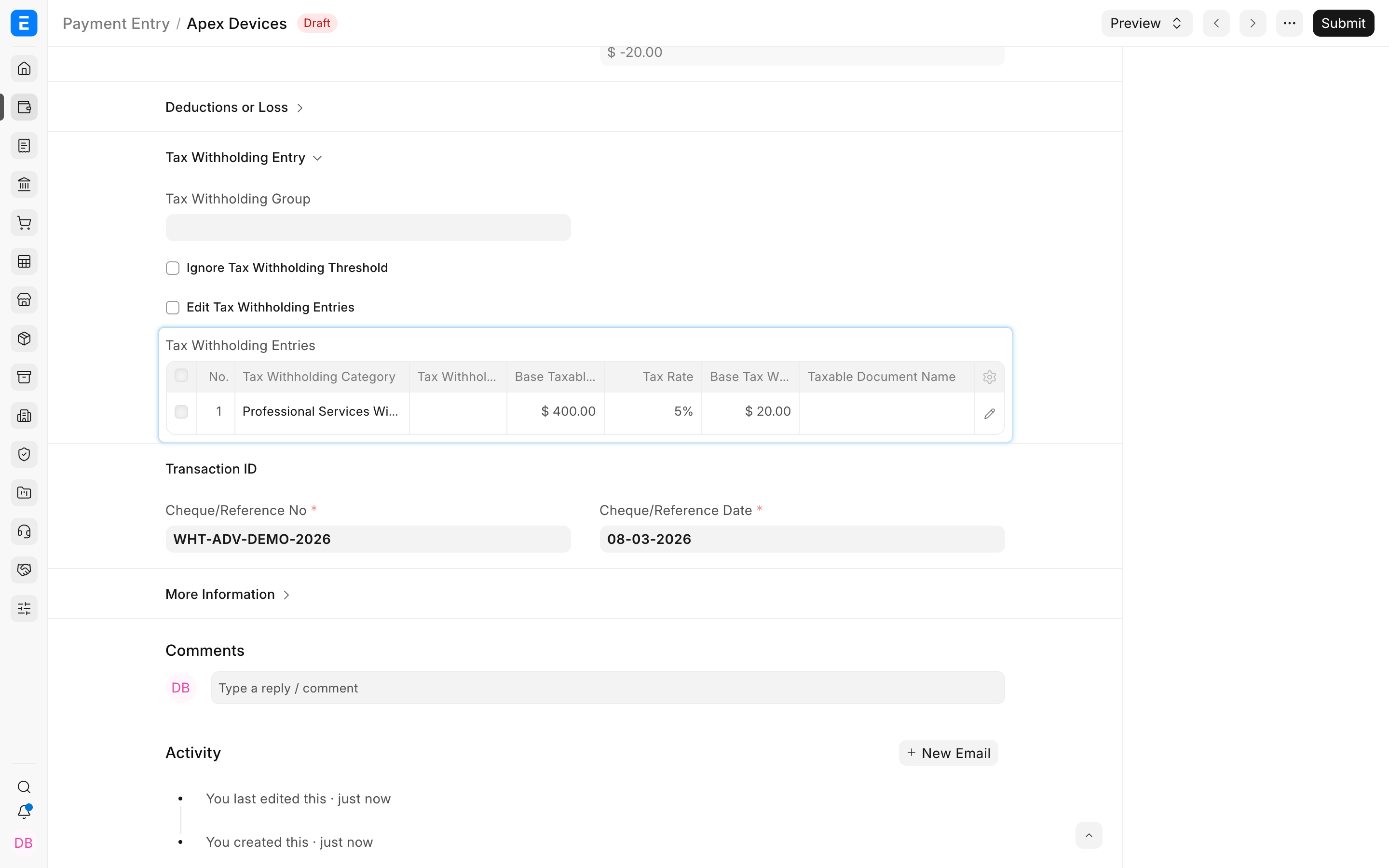
When the Purchase Invoice is created later, allocate the advance through the normal advance-allocation workflow. ERPNext uses the withholding entries to determine whether additional tax remains. Test this workflow with your jurisdiction's rules because timing requirements differ.
Customer-side tax collection
Some regional rules require a seller to collect tax from an eligible customer after a threshold. ERPNext can use a Tax Withholding Category on a Customer for such rules where the localization supports the workflow.
Assign the category to the Customer, configure the correct rate and threshold, and test a Sales Invoice. When Only Deduct Tax On Excess Amount is enabled, ERPNext applies the rate only to the portion above the threshold.
Do not reuse a supplier-deduction account blindly for customer-side collection. Configure the correct company account and confirm the statutory report supplied by the regional app.
Override or ignore thresholds carefully
Current transactions can expose Ignore Tax Withholding Threshold and Edit Tax Withholding Entries. Use them only when a documented exception requires a manual result.
Before overriding, capture the reason, supporting certificate or approval, correct taxable base, effective rate, and expected withholding. Review the resulting taxes table, detailed entries, and ledger posting. Manual edits bypass part of the protection provided by the category.
Troubleshooting
Consider for Tax Withholding does not appear
Confirm the party has a Tax Withholding Category, the transaction supports withholding, and the category has a valid rate row and company account.
No tax is deducted from the invoice
The transaction may be below both thresholds, outside the rate dates, assigned to a group with no matching row, or using a disabled threshold combination. Inspect Tax Withholding Entries and the category settings.
ERPNext uses the wrong rate
Check Posting Date, From Date, To Date, Tax Withholding Group, and overlapping rate rows. Avoid overlapping rows that could both match the same party and date.
Advance withholding is repeated on the invoice
Confirm the Payment Entry is allocated correctly and inspect both documents' withholding entries. Do not add a manual deduction when ERPNext has already recognized the advance withholding.
Frequently asked questions
What is the difference between transaction and cumulative thresholds?
The transaction threshold evaluates one document. The cumulative threshold evaluates the relevant combined amount across transactions for the party and period.
Does reaching a threshold apply tax to the entire amount?
Normally it can. Enable Only Deduct Tax On Excess Amount when the governing rule applies tax only to the portion above the threshold.
Can different companies use the same category?
Y
es. Add a company-specific account row for each company and ensure the rate and legal treatment are genuinely shared.
Can I withhold at payment instead of invoice?
Yes, Payment Entry supports withholding for supplier advances and payment-time workflows. Avoid applying it again on the invoice for the same taxable amount.
Why is the supplier paid less than the invoice expense?
The withheld amount is owed to the tax authority instead of the supplier. The expense remains based on the taxable purchase, while payable is split between supplier and withholding liability.