


















ERPNext banking connects your bank statement activity with accounting entries. The workflow has four parts: create the Bank and Bank Account masters, record or import Bank Transactions, create the corresponding payments or journals, and reconcile both sides.
Before you begin
Set up the Company Chart of Accounts and create a ledger with Account Type set to Bank. You also need appropriate receivable, payable, expense, income, and clearing accounts.
Decide who can:
- maintain Bank and Bank Account masters;
- import statements or synchronize a connected bank;
- create and submit Payment Entries;
- reconcile statement lines;
- cancel or unreconcile completed matches.
Separate these permissions when your control process requires independent preparation and review.
Understand the banking records
| Record | Purpose |
|---|---|
| Bank | Identifies the financial institution and optional statement-import mapping. |
| Bank Account | Connects a real account to a Company ledger or to a Customer or Supplier. |
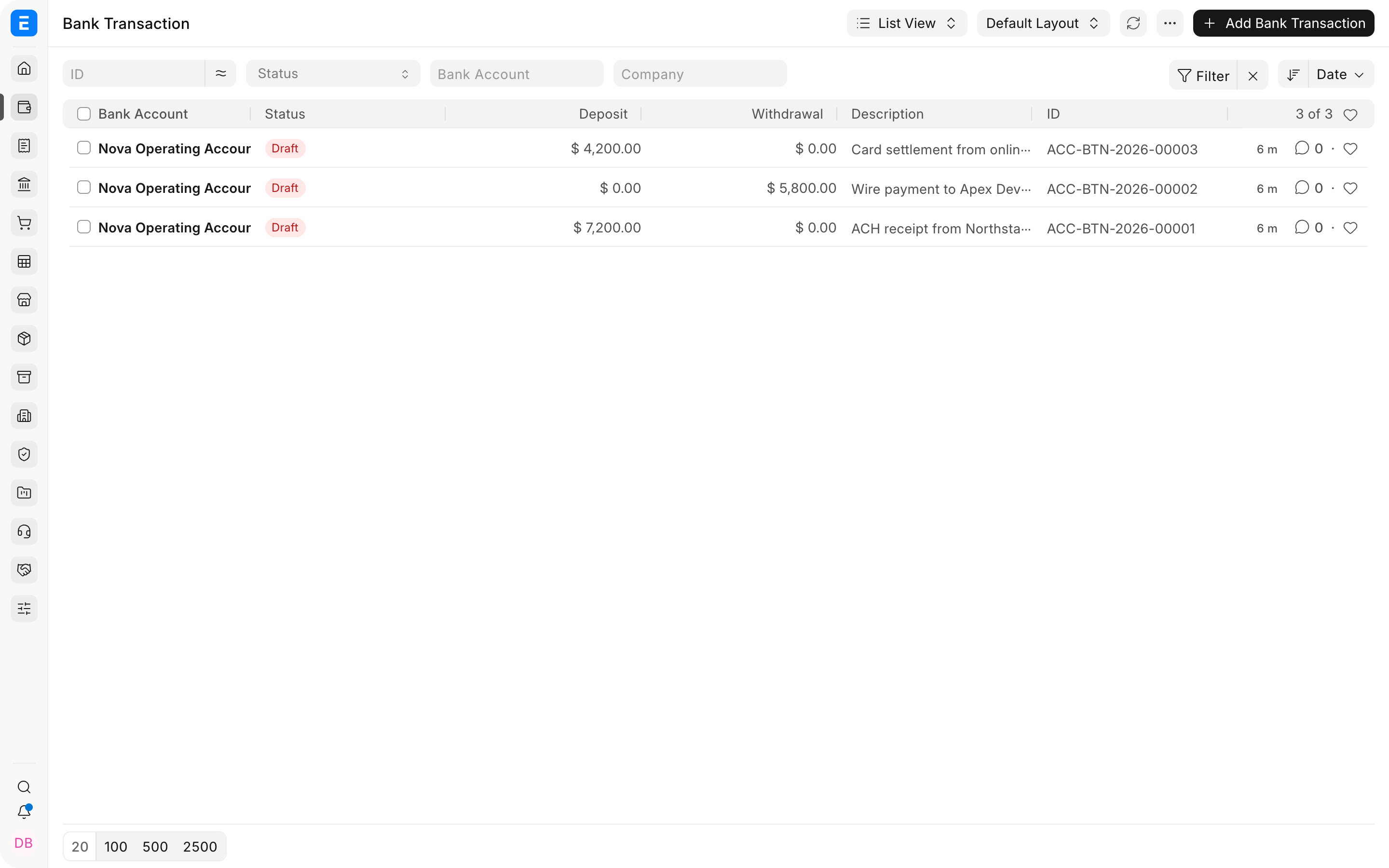
| Bank Transaction | Stores one imported or synchronized statement line. It does not replace the accounting voucher. |
| Payment Entry | Records money received, paid, or transferred and posts the General Ledger. |
| Journal Entry | Records banking adjustments that do not belong in a Payment Entry. |
| Bank Reconciliation | Matches Bank Transactions with accounting vouchers and identifies missing or unmatched activity. |
The Bank Transaction is the statement side of the workflow. The Payment Entry or Journal Entry is the book side. Reconciliation connects them so the ERPNext bank ledger can be compared with the bank statement.
Set up banking
- Create a Bank for each financial institution.
- Create a Bank-type ledger account for each Company bank account in the Chart of Accounts.
- Create a Bank Account and connect the Bank, Company, and ledger.
- Mark the correct Company Bank Account as default when appropriate.
- Map Bank statement columns when you use a statement format that requires custom mapping.
- Configure Modes of Payment so each Company uses the correct bank or cash ledger.
Do not use one Bank Account record for several real accounts. Separate accounts make statement import, matching, balances, and access control easier to audit.
Record money movements
Use a Payment Entry for most receipts, payments, and transfers:
- Receive for Customer receipts and other incoming amounts;
- Pay for Supplier payments and other outgoing amounts;
- Internal Transfer to move money between Company cash or bank accounts.
Create payments from the relevant invoice when possible. This carries the party, account, currency, and reference into the payment and reduces manual allocation.
Use a Payment Request when you need to request online or portal payment. Use a Payment Order to organize several payable documents for bank processing.
Bring in bank statement activity
Bank Transactions can come from:
- a supported bank integration;
- statement import;
- Data Import or API integration;
- controlled manual entry for testing or correction.
Each transaction records a date, deposit or withdrawal, description, reference, transaction identifier, currency, and Bank Account. Preserve the bank's original identifiers because they support duplicate detection and audit tracing.
Use Bank Transaction mapping on the Bank master when imported column names differ from ERPNext's expected fields. Test a small statement before importing a full period.
Reconcile the bank
Open Bank Reconciliation for the Company Bank Account and statement period. ERPNext compares unreconciled Bank Transactions with Payment Entries and Journal Entries.
For each statement line:
- Match it with an existing voucher when the amount, date, party, and reference agree.
- Create the missing Payment Entry or Journal Entry only after you identify what the statement line represents.
- Allocate the amount when one bank line covers several references.
- Review bank fees, exchange differences, withholding, deductions, and other differences separately.
- Confirm the ending statement balance and unresolved items.
Do not create a new payment merely because ERPNext does not suggest a match. Search existing vouchers first to avoid duplicate accounting.
Other banking facilities
Use Bank Guarantee to track guarantees received from or provided through a bank, including validity, beneficiary, amount, margin, and charges.
Use Invoice Discounting when unpaid Sales Invoices are assigned as collateral for short-term financing. This requires deliberate account setup and should be reviewed by the finance team before submission.
Controls and review
Review these regularly:
- unreconciled Bank Transactions;
- old uncleared payments and checks;
- duplicate transaction identifiers;
- Bank Accounts without a valid Company ledger;
- statement balance against the General Ledger;
- stale guarantees and financing arrangements;
- entries created directly in the bank ledger without an appropriate voucher.
The Payment Ledger helps trace allocations between invoices, payments, and credit documents. The General Ledger shows the accounting effect, while Bank Reconciliation explains the difference between the ledger and statement timing.
Troubleshooting
A statement line does not find a match
Check the Bank Account, Company, amount direction, date range, currency, party, reference number, and whether the voucher is already reconciled.
The bank balance differs from the statement
Confirm the statement period and opening balance, then review uncleared vouchers, missing statement lines, duplicate imports, bank fees, interest, and entries posted to the wrong ledger.
The wrong ledger is selected in a payment
Review the Mode of Payment Company defaults, Company default Bank Account, and the selected Bank Account. Correct the configuration before creating more transactions.
A Bank Transaction was imported twice
Do not reconcile both copies. Confirm the original transaction identifier and remove or cancel the duplicate using your approved process.
Frequently asked questions
Does importing a Bank Transaction post the General Ledger?
It does not by itself. The accounting effect normally comes from a Payment Entry, Journal Entry, or another voucher matched to the statement line.
Must every payment be reconciled immediately?
Not necessarily. A payment can be submitted before it clears the bank, but the reconciliation should be completed as part of the regular close process.
Can Customer and Supplier bank accounts be stored?
They can. Create party Bank Accounts separately from Company Bank Accounts and identify the Party Type and Party.