

















Tree Master Renaming
There are various documents in ERPNext which are maintained in a tree structure.
Read about managing tree structures to learn more.
Following are the steps to be followed for renaming the ID of a master which is maintained in a tree structure. Let's rename an Account for the instance.
-
Step 1: Go to the Tree View of the Document
-
Step 2: Go to the node of the Document which you wish to rename
When you click on that node, you will have an option to 'Rename' the document.
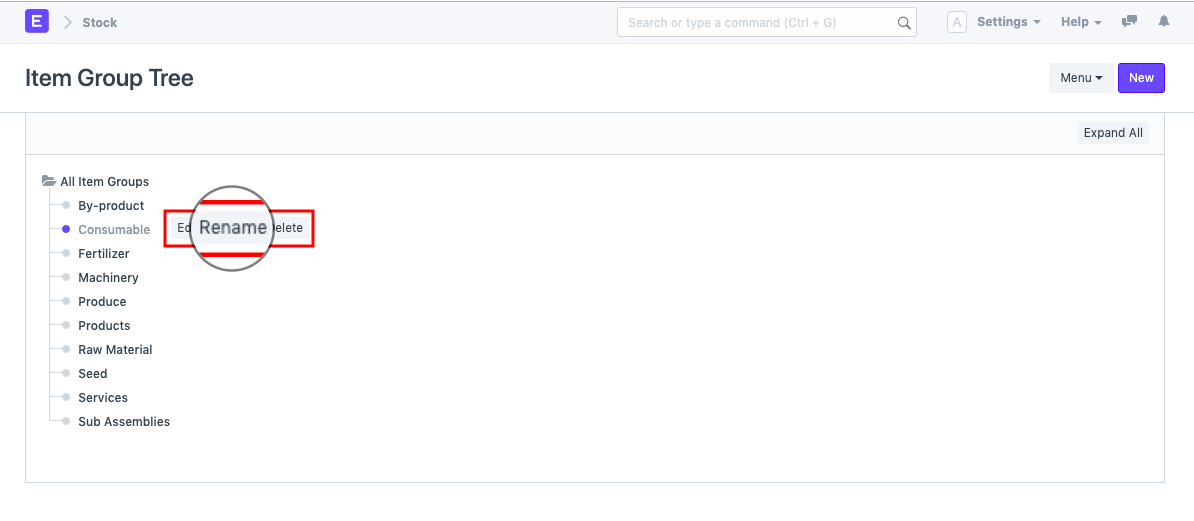
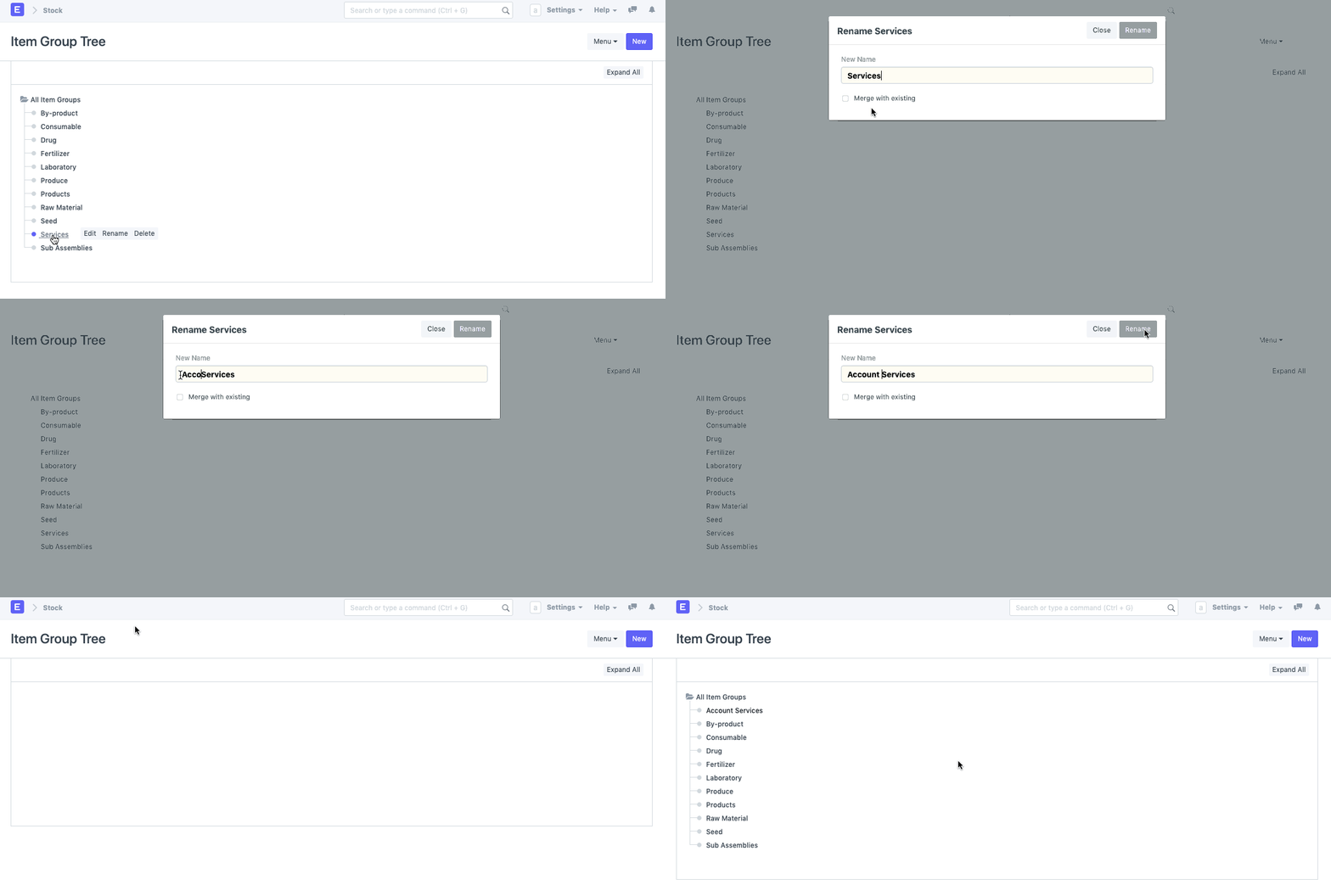
- Step 3: Rename Account
When you click on rename, a box will pop-up wherein you will be allowed to rename the document.
Last updated 7 months ago
Was this helpful?