


















The Chart of Accounts forms the blueprint of your organization. The overall structure of your Chart of Accounts is based on a system of double entry accounting that has become a standard all over the world to quantify how a company is doing financially.
It groups assets, liabilities, income, expenses, and equity so that a transaction posted today appears in the right place on tomorrow’s financial statements.
When Nova Industries sells a laptop, the system may increase Accounts Receivable, record Sales income, reduce Stock, and recognize Cost of Goods Sold. Those four postings make sense only because each account has the correct parent, root type, currency, and purpose.
A useful chart is detailed enough to answer management questions but not so fragmented that the team cannot reconcile it. This page explains the tree, account types, ledger accounts, safe structural changes, and the choices to make before importing or creating accounts.
Understand the account tree
Open Home > Accounting > Accounting Masters > Chart of Accounts and select the company.
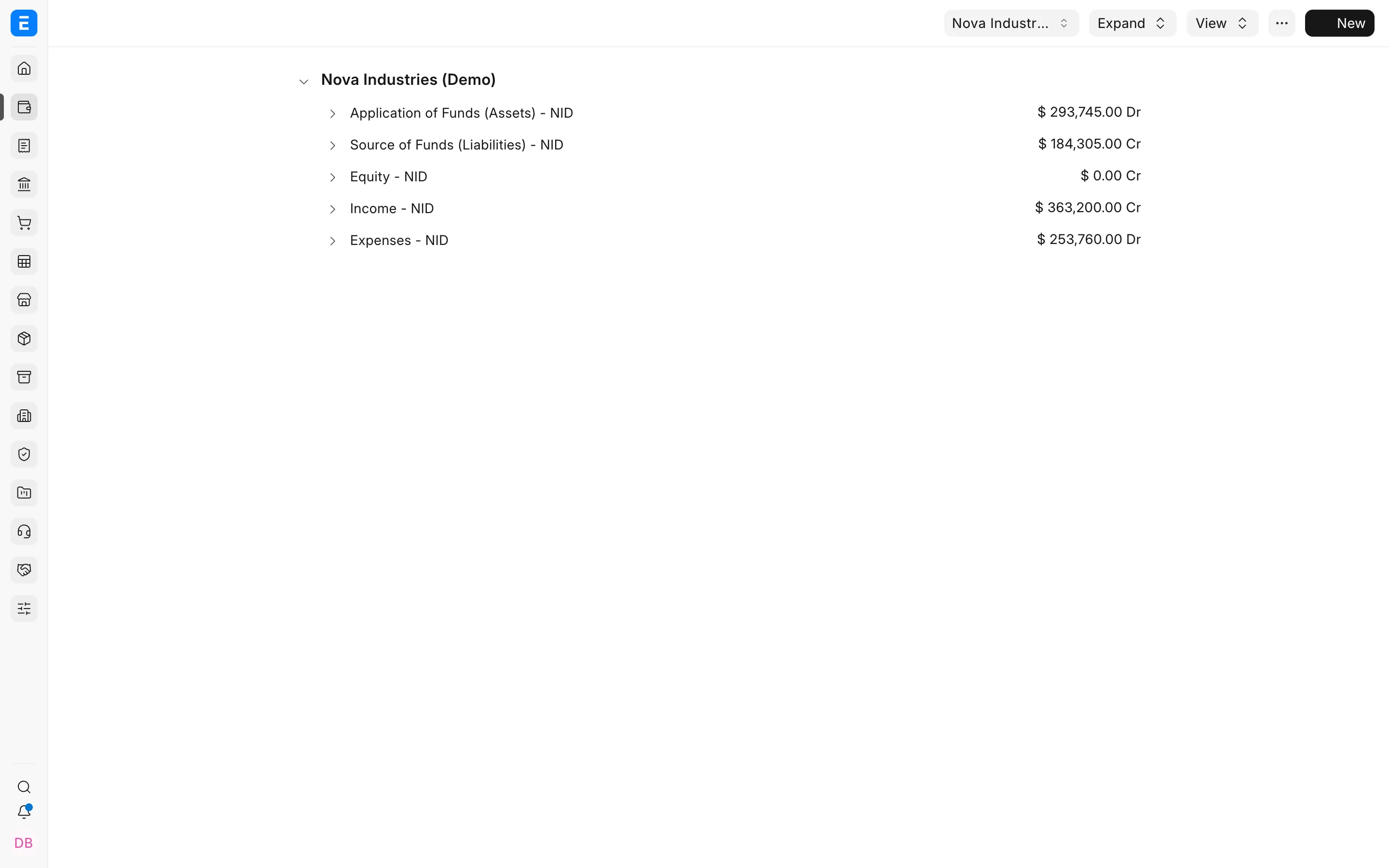
Group accounts organize the tree and cannot receive General Ledger entries. Ledger accounts are the final nodes used in transactions.
| Root type | What it represents |
|---|---|
| Asset | Resources the company controls |
| Liability | Amounts the company owes |
| Equity | Owners’ interest and retained earnings |
| Income | Revenue and other income |
| Expense | Costs incurred by the company |
Add an account
- Select the parent group.
- Click Add Child.
- Enter the account name and number, if numbering is used.
- Enable Is Group only when the account will contain child accounts.
- Select an Account Type when the account has a specific purpose, such as Bank, Cash, Receivable, Payable, Tax, Stock, or Fixed Asset.
- Save.
Use account types consistently. ERPNext uses them to filter account fields and determine transaction behavior.
Plan the structure
Keep the tree detailed enough for reporting but simple enough to use reliably. Prefer Cost Centers, Projects, and Accounting Dimensions when you need to analyze the same account by department, branch, product line, or initiative.
Do not create a separate receivable or payable ledger for every Customer or Supplier. ERPNext maintains party-wise balances within the designated control accounts.
Edit or disable an account
You can rename or move an account when there are no conflicting restrictions. Disable an unused account instead of deleting it when it has transaction history. Never convert a ledger into a group, or a group into a ledger, without reviewing its children and postings.
Importing or migrating a Chart of Accounts
Finalize the structure before importing opening balances. Map accounts from the previous system, create required control accounts, and test financial statements. Avoid importing old transaction-level detail unless it is required for statutory, operational, or audit reasons.
Verify the Chart of Accounts
Create draft Sales Invoice, Purchase Invoice, Payment Entry, and Journal Entry records. Confirm that account filters show the intended ledgers. Then review the General Ledger, Balance Sheet, and Profit and Loss Statement after a controlled test posting.
Troubleshooting
An account is missing from a transaction
Confirm its company, account type, root type, disabled status, and whether it is a group.
An account cannot be deleted
It may have child accounts, defaults, or transaction history. Disable it after replacing any defaults.