


















Share Transfer
Nova Electronics Trading starts with three shareholders: Elena Brooks holds 6,000 shares, Marcus Lee holds 4,000, and Horizon Ventures LLC holds 1,000. Elena now wants to transfer 1,000 of her shares to Horizon Ventures LLC. After the transfer, Elena will hold 5,000 shares, Marcus will still hold 4,000, and Horizon will hold 2,000. The company needs more than a note saying the deal happened. It needs an auditable record of the former owner, new owner, share-number range, quantity, rate, and date.
A Share Transfer records three kinds of ownership movement: the Company issues new shares, buys shares back, or transfers existing shares between Shareholders. Use the correct type because it determines which parties ERPNext requires and how balances change.
Before you begin
Create the relevant Shareholders. A new owner must first receive an Issue before their folio number and balance become available for later transfers. Confirm the equity or liability Account, asset account, and Share Type with your accountant.
Issue shares
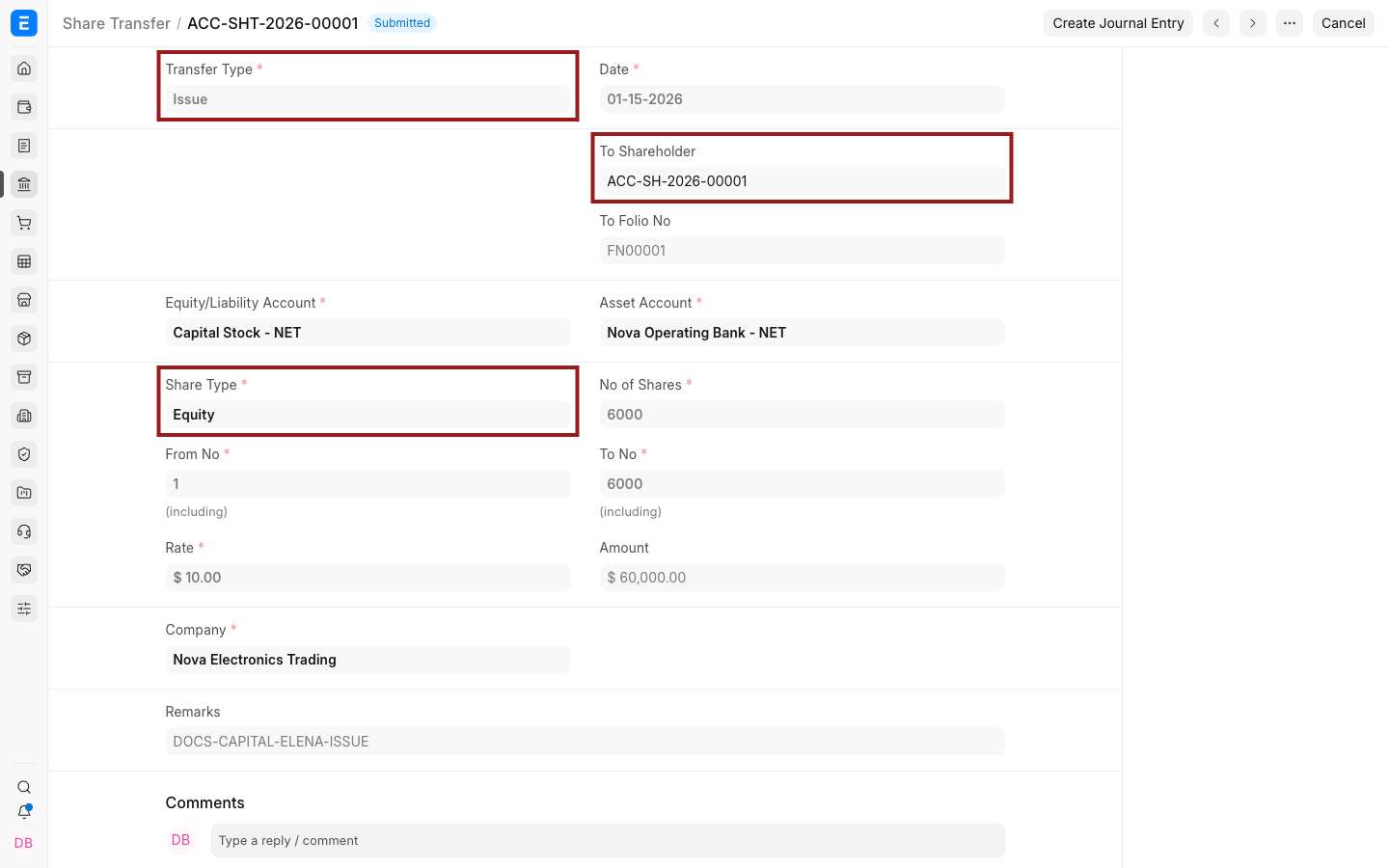
Create a Share Transfer and set Transfer Type to Issue. Select the recipient, Equity or Preference share type, and the Company.
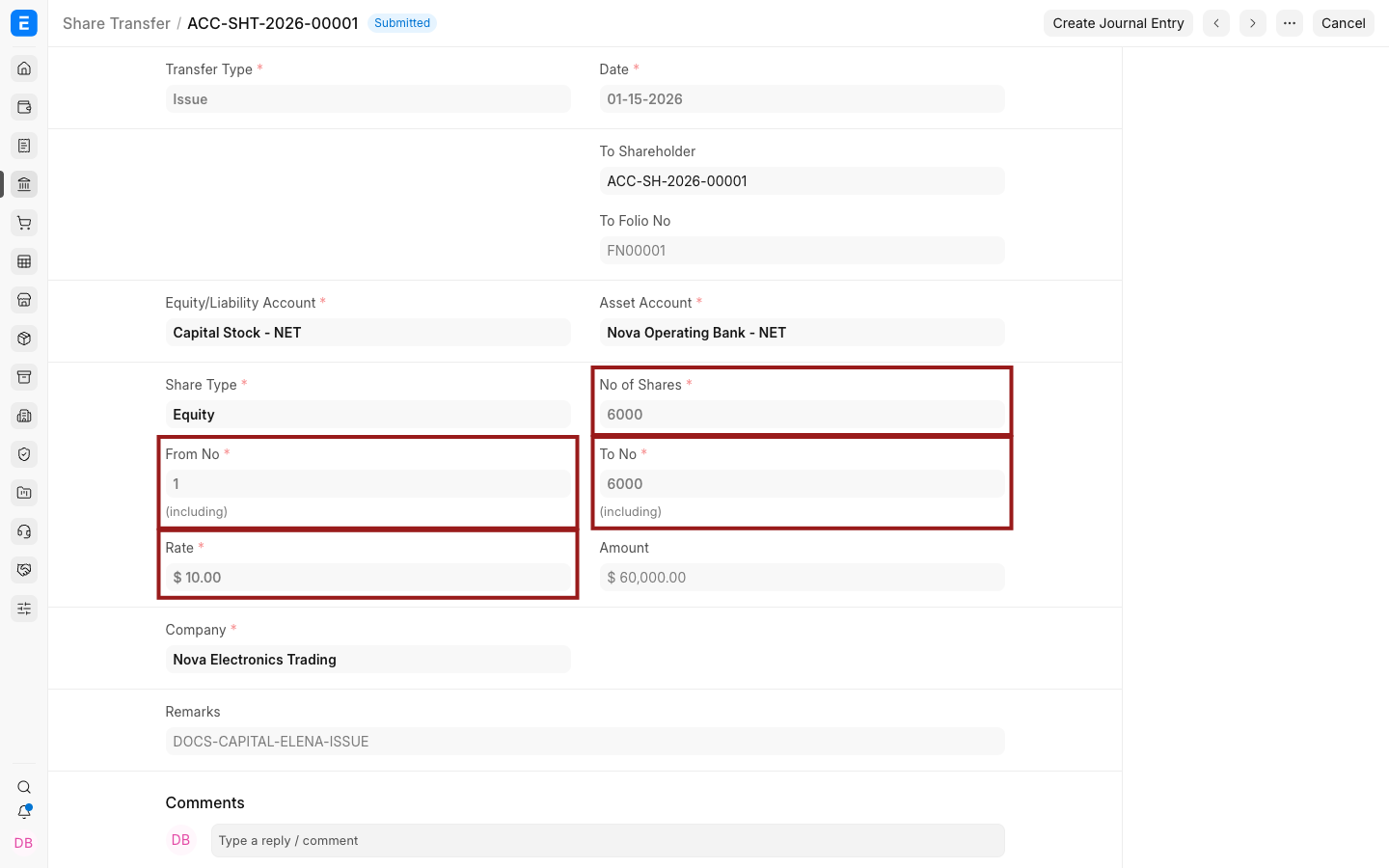
Enter the first and last share numbers, number of shares, and rate. The number range must agree with the quantity and must not overlap an existing issued range.
Transfer shares between owners
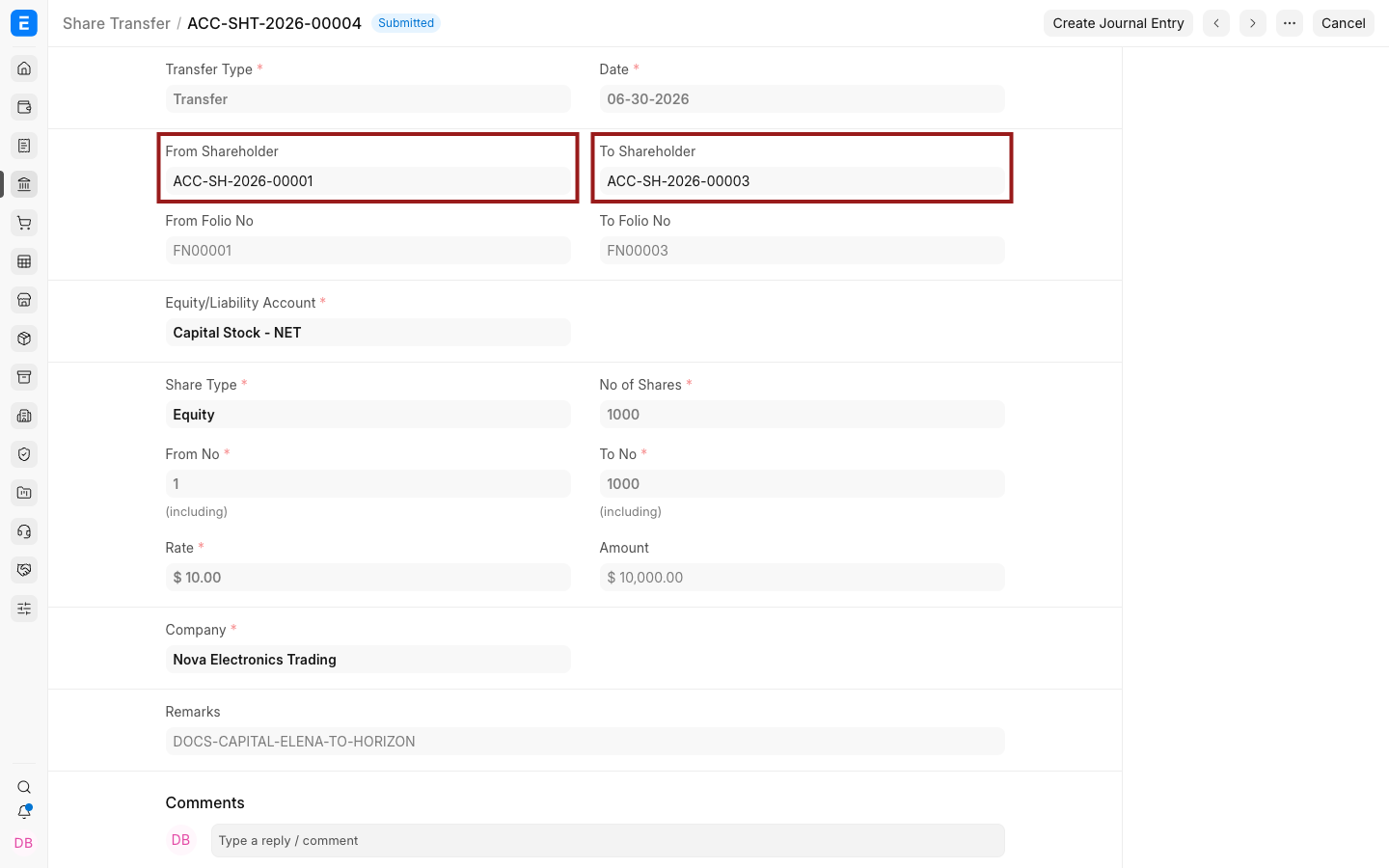
Set Transfer Type to Transfer. Select the From Shareholder and To Shareholder with their folio numbers.
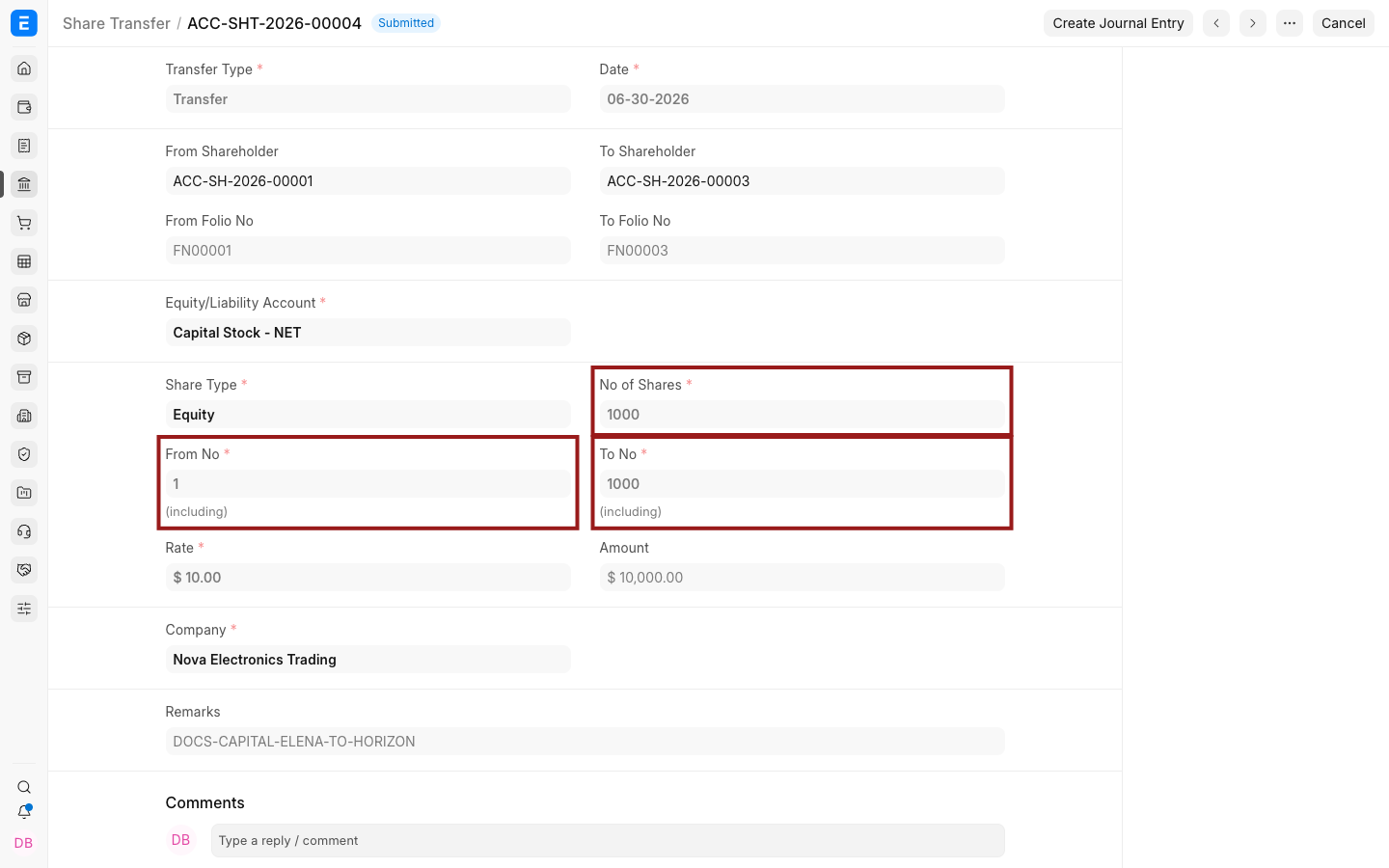
Enter the share-number range being moved, quantity, and rate, then save and submit. ERPNext reduces the former owner's holding and increases the new owner's holding.
Transfer types
| Type | Use it when |
|---|---|
| Issue | The Company creates and assigns shares to a shareholder. |
| Transfer | Existing shares move from one shareholder to another. |
| Purchase | The Company buys shares back from a shareholder. |
Troubleshooting
The folio number is missing
Submit an Issue for that shareholder first. A saved Shareholder without an issued holding does not yet have an ownership history.
The share-number range is rejected
Check that the From No, To No, and No of Shares agree and that the range is available to the source owner.
Frequently asked questions
Does submission automatically create General Ledger entries?
The ownership register changes on submission. Use Create Journal Entry when the transfer also requires an accounting entry, and review the resulting General Ledger.
Can I transfer shares to a newly created shareholder immediately?
The recipient needs an initial Issue so ERPNext can assign a folio number before a later transfer.