


















Company accounting defaults
A transaction can be complete in every business detail and still post to the wrong account if ERPNext does not know which defaults to use. Company accounting defaults provide many benefits
- Acts as a fallback accounts and Cost Center used when an Item, party, warehouse, Mode of Payment, or transaction row has not supplied a more specific value.
- Saves manual effort in entering accounts during every transaction.
- Eliminates data entry errors which can happen if account selection is has to be done every single time by accountants managing books.
At Nova Industries, customer invoices normally post to Debtors, supplier invoices to Creditors, and bank receipts to the company bank account. Setting these defaults once prevents the accounts team from selecting the same ledger repeatedly and reduces the chance that two users classify similar transactions differently.
Defaults do not override every transaction. ERPNext uses the most specific valid value it can find, then falls back to the Company record. This page shows which defaults matter, where to configure them, and how to verify that transactions are choosing the intended accounts.
Before you begin
Create the company’s Chart of Accounts, Fiscal Year, and Cost Center. The accounts must belong to the same company.
Configure default party accounts
Open Company, select the company, and go to the Accounts tab.
| Field | Used for |
|---|---|
| Default Receivable Account | Customer balances and Sales Invoices |
| Default Payable Account | Supplier balances and Purchase Invoices |
| Default Cash Account | Cash payments and receipts |
| Default Bank Account | Bank payments and receipts when no more specific account is selected |
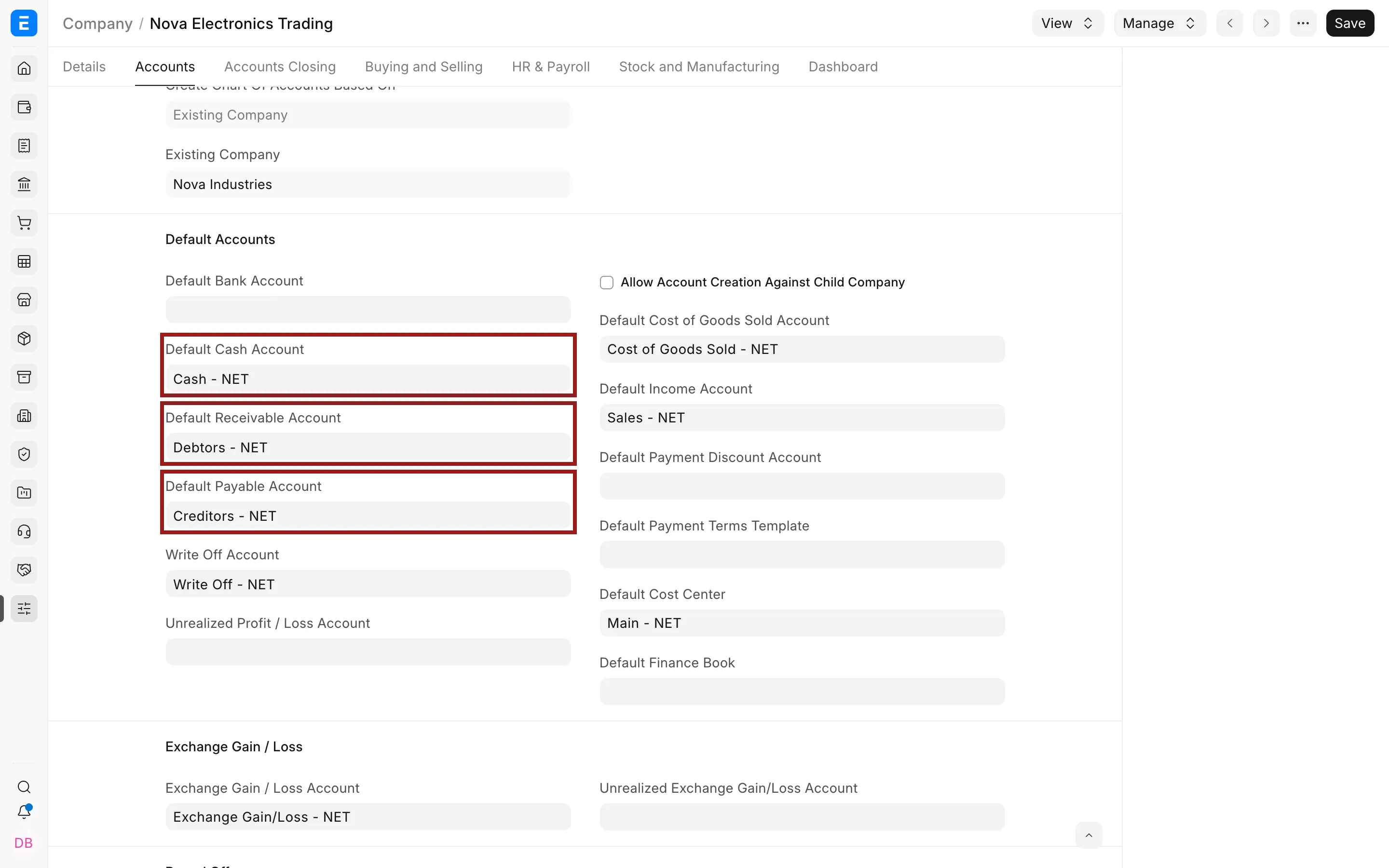
Party-specific accounts on a Customer or Supplier can override the company defaults. A Mode of Payment can also supply a payment account.
Configure income, expense, and Cost Center defaults
Set the normal income account, expense account, and Cost Center for the company.
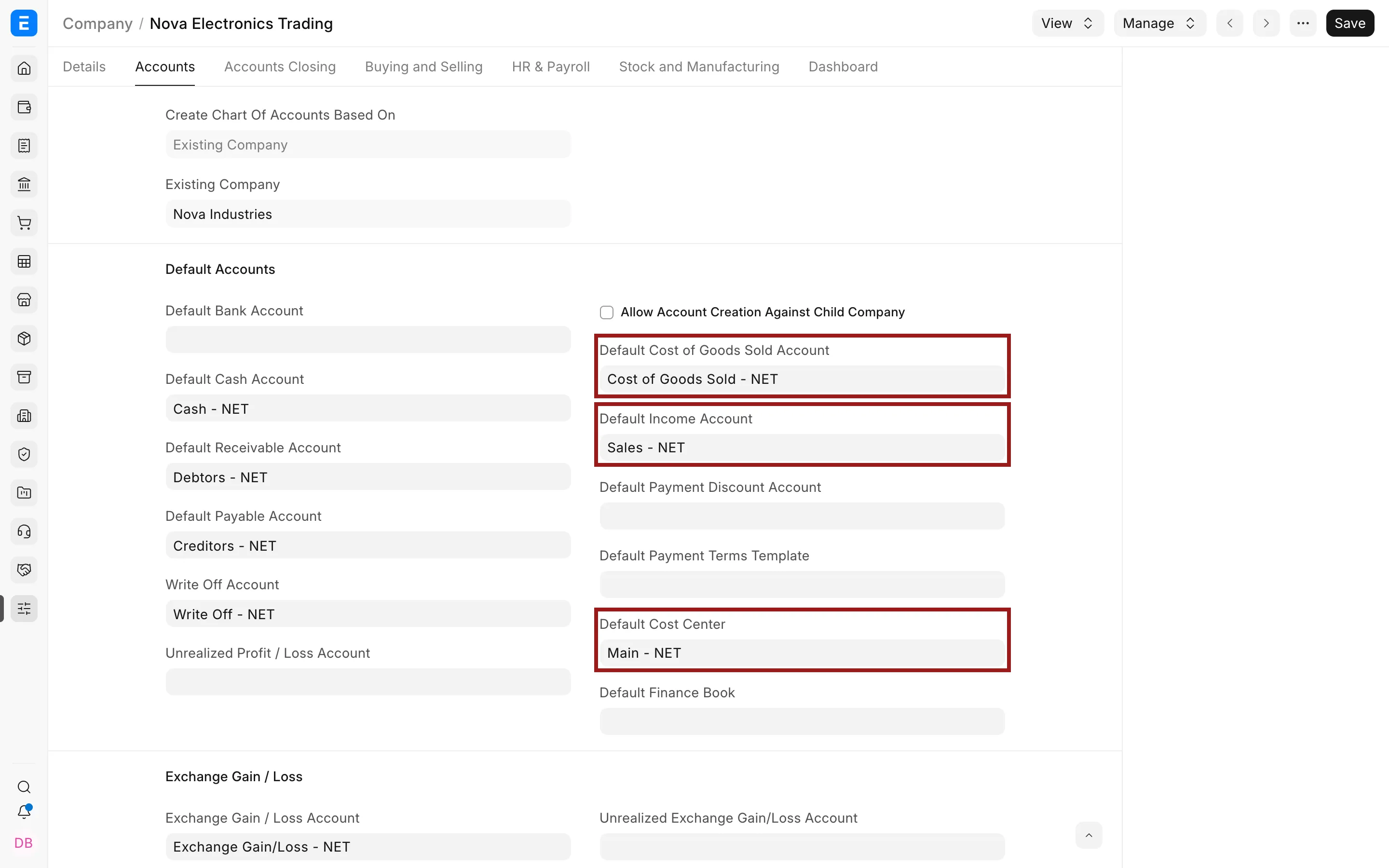
ERPNext normally resolves transaction defaults from the most specific source available. Item, Item Group, Warehouse, Customer, Supplier, and transaction values can take precedence over company defaults.
Configure adjustment accounts
Set accounts used for write-offs, exchange differences, and rounding.
| Field | Typical use |
|---|---|
| Write Off Account | Small residual balances written off during payment or reconciliation |
| Exchange Gain/Loss Account | Realized currency differences |
| Unrealized Exchange Gain/Loss Account | Revaluation of outstanding foreign-currency balances |
| Round Off Account | Small differences caused by currency precision |
| Round Off Cost Center | Cost Center used for the rounding entry |
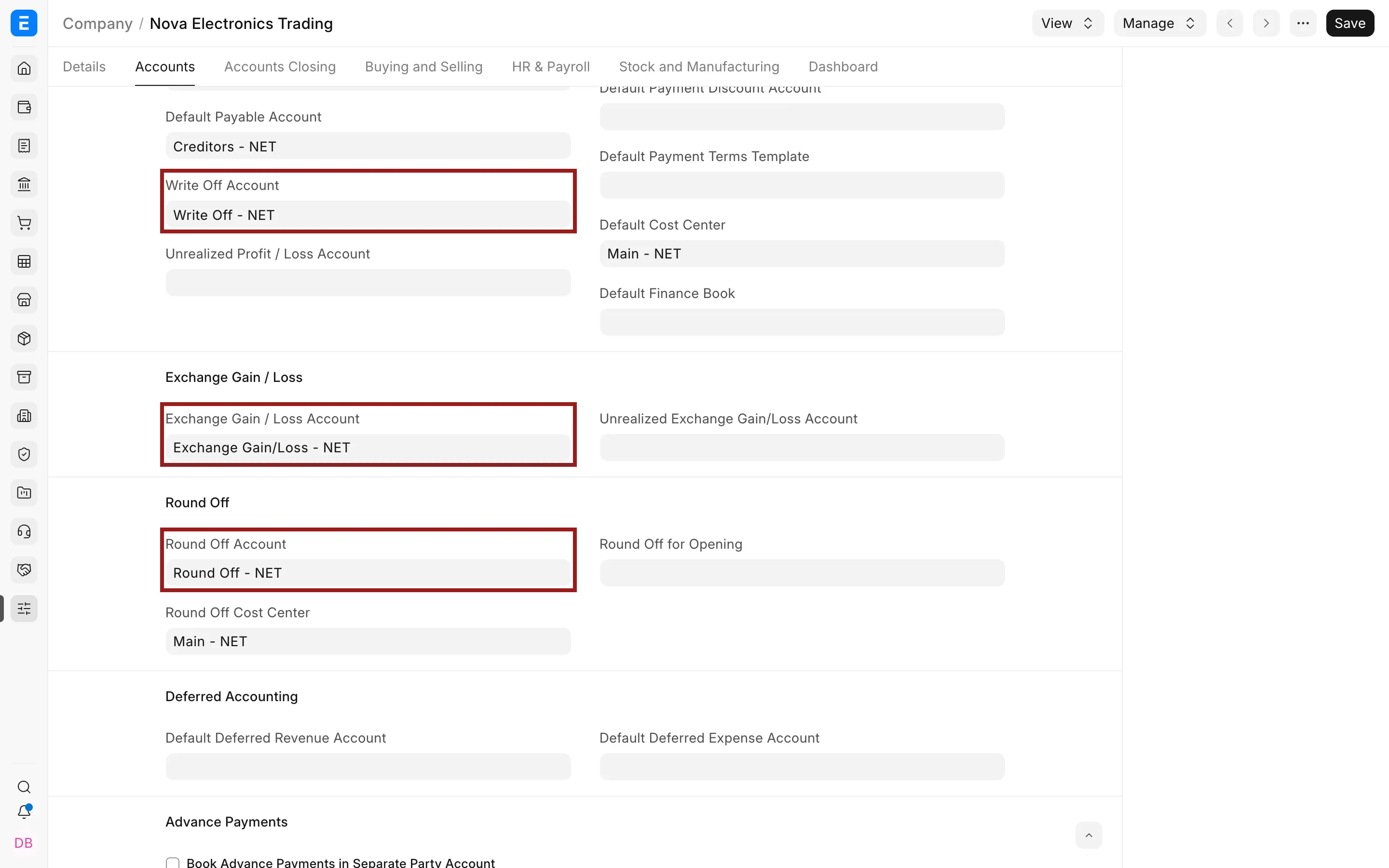
Other company accounting defaults
Review deferred accounting, advance payments, exchange-rate revaluation, budgets, and fixed-asset defaults if your business uses those features. Do not fill every field simply because it exists. Configure a section when the related process is in scope.
Verify the setup
Create one draft Sales Invoice, Purchase Invoice, Payment Entry, and Journal Entry. Confirm that accounts and Cost Centers are fetched as expected. Submit only test transactions that can be safely cancelled.
Troubleshooting
An account does not appear in the field
Confirm it is a ledger account, belongs to the same company, is not disabled, and has the correct root or account type.
A different account is selected
Check the Item, Item Group, party, Warehouse, Mode of Payment, and transaction row. A more specific default may be taking precedence.