


















Shareholder
Nova Electronics Trading has three shareholders. Elena Brooks initially holds 6,000 shares, Marcus Lee holds 4,000, and Horizon Ventures LLC holds 1,000. Finance needs to know who owns shares, how to contact each owner, and which ownership transactions belong to each one. Keeping names in a spreadsheet makes it easy to lose the connection between the owner, their folio number, and their share history.
A Shareholder is the master record for a person or organisation that owns shares in a Company. It becomes the anchor for share issues and transfers, balances, and the Share Ledger. Creating the master does not give the owner any shares. Ownership begins only after an Issue is submitted.
Create a Shareholder
Open the Shareholder list and select Add Shareholder. Enter the shareholder's name and Company. Enable Is Company when the owner is an organisation rather than an individual.
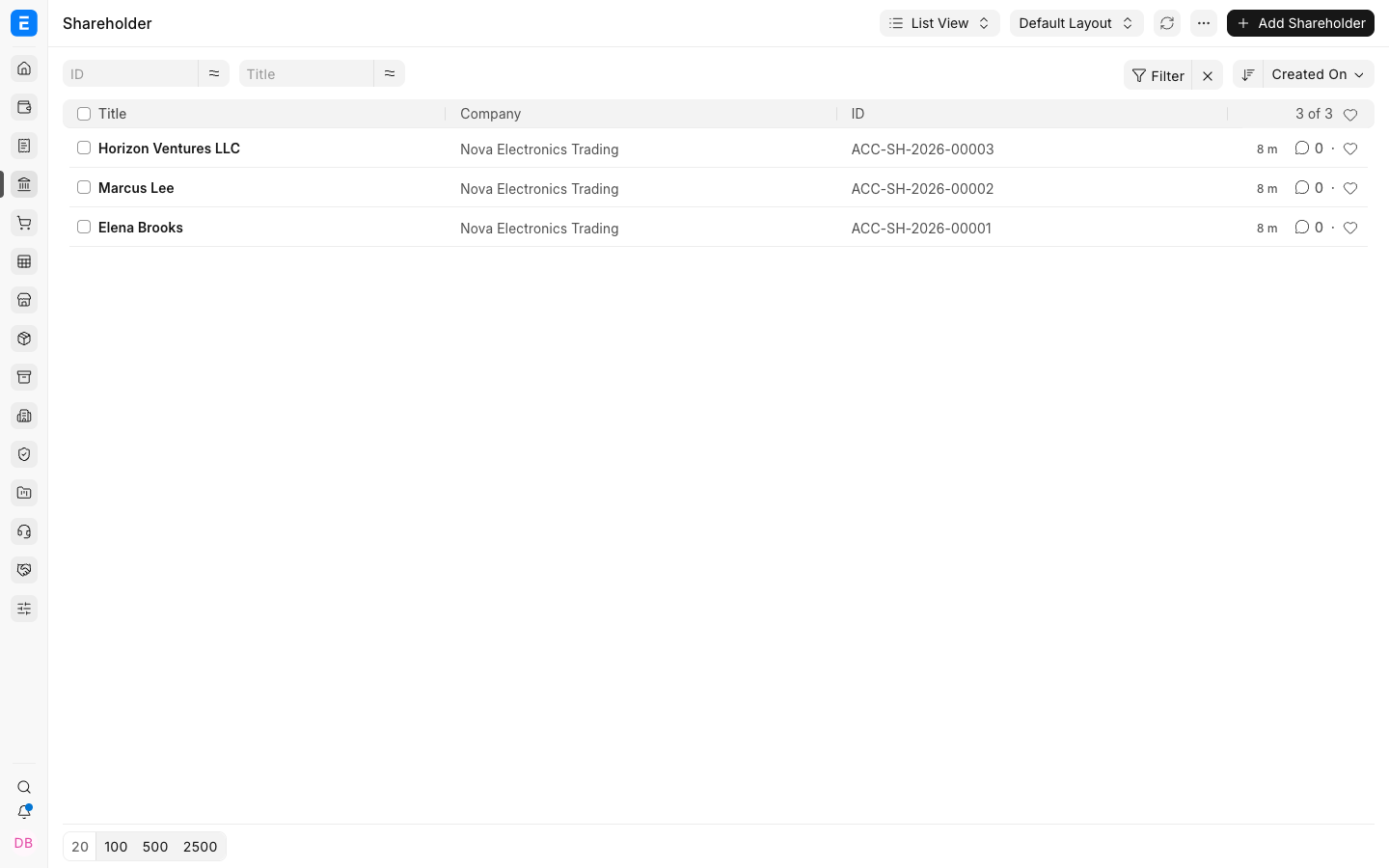
Save the record. ERPNext assigns a Shareholder ID using the configured naming series. Add the shareholder's Contact and Address from the linked records so correspondence remains separate from ownership transactions.
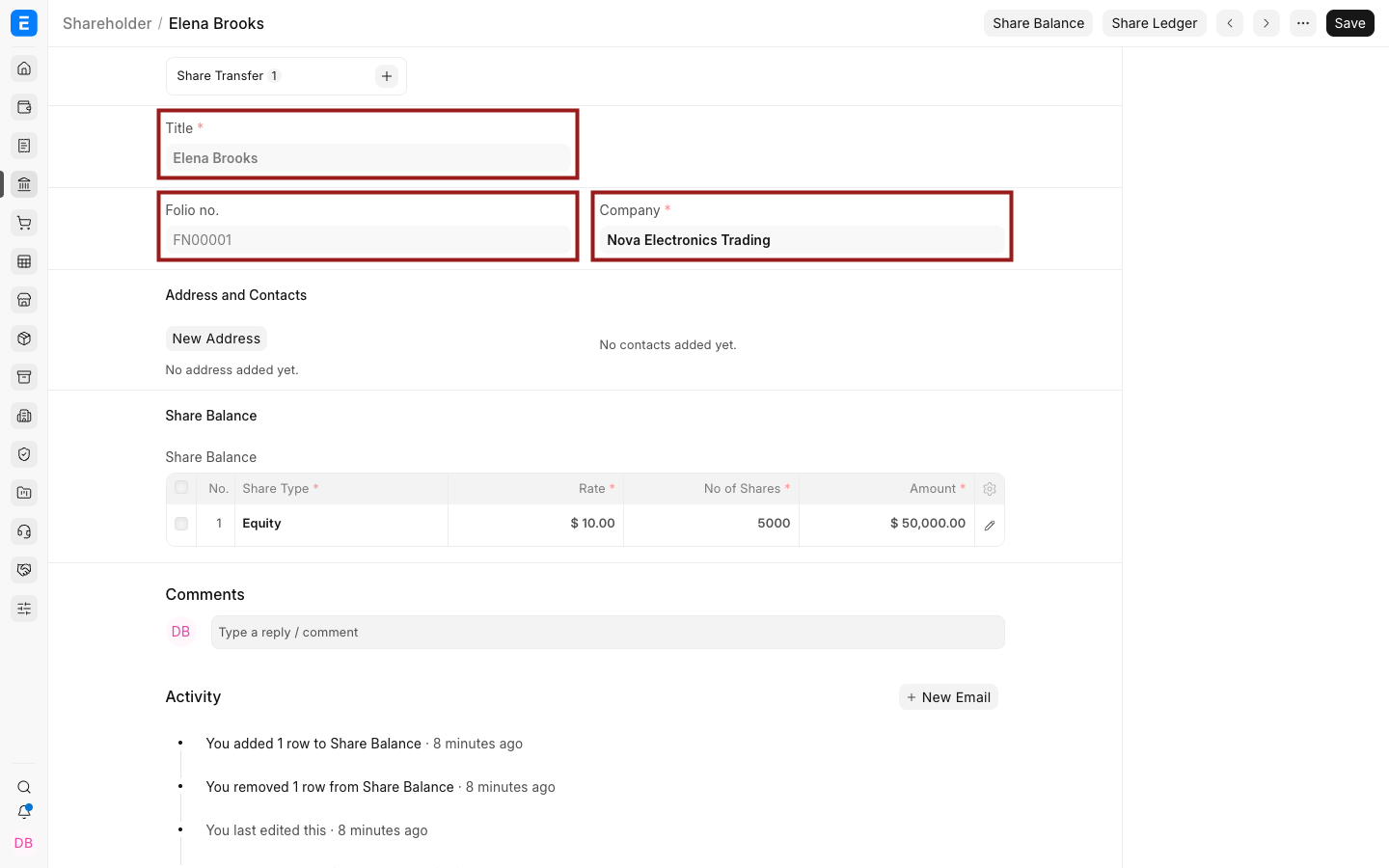
Folio number and share balance
The folio number uniquely connects a shareholder to their ownership transactions. It appears after the first share issue. The Share Balance section then shows holdings created by submitted Share Transfers.
Frequently asked questions
Why is the share balance empty after I create a Shareholder?
Saving the master records the owner but does not issue shares. Create a Share Transfer with Transfer Type set to Issue and submit it.
Can a company be a shareholder?
An organisation can be maintained as a shareholder by enabling Is Company on its master record.