Stock Adjustment / COGS with Negative Stock
This section explains how negative stock entries lead to stock adjustments. Many users enter negative stock in the system, often by creating delivery notes without existing stock, enabled by activating the 'allow negative stock' option in Stock Settings.
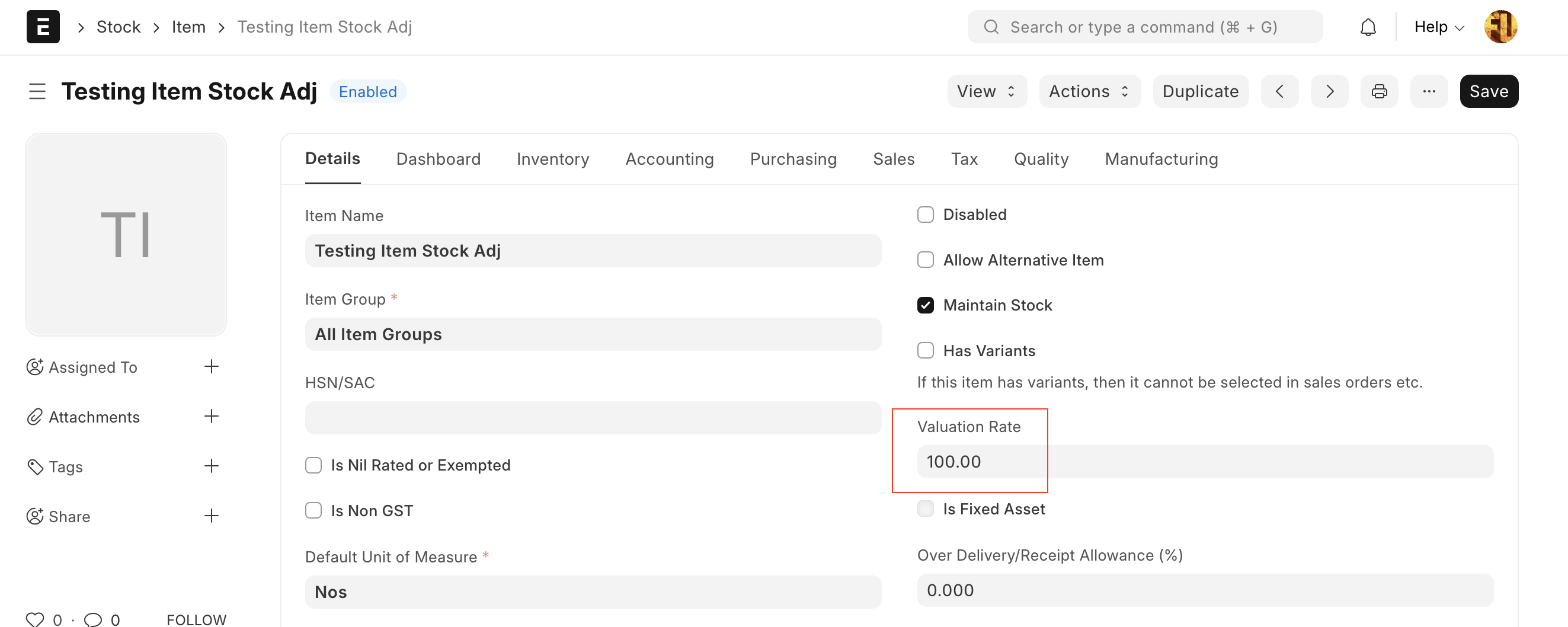
They do this to dispatch materials to customers with a delivery receipt. To correct negative stock, they usually record a purchase receipt or material receipt. Most users post purchase entries after the delivery note date, resulting in stock adjustments. For example, consider an item called 'Testing Item Stock Adj' with no initial stock. If a delivery note is created for this item, an error appears requiring a valuation rate. The user temporarily sets the valuation rate to 100 to proceed.
Delivery Note

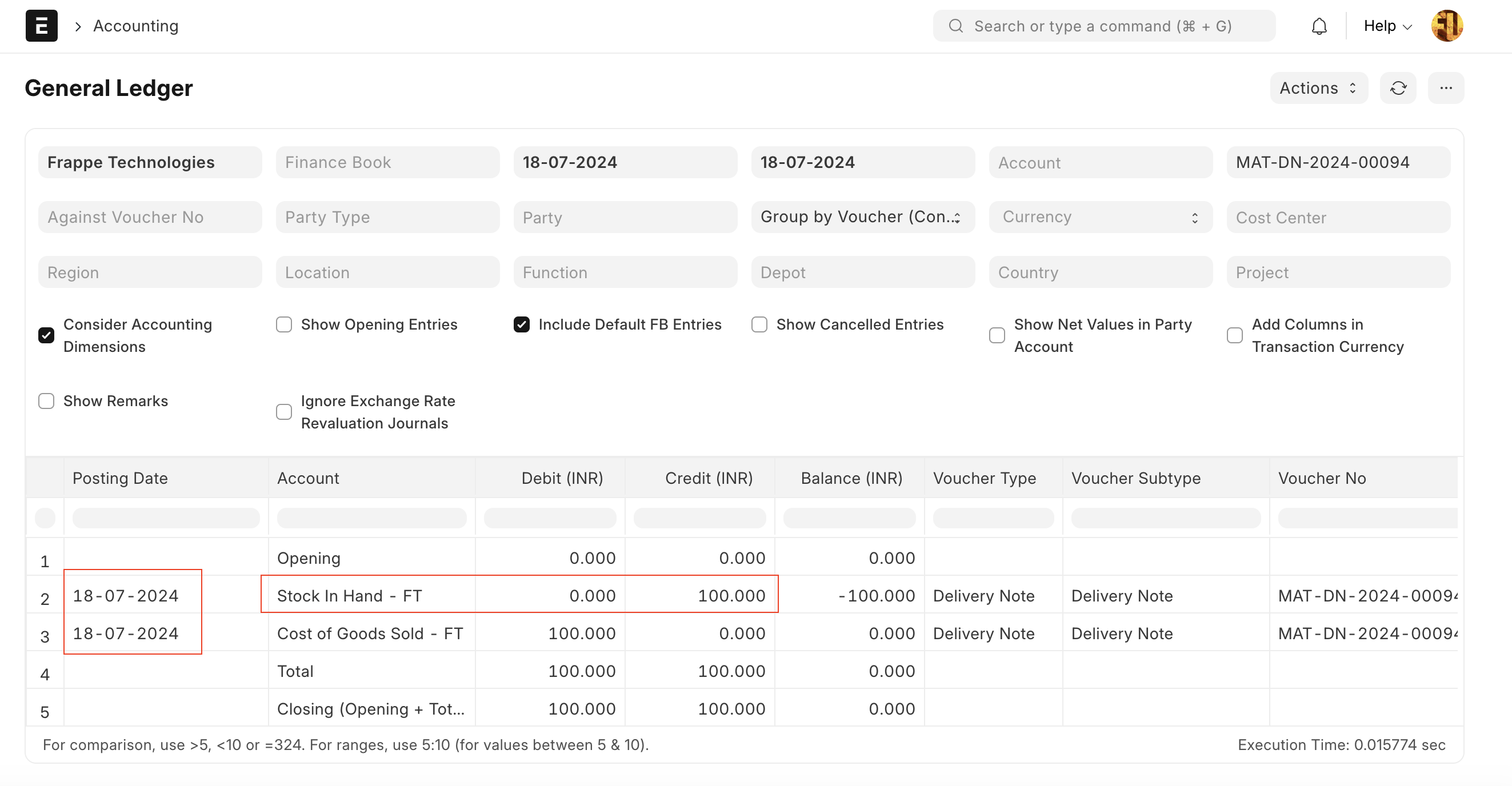
Since the stock did not exist, the system used a valuation rate of 100 and recorded the stock on hand as shown below.
Since the stock is negative, we need to record a purchase entry to correct it. We'll do this by creating a purchase receipt with a rate of 300.

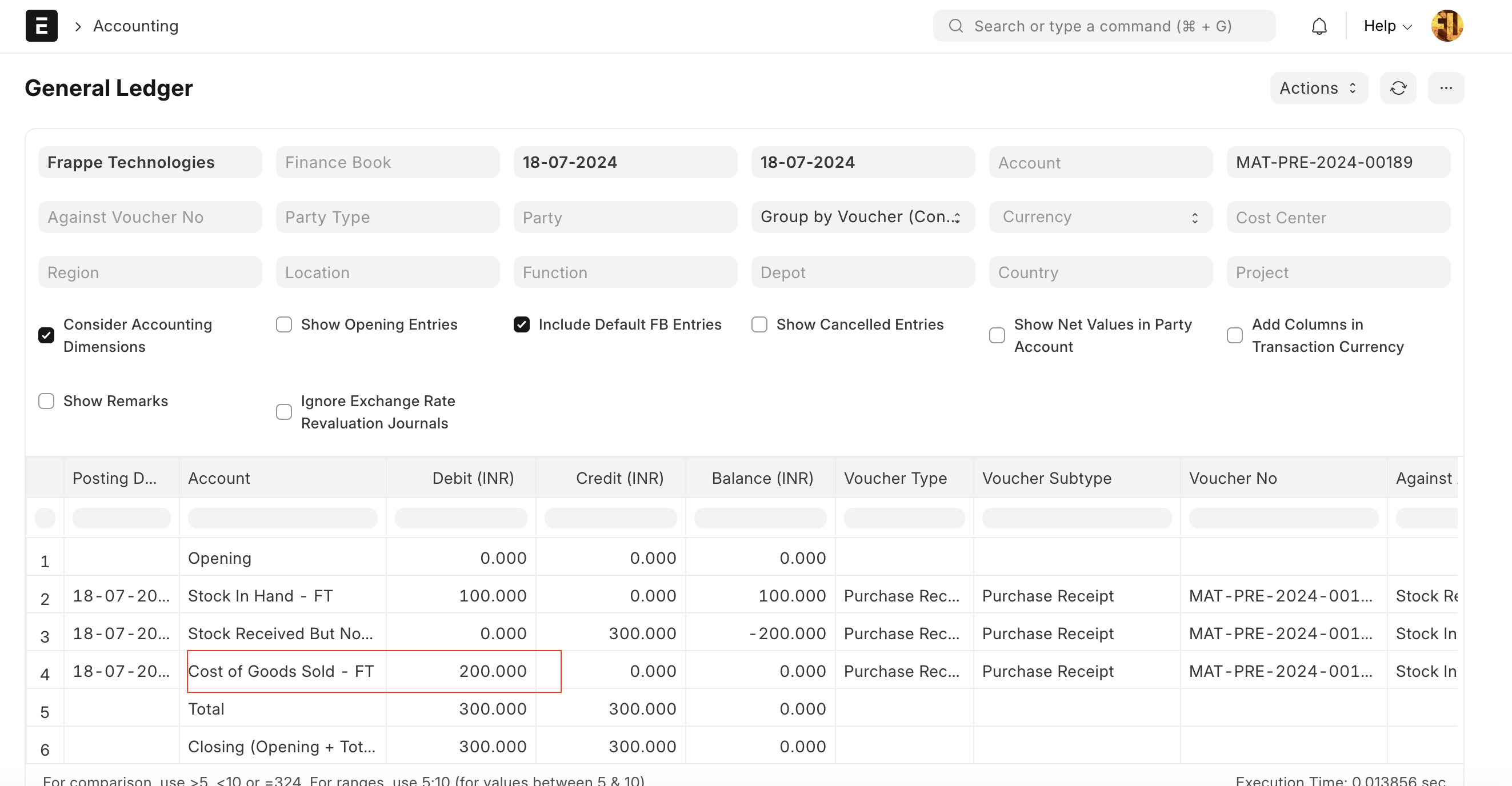
The purchase receipt entry is now created, but it occurs after the Delivery Note (verify the posting date and time for both). The Delivery Note has a valuation rate of 100, while the Purchase Receipt should have a valuation rate of 300 (reflecting the purchase cost). Since the stock was negative, the system applies a valuation rate of 100 (from the previous Delivery Note) for the Purchase Receipt. If it had used 300, the stock quantity would be zero, but the stock value would incorrectly be 200. To avoid this, the system uses a valuation rate of 100, and the discrepancy of 200 is recorded as a stock expense in the Stock Adjustment/COGS account.
How to Solve the Problem
Either don't use the negative stock feature or make the purchase entry (backdated) before the dispatch entry, so the system will fix the valuation rate of the delivery note and no adjustment entry will be needed for the Purchase Receipt.
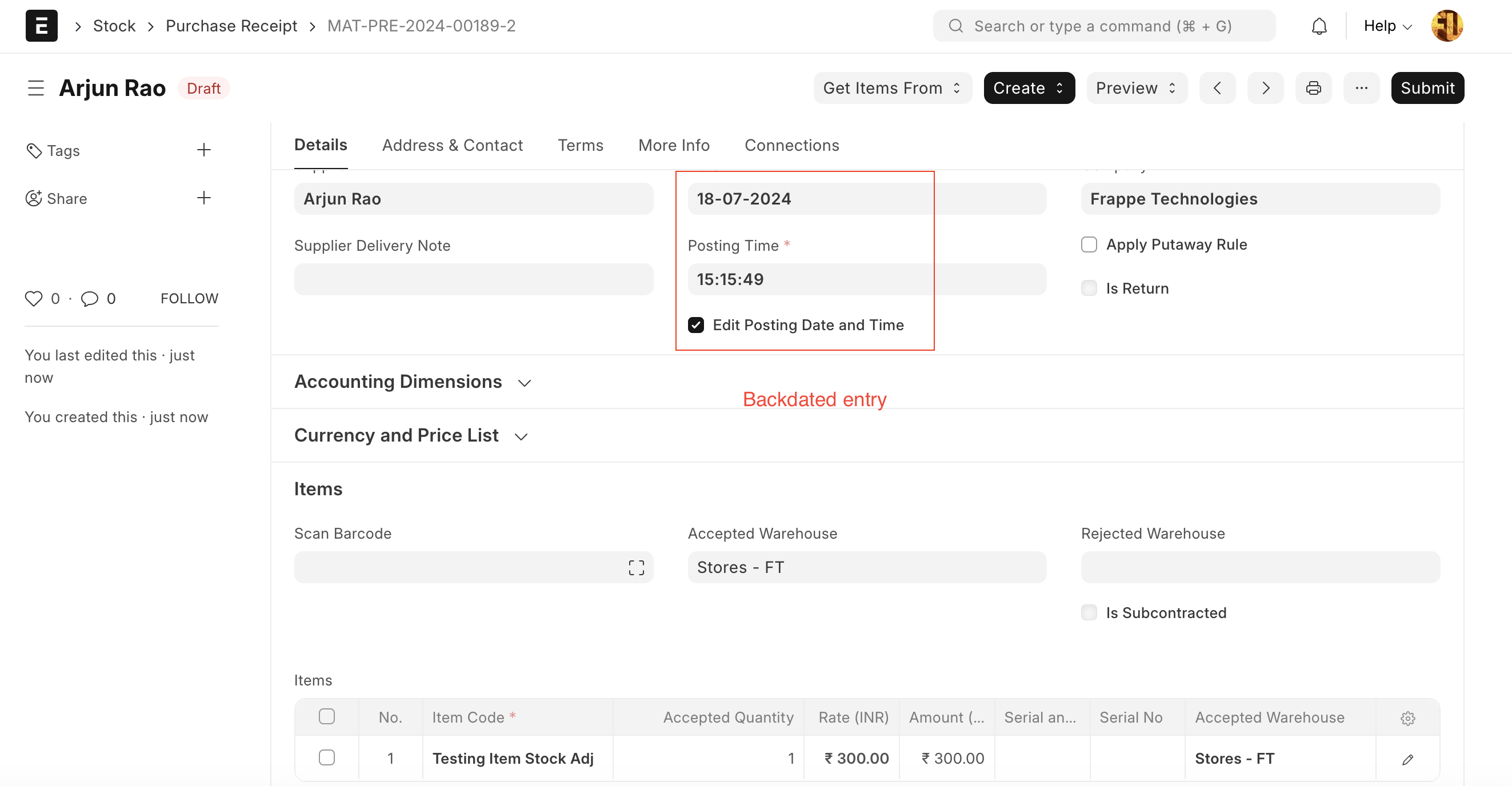
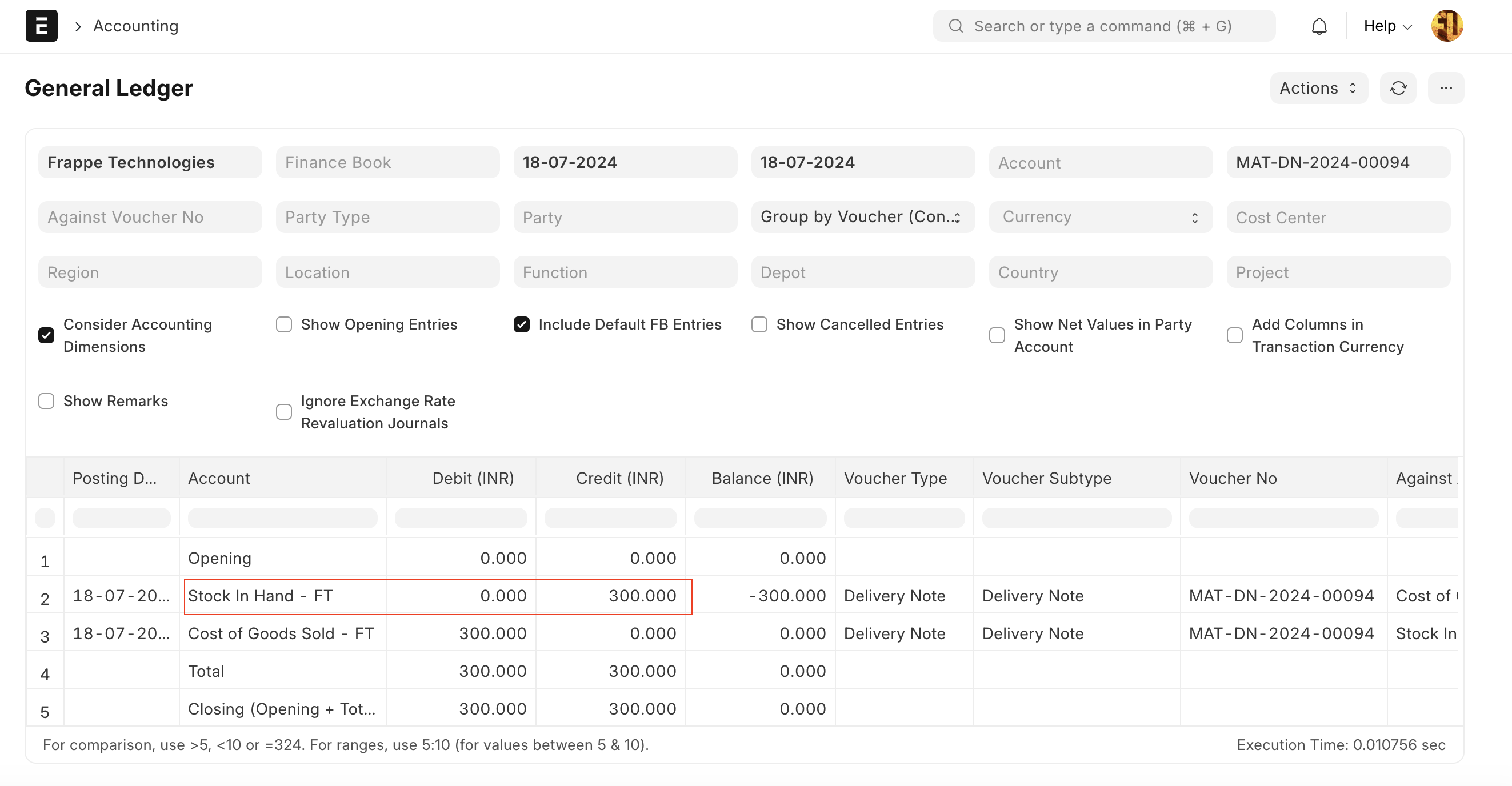
On submission of the above back-dated purchase entry, the system will create a reposting entry that will fix the valuation rate of the delivery note. After the reposting, the Delivery Note's Valuation Rate changes from 100 to 300; therefore, the 'Stock In Hand' changes to 300.