


















Invoice Discounting
Invoice Discounting uses unpaid Sales Invoices as collateral for short-term financing from a Bank or finance company. ERPNext tracks the financed invoices, loan period, Bank charges, status, and the accounts used when financing is sanctioned, disbursed, and settled.
Use this feature only after finance has approved the accounting design. The receivable remains connected to the Customer while the financing creates a separate obligation to the lender.
Before you begin
You need:
- one or more submitted Sales Invoices with an outstanding balance;
- a Company Bank Account and Bank ledger;
- short-term loan and Bank charges accounts;
- Accounts Receivable credit, discounted, and unpaid accounts configured for the workflow;
- agreed financing amount, period, fees, recourse terms, and settlement process.
Test the complete lifecycle with finance before using it for live financing. The account names in examples are illustrative and must match your Chart of Accounts and policy.
Create Invoice Discounting
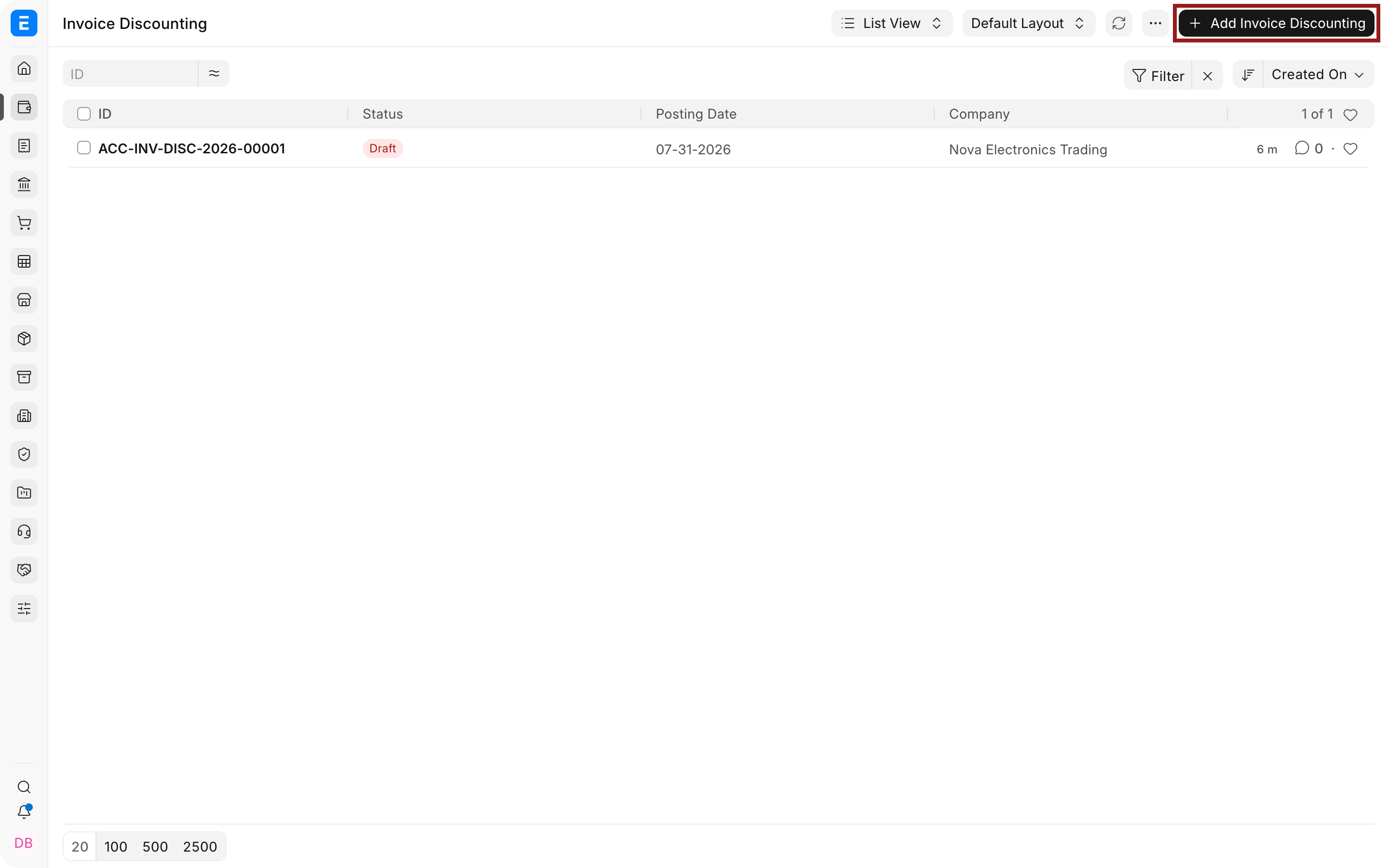
- Go to Accounting > Banking > Invoice Discounting.
- Select Add Invoice Discounting.
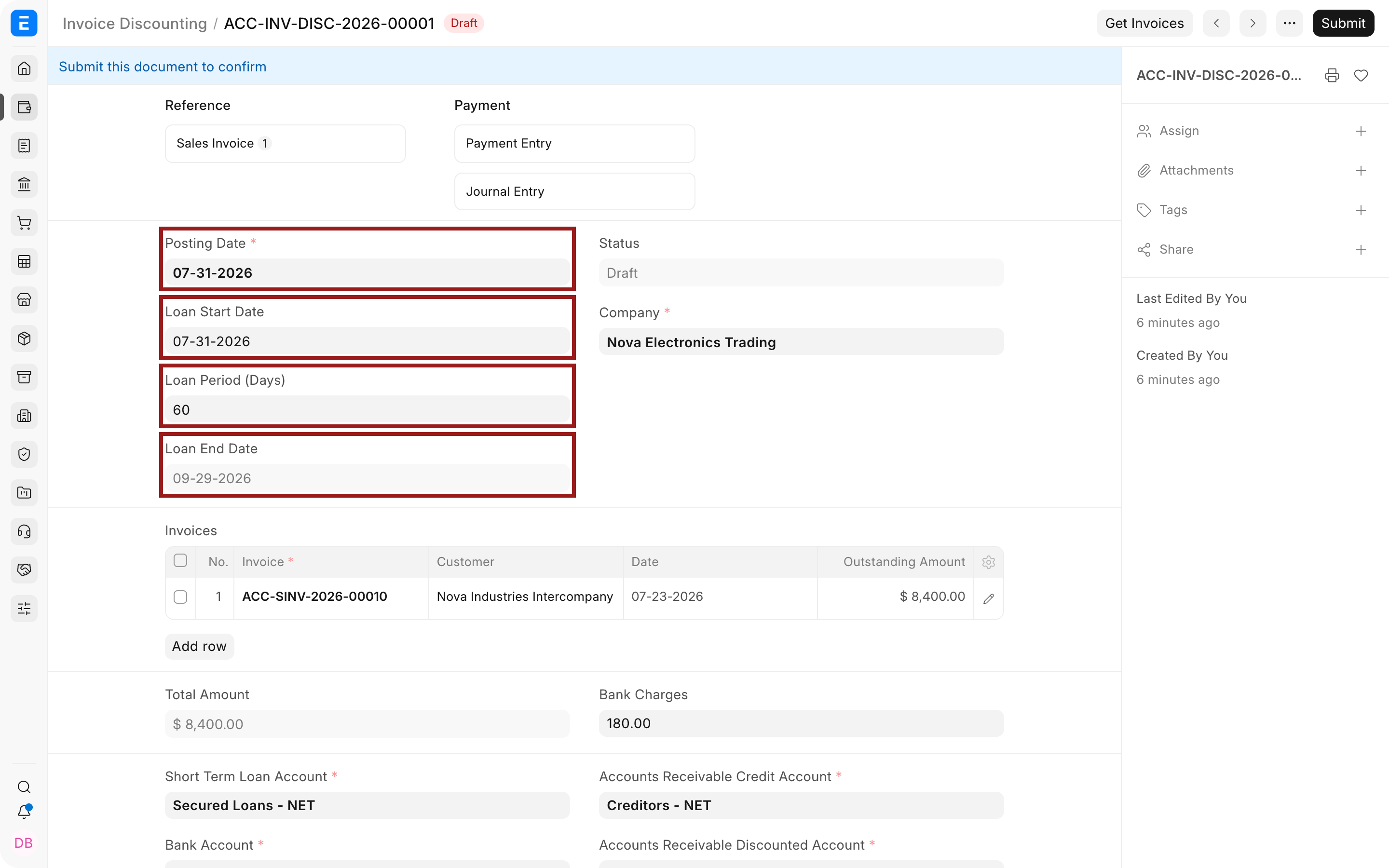
- Select the Company and enter the Posting Date.
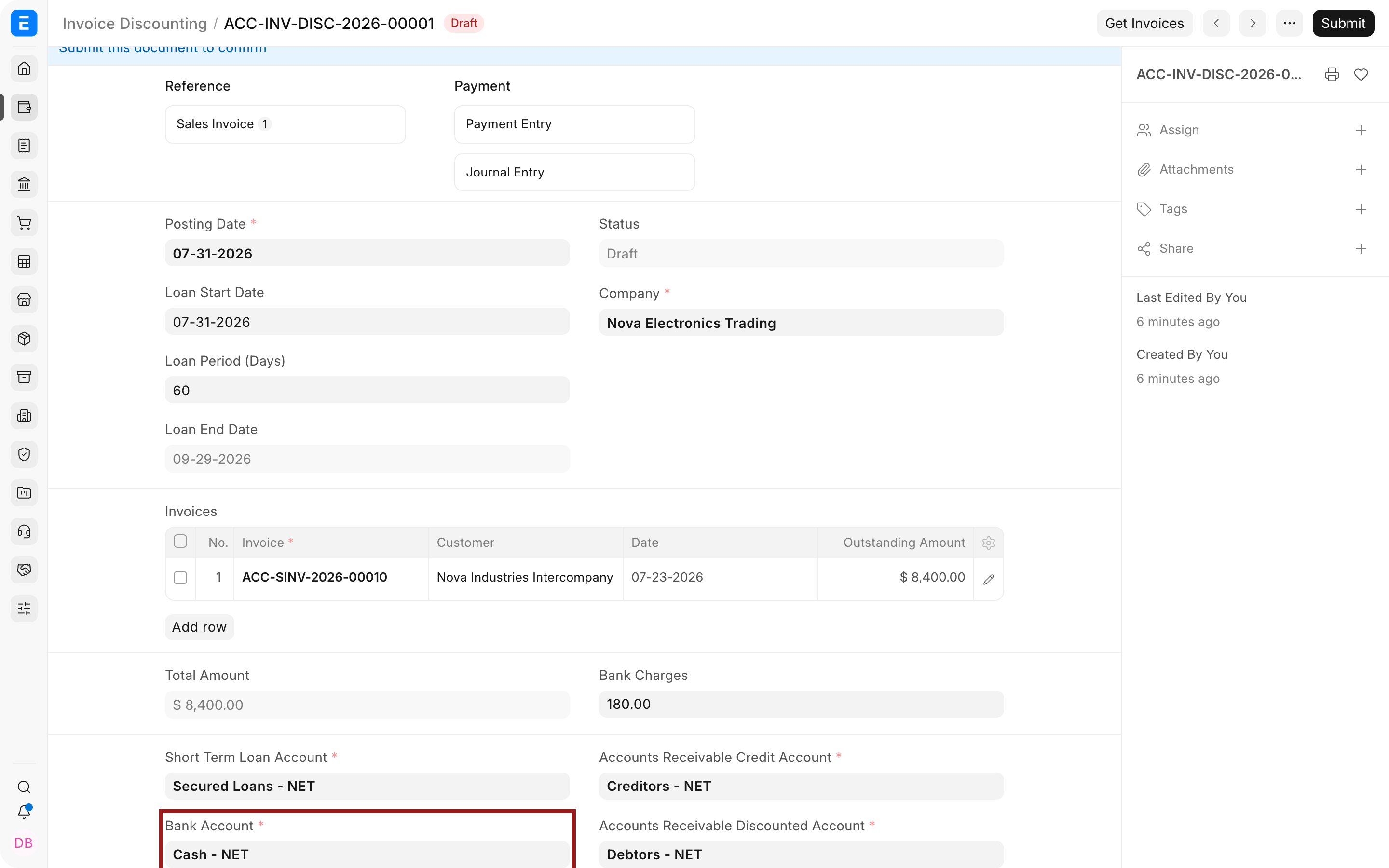
- Enter the Loan Start Date and Loan Period (Days). Verify the calculated Loan End Date against the lender agreement.
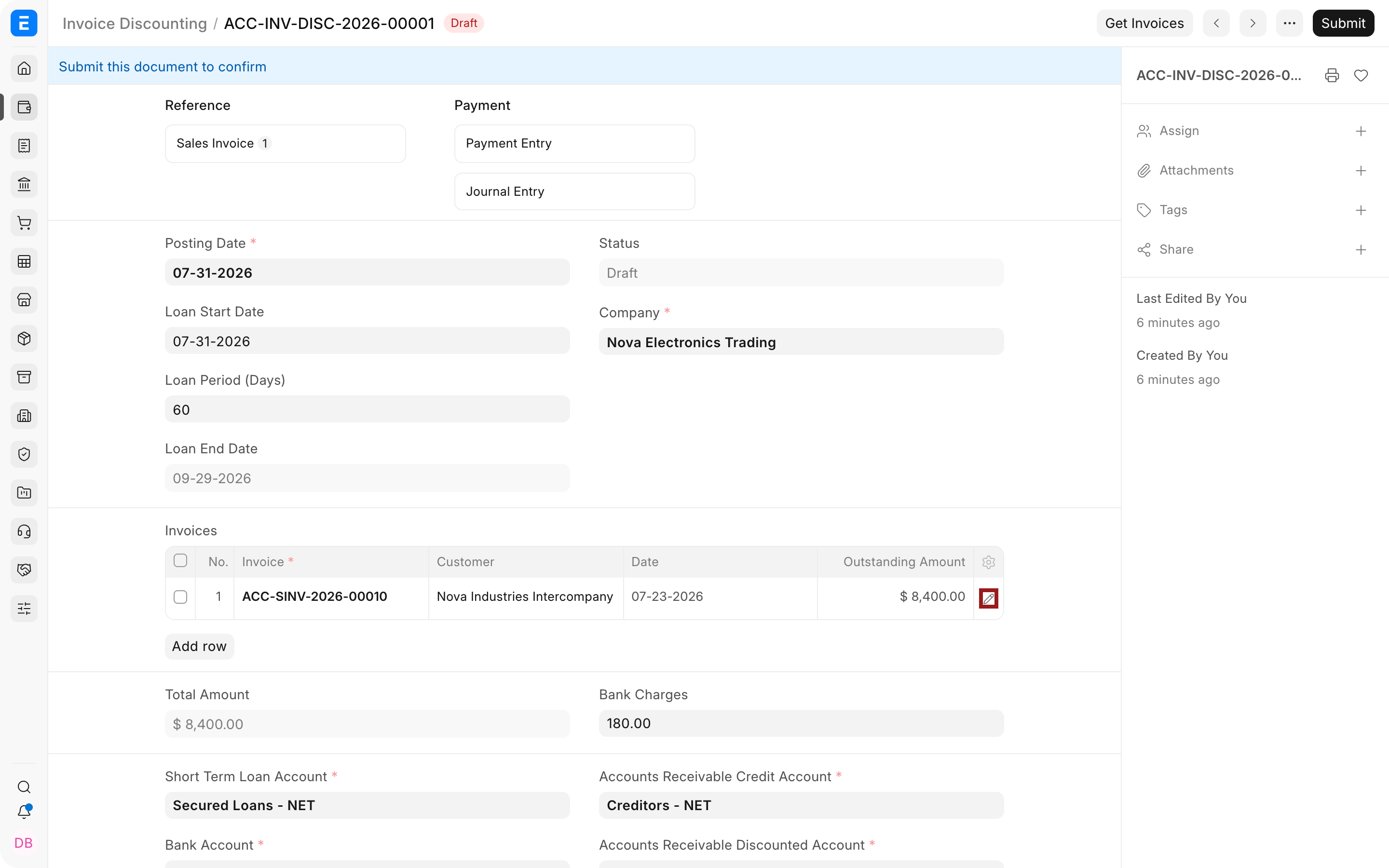
- Select Get Invoices or add eligible Sales Invoices to the Invoices table.
- Verify the Customer, date, outstanding amount, and receivable account for every row.
- Select the highlighted pencil icon to open the full discounted-invoice row when you need to inspect row details.
- Enter Bank charges and verify the Total Amount.
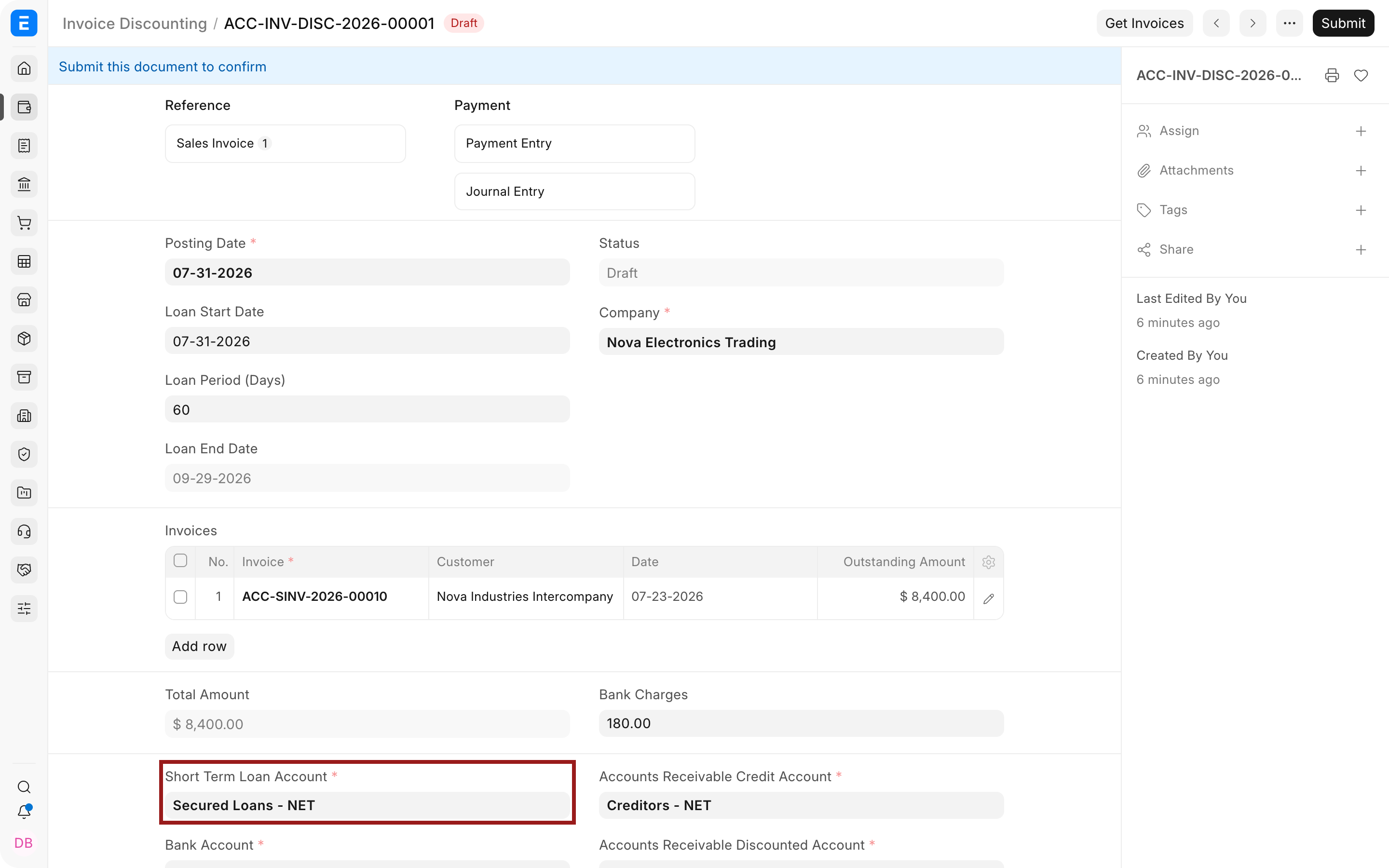
- Select the Short Term Loan Account.
- Select the Bank Account that receives the disbursement.
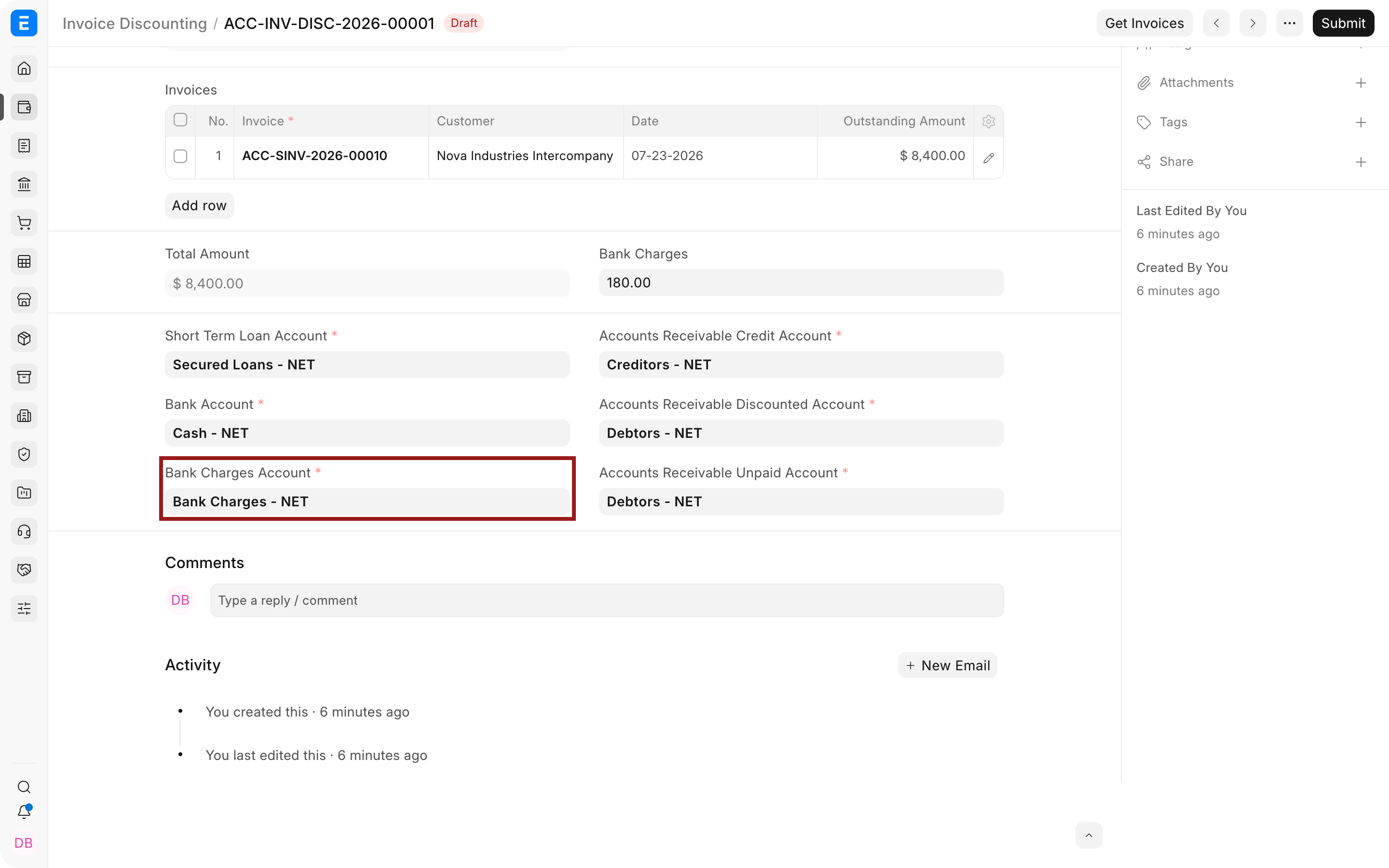
- Select the Bank Charges Account and the three Accounts Receivable control accounts.
- Save and submit after the selected invoices and accounts have been reviewed.
Important fields and what they mean
| Field | What it controls |
|---|---|
| Posting Date | Accounting date for the workflow action. |
| Loan Start Date | Date financing begins. |
| Loan Period | Financing duration in days. |
| Loan End Date | Expected maturity or settlement date. |
| Status | Draft, Sanctioned, Disbursed, Settled, or Cancelled stage. |
| Invoices | Sales Invoices pledged or discounted. Each must have an eligible outstanding amount. |
| Total Amount | Total outstanding value represented by selected invoices. |
| Bank Charges | Fees deducted or charged by the financier. |
| Short Term Loan Account | Liability account for the financing obligation. |
| Bank Account | Ledger receiving the disbursed funds. |
| Bank Charges Account | Expense account for financing fees. |
| Accounts Receivable Credit Account | Control account used when receivables are credited in the financing entries. |
| Accounts Receivable Discounted Account | Tracks receivables assigned or discounted. |
| Accounts Receivable Unpaid Account | Tracks financed invoices that remain unpaid under the configured lifecycle. |
Status and lifecycle
| Status | Operational meaning |
|---|---|
| Draft | Financing proposal is being prepared and has not posted the lifecycle actions. |
| Sanctioned | Lender has approved the facility or selected invoices. |
| Disbursed | Funds have been received and the financing obligation is active. |
| Settled | Customer receipt and lender settlement have completed the financing lifecycle. |
| Cancelled | The arrangement was canceled under ERPNext cancellation rules. |
Use the actions available on the document to move through sanctioned, disbursed, and settled stages. Review every generated Journal Entry and Payment Entry before submission.
When the Customer pays
Record the Customer receipt using the agreed collection route. Depending on whether the Customer pays your Company or the lender, the accounting and bank movement may differ. Follow the facility agreement and the configured ERPNext workflow.
After collection:
- allocate the receipt to the correct Sales Invoice;
- settle the lender liability and fees;
- update the Invoice Discounting status;
- confirm that the Customer outstanding, discounted receivable, Bank, and loan balances are correct;
- reconcile the bank statement.
Use Payment Reconciliation only when allocations need adjustment. Do not use reconciliation to hide an incorrect accounting entry.
Controls and reporting
Maintain evidence for lender approval, disbursement, charges, pledged invoices, Customer receipts, and settlement. Reconcile:
- the Invoice Discounting register to short-term loan balances;
- discounted and unpaid receivable accounts to individual invoices;
- disbursement and settlement to Bank Transactions;
- charges to lender statements and agreements;
- maturity dates to open facilities.
Prevent the same Sales Invoice from being financed twice unless the product and agreement explicitly support it and the remaining eligible balance is clear.
Troubleshooting
Get Invoices returns no records
Confirm that Sales Invoices are submitted, belong to the selected Company, have an outstanding balance, and are not already fully allocated to another discounting record.
An account cannot be selected
Check its Company, root type, group status, and currency. Use ledger accounts, not groups, and confirm the account purpose with finance.
The disbursed amount differs from the invoice total
Review Bank charges, holdbacks, advance rates, and lender deductions. Record each difference in the correct account instead of forcing the Bank amount to equal the gross invoice value.
The Customer paid after the loan maturity date
Follow the lender agreement for interest, penalties, or recourse. Record additional charges separately and settle the open liability using supported vouchers.
Frequently asked questions
Does Invoice Discounting sell the invoice?
Not always. The legal and accounting substance depends on the agreement, recourse, control, and local standards. Confirm treatment with finance and auditors.
Can several invoices be financed together?
They can when eligible. Add each invoice row and verify the outstanding amount and Customer.
Does creating the record receive money automatically?
It does not at the draft stage. Use the documented lifecycle action and verify the generated accounting entries when funds are disbursed.