


















Nova Industries is a fictional electronics manufacturer and distributor. It buys 1,250 metres of cable at USD 1.2375 per metre. If the purchase rate is displayed with only two decimal places, employees see USD 1.24 and may assume the amount was entered incorrectly. If the company increases precision everywhere without a reason, reports become harder to read and users may mistake display detail for accounting accuracy.
Precision controls how many decimal places ERPNext calculates or displays for Float, Currency, and Percent values. Nova uses a sensible site-wide precision for most records and applies a field-specific override only when a real measurement or pricing process needs more detail. Precision is related to rounding, but it is not the same decision as the rounding method.
Set site-wide precision
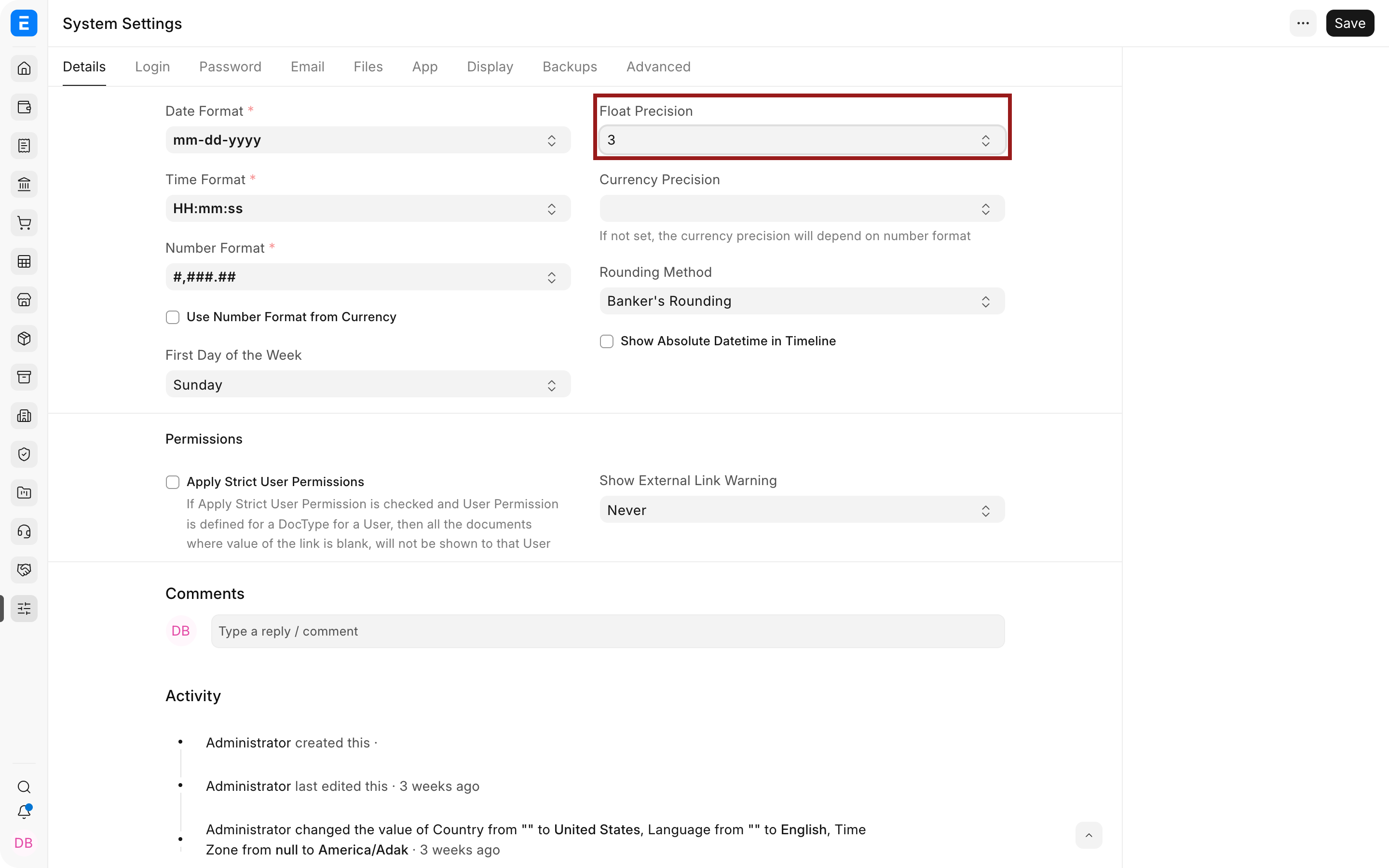
Open System Settings and review Float Precision and Currency Precision. Float Precision affects values such as quantity or conversion factor. Currency Precision affects monetary values such as rate and amount.
| Setting | Example | Result |
|---|---|---|
| Float Precision = 3 | Quantity 1.275 | ERPNext displays three decimal places where the field follows the global precision. |
| Currency Precision = 2 | USD 699.50 | Common cent-based amounts display two decimal places. |
| Currency Precision = 4 | Rate USD 1.2375 | Useful when Nova buys a high-volume component priced below one cent increments. |
| Rounding Method | Midpoint value such as 2.345 | Determines how a value is rounded when precision is applied. Review it separately in System Settings. |
Override one field with Customize Form
Use Customize Form only when one field genuinely needs different precision. Select the DocType and field, set its Precision property, save, and reload. For example, Nova can show four decimal places on an Item rate while keeping ordinary financial totals at two decimals.
Verify the result downstream
Create a draft Purchase Invoice or Purchase Order with quantity 1,250 and rate 1.2375. Confirm the entered rate, calculated amount, taxes, rounded total, print format, and General Ledger result follow the intended policy. Display precision alone is not proof that the stored and posted value is correct.
Troubleshooting
A field still shows fewer decimals
The field may have its own Precision property or be formatted by a Currency. Reload metadata and inspect the field through Customize Form.
The total differs from a manual calculation
Compare quantity, conversion factor, rate, tax precision, smallest currency fraction, rounded total, and rounding method. Do not fix a policy mismatch by adding arbitrary decimals.
Reports and forms display different precision
Reports may apply their own column precision or Currency formatting. Verify the report definition and linked Currency.
Frequently asked questions
Does higher precision make accounting more accurate?
More displayed decimals help only when the source measurement or price is genuinely that precise. False precision can make reports harder to interpret.
Can quantity and currency use different precision?
Float Precision and Currency Precision are separate controls, and individual fields can have overrides.
Does changing precision rewrite old transactions?
It can change how values are displayed, but it should not be assumed to recompute or correct submitted accounting entries. Test reports and documents before rollout.
When should a field-specific override be used?
Use it when one operational value, such as a commodity rate or measurement, requires more detail than the rest of the site.