


















Asset Value Adjustment
Imagine an independent valuation shows that a Nova Industries machine is worth $8,000 less than its current book value. If the accountant changes the value only in a spreadsheet, the Asset record and General Ledger will no longer agree.
Asset Value Adjustment records the new value on a specific date and posts the accounting effect through the configured accounts. This keeps the revised carrying value, future depreciation, and ledger history connected.
Before you begin
Obtain an approved valuation, confirm the effective date, select the correct Finance Book, and identify the difference account and cost center.
Create the adjustment
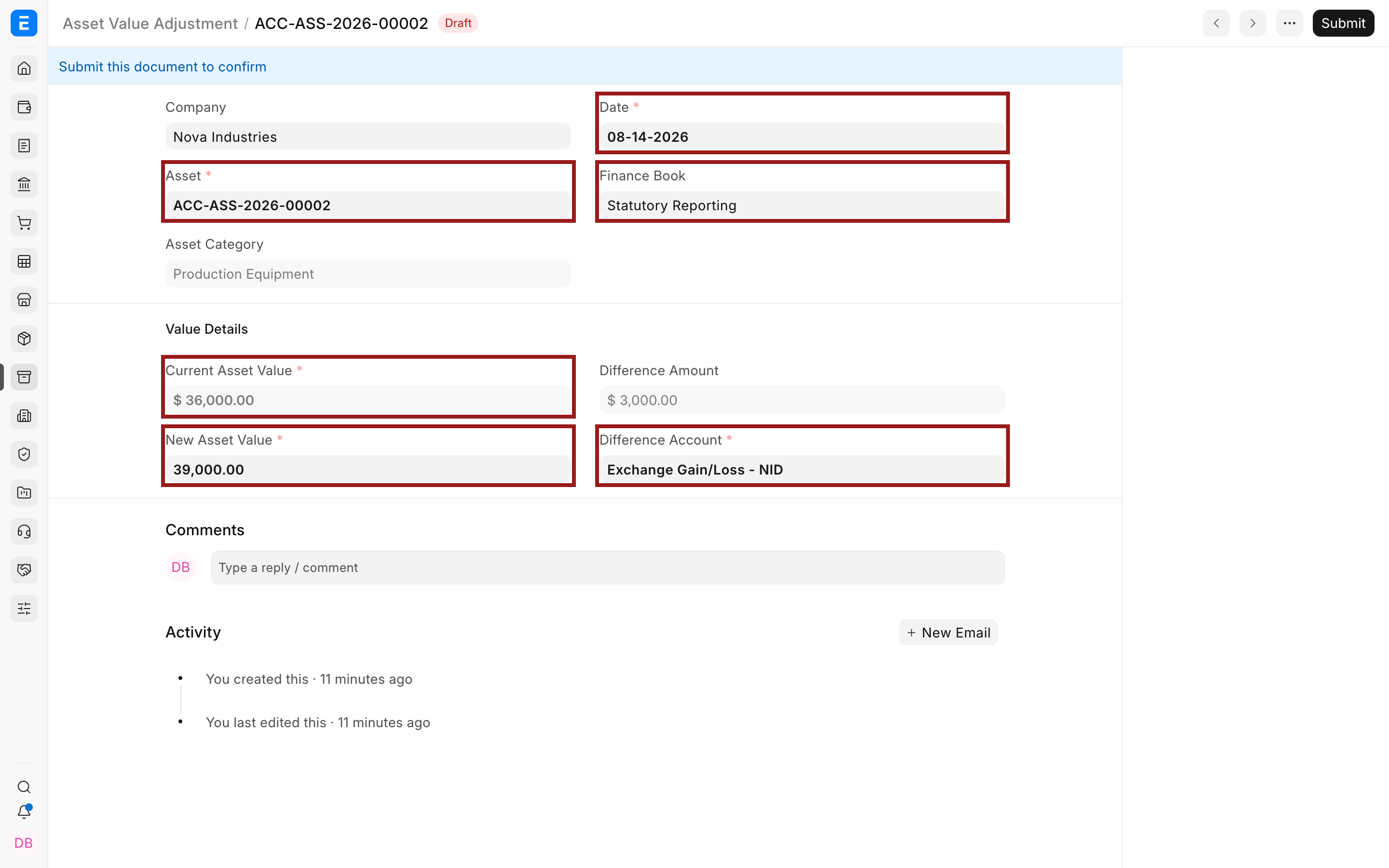
- Select the Asset and date.
- Select the Finance Book when the change applies to one reporting basis.
- Review the Current Asset Value.
- Enter the New Asset Value.
- Select the Difference Account and cost center.
- Submit and open the linked Journal Entry.
Verify the result
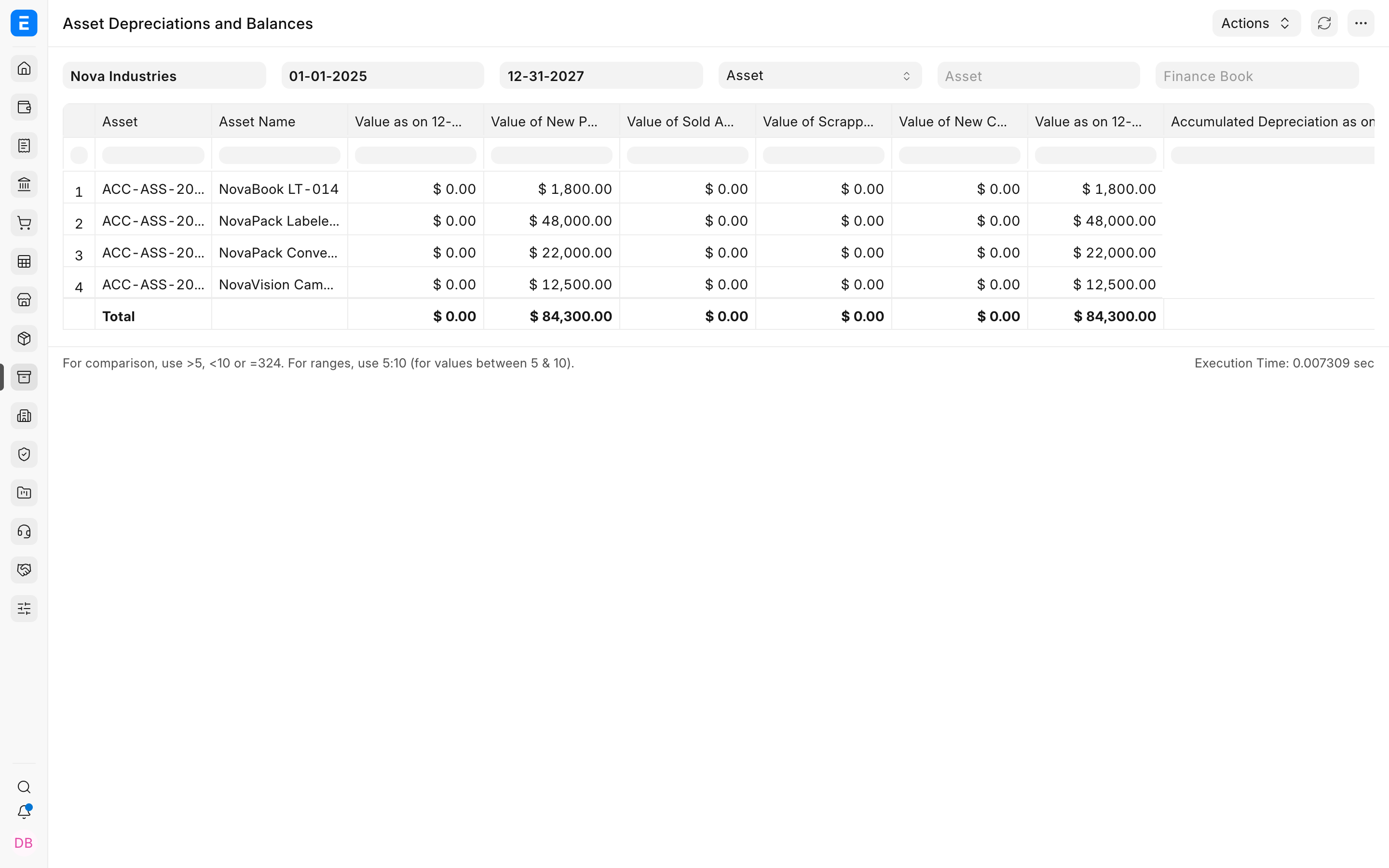
Confirm the Asset's carrying value and future depreciation schedule changed only for the intended Finance Book. Use Asset Depreciations and Balances to reconcile the result.
Troubleshooting
Current value is not what the valuation expected
Check the Finance Book, effective date, booked depreciation, and earlier value adjustments.
The difference posts to the wrong account
Cancel or reverse according to policy, then correct the category or selected Difference Account before reposting.
Frequently asked questions
Is this the same as depreciation?
In ERPNext, no. Depreciation follows a schedule; value adjustment records a separate approved change in carrying value.
Can I adjust only one Finance Book?
In ERPNext, yes. Select it explicitly and verify reports using the same filter.
Does the adjustment create a Journal Entry?
A submitted adjustment creates or links the accounting entry for the difference.