


















Purchasing in Different UoM
Imagine Nova Industries counts adapters individually but Keystone Cables sells them in boxes of 20. The supplier quotes 10 boxes, while the warehouse expects 200 pieces. If a buyer manually converts this every time, one wrong factor can overstate cost, stock, or the quantity still due.
ERPNext lets you buy in a Purchase UOM and keep stock in a different Stock UOM. The conversion factor translates the commercial quantity into the quantity used by the Stock Ledger.
Set up the conversion once
- Open the Item.
- Keep Stock UOM as the unit used to count inventory, such as Nos.
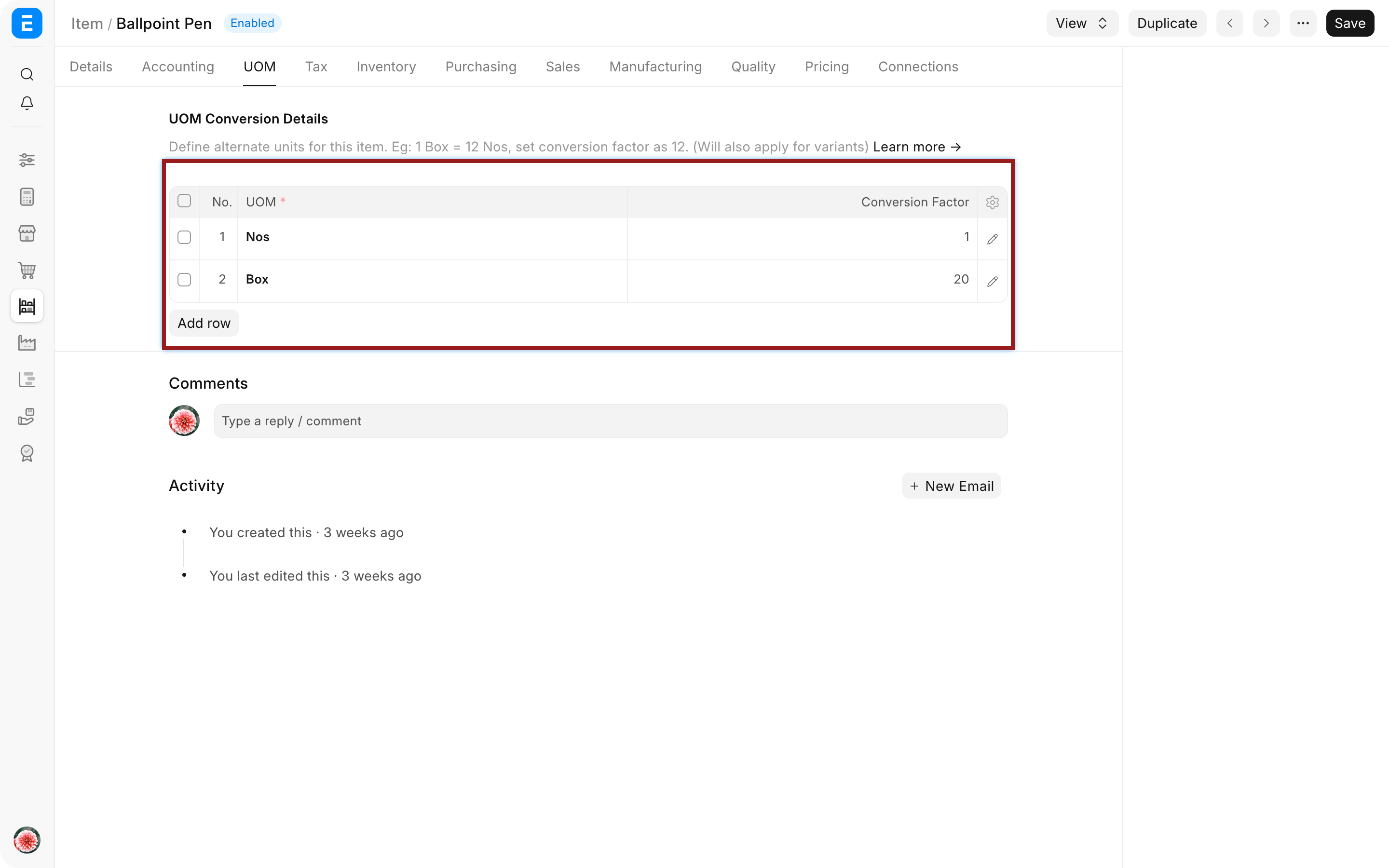
- In the UOM conversion table, add Box.
- Set the conversion factor to 20 because one Box contains 20 Nos.
- Set the default Purchase UOM when most purchases use Boxes.
- Save the Item.
Use the purchase UOM in a transaction
- Create a Purchase Order or fetch the Item from an upstream document.
- Set the item-row UOM to Box.
- Enter quantity 10.
- Confirm that Qty in Stock UOM becomes 200 and the conversion factor is 20.
- Check whether the supplier's rate is per Box.
- Save and submit after reviewing the amount.
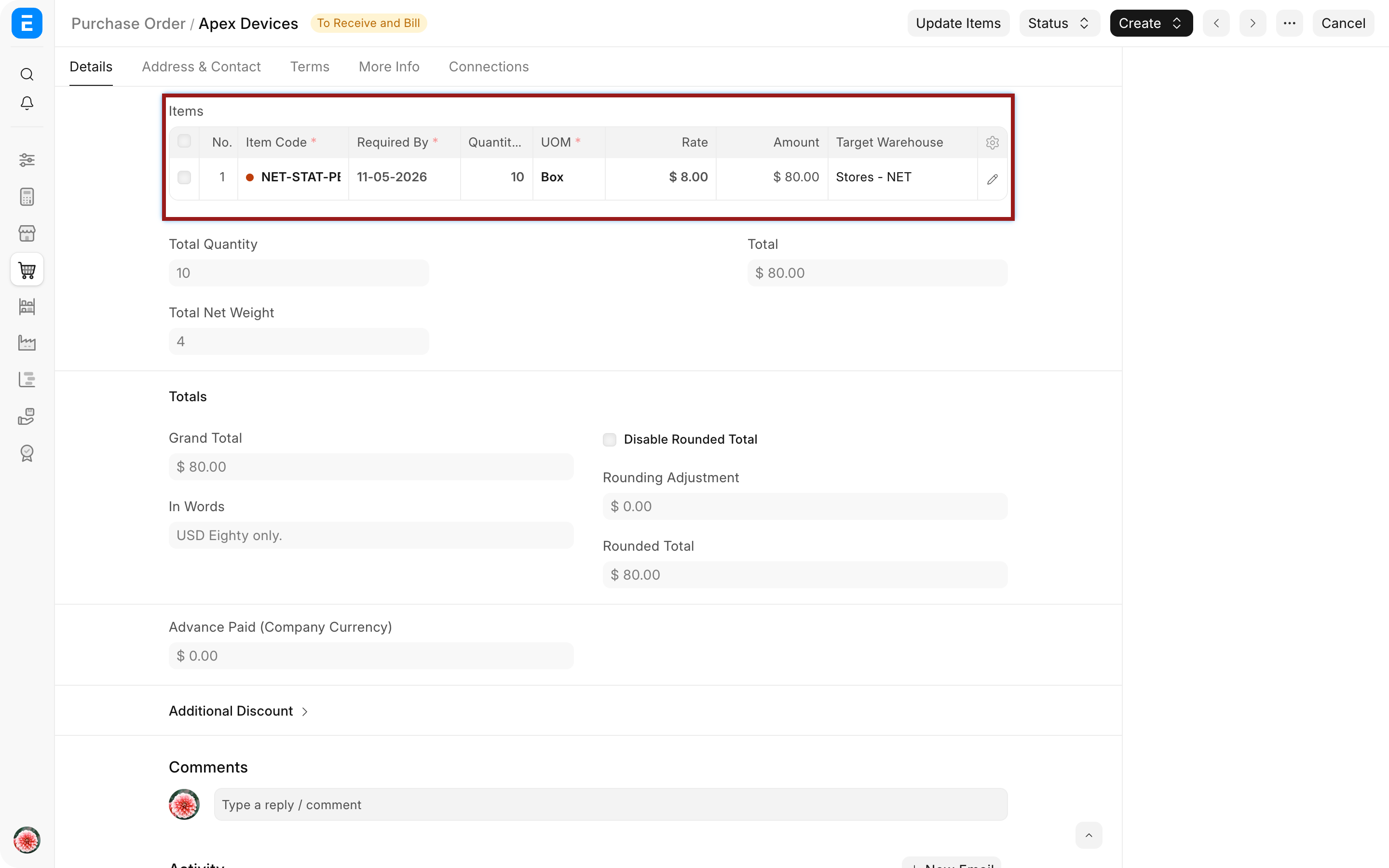
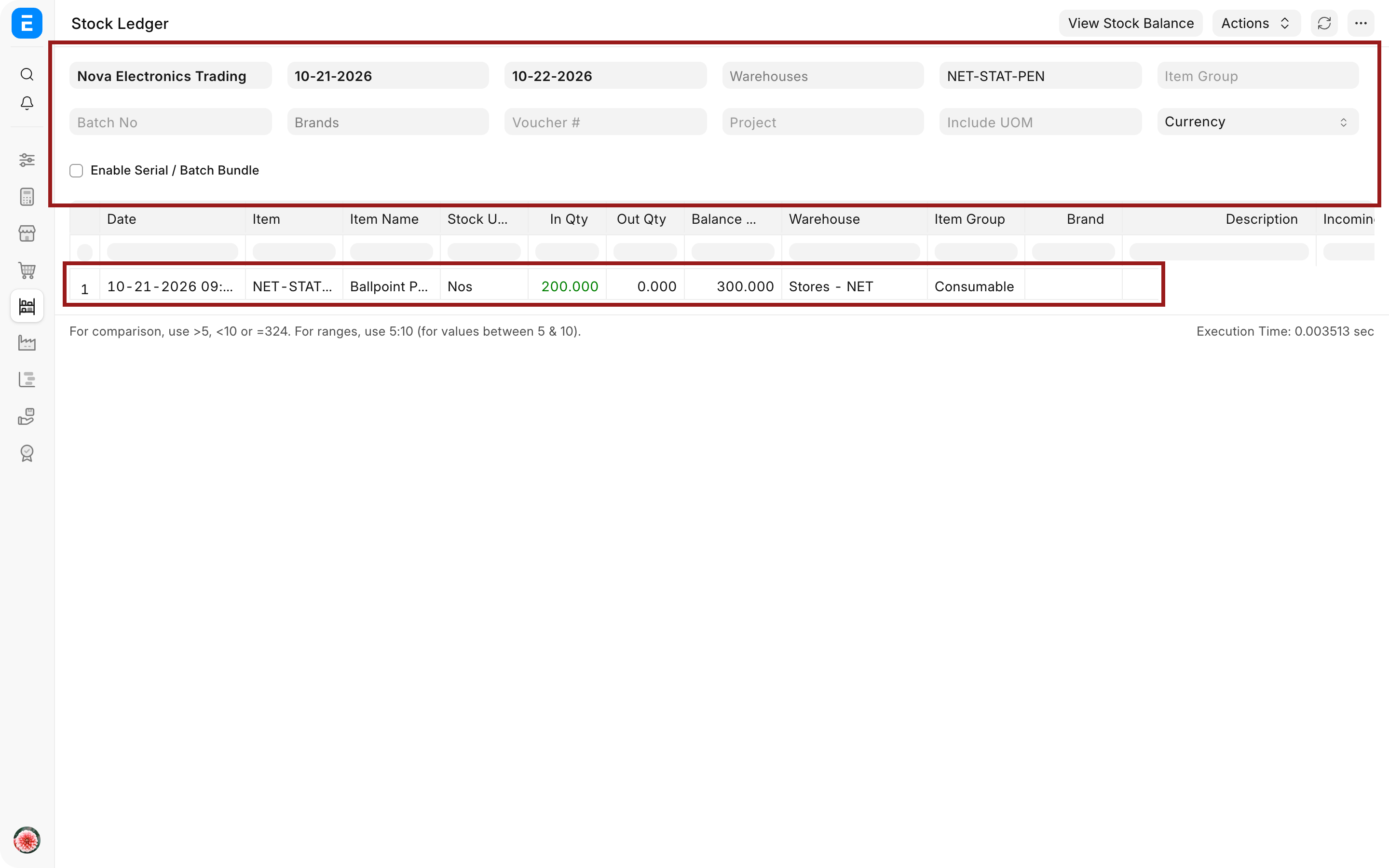
The printed Purchase Order can show 10 Boxes so the Supplier sees the commercial unit. The Purchase Receipt and Stock Ledger ultimately record 200 Nos in the stock unit.
Understand quantity and rate
| Value | Example | Meaning |
|---|---|---|
| Purchase quantity | 10 | Number of Boxes ordered |
| Purchase UOM | Box | Unit understood by the Supplier |
| Conversion factor | 20 | Stock units in one purchase unit |
| Stock quantity | 200 | Nos added to inventory |
| Purchase rate | $360 per Box | Rate must use the purchase UOM |
| Implied stock-unit rate | $18 per No | Used to understand valuation per stock unit |
Changing the UOM without checking the rate can multiply or divide the document value incorrectly. Review both whenever the conversion changes.
Troubleshooting
Stock quantity is much higher or lower than expected
Check the UOM and conversion factor in the item row. Confirm whether the factor means stock units per purchase unit, such as 20 Nos per Box.
The supplier's rate looks incorrect
Confirm whether the quote is per Box or per No. ERPNext does not know that a typed rate was intended for another UOM.
The required UOM is not available
Create the UOM and add its conversion to the Item. Avoid changing the conversion on an existing historical document merely to fit a new package size.
Receipt quantity differs from the Purchase Order
Compare the UOM, conversion factor, and stock quantity on both documents. Fetching the receipt from the order normally carries these values forward.
Frequently asked questions
Which UOM appears in the Stock Ledger?
The Stock Ledger posts the Stock UOM. Purchase documents can display the Purchase UOM for supplier communication.
Can one Item have several purchase UOMs?
One Item can have several purchase UOMs. Add each valid UOM and conversion factor, then choose the appropriate one on the transaction.
Can the conversion factor change over time?
A new package size can use a new UOM or an updated master for future transactions. Preserve submitted historical documents and confirm how open orders should be handled.
Configure the conversion on Item and UOM, then use it consistently in Request for Quotation, Supplier Quotation, Purchase Order, Purchase Receipt, and Purchase Invoice. Verify the stock effect through Stock Ledger, maintain rates through Item Price, review supplier-specific references in Supplier, and control exceptions through Buying Settings.