


















Drop Ship Between Subsidiary Companies
Use inter-company drop shipping when one Company sells to a Customer while goods are supplied directly by another Company in the same ERPNext site. This combines the Drop Ship workflow with inter-company Customer and Supplier relationships.
Before you begin
Create or confirm:
- Both Companies in the same site.
- An internal Customer representing the supplying Company.
- An internal Supplier representing the selling Company.
- Represents Company and internal-party settings on both masters.
- Items, Warehouses, Price Lists, taxes, and inter-company accounts.
- Permissions for both Companies.
Review Inter Company Invoices before using the workflow. Each Company remains a separate accounting entity.
Configure internal parties
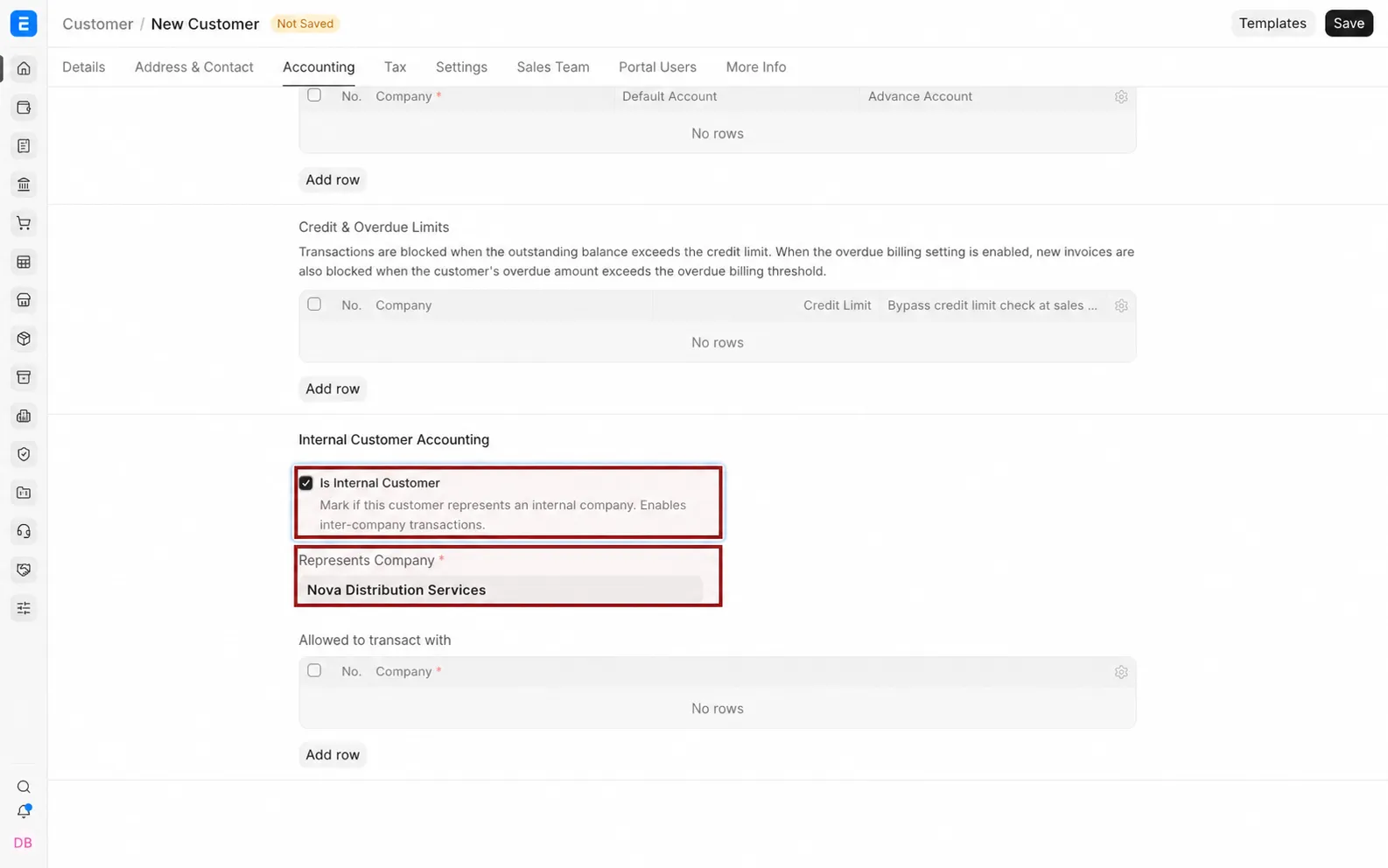
- Create a Customer for the Company that buys internally.
- Enable Is Internal Customer and select Represents Company.
- Create the reciprocal Supplier.
- Enable Is Internal Supplier and select the represented Company.
- Save both records.
Create the customer Sales Order
- In the selling Company, create a Sales Order for the external Customer.
- Add the Items.
- Select the highlighted pencil icon to open the Item row.
- Enable Drop Ship for the row.
- Select the Supplier that represents the supplying subsidiary.
- Save and submit.
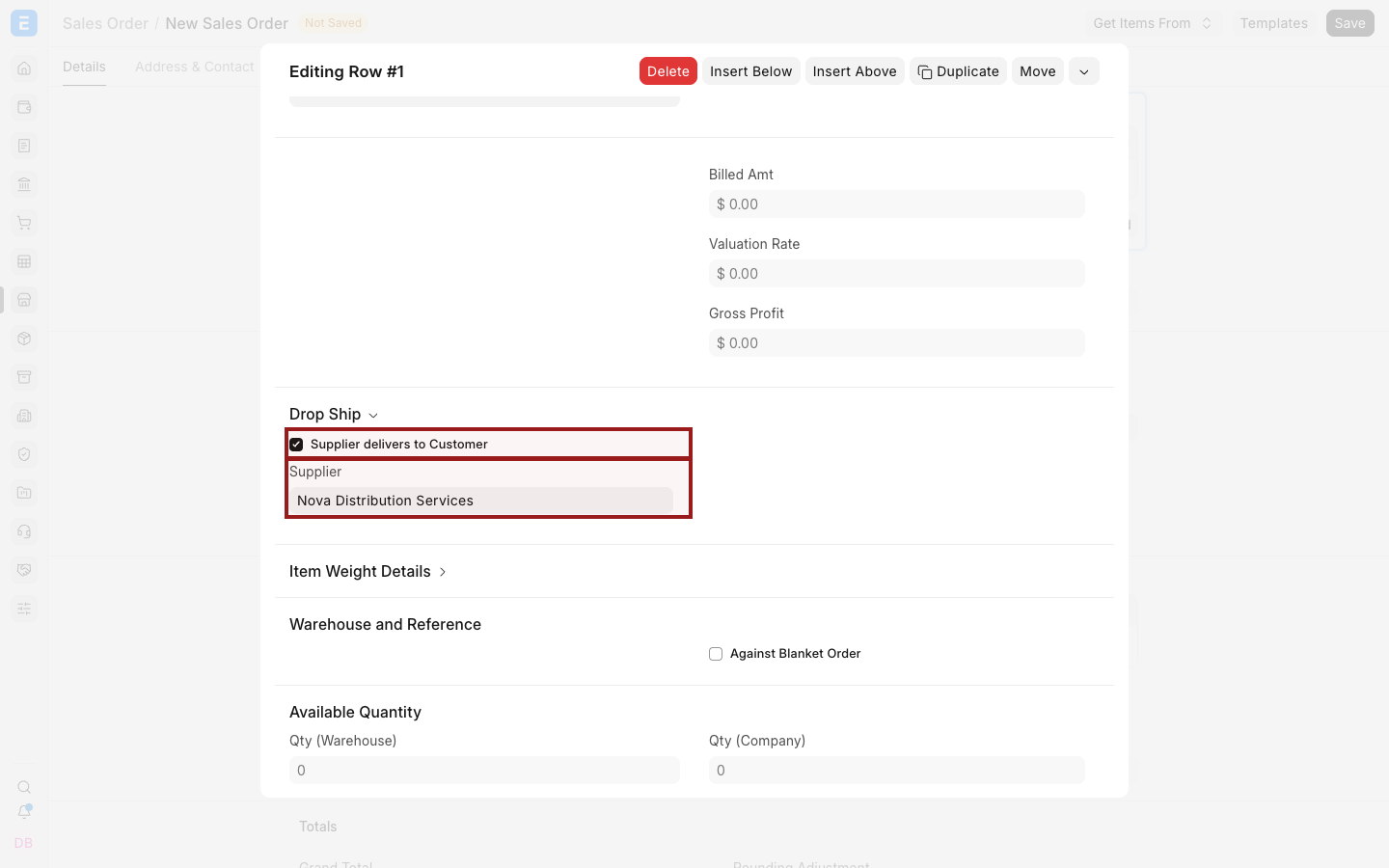
In a drop-ship flow, stock availability in the selling Company's Warehouse does not replace Supplier fulfilment planning.
Create the Purchase Order
From the submitted Sales Order:
- Select Create > Purchase Order.
- Choose the internal Supplier.
- Review the mapped external Customer delivery address and Items.
- Confirm the buying Company, schedule dates, rates, taxes, and terms.
- Save and submit.
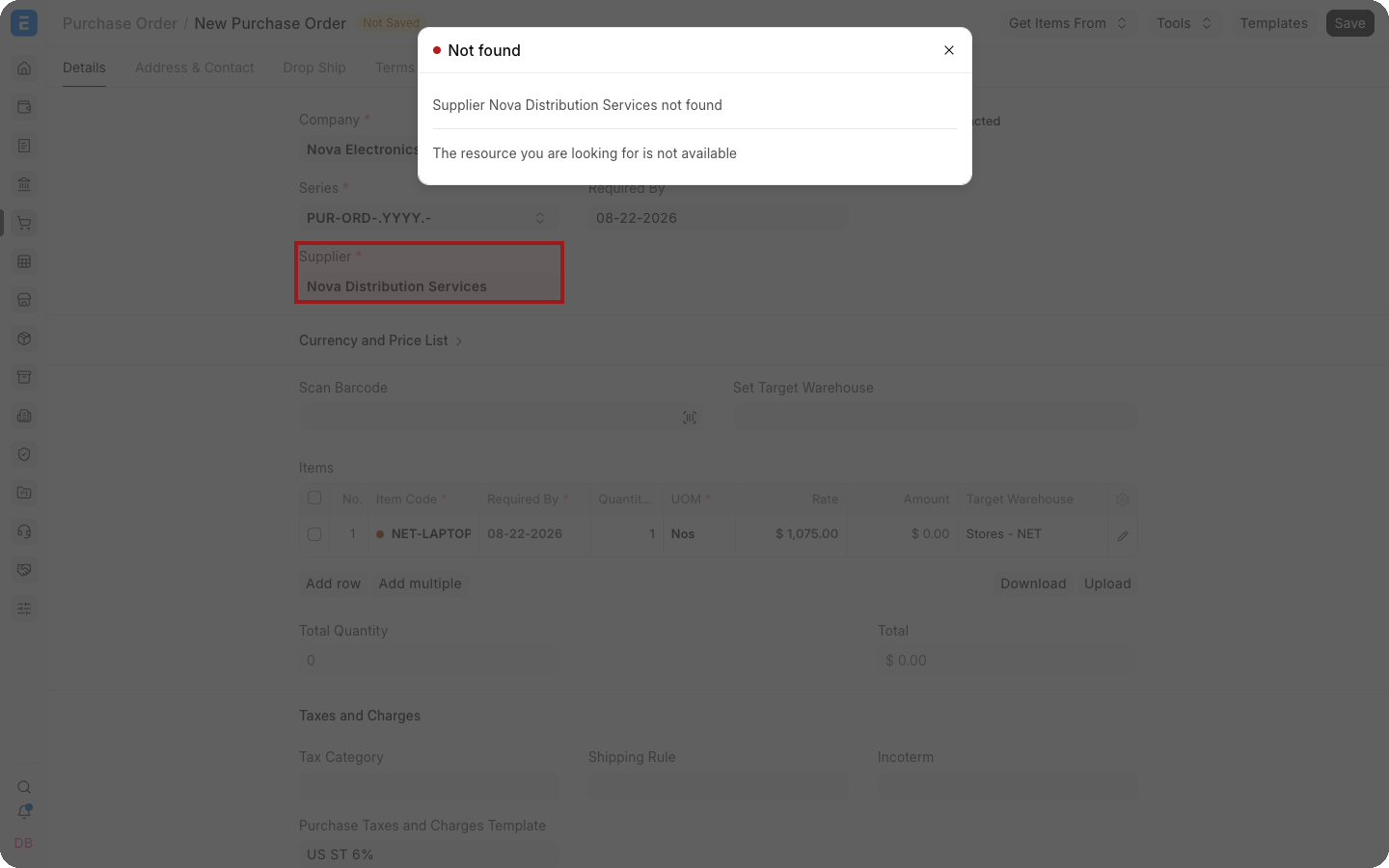
The Purchase Order instructs the supplying subsidiary to deliver directly to the external Customer.
Complete the inter-company documents
Create the corresponding internal sales and purchase invoices according to your inter-company transaction process. Then invoice the external Customer from the selling Company.
Keep these relationships clear:
| Relationship | Document |
|---|---|
| External Customer owes selling Company | External Sales Invoice |
| Selling Company owes supplying subsidiary | Internal Purchase Invoice |
| Supplying subsidiary bills selling Company | Internal Sales Invoice |
Tax and transfer-pricing requirements vary by jurisdiction. Configure them with qualified accounting advice.
Troubleshooting
| Problem | What to check |
|---|---|
| Internal Supplier cannot be selected | Confirm Is Internal Supplier, Represents Company, permissions, and disabled status |
| Purchase Order uses the wrong Company | Review the internal party relationship and mapped Company |
| Customer address is missing | Confirm the Sales Order shipping address and drop-ship row |
| Inter-company invoice is not generated | Review reciprocal Customer and Supplier masters and inter-company settings |
| Stock is moved in the selling Company | Confirm that the Item row uses Drop Ship and that no Delivery Note was created for that stock |
Frequently asked questions
Does the selling Company receive the goods?
No. In the intended drop-ship flow, the Supplier delivers directly to the external Customer.
Are inter-company invoices still required?
Yes. The Companies remain separate accounting entities even though they share an ERPNext site.
Can only selected lines be drop shipped?
Yes. Configure Drop Ship at the Item-row level and plan the remaining lines through the normal warehouse flow.
Does ERPNext determine legal transfer prices?
No. Configure internal rates and taxes according to your organization's policy and applicable law.