


















Promotional Scheme
A Promotional Scheme manages one or more discount slabs and generates the corresponding Pricing Rules. Use it when an offer needs several quantity or amount tiers, mixed-item conditions, cumulative purchases, or a discount on another Item.
Before you begin
Create the required:
- Items, Item Groups, or Brands.
- Customers, Customer Groups, Territories, Sales Partners, or Campaigns used as conditions.
- Selling or buying Price Lists and Item Prices.
Define the business rule in plain language before configuring slabs. Include eligible parties, items, dates, currency, warehouses, thresholds, and whether purchases accumulate.
Create a Promotional Scheme
- Open the Promotional Scheme list and select Add Promotional Scheme.
- Enter a descriptive title.
- Select what the scheme applies on: Item Code, Item Group, Brand, or Transaction.
- Add the eligible values in the table.
- Select Selling, Buying, or both.
- Add party conditions when the scheme is restricted.
- Add Price Discount or Product Discount slabs.
- Set validity, currency, warehouse, and priority when applicable.
- Save.
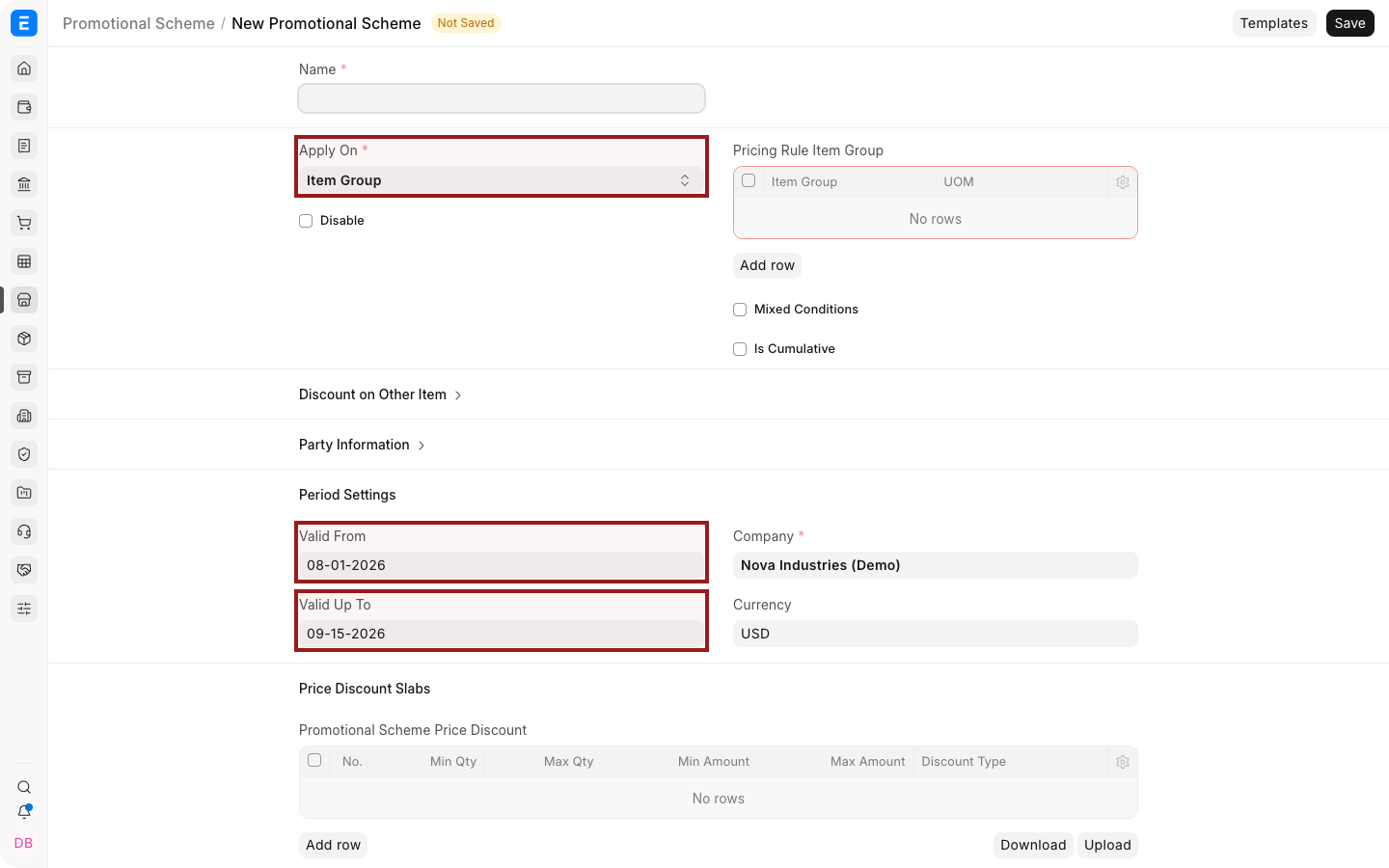
Saving the scheme creates linked Pricing Rules. Manage the scheme as the source of the slab configuration instead of editing generated rules independently without understanding the relationship.
Configure discount slabs
Each slab can use minimum and maximum quantity or amount thresholds.
| Field | What it controls |
|---|---|
| Min Qty / Max Qty | Quantity range that qualifies |
| Min Amt / Max Amt | Value range that qualifies |
| Rate or Discount | Price reduction for the qualifying slab |
| Product Discount | Free Item and quantity for the slab |
| Rule Description | Operational explanation of the offer |
| Warehouse | Limits the rule to Items selected from that Warehouse |
| Priority | Resolves conflicts with other applicable rules |
Leave a maximum blank only when the slab should have no upper limit. Avoid overlapping slabs unless the intended priority is explicit.
Mixed Conditions
Enable Mixed Conditions when quantities or values from several eligible Items should be combined before testing a threshold.
For example, if laptop sleeves and docks are both eligible and Min Qty is 10, the rule can qualify when their combined quantity reaches 10.
Cumulative purchases
Enable Is Cumulative when ERPNext should evaluate qualifying transactions over time for a party. Define amount thresholds and the applicable period. The discount applies to the transaction that crosses the threshold, not retroactively to earlier transactions.
Verify which submitted transaction types your current version includes in cumulative evaluation before launching the program.
Apply a scheme to another Item
Use Apply Rule On Other when the condition is based on one set of Items but the discount applies to another. Test the transaction with all required Items present.
Test the scheme
Create a new Quotation or Sales Order, select an eligible party, and add Items around each slab boundary.
The dot before an Item Code shows stock availability at a glance: green means in stock and red means out of stock. Use the highlighted pencil icon to open the full row editor when reviewing applied pricing details.
Troubleshooting
| Problem | What to check |
|---|---|
| No discount is applied | Verify generated Pricing Rules, eligibility, thresholds, dates, currency, warehouse, and transaction type |
| The wrong slab applies | Check overlapping ranges and boundary values |
| Cumulative totals seem incorrect | Confirm party, period, included transaction types, and submitted status |
| Another offer wins | Review priorities and overlapping Pricing Rules |
| A scheme change has no effect | Save the scheme and inspect its generated rules |
Frequently asked questions
When should I use a Promotional Scheme instead of a Pricing Rule?
Use a Promotional Scheme for several slabs or when one managed offer needs multiple generated rules.
Can a scheme apply to buying transactions?
Yes. Configure Buying applicability and the appropriate Supplier conditions.
Can a scheme give free Items?
Yes. Use Product Discount slabs.
Does a cumulative discount adjust earlier invoices?
No. It applies to the qualifying transaction that crosses the threshold.