


















Manage Foreign Exchange Difference
Because Nova Industries often receives international payments after invoicing, exchange rates can change before settlement.
Nova invoices a customer for EUR 1,200 when 1 EUR = 1.10 USD, so the receivable is worth USD 1,320. When the customer pays, the rate is 1.15 and the bank receives USD 1,380. The USD 60 difference must be recorded instead of being hidden by changing the payment amount.
The Payment Entry settles this realized difference through the configured Exchange Gain/Loss account. This differs from Exchange Rate Revaluation, which measures an unrealized change while a balance remains open. Use this page to record the settlement correctly and keep exchange movement separate from bank fees or write-offs.
Example
Nova Electronics Distribution issues a EUR 1,200 Sales Invoice when 1 EUR = 1.10 USD.
| Event | EUR | Rate | USD value |
|---|---|---|---|
| Invoice | 1,200 | 1.10 | 1,320 |
| Receipt | 1,200 | 1.15 | 1,380 |
| Realized exchange gain | 60 |
The Customer has paid the full EUR amount, so its EUR receivable becomes zero. The USD bank receives USD 1,380, while the original receivable carried USD 1,320. The USD 60 difference is a gain.
For a Supplier payment, the debit and credit direction changes. Whether the result is a gain or loss depends on the invoice and payment rates and whether the Company is receiving or paying the foreign currency.
Before you begin
Complete Multi Currency Setup. The foreign Customer or Supplier should use a matching receivable or payable account, and the bank or cash account should have its actual currency.
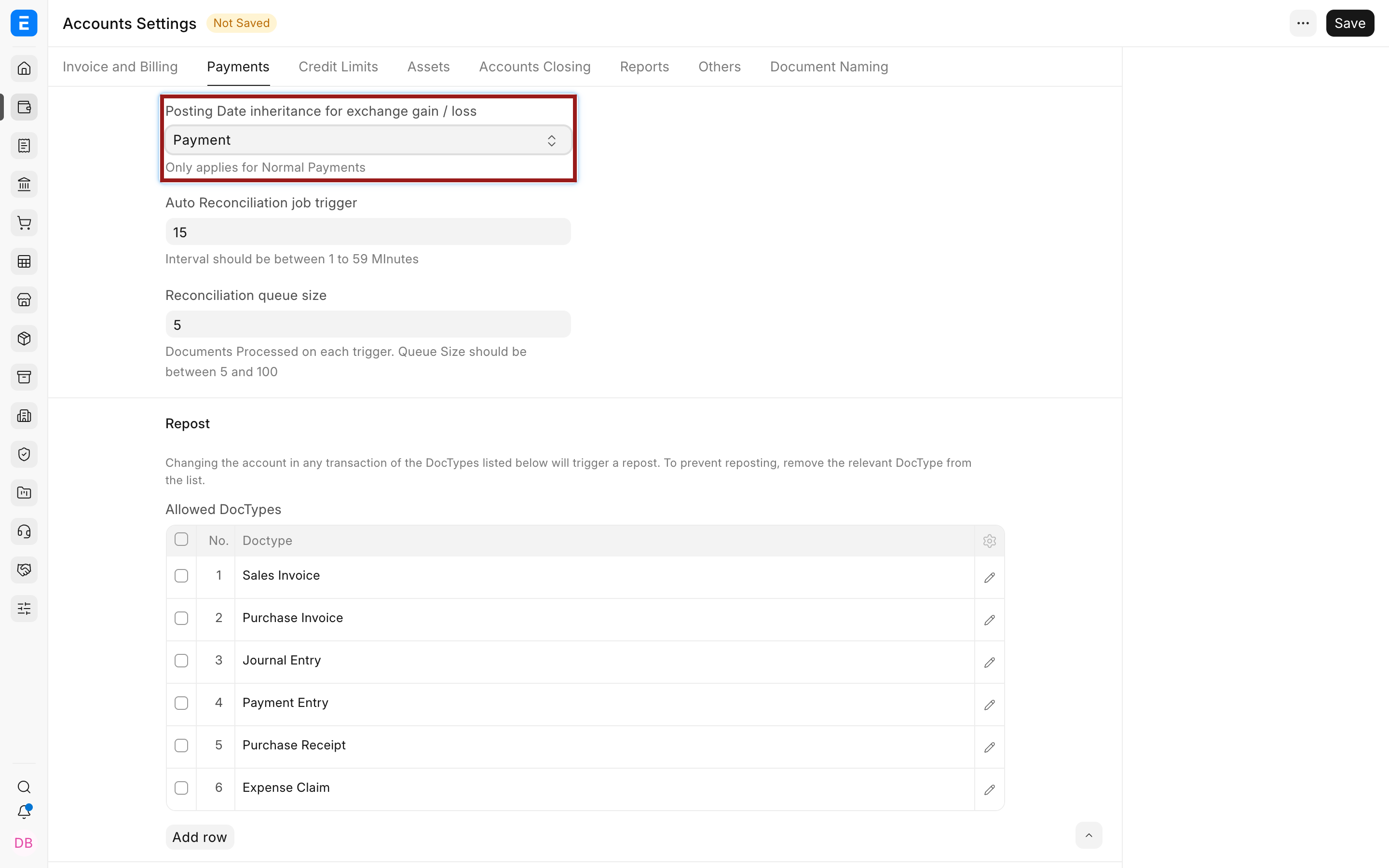
In the Company, configure Exchange Gain / Loss Account. Review Posting Date inheritance for exchange gain / loss in Accounts Settings, which can use the Invoice, Payment, or Reconciliation Date according to current develop options.
Confirm the transaction date and approved rate in Currency Exchange, or verify the provider settings.
Create the Payment Entry
The safest route is to create the Payment Entry from the submitted invoice so the reference and outstanding amount are carried forward.
- Open the submitted Sales Invoice or Purchase Invoice.
- Select Create > Payment.
- Confirm Payment Type, Company, Party Type, and Party.
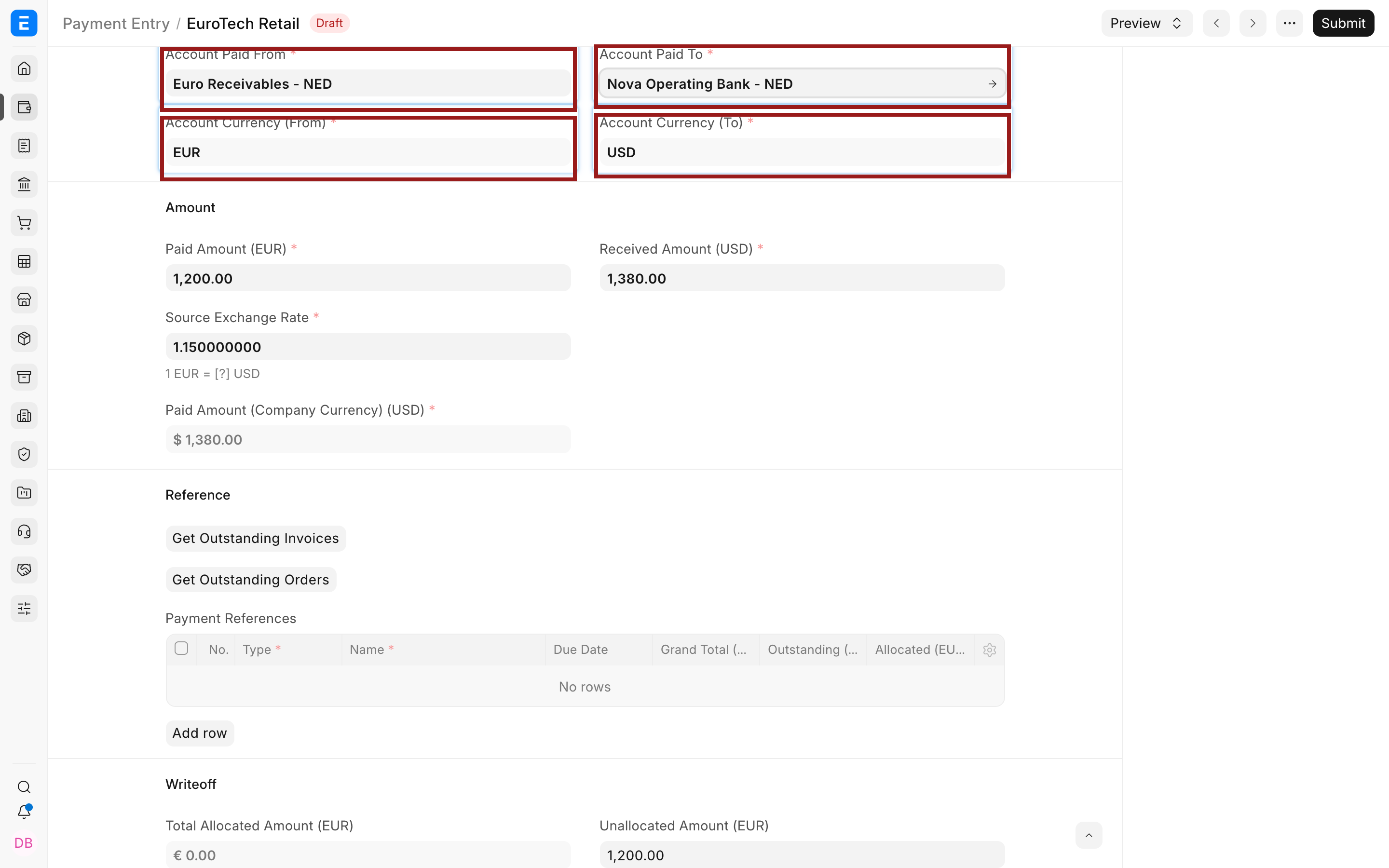
- Confirm the paid-from and paid-to accounts.
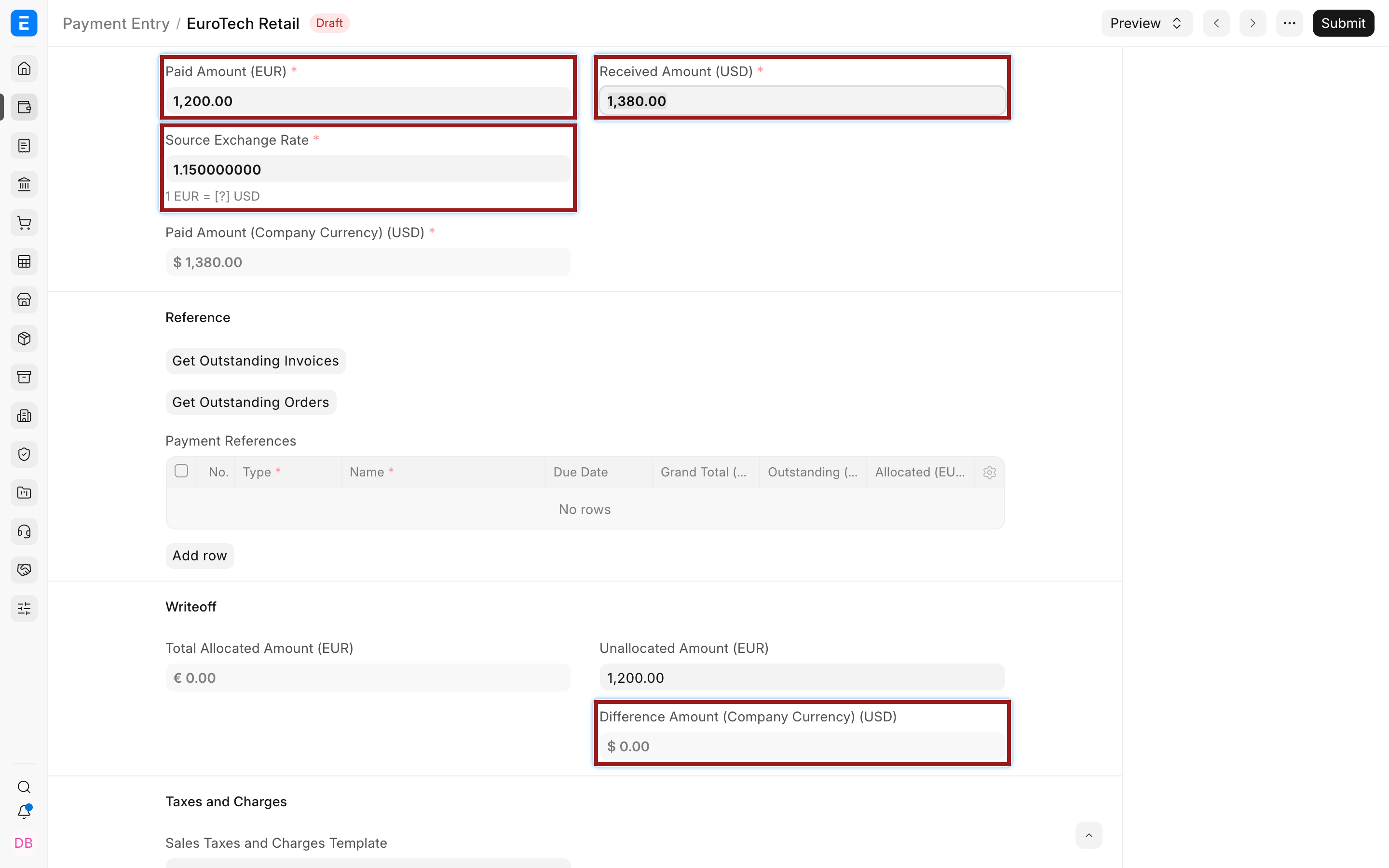
- Enter the actual amount in each account currency.
- Enter or verify the payment-date exchange rate.
- Confirm the invoice in Payment References and its allocated amount.
The currencies are not independent choices on Payment Entry. They come from the selected accounts.
Calculate the exchange difference
When the Payment Entry has a non-zero Difference Amount caused by the rate change, select Set Exchange Gain/Loss. ERPNext adds an adjustment row in Payment Deductions or Loss using the configured account. Review the row instead of assuming the label guarantees correct accounting.
The exact sign depends on the workflow. Validate it with the resulting debit and credit rather than forcing a positive or negative amount from memory.
Do not confuse these amounts:
| Difference | Where it belongs |
|---|---|
| Exchange movement between invoice and payment | Exchange Gain/Loss account |
| Bank fee charged by the bank | Bank Charges or another approved expense account |
| Intentional short payment not expected to be collected | Write Off account, subject to policy |
| Withholding deducted by the Customer | Tax withholding workflow and account |
| Rounding caused by precision | Round Off or approved difference handling |
Several can occur in one payment, but each needs its own row and account. The Payment Entry should end with Difference Amount equal to zero before submission.
Save the Draft and review its preview before submission so finance can verify both account-currency amounts and the balancing Company-currency entry.
Submit and verify
Submit the Payment Entry, then verify all of the following:
- the invoice outstanding amount is reduced or becomes zero;
- the foreign receivable or payable is cleared by the allocated foreign amount;
- the bank or cash account reflects the actual statement amount;
- the Exchange Gain/Loss account contains only the rate difference;
- the General Ledger debit and credit totals balance in Company currency;
- the Accounts Receivable and Payable report agrees with the party statement.
If the payment was entered independently, use Payment Reconciliation to allocate it to the invoice. Reconciliation can also generate an exchange difference depending on the account currencies, rates, and posting-date setting.
Partial and multiple payments
Each payment can use its actual rate. A EUR 1,200 invoice may be settled by EUR 500 at one rate and EUR 700 at another. Each Payment Entry allocates only its portion and realizes the difference for that settlement. Do not change the original invoice rate to match the final bank statement.
When one payment settles multiple invoices, inspect each reference's allocated amount and exchange-rate treatment. Use Payment Entry or the appropriate bulk payment process, then verify that every invoice outstanding balance is correct.
Advance payments
An advance can be recorded before an invoice exists. Its rate establishes the Company-currency value of the advance. When the advance is later allocated to an invoice, any difference may be recognized according to the reconciliation and posting-date settings. Keep the advance in the correct party account currency and avoid silently changing its historical rate.
Troubleshooting
The invoice still has a small outstanding amount after full foreign payment
Check the allocated amount, party account currency, payment rate, and whether the exchange difference was placed in Payment Deductions or Loss. Do not enter exchange differences in Advance Taxes and Charges.
The bank amount is wrong after adding an adjustment
Separate bank fees, withholding, write-off, and exchange difference. Recalculate the paid and received amounts from the actual bank statement, then use distinct adjustment rows.
Set Exchange Gain/Loss does not appear
Confirm there is a real currency difference, the Company account is configured, the document is Draft, and the selected accounts and references are correct. Field availability can depend on the Payment Entry state.
The rate field is read-only
Review Freeze Exchange Rate, stale-rate settings, permissions, and the document status. A submitted transaction cannot be casually repriced.
FAQs
Should I edit the invoice rate when the bank pays at another rate?
No, keep the invoice rate that represented the invoice date. Use the payment rate and recognize the settlement difference.
Is an exchange loss always an expense?
It is normally reported through the configured gain or loss account, but presentation depends on your chart and accounting policy. Use accounts approved by finance.
Can a bank fee be combined with exchange loss?
No, record the bank fee separately so reporting and reconciliation remain clear.
What if the payment is not linked to the invoice?
Reconcile the unallocated Payment Entry later. The party must match, and the outstanding and unallocated amounts determine what can be allocated.
Is revaluation required after every payment?
No, a payment realizes its own difference. Revaluation is for eligible balances still open at a reporting date.