


















The general ledger can tell you what Nova Industries spent. A Cost Center helps answer where the cost arose and which team, branch, project, or business unit is responsible for it.
Most businesses have multiple activities like different product lines, market
segments, areas of business that share some common overheads but should ideally have their own structure to report whether they are profitable or not. For this purpose, there is an alternate structure, called the
Cost Centers. Assigning Cost Centers lets managers compare the operating cost and profitability of each part of the business.
Let's take Nova Industries for example, and assume that their electronics company has multiple products lines - Mobile phones, Laptops and Tablets. Each is headed by a separate head of department who is responsible for the profitability of each of the product lines. Nova's Board and CEO needs the P&L reported by each product line every month. How can this be enabled
Answer: Cost Center.
Create the cost center for each product line, and tag every revenue or expense invoices to the correct cost center and Nova's finance team will be able to pull a report for profitability by each department.
This page explains how to build the Cost Center tree, set sensible defaults, use Cost Centers in transactions such as Sales Invoices, and report on performance without creating separate ledger accounts for every internal team.
Create the Cost Center tree
Go to Home > Accounting > Accounting Masters > Cost Center and select the company.
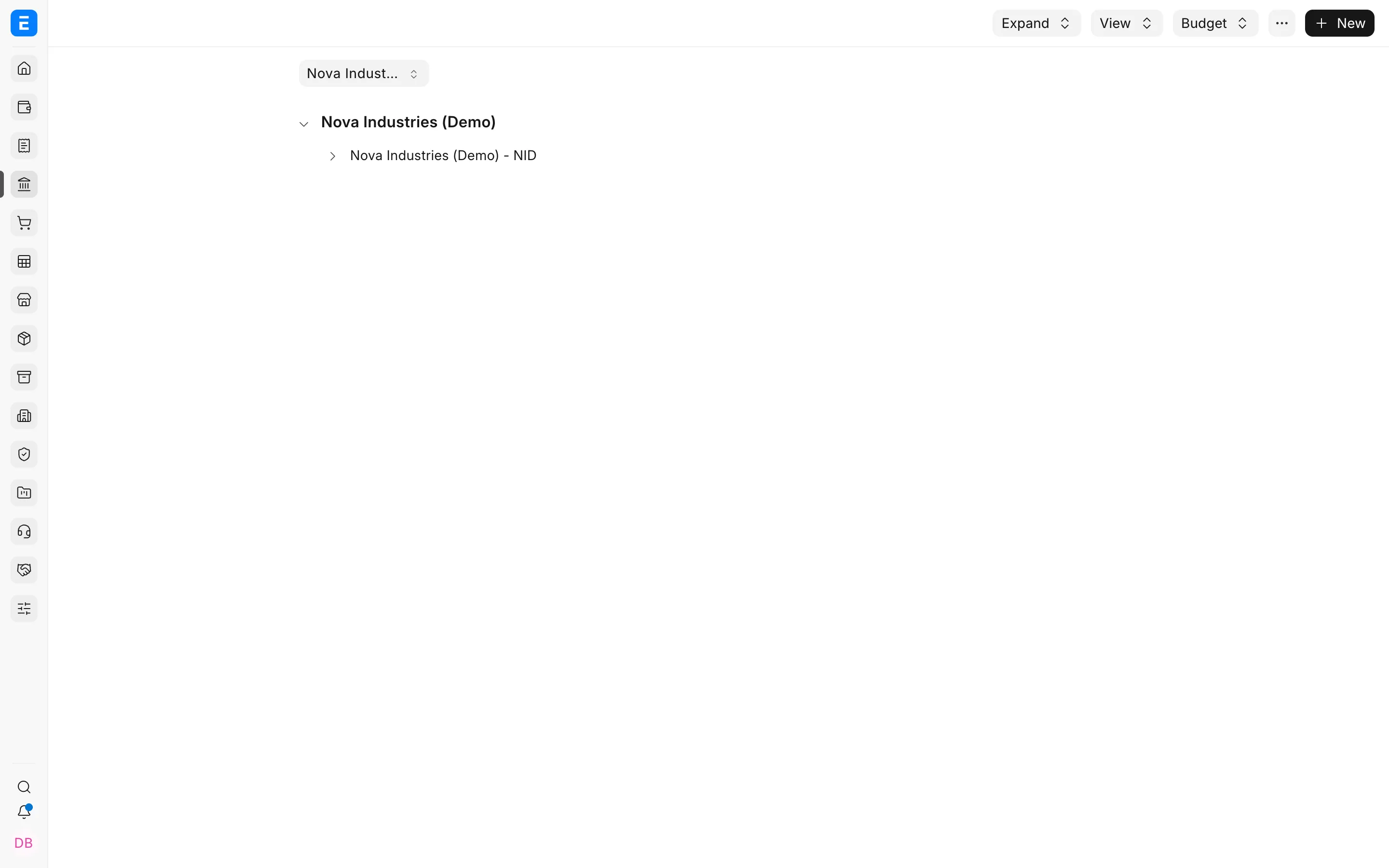
Use group Cost Centers to organize the hierarchy. Use non-group Cost Centers on transactions.
- Select the parent Cost Center.
- Click Add Child.
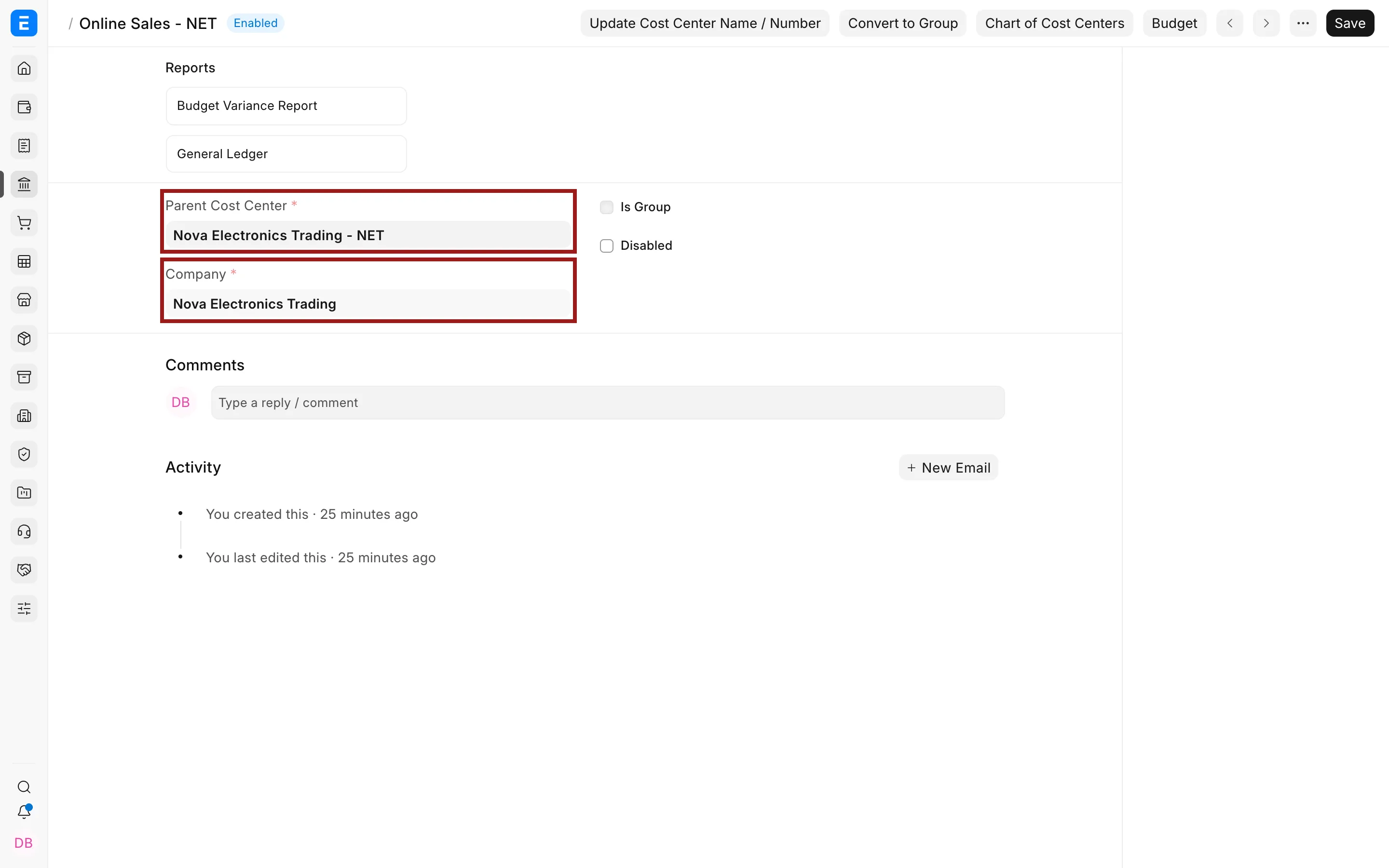
- Enter the name and company.
- Enable Is Group only when the record will contain child Cost Centers.
- Save.
Use Cost Centers in transactions
Cost Centers appear on income and expense rows in Sales Invoices, Purchase Invoices, Journal Entries, and other accounting transactions. A company, Item, or transaction can provide the default.
Example: assign a Cost Center on a Sales Invoice
Suppose Nova Electronics Trading wants to measure revenue from its online channel separately:
- Create or open a Sales Invoice.
- Add the Items being sold.
- In the Items table, click the pencil icon for the required row.
- Scroll to Cost Center and select Online Sales - NET.
- Close the row editor and verify the remaining invoice details.
- Save and submit the invoice.
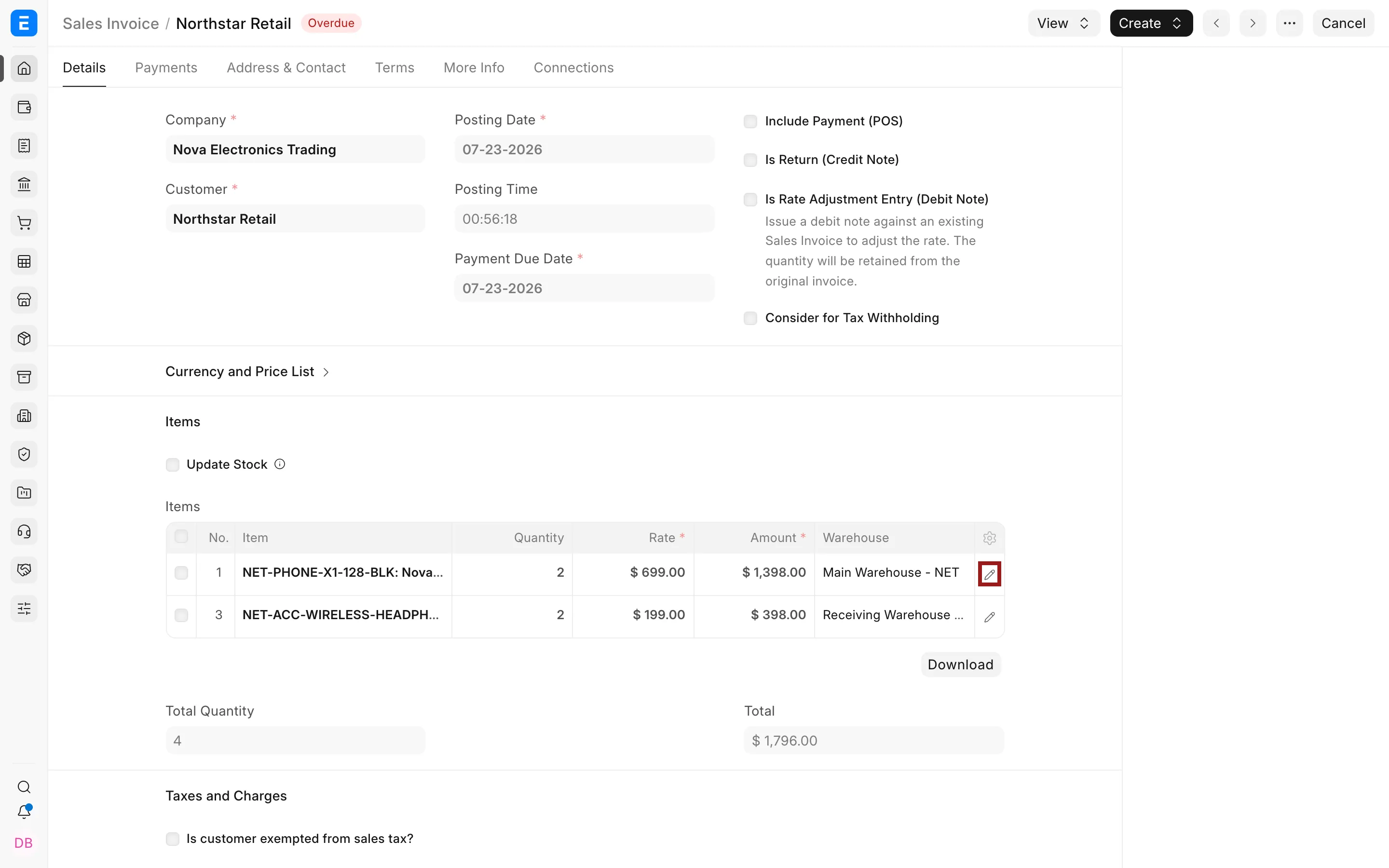
The Cost Center is stored on the item row. This means one invoice can allocate different lines to different Cost Centers. When the invoice is submitted, ERPNext includes the selected Cost Center in the income and expense ledger entries. You can then filter the Profit and Loss Statement or General Ledger by Online Sales - NET without using a separate income account.
If every row normally uses the same Cost Center, configure an appropriate default on the Company or Item. Always review the fetched value before submitting the invoice.
Use Cost Center Allocation when one amount should be distributed among multiple Cost Centers by percentage.
Reporting and budgets
Filter the Profit and Loss Statement, General Ledger, and other accounting reports by Cost Center. Group Cost Centers can summarize results for their descendants. You can also create Budgets against Cost Centers to monitor or restrict spending.
Design guidance
Use a stable hierarchy that reflects management responsibility. Avoid creating a Cost Center for every short project or customer. Use Project, party, or another Accounting Dimension when it represents the analysis more accurately.
Troubleshooting
A Cost Center does not appear
Confirm it belongs to the transaction company, is enabled, and is not a group.
The wrong Cost Center is fetched
Check the Item, company default, and transaction row. The row value is the one used for posting.