


















Northstar Retail has a $1,796 Sales Invoice from Nova Industries and makes a separate payment of $525. The bank movement is already recorded, but the invoice will remain fully outstanding until ERPNext knows that the payment belongs to it. The Payment Ledger keeps that invoice-to-payment relationship.
The Payment Ledger is a specialised ledger for Receivable and Payable accounts. ERPNext uses its entries to calculate invoice outstanding amounts, advances, allocations, ageing, and reconciliation. It does not create a second accounting posting or replace the General Ledger. The General Ledger explains debits and credits. The Payment Ledger explains which receivable or payable reference those amounts settle.
How the Payment Ledger works
| Event | Payment Ledger effect |
|---|---|
| A Sales Invoice is submitted | Creates a Customer receivable reference and its initial outstanding amount. |
| A Purchase Invoice is submitted | Creates a Supplier payable reference and its initial outstanding amount. |
| A Payment Entry is submitted with an invoice reference | Allocates the payment immediately and reduces the referenced invoice. |
| A standalone payment or advance is submitted | Creates an unallocated party amount that can be matched later. |
| A Credit Note or Debit Note is allocated | Reduces the corresponding receivable or payable reference. |
| A payment is reconciled or unreconciled | Updates the invoice-payment relationship while preserving the underlying bank transaction. |
Run the Payment Ledger report
- Open Accounting and select Payment Ledger.
- Select Nova Industries and the required date range.
- Select Party Type and Party when investigating one Customer or Supplier.
- Use Account, Voucher No, or Against Voucher No to trace a specific receivable, payable, payment, or invoice.
- Refresh the report and wait until all entries and outstanding rows have loaded.
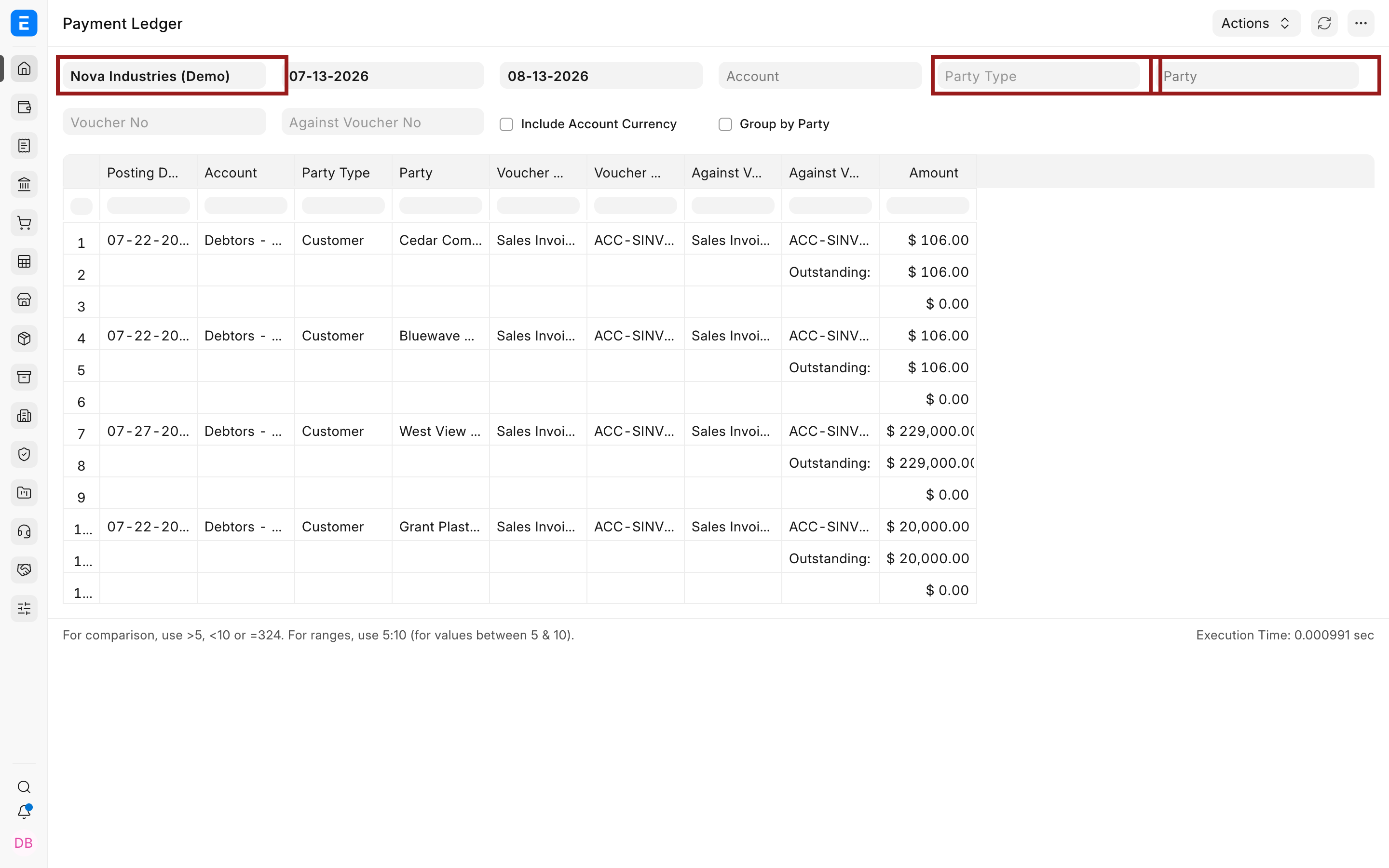
Understand Voucher and Against Voucher
| Column | Meaning |
|---|---|
| Voucher Type and Voucher No | The document that created this Payment Ledger entry, such as an invoice, Payment Entry, or Journal Entry. |
| Against Voucher Type and Against Voucher No | The invoice or other reference that the voucher is settling. |
| Amount | The value created, allocated, reversed, or left outstanding by the row. |
| Account and Party | The Receivable or Payable account and the Customer or Supplier whose balance is affected. |
| Account Currency | The currency of the party account when account-currency values are included. |
An invoice row can initially point against itself because it creates the original outstanding reference. A later Payment Entry row points against that invoice. The report then shows the remaining outstanding amount after applying the related entries.
Follow the $525 reconciliation
Before reconciliation, the $1,796 Sales Invoice remains fully outstanding even though the $525 Payment Entry exists. This happens because the payment was submitted without allocating that invoice in its References table.
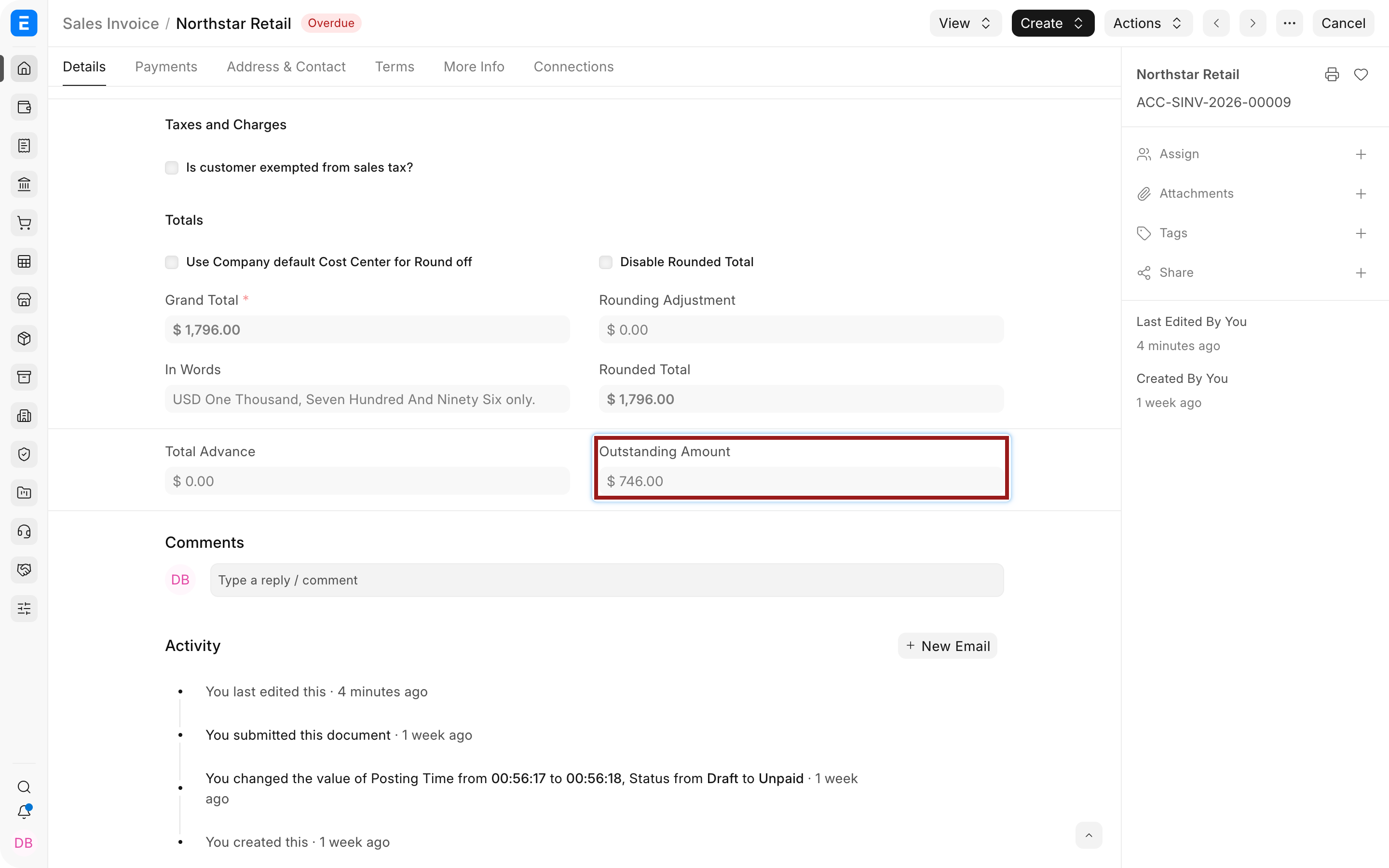
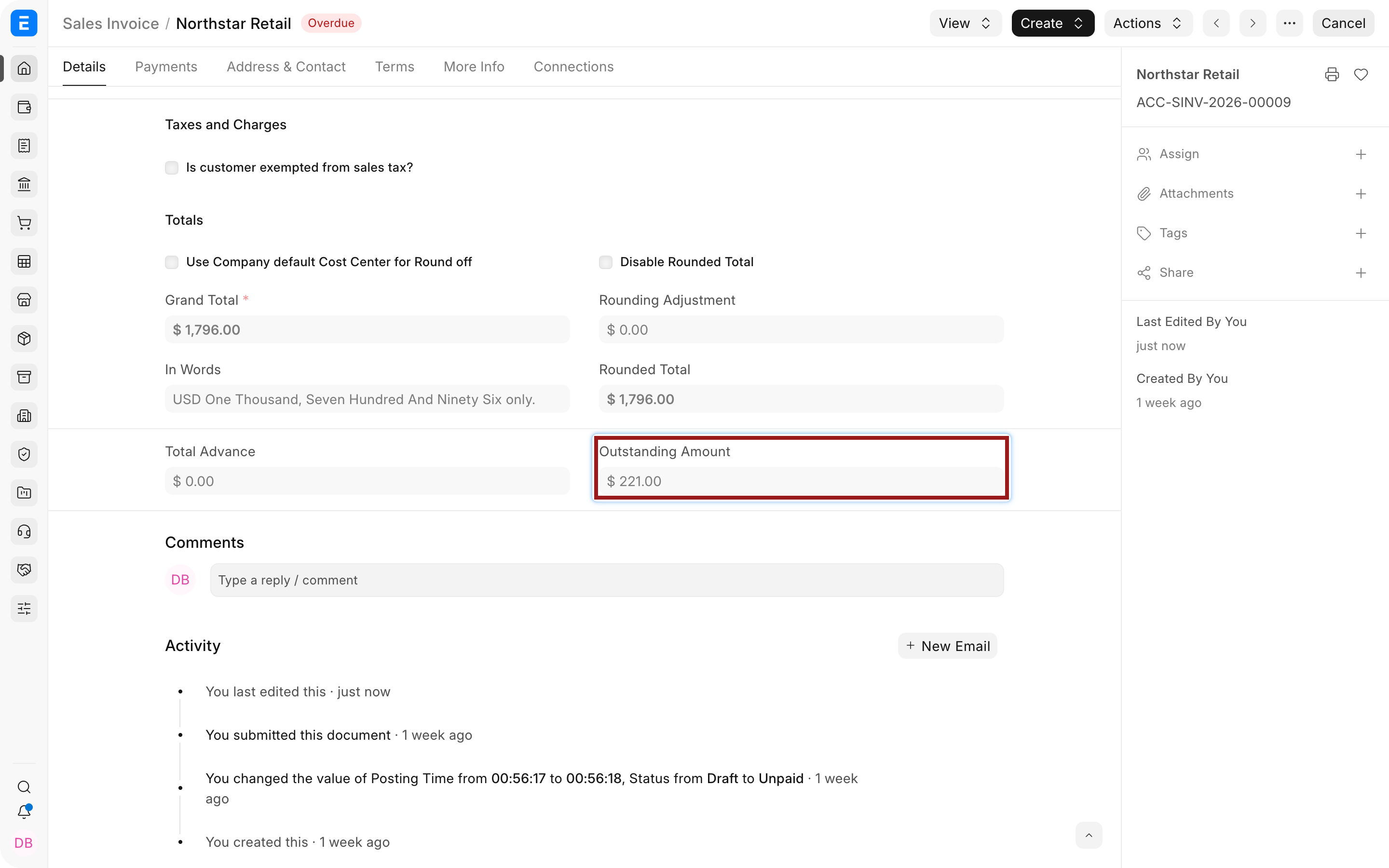
Use Payment Reconciliation to match the unallocated payment to the invoice. After reconciliation, the invoice outstanding amount becomes $1,271 and its status becomes Partly Paid.
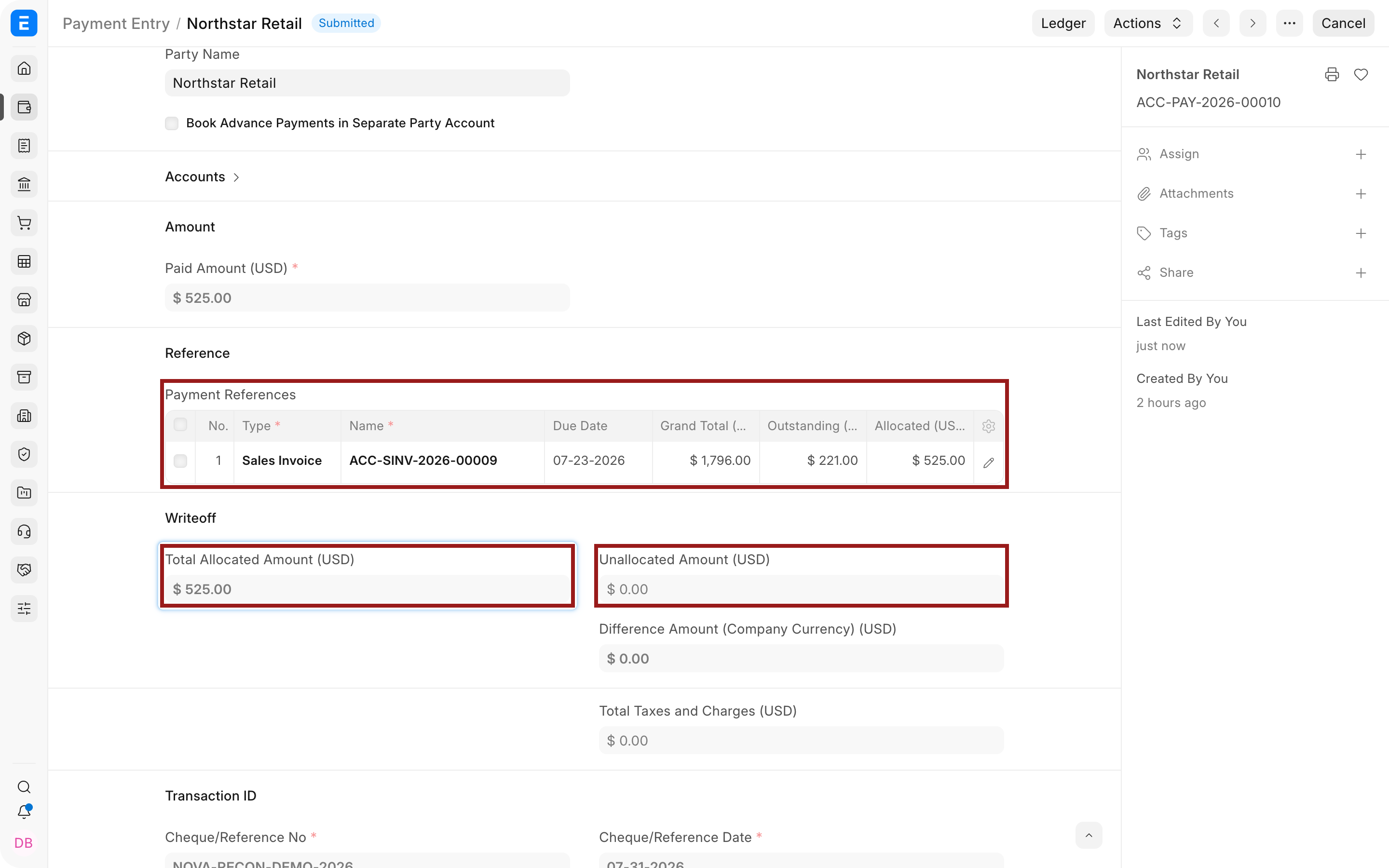
The Payment Entry now carries a $525 reference allocation to the Sales Invoice. ERPNext has not moved another $525 through the bank. It has updated which invoice the existing payment settles.
Where Payment Ledger data appears
Accounts Receivable and Accounts Payable use Payment Ledger references to calculate invoice-level outstanding amounts and ageing. Process Statement of Accounts uses those outstanding balances when preparing customer statements. Reconciliation tools use the same ledger to locate eligible unallocated entries and update their references.
Payment Ledger and General Ledger
| Question | Use |
|---|---|
| Which accounts were debited and credited? | General Ledger |
| Why is this invoice still outstanding? | Payment Ledger |
| Did the bank balance change? | General Ledger and the source Payment Entry |
| Which invoice received the payment? | Payment Ledger and the Payment Entry References table |
| Which invoices require collection or payment action? | Accounts Receivable or Accounts Payable |
Troubleshooting
An invoice does not appear
Confirm that the invoice is submitted and posts to an Account whose Account Type is Receivable or Payable. Verify Company, Party, dates, and Account filters. Draft invoices have not created Payment Ledger entries.
A payment exists but the invoice is still outstanding
The Payment Entry may be unallocated, allocated to another invoice, or posted for a different Party or Account. Review its References table, then use Payment Reconciliation when the correct invoice was not selected during payment entry.
The outstanding amount changed unexpectedly
Review Payment Entries, Credit Notes, Debit Notes, Journal Entries, reconciliation activity, and cancellations linked to the invoice. Compare Voucher No and Against Voucher No to see which entry changed the reference balance.
Payment Ledger and General Ledger look different
The reports answer different questions. Compare the same Company, dates, Account, Party, voucher, and currency. General Ledger values are accounting postings, while Payment Ledger values describe outstanding references and allocations.
Frequently asked questions
Does reconciliation create another bank entry?
Reconciliation normally changes the invoice reference attached to an existing payment. The submitted Payment Entry already recorded the bank movement.
Can a payment be split across several invoices?
A Payment Entry can allocate its amount across multiple eligible invoices for the same party and account. Each allocation contributes to the outstanding balance of its referenced invoice.
Can Payment Ledger rows be edited directly?
ERPNext generates these rows from submitted source documents and supported reconciliation actions. Correct the source voucher or use reconciliation and unreconciliation rather than editing a ledger row.
Does the report include ordinary non-party accounts?
The Payment Ledger focuses on accounts configured as Receivable or Payable and the parties associated with them. Use General Ledger for other account types.