

















Party Specific Item
Party Specific Item reserves items for a party. A party can be a Customer, Customer Group, Supplier, or Supplier Group. After you reserve an item for a party, other parties cannot use that item in their transactions. The party with the reservation can still use all items that are not reserved for other parties.
Note: This page applies to version 16 and later. In version 15, a rule limits a party to only the items in its rules.
When To Use Party Specific Item
- Use it when you sell an item to one customer only, such as a custom-made or private-label product.
- Use it when only one supplier is approved to supply an item, such as a sole distributor.
- Use it when you sell an item group or brand only through one customer group, such as a dealer network.
- Use it to stop users from adding a reserved item to the transaction of another party by mistake.
Where To Find It
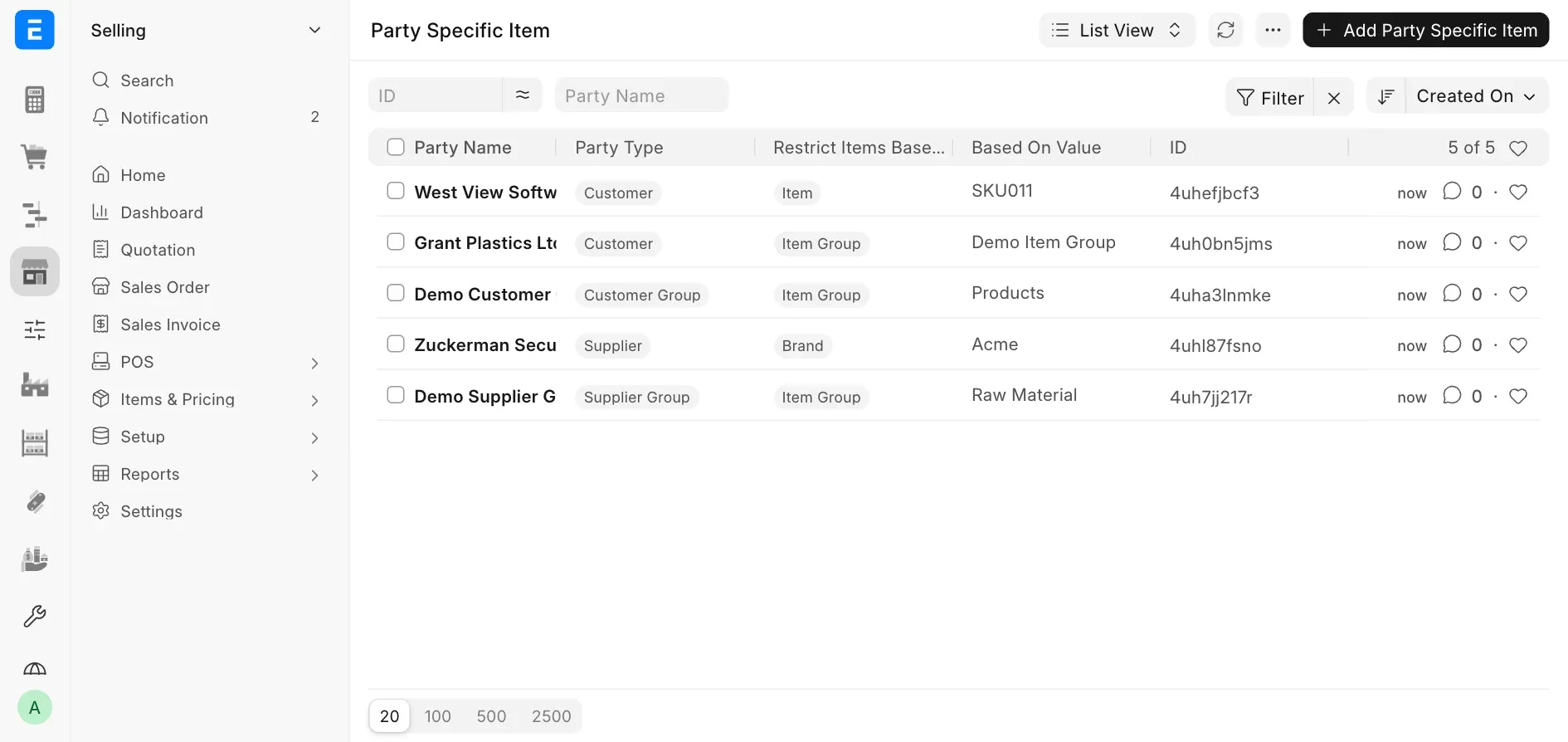
Open the Awesomebar and search for Party Specific Item, or go to Selling > Item and Pricing > Party Specific Item. The list view shows all rules.
How It Works
A Party Specific Item rule has two parts:
- Party: The customer, customer group, supplier, or supplier group that gets the reservation.
- Restriction Basis: The item, item group, or brand that the rule reserves.
ERPNext applies the rules in two places:
- Item selection: The item list in a transaction does not show items that are reserved for other parties.
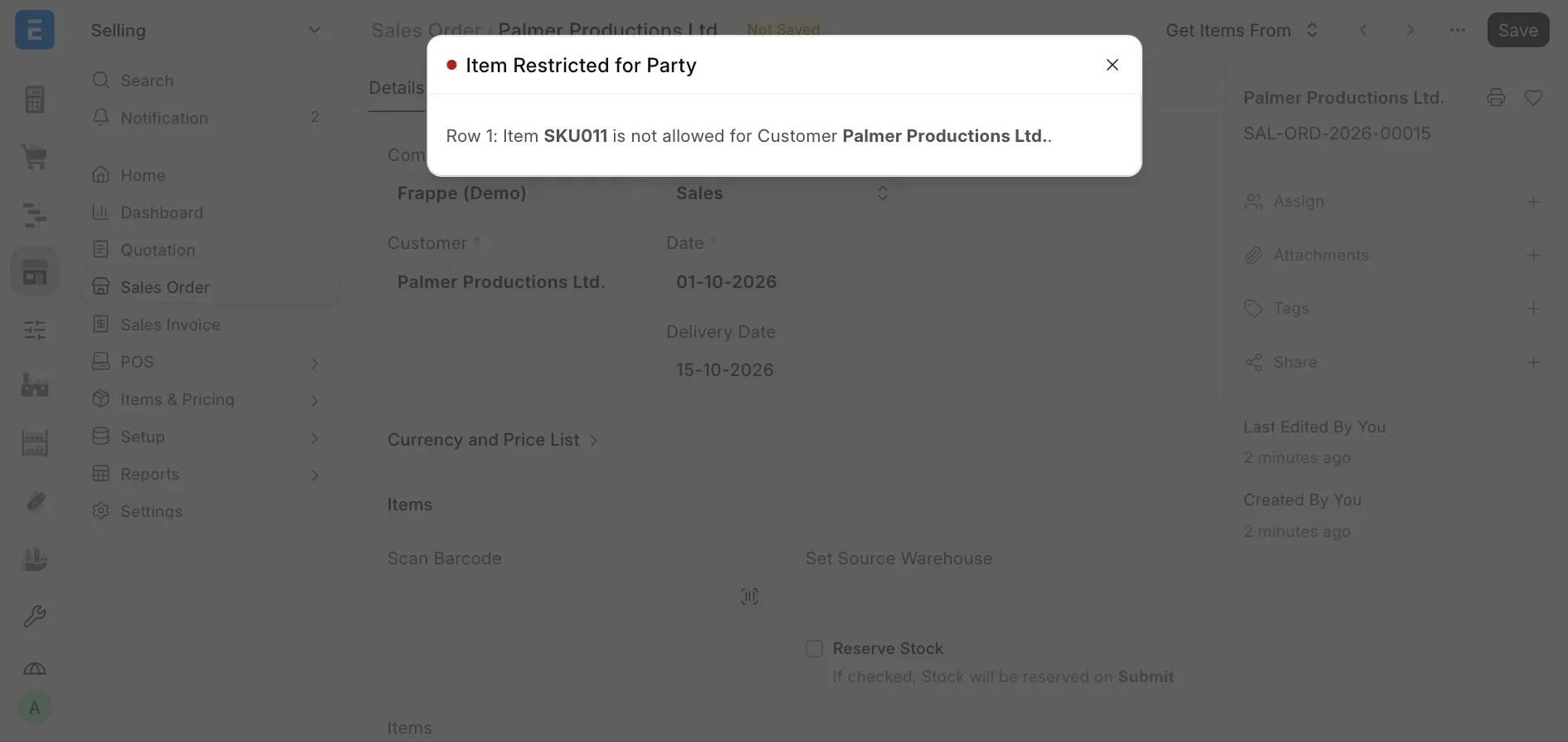
- Save: If a transaction contains an item that is reserved for another party, ERPNext stops the save and shows an error.
The rules work as follows:
- A party can use the items reserved for it and all items that no rule reserves.
- A party cannot use an item that a rule reserves for another party.
- If rules reserve the same item for two or more parties, all of these parties can use it. The rules can use different bases, such as a Brand rule for one party and an Item rule for another.
- A rule for an item group also applies to all sub-groups of that group.
- A rule for a customer group applies to all customers in that group. A rule for a supplier group applies to all suppliers in that group.
- Customer and Customer Group rules apply only to sales transactions: Quotation, Sales Order, Delivery Note, and Sales Invoice.
- Supplier and Supplier Group rules apply only to purchase transactions: Supplier Quotation, Purchase Order, Purchase Receipt, and Purchase Invoice.
- A return can always return the items of its original document, even if a rule now reserves them for another party.
Creating A Rule
- Click Add Party Specific Item.
- Select the Party Type: Customer, Customer Group, Supplier, or Supplier Group.
- Select the Party Name. For a group, the list shows only groups that are not parent groups.
- Select Restrict Items Based On: Item, Item Group, or Brand.
- Select the matching value in Based On Value.
- Save the document.
To reserve the same item for more than one party, create one rule for each party. ERPNext does not allow two rules with the same party and the same value.
Example
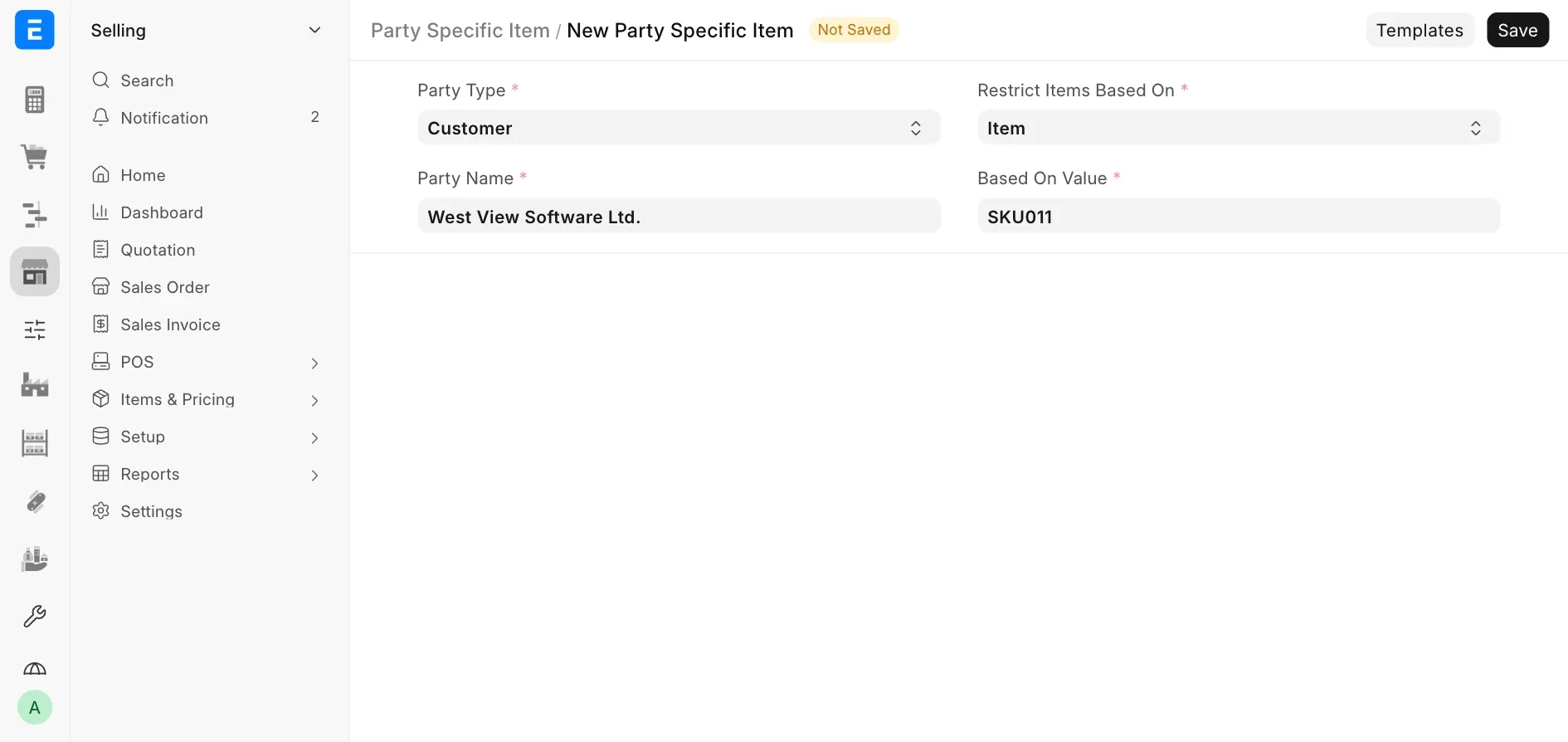
Only the customer West View Software Ltd. can buy the item SKU011 (Smart TV). Create a Party Specific Item with these values:
- Party Type: Customer
- Party Name: West View Software Ltd.
- Restrict Items Based On: Item
- Based On Value: SKU011
If no other rules exist, the result is:
| Party | Can use SKU011 | Can use other items |
|---|---|---|
| West View Software Ltd. | Yes | Yes |
| Other customers | No | Yes |
| Suppliers | Yes | Yes |
If another customer, such as Palmer Productions Ltd., tries to save a transaction with SKU011, ERPNext shows the error above. To let a second customer buy SKU011, create the same rule for that customer. To let a full group of customers buy SKU011, create the rule for their Customer Group.
Good Practices
- Use Item when you reserve one specific item.
- Use Item Group when you reserve a full product category. The rule also applies to items in its sub-groups.
- Use Brand when the reservation follows a brand-level agreement.
- Use a Customer Group or Supplier Group rule when many parties share the same reservation.
- Test the rule in a sales or purchase transaction after you save it.