

















All DocTypes in Frappe have a primary key called name. This is the unique ID by which you find records and manipulate them using the ORM.
Naming Methods
You can configure how documents should be named when a new document is created. There are 9 ways of naming provided in the framework:
- Set by user
- Autoincrement
- By fieldname
- By "Naming Series" field
- Expression
- Expression (Old Style)
- Random
- UUID
- By script
1. Set by user
The document name is entered manually by the user at the time of creation.
2. Autoincrement
The system generates a sequential numeric name by incrementing the last created document.
Key considerations:
- Numbering starts from 1.
- Not gap-safe: Deleted records are not reused. For example, if you have documents named
1,2,3,4and you delete3, the next document will be named5, not3. - You cannot switch to a different naming schema once this is set unless the DocType has zero documents.
- You cannot switch to this naming schema from another unless the DocType has zero documents.
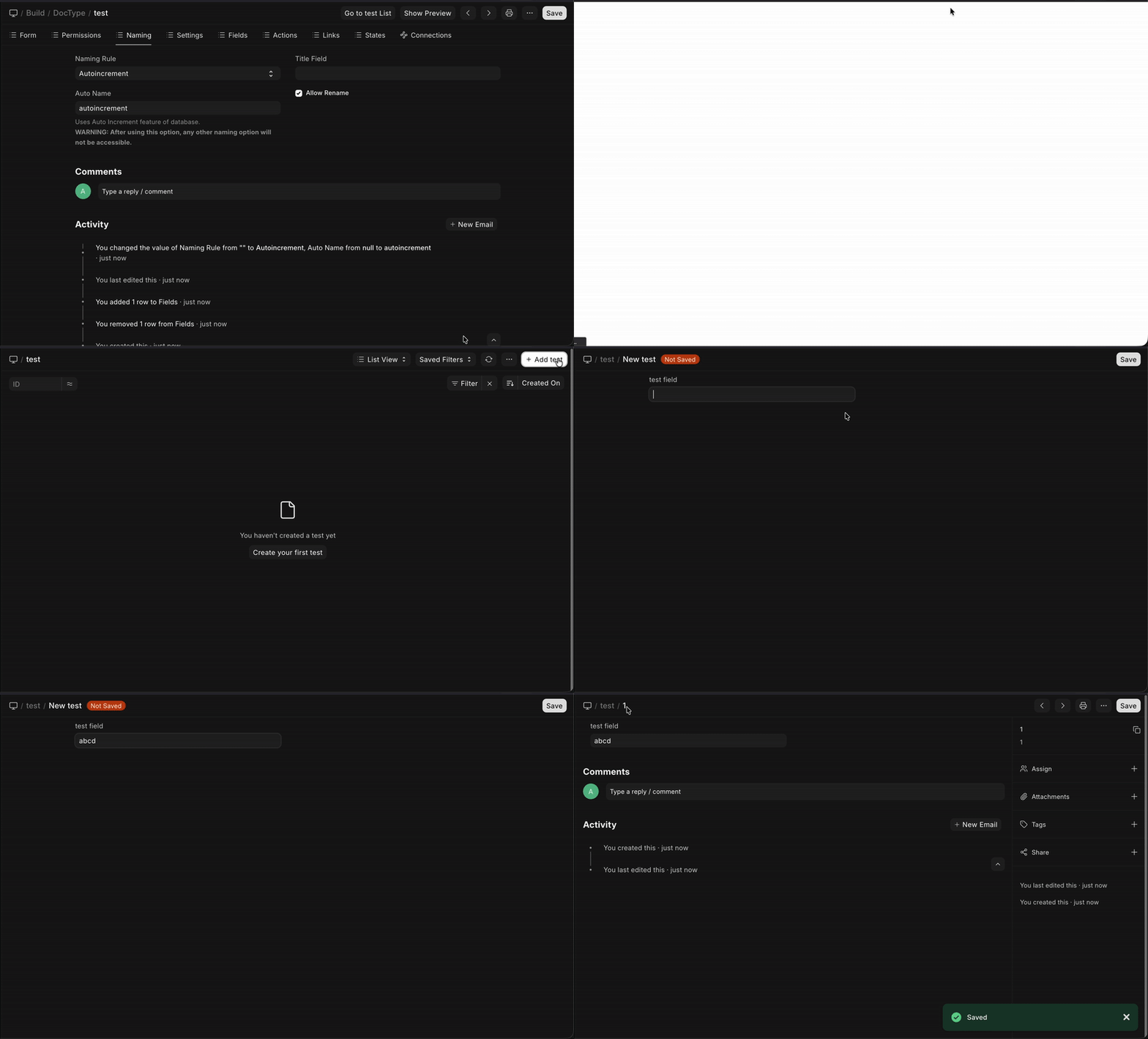 Autoincrement
3. By fieldname
The document name is fetched directly from the value of a specific field.
Note: The value in the selected field must always be unique.
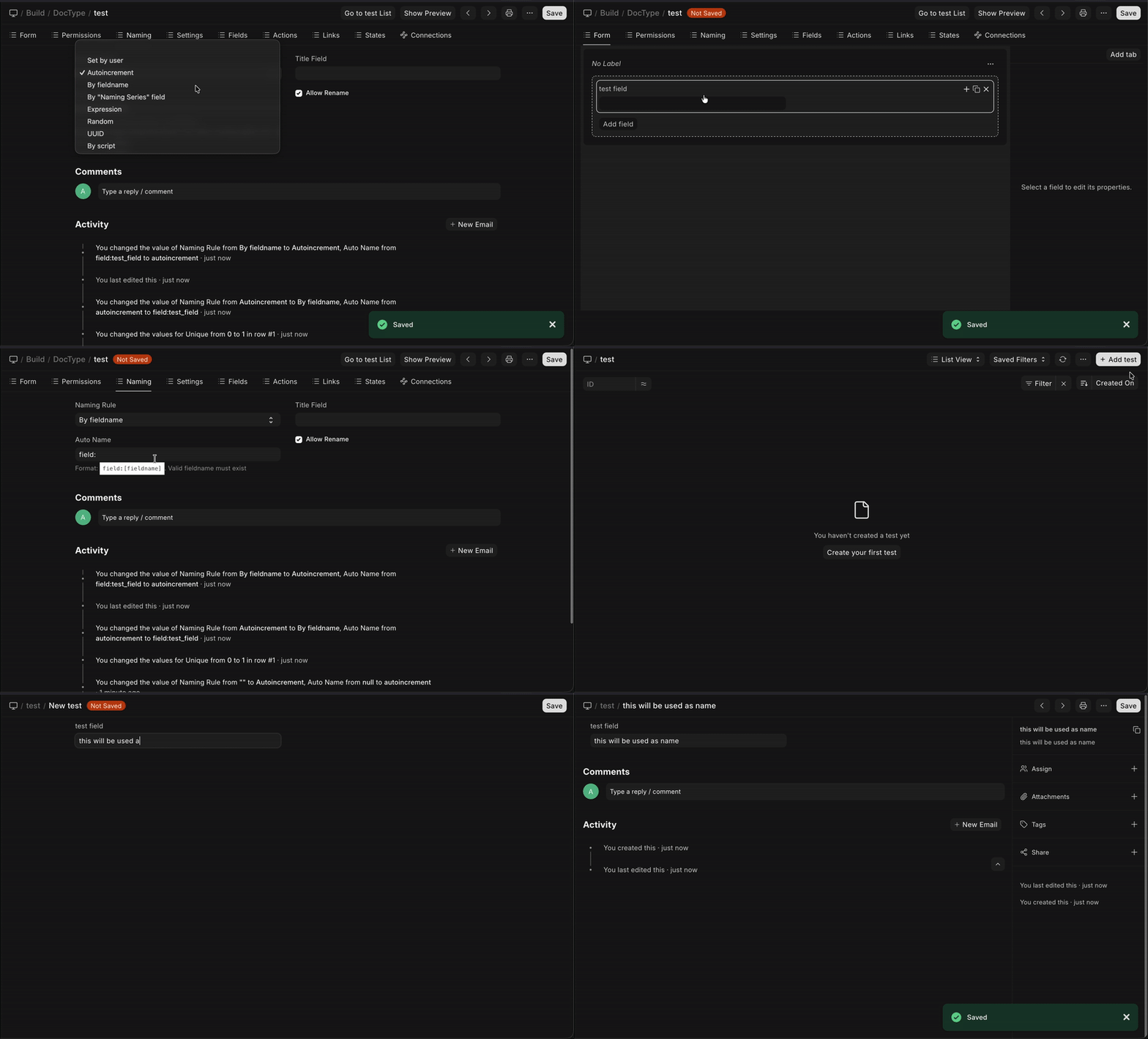 By Fieldname
4. By "Naming Series" field
The naming pattern is derived from a specific field in the document (usually naming_series).
For example, if you have a field naming_series in your document and its value is set to PRE.#####, that pattern will be used to generate the name (e.g., PRE00001). This value can change per document, allowing different documents within the same DocType to follow different patterns.
Requirement: This works only if you have a field called
naming_seriesin your DocType.
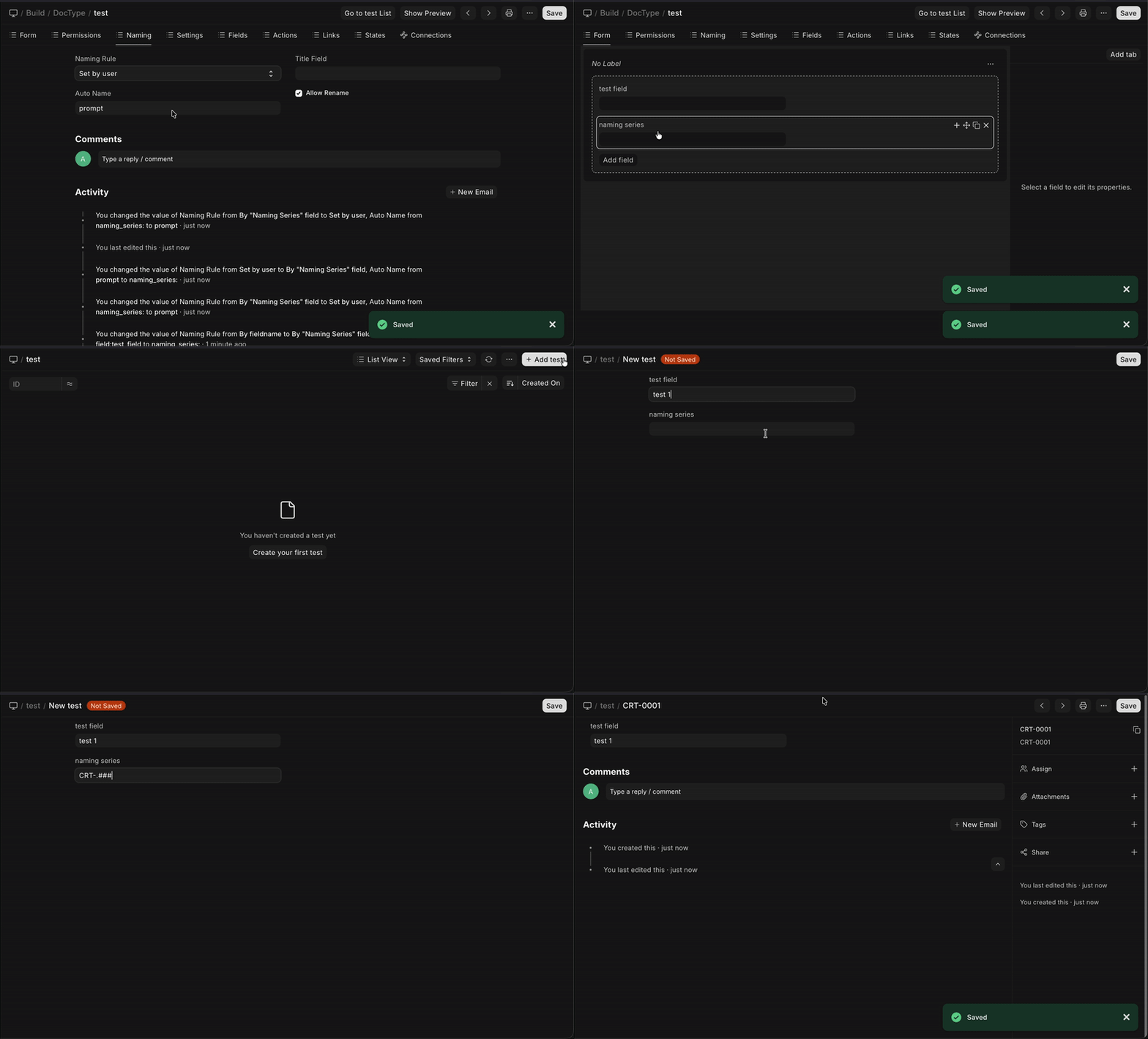 By "Naming Series"
5. Expression
You can provide a standard naming pattern which will be incremented automatically.
For example, if you set the pattern as PRE-.#####:
- The first document created will be named
PRE-00001 - The second will be
PRE-00002 - And so on...
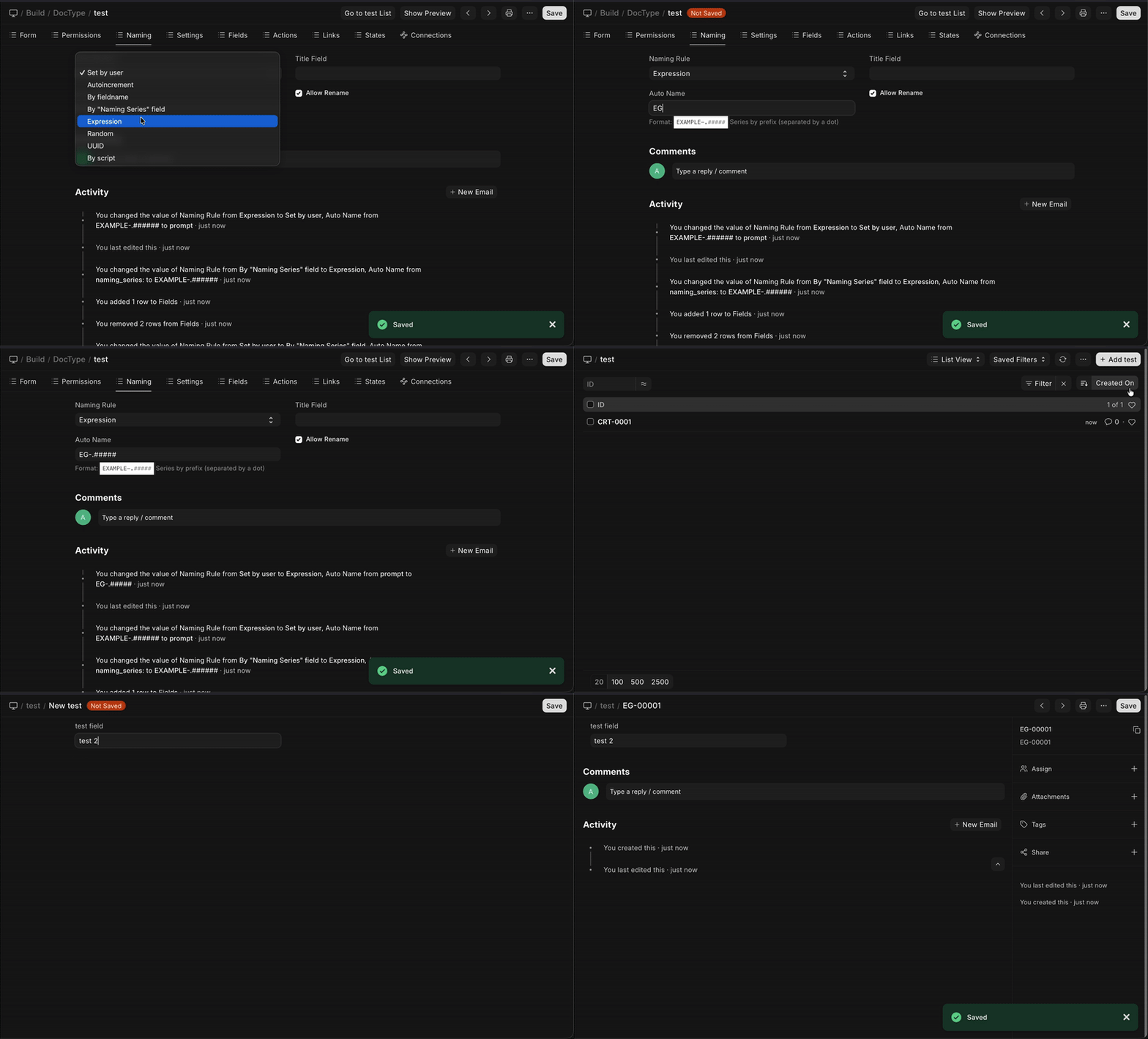 Expression
You can use this method to flexibly configure naming schemes using multiple field values and variables. Individual parts are separated by a dot . .
Example Pattern:
EXAMPLE-.MM.-test-.{fieldname1}.-.{fieldname2}.-.#####
This format allows you to combine:
- Static text (
EXAMPLE,test) - Date variables (
MM,YYYY,DD,WW,timestamp) - Field values (
{fieldname1}) - Auto-incrementing numbers (
#####)
6. Expression (Old Style)
Warning: Deprecated in v16 This method is deprecated and will be removed in version 16.
This is a highly flexible method for configuring naming schemes using multiple field values and variables. You enter this pattern directly into the Auto Name field in the DocType settings.
Example Pattern:
EXAMPLE-{MM}-test-{fieldname1}-{fieldname2}-{#####}
This format allows you to combine:
- Static text
EXAMPLE,test) - Date variables
{MM},{YYYY},{DD}) - Field values
{fieldname1}) - Auto-incrementing numbers
{#####})
7. Random
Generates a random alphanumeric string as the document name.
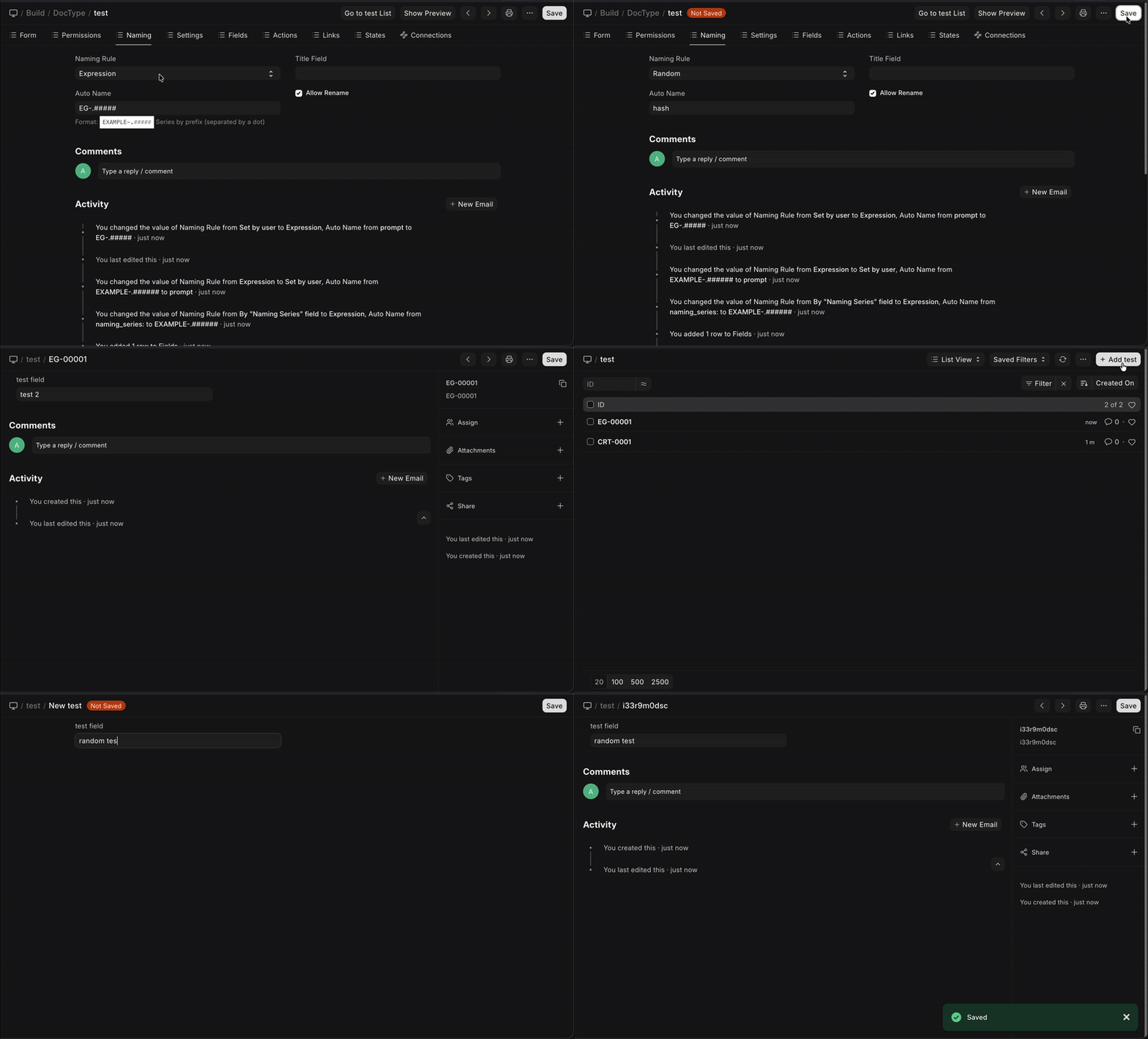 Random
8. UUID
Uses a randomly generated Universally Unique Identifier (UUID v4) as the document name.
Example: 550e8400-e29b-41d4-a716-446655440000
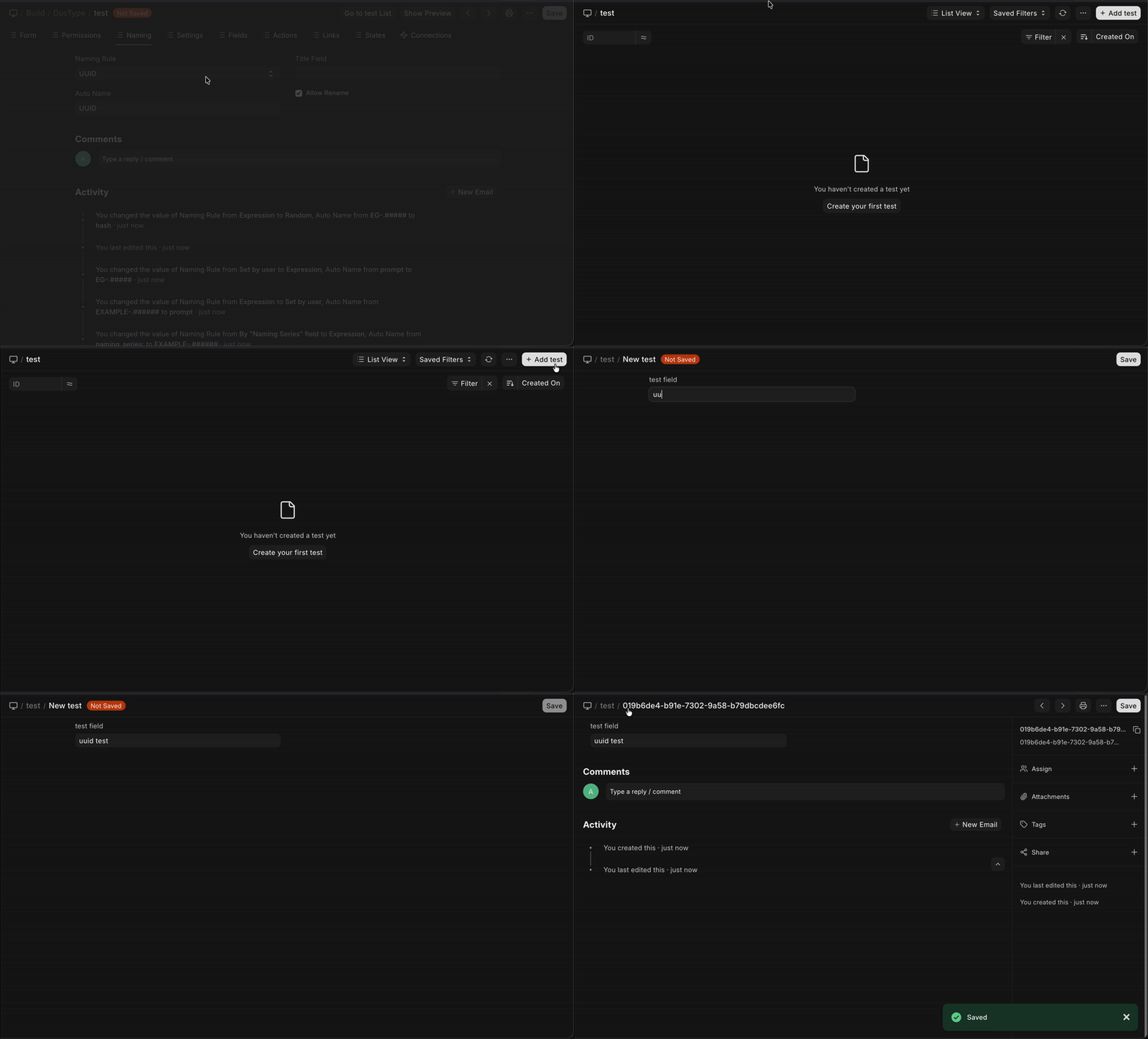 UUID
UUID
9. By script
You can define custom naming logic using the autoname controller method in your DocType's Python file. This gives you complete control over the naming process.
from frappe.model.naming import getseries

class Project(Document):
    def autoname(self):
    # select a project name based on customer
    prefix = f"P-{self.customer}"
    series = getseries(prefix, 3)
    self.name = f"{prefix}-{series}"
By Document Naming Rule
You can also create rules for naming DocTypes by creating Document Naming Rule.
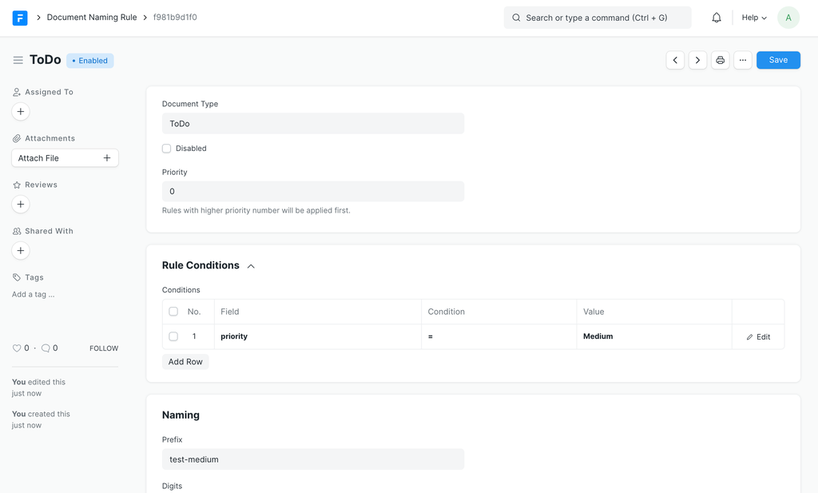
You can create multiple Document Naming Rules for a particular doctype that can be applied selectively based on filters.
To define a Document Naming Rule you have to specify
- Document Type it is being applied on
- Priority of the rule (rules with higher priority will be applied first)
- Conditions to apply the rule
- Naming Rules
Numbering
You can define various numbering prefixes for the rule based on the conditions defined. This is done by setting a prefix and the number of digits for that rule.
For example if you are creating a separate numbering for high priority todos:
- Prefix: todo-high-
- Digits: 3
Will lead to numbering like todo-high-001, todo-high-002 and so on.
Naming Priority
When multiple naming rules might apply, the framework prioritizes them in this order:
- Document Naming Rule: Defined in the
autonameproperty of the DocType. - Controller Method: Logic defined in the
autonamemethod of the controller script (overrides DocType settings if defined) .
Special Rules
- Child DocTypes do not follow naming rules
- Amended documents have a suffix (
-1,-2etc) to the original document