
How To Make Query Report
You can create tabulated reports using complex SQL queries by creating a new Report. These reports can be created by a System Manager and are stored in the Database
Note: You will need System Manager Permissions for this.
To create a new Query Report:
1. Create a new Report
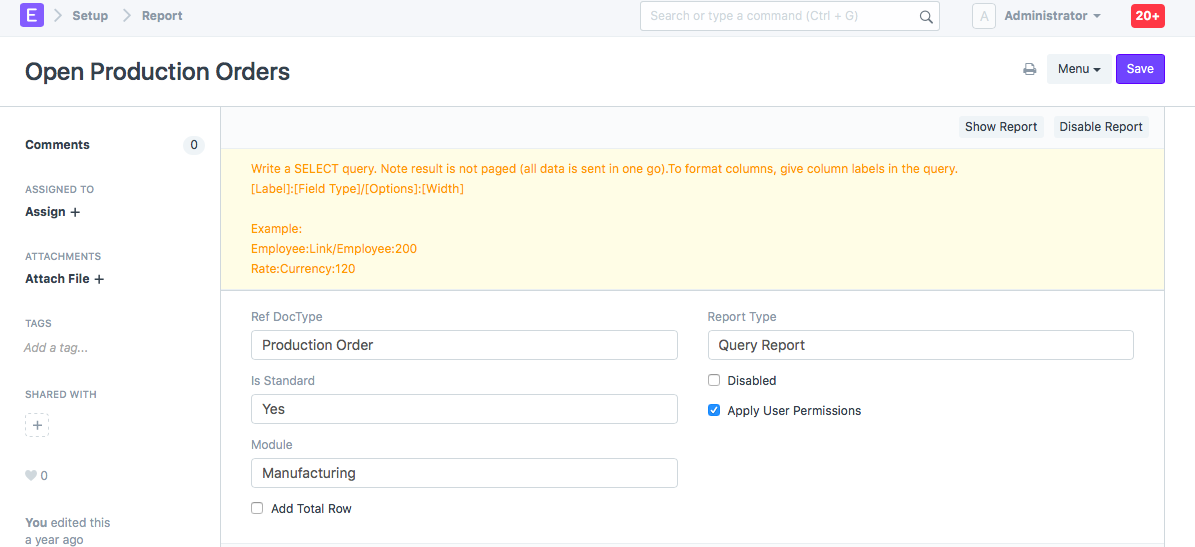
- Set type as "Query Report"
- Set the reference DocType - Users that have access to the reference DocType will have access to the report
- Set the module - The report will appear in the "Custom Reports" section of the module.
- Add your Query
2. Set the Query
You can define complex queries such as:
SELECT
tabProduction Order.name as "Production Order:Link/Production Order:200",
tabProduction Order.creation as "Date:Date:120",
tabProduction Order.production_item as "Item:Link/Item:150",
tabProduction Order.qty as "To Produce:Int:100",
tabProduction Order.produced_qty as "Produced:Int:100"
FROM
tabProduction Order
WHERE
tabProduction Order.docstatus=1
AND ifnull(tabProduction Order.produced_qty,0) = tabProduction Order.qty
AND EXISTS (SELECT name from tabStock Entry where production_order =tabProduction Order.name)
- To format the columns, set labels for each column in the format: [Label]:[Field Type]/[Options]:[Width]
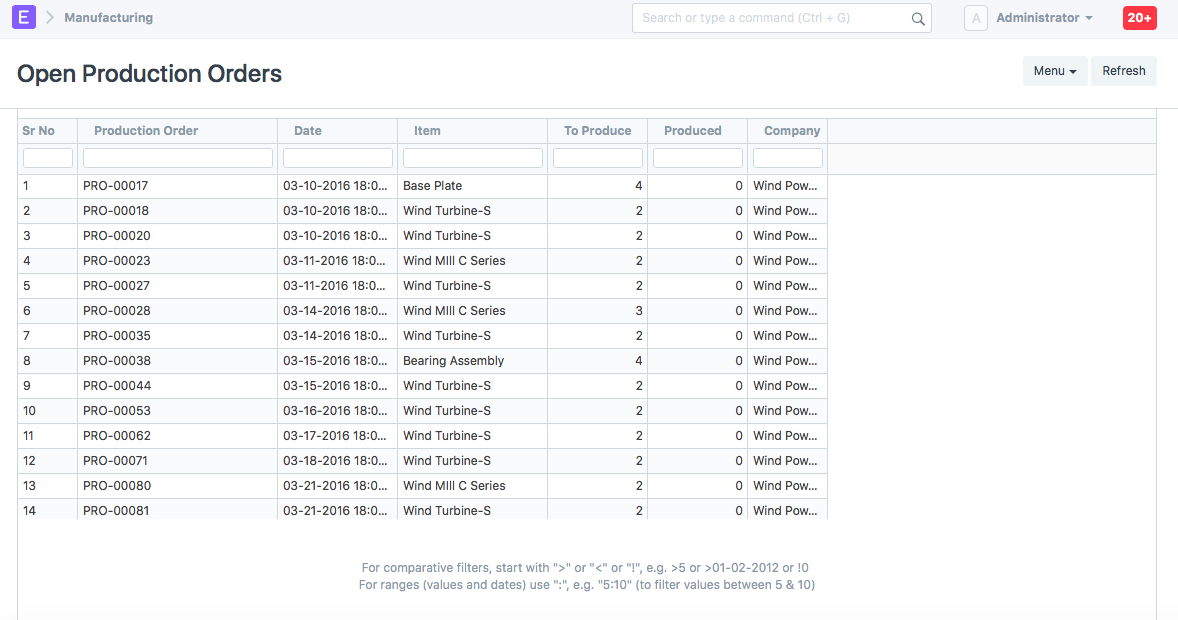
3. Check the Report
4. Advanced (adding filters)
If you are making a standard report, you can add filters in your query report just like script reports by adding a .js file in your query report folder. To include filters in your query, use %(filter_key)s where your filter value will be shown.
For example
SELECT ... FROM ... WHERE item_code = %(item_code)s ORDER BY ...
Note: Standard Script Report
If you are developing a standard report for an app, make sure to set "Is Standard" as "Yes"