

















Introduction to Frappe Lending
What is Frappe Lending?
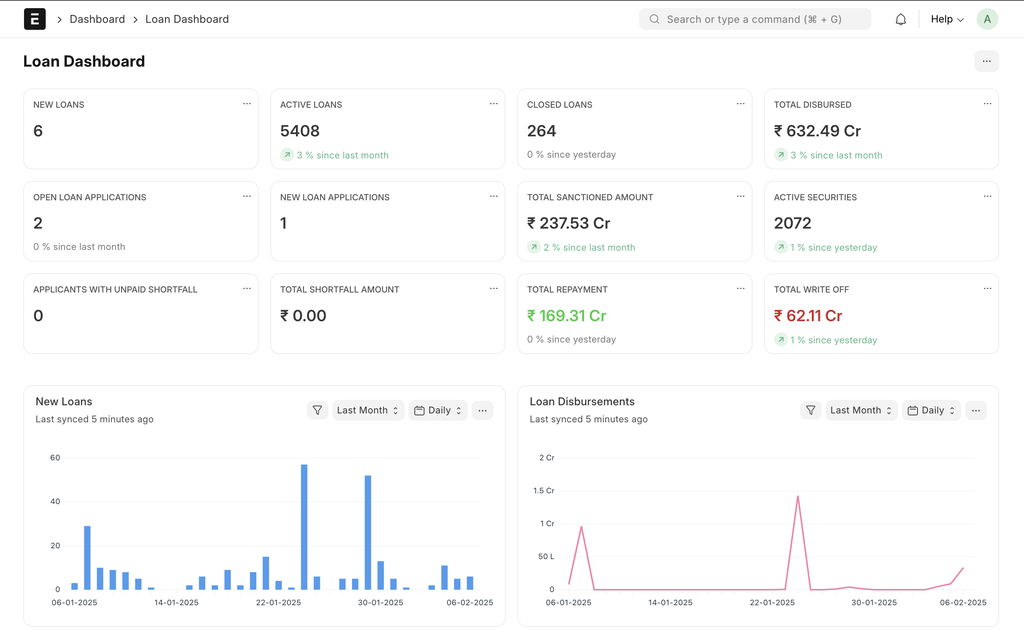
Frappe Lending is a comprehensive Loan Management System (LMS) designed to streamline and automate the entire loan lifecycle, from loan origination to closure. Built on ERPNext and Frappe Framework, an open-source low-code platform, it provides financial institutions, NBFCs, and lenders with the tools they need to efficiently manage loans while ensuring compliance and reducing operational overhead.
Why Frappe Lending?
- 100% open source & API-first – Everything is open source and is end to end REST API compatible.
- Scalable & trusted – Designed for high-volume lending.
- Complete loan & financial management – Manage loan origination, disbursements, repayments, and accounting—all in one place.
- Built-in compliance & risk monitoring – Automated DPD tracking, NPA classification, and regulatory reporting ensure compliance without manual effort.
- Accounting, billing & taxation - Integrated ledgers, invoicing, and tax handling keep your financials accurate and audit-ready.
- Custom workflows & role-based access - Define approval steps, automate processes, and control access with role-based permissions, ensuring smooth and secure operations.
Key Features
- Loan Booking
- Portfolio Management
- Collateral Management
- Lending Models
- Loan Accounting
- Collection Management
- Co-Lending
Under the Hood
- ERPNext: ERPNext is business management software that helps companies stay on top of their operations, whether it’s tracking inventory, managing finances, handling projects, or keeping customers happy.
- Frappe Framework: A full-stack web application framework written in Python and Javascript. The framework provides a robust foundation for building web applications, including a database abstraction layer, user authentication, and a REST API.
Community
GitHub - Contribute to Frappe Lending and explore its open-source code, issues, and discussions
Last updated 9 months ago
Was this helpful?