

















A Loan Lead is the first-stage borrower enquiry record used before creating a formal loan application. It captures basic applicant profile, contact details, requested loan amount, product preference, and proposed tenure. This helps teams qualify incoming opportunities and prepare them for application processing.
To access Loan Lead, go to:
Home > Lending > Loan Origination > Loan Lead
Prerequisites
Before creating a Loan Lead, it is advised to have:
- Loan Product master
- Basic applicant contact details
How to create a Loan Lead
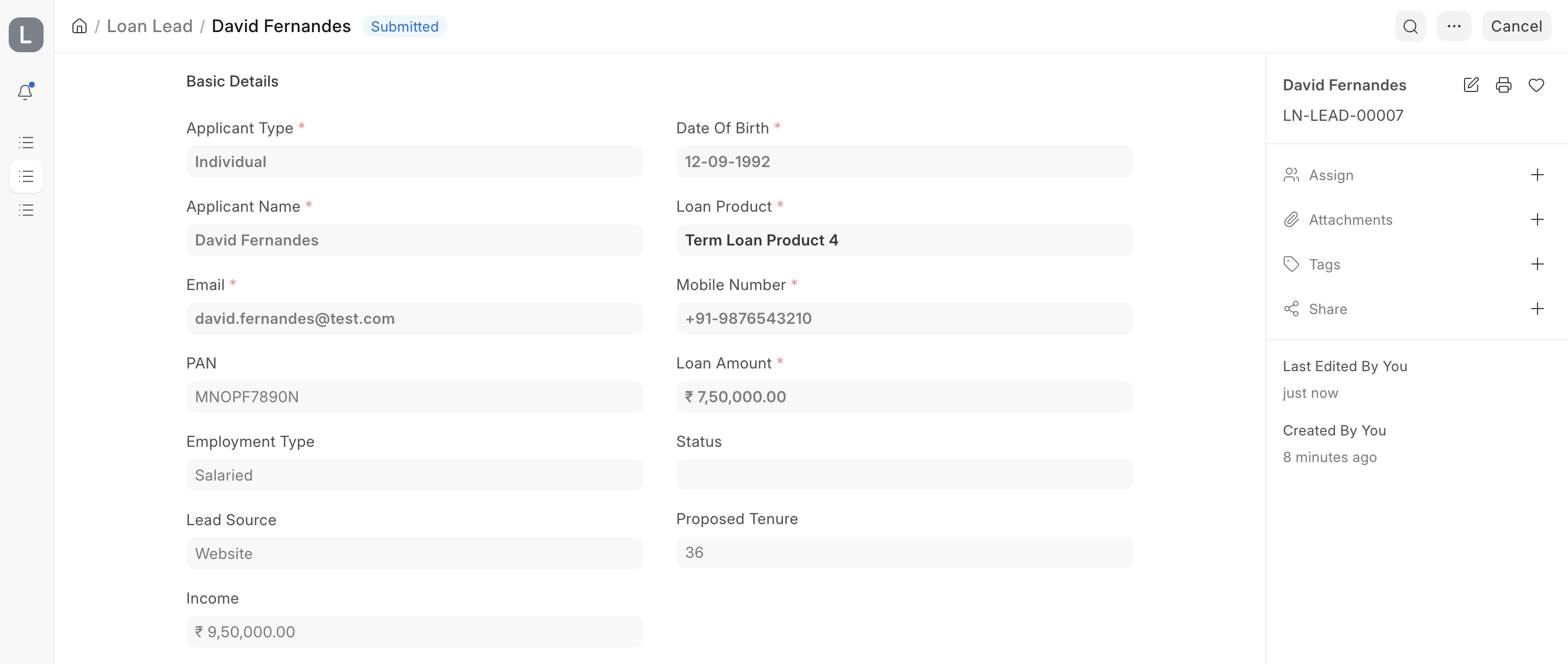
- Go to Loan Lead List and click on Add Loan Lead.
- Select Applicant Type.
- Enter Applicant Name, Email, Mobile Number, Loan Product, and Loan Amount.
- Enter Proposed Tenure and other profile details as required.
- Save and Submit.
Individual vs business details
- For Individual applicants, Date of Birth is captured and age is derived.
- For Business applicants, Company Name can be captured.
Contact and verification readiness
Loan Lead includes contact references and verification status placeholders (mobile/email verification tracking) so teams can manage lead readiness in a structured way.
Convert to Loan Application
After the lead is qualified, it can be used to start a Loan Application with key details prefilled (applicant contact info, loan product, amount, and tenure).