


















Process Loan Statement of Accounts
Process Loan Statement of Accounts generates the Loan Statement of Account report for a set of applicants (Customers or Employees) and emails it to them as a PDF, on demand or on a schedule.
To access it, go to:
Home > Loan Management > Process Loan Statement of Accounts > New
Prerequisites
- Company and Loan Product masters
- Applicants (Customer/Employee) with valid email addresses
- An Email Account to use as the sender (for sending emails)
How to configure
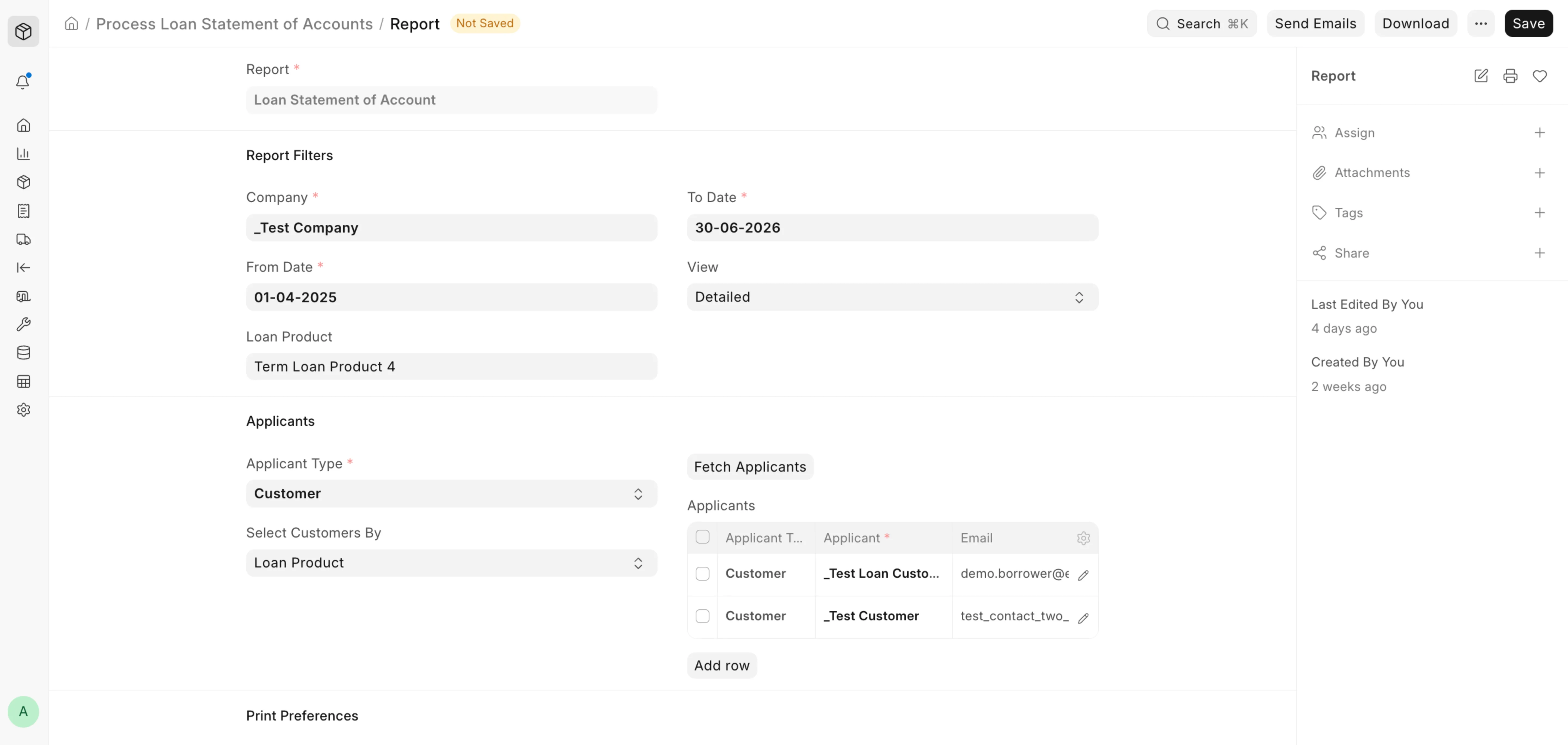
- Name the document and select the Company, From/To Date, and optionally a Loan Product and View.
- Set the Applicant Type and Select Applicants By, then click Fetch Applicants.
- Set print preferences (Letter Head, Orientation, Terms and Conditions).
- Set email content (Sender, CC To, PDF Name, Subject, Body).
- To automate delivery, enable Auto Email and set the schedule.
- Save, then use Download or Send Emails.
Fields
- Company / From Date / To Date / Loan Product — report filters. From/To Date are mandatory unless Auto Email is on, in which case the window is derived from Filter Duration.
- View — report layout: Detailed or Grouped.
- Applicant Type — Customer or Employee.
- Select Applicants By — how Fetch Applicants collects recipients: by Loan Product or All Loans.
- Applicants — the recipient table (Applicant, Name, Email); at least one required.
- Letter Head / Orientation / Terms and Conditions / Page Break After Each Statement — PDF print preferences.
- Enable Auto Email — send automatically on schedule; reveals the schedule fields.
- Sender / CC To — sending Email Account and copied recipients.
- Frequency / Filter Duration (Months) / Start Date — schedule for auto email (Frequency: Daily, Weekly, Biweekly, Monthly, Quarterly).
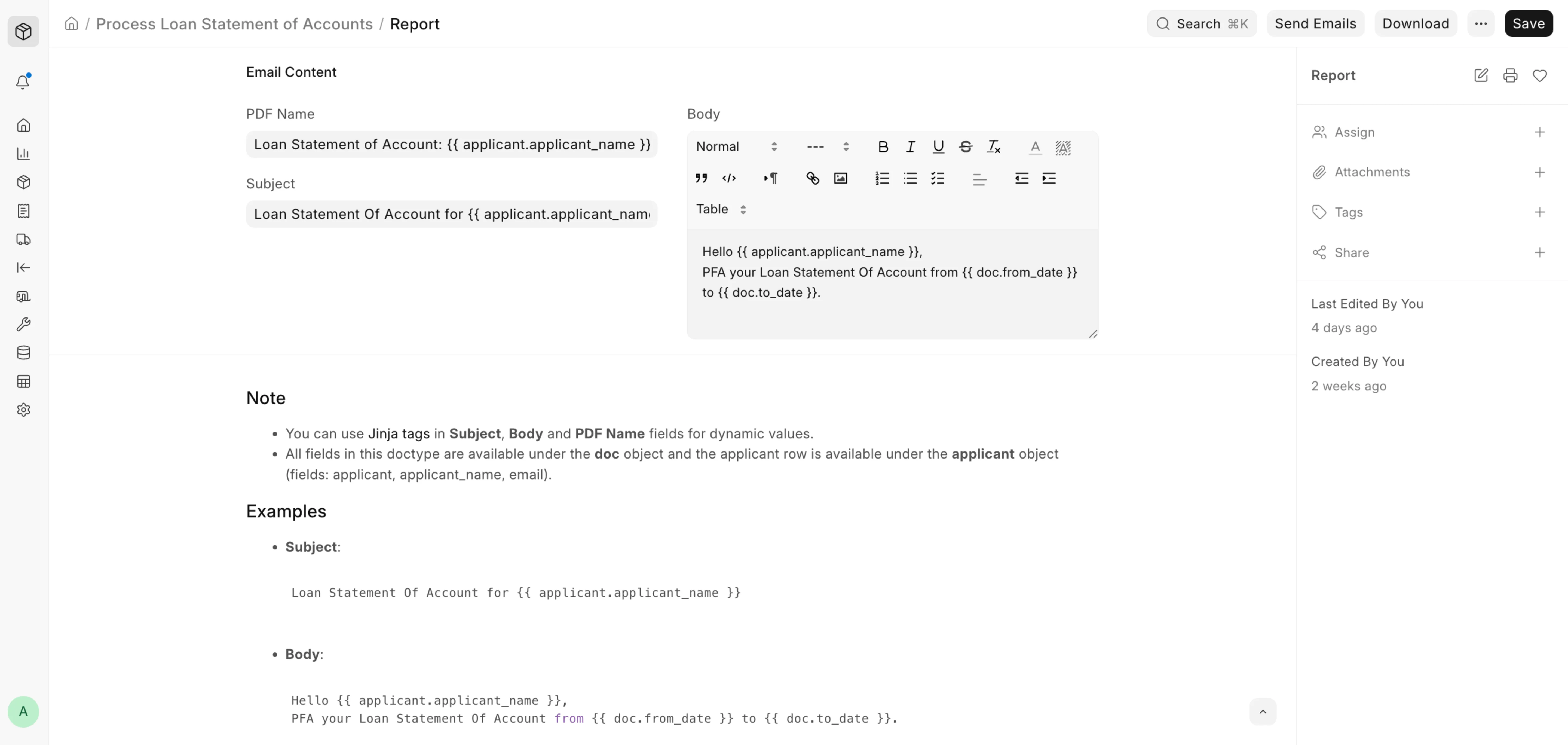
- PDF Name / Subject / Body — email content, all Jinja-enabled.
Jinja: Subject, Body, and PDF Name support Jinja tags. All document fields are on the
docobject and the current row on theapplicantobject (applicant,applicant_name,
Example:Loan Statement Of Account for {{ applicant.applicant_name }}
Actions
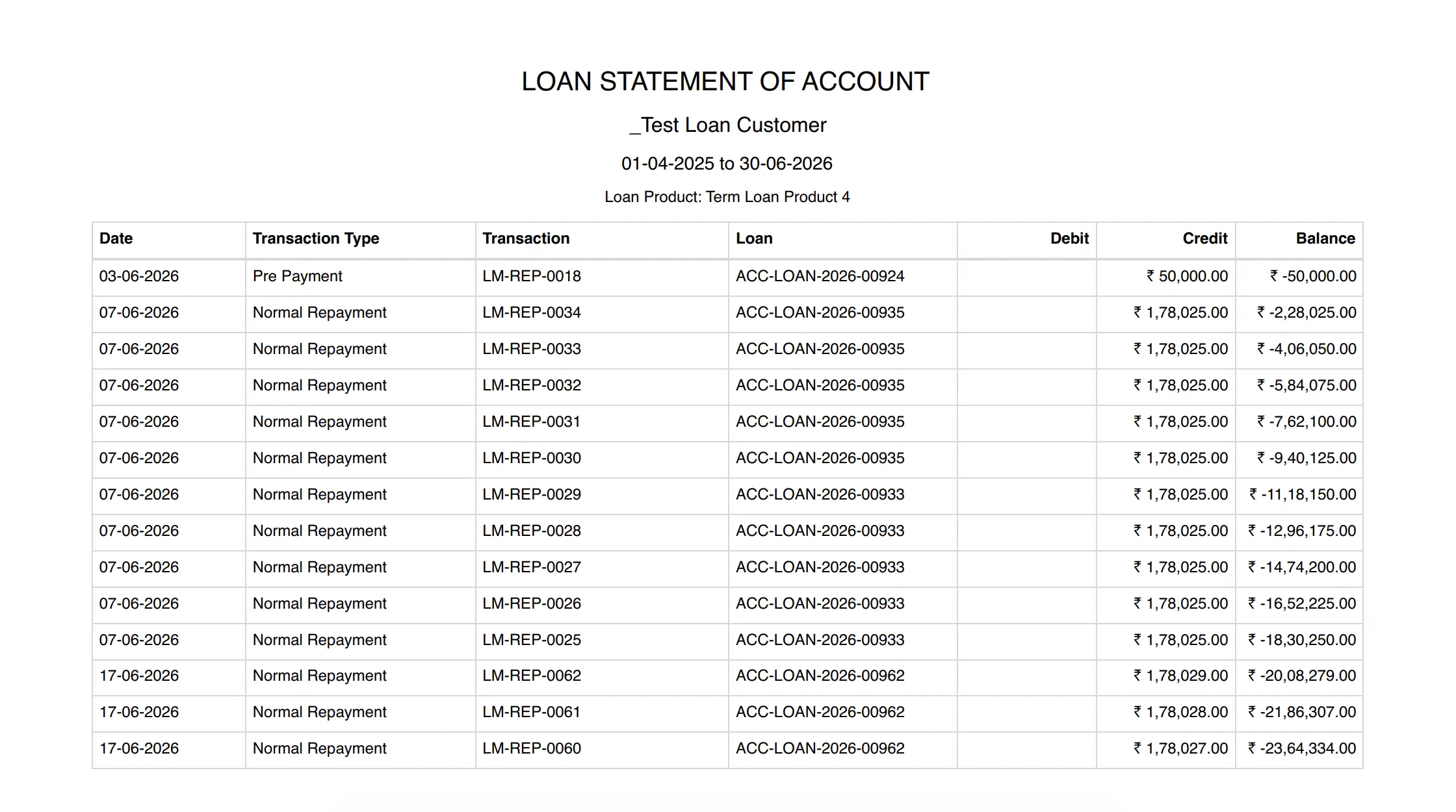
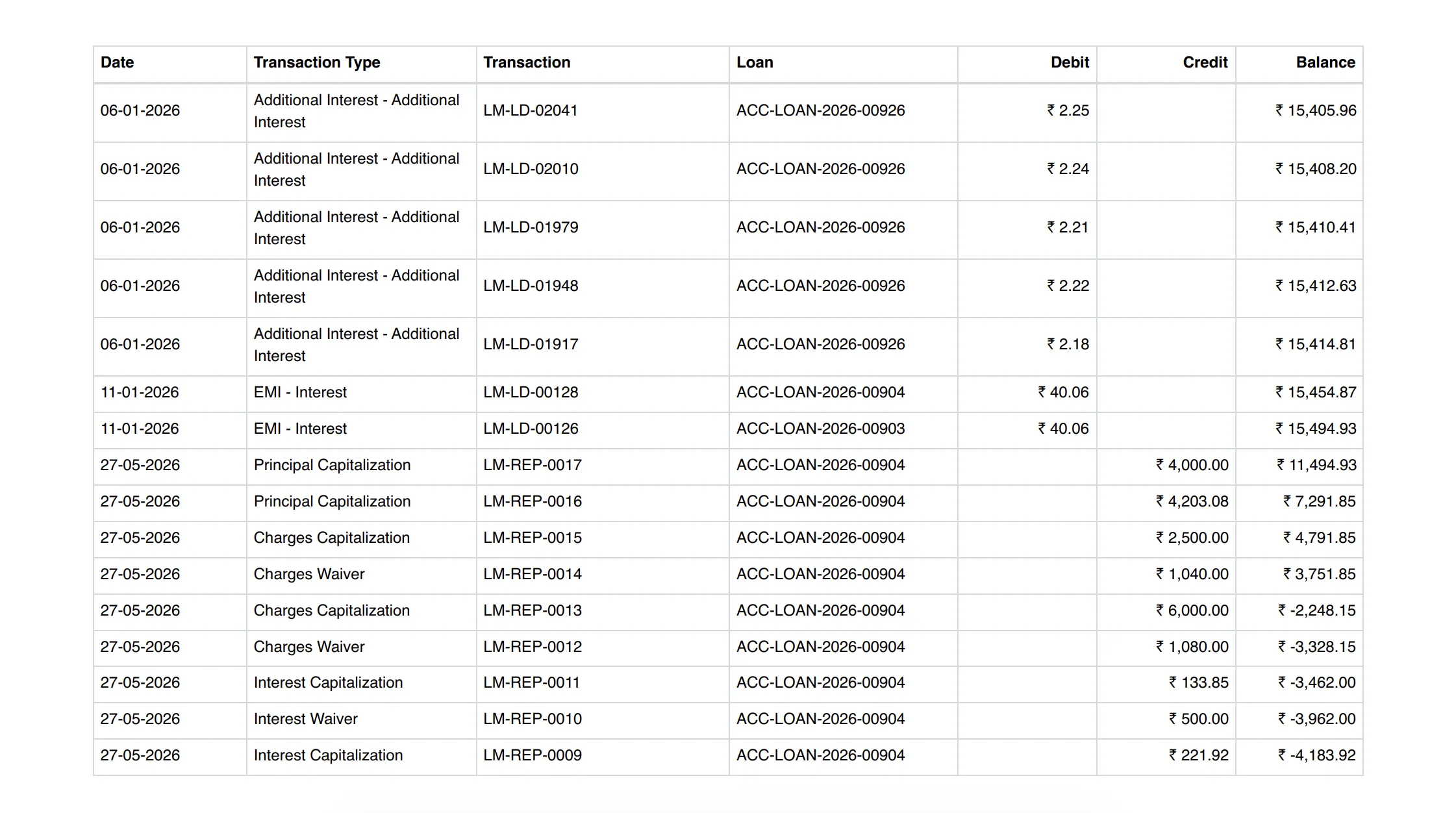
- Download — generates all applicants' statements as one combined PDF.
-
Send Emails — queues each applicant's statement to their email (CC'd as configured); applicants without an email are skipped.
-
Scheduled sending — when Auto Email is on, a daily scheduler sends statements automatically when due.
Last updated 4 months ago
Was this helpful?