


















Loan Repayment Repost
Loan Repayment Repost re-processes a loan's repayments from a chosen date. It cancels and re-books every repayment on or after that date, so the accruals, demands, allocations, GL Entries and classification that follow are regenerated correctly. Use it to fix a loan after a backdated change or a wrong entry, without manually cancelling and re-entering each repayment.
To access it, go to:
Home > Loan Management > Loan Repayment Repost > New
Prerequisites
- The Loan to repost
- The date from which reprocessing should start
- The specific Loan Disbursement, if only one disbursement needs reposting
How to configure
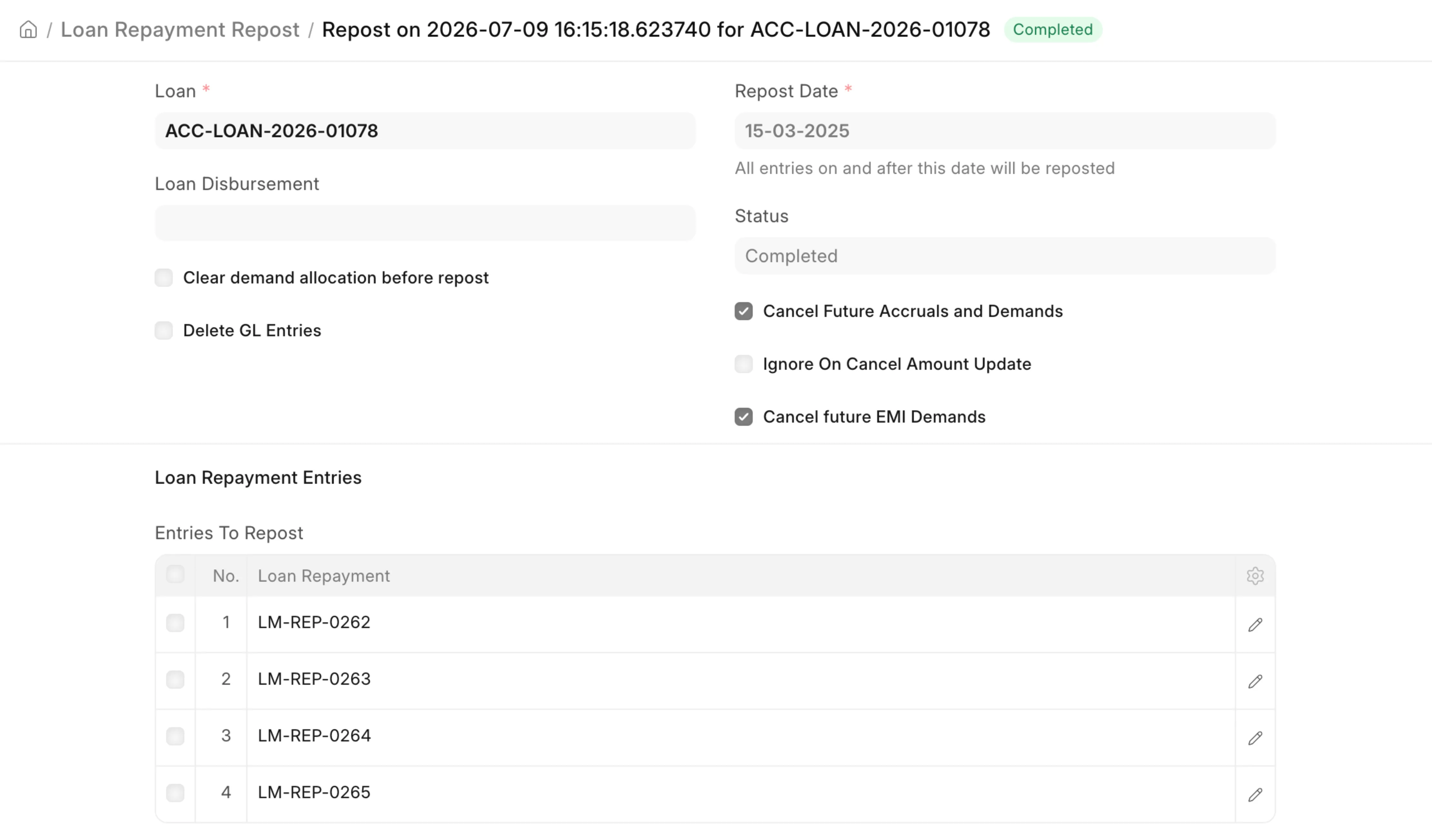
- Select the Loan, and optionally a Loan Disbursement to limit the repost to it.
- Set the Repost Date. Every submitted repayment on or after this date is loaded into Entries To Repost.
- Choose the reprocessing options based on what needs correcting.
- In Entries To Cancel, list any repayments that should be cancelled outright instead of reposted.
- Save and Submit. Short reposts run immediately; reposts older than 6 months run in the background.
- Track progress on the Status field.
Fields
- Loan: the loan to repost. Required.
- Loan Disbursement: optional; limits the repost to one disbursement.
- Repost Date: reprocessing starts here. Entries before this date are left untouched; entries on or after it are cancelled and re-booked. Required.
- Entries to Repost: auto-filled list of repayments that will be reposted.
- Entries to Cancel: repayments to cancel permanently instead of reposting.
- Cancel future EMI Demands: reverse EMI demands on or after the Repost Date before reprocessing.
- Cancel Future Accruals and Demands: reverse interest accruals and penalty demands on or after the Repost Date.
- Clear demand allocation before repost: reset affected demands to their original outstanding and clear old allocations first.
- Delete GL Entries: hard-delete old GL Entries instead of reversing them.
How it works
On submit, the repost runs in two steps for the selected loan and date window:
- Cancel — each repayment on or after the Repost Date is reversed (demands, security deposits, restructures and GL Entries rolled back). Entries listed in Entries To Cancel are cancelled outright. The loan's paid totals are recomputed from repayments before the Repost Date.
- Re-book — the remaining repayments are reprocessed in order: demands and accruals are regenerated, amounts re-allocated, reschedules and write-offs handled, and GL Entries recreated. A closing accrual and demand run brings the loan up to date, and if the loan is now closed, its classification is refreshed.
Background processing
If the Repost Date is more than 6 months old, the repost runs as a background job and its Status is set to Queued. If it fails, the changes are rolled back, the Status returns to Draft, and a comment with the error is added so it can be retried. A repost that is already Queued or In Process cannot be submitted again.