


















Job Opening
A Job Opening is a job vacancy in your Company. You can make a record of the open vacancies in your company using Job Opening.
Frappe HR allows to plan recruitment for your company. The number of Job Openings you can create for a Designation is restricted according to the vacancies planned by the Staffing Plan defined for the company or one of its parent group companies in the hierarchy.
To access Job Opening, go to:
Home > Human Resource > Recruitment > Job Opening
1. Prerequisites
Before creating a Job Opening, it is advisable you create the following:
2. How to create a Job Opening
- Go to Job Opening list, click on New.
- Enter the Job Title.
- Select the Designation and Department. Based on Designation selected, appropriate Staffing Plan and Planned Number of Positions will be fetched.
- Save.
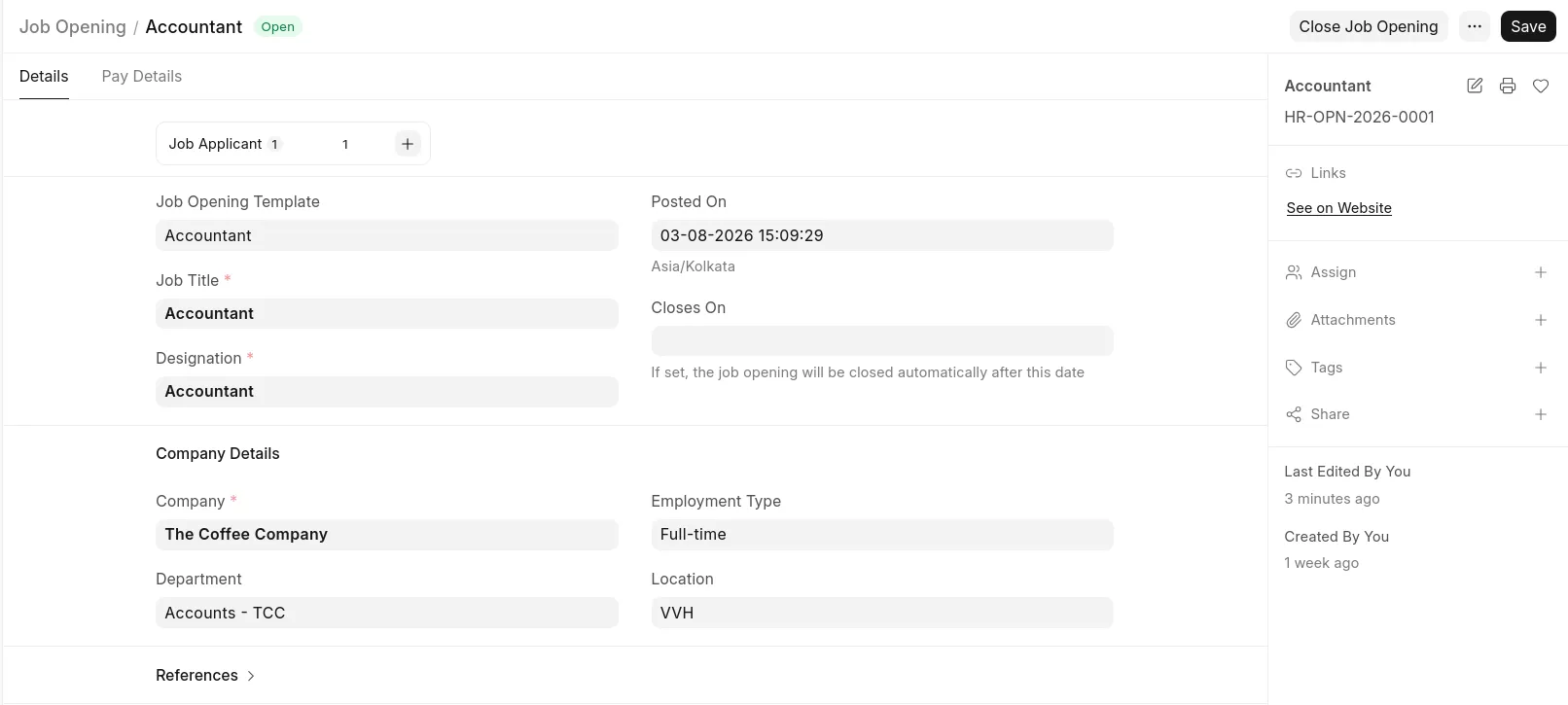 You can also use Job Opening Template to populate the common fields
Once the Job Opening is saved, you can directly create a new Job Applicant from the dashboard.
3. Features
3.1 Job Portal
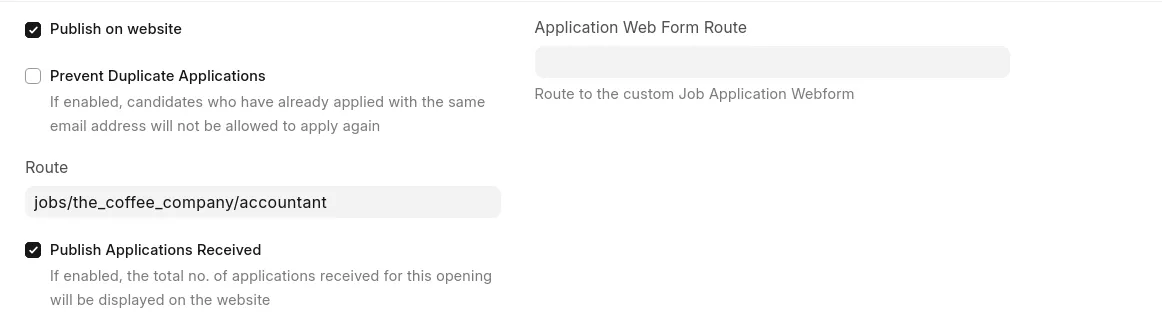
You can enable 'Publish on website' to publish a Job Opening to the Job Portal. This will make it possible for users to view and apply to these openings from your site.
4. Related Topics
Frappe HR allows to plan your recruitment at a group company level. The number of Job Openings you can create for a Designation is restricted according to the Vacancies planned by the Staffing Plan defined for the company or one of it's parent group companies in the hierarchy. To understand how you can do configure this, check Staffing Plan