

















Holiday List is a list which contains the dates of holidays.
Most organizations have a standard Holiday List for their employees. However, some of them may have different holiday lists based on different Locations or Departments. In ERPNext, you can configure multiple Holiday Lists and assign them to your employees based on your requirements.
To access Holiday List, go to:
Home > Human Resources > Leaves > Holiday List
1. How to create a Holiday List
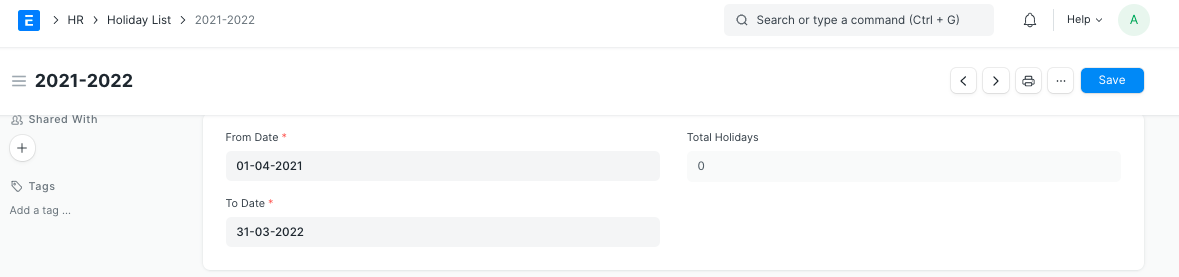
- Go to Holiday List, click on New.
- Enter Holiday List Name. It can be based on the Fiscal Year or Location or Department as per the requirement.
- Select From Date and To Date for the Holiday List.
2. Features
Some of the additional features in the Holiday List are as follows:
2.1 Adding Weekly Holidays
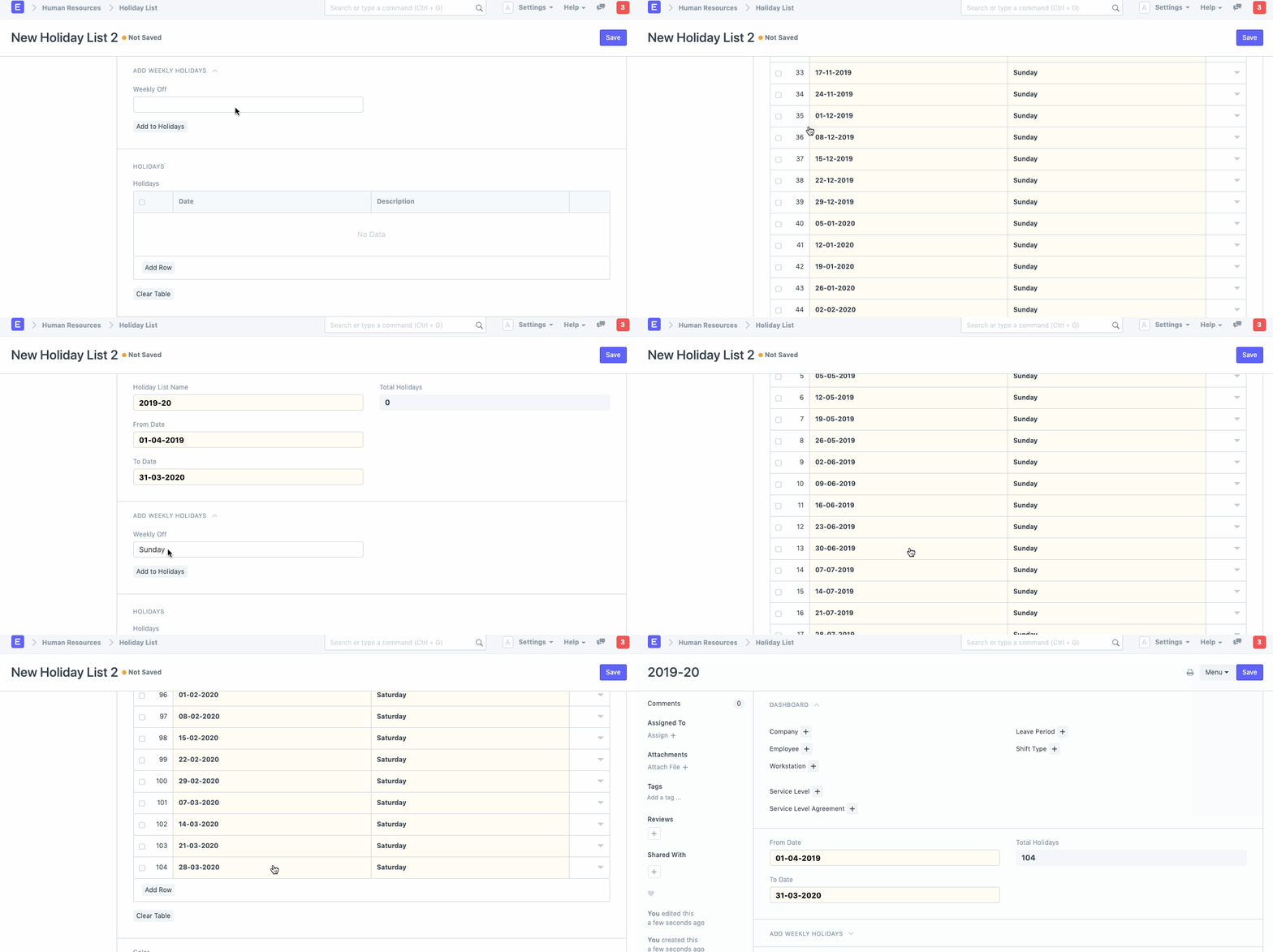
You can quickly add Weekly Offs in the Holiday List as follows:
- In the 'Add Weekly Holidays' section, select the day in the Weekly Off field.
- Click on the 'Add to Holidays' button.
2.2 Adding Local Holidays
You can quickly add local holidays to the Holiday List as follows:
- In the 'Add Local Holidays' section, select the country.
- Some countries have subdivisions with different or additional holidays. If you like, you can optionally select a specific subdivision.
- Click on the 'Add to Holidays' button.
Can't find your country for fetching local holidays in Holiday List?
Frappe HR uses an external package Holidays to get predictable holiday dates for countries. These are the list of countries supported:
https://holidays.readthedocs.io/en/latest/#available-countries
If your country is not listed here, you will have to manually add local holidays. If you are a developer, you can also consider contributing your country’s holidays to the original repository.
2.3 Adding Holidays manually
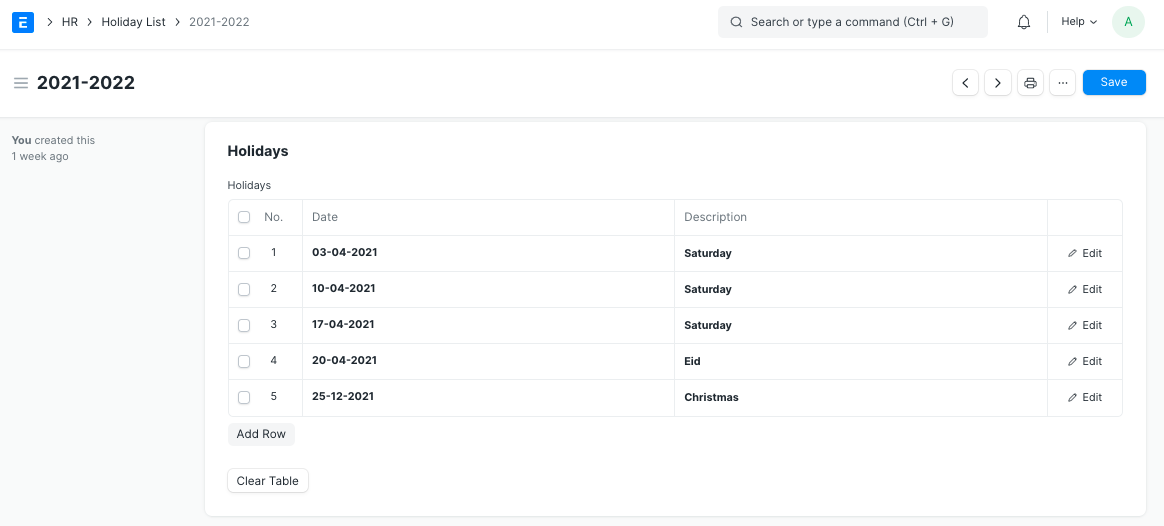
You can also add specific days manually by clicking on the 'Add row' option in the Holidays table.
3. Holiday List in Company
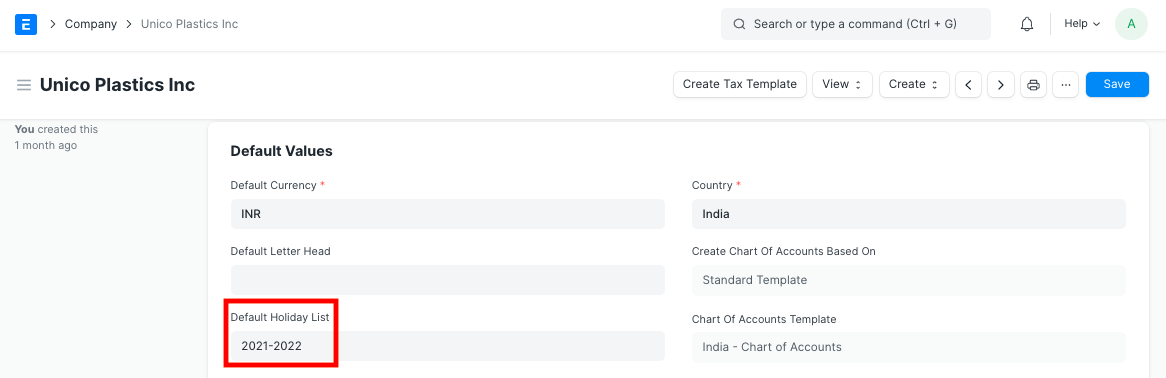
You can set a default Holiday List at the company-level in the Company master in the 'Default Holiday List' field.
4. Holiday List in Employee
See Holiday List Assignment
5. Holiday List in Workstation
You can also set a Holiday List at workstation-level as shown in the screenshot below.
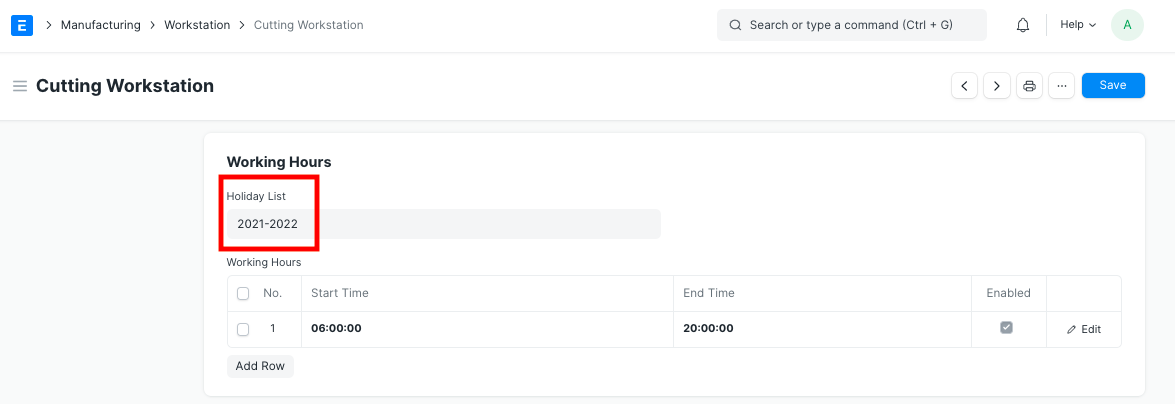
The dates in the Holiday List tagged in the Workstation master will be considered as the days the Workstation will remain closed.
6. Related Topics
- Leave Allocation
- Leave Period
- Leave Policy
- HR Settings